 黑客技术
点击放大
项目说明
<h1 align="center">
<img src="static/naabu-logo.png" alt="naabu" width="200px">
<br>
</h1>
<p align="center">
<a href=" src="
<a href=" src="
<a href=" src="
<a href=" src="
<a href=" src="
<a href=" src="
</p>
<p align="center">
<a href="#features">Features</a> •
<a href="#installation-instructions">Installation</a> •
<a href="#usage">Usage</a> •
<a href="#running-naabu">Running naabu</a> •
<a href="#configuration-file">Config</a> •
<a href="#nmap-integration">NMAP integration</a> •
<a href="#cdn-waf-exclusion">CDN/WAF Exclusion</a> •
<a href="
</p>
Naabu is a port scanning 工具 written in Go that allows you to enumerate valid ports for hosts in a fast and reliable manner. It is a really simple 工具 that does fast SYN/CONNECT/UDP scans on the host/list of hosts and lists
all ports that return a reply.
Features
<h1 align="center">
<img src=" alt="naabu" width="700px">
<br>
</h1>
- Fast And Simple SYN/CONNECT/UDP probe based scanning
- Optimized for ease of use and lightweight on resources
- DNS Port scan
- Automatic IP Deduplication for DNS port scan
- IPv4/IPv6 Port scan (experimental)
- Passive Port enumeration using Shodan Internetdb
- Host Discovery scan (experimental)
- NMAP integration for service discovery
- Custom UDP payloads for CONNECT scans
- Native UDP service probes powered by nmap-ser
- Multiple input support - STDIN/HOST/IP/CIDR/ASN
- Multiple output format support - JSON/TXT/STDOUT
Usage
This will display help for the 工具. Here are all the switches it supports.
Installation Instructions
Download the ready to run binary / docker or install with GO
Prerequisite
> Note: before installing naabu, make sure to install libpcap library for packet capturing.
To install libpcap on Linux: sudo apt install -y libpcap-dev, on Mac: brew install libpcap, on Windows: install Npcap
Installing Naabu
Running Naabu
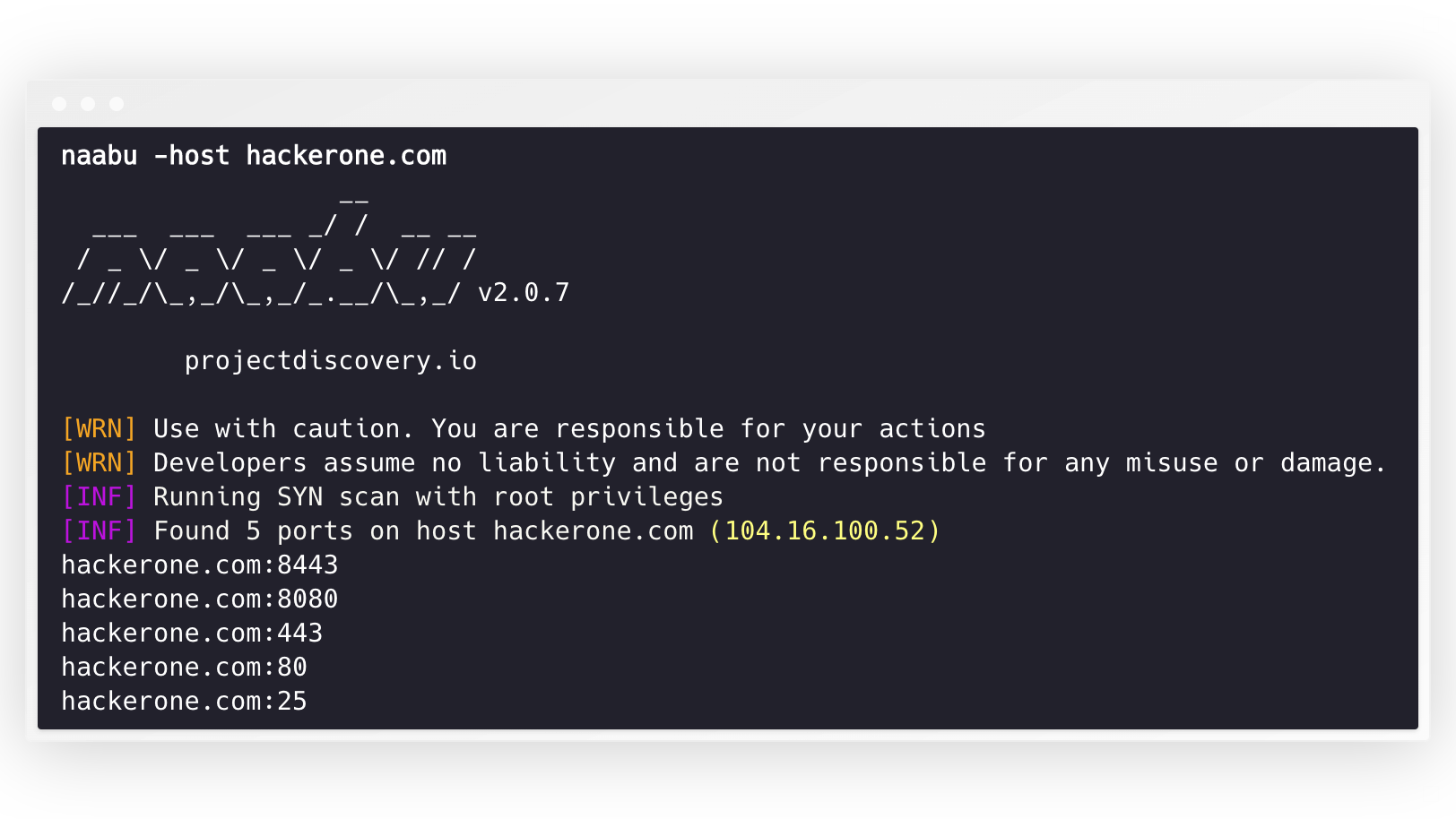
To run the 工具 on a target, just use the following command.
This will run the 工具 against hackerone.com. There are a number of configuration options that you can pass along with this command. The switch -v can be used to display information.
The ports to scan for on the host can be specified via -p parameter (udp ports must be expressed as u:port). It takes nmap format ports and runs enumeration on them.
For UDP scans, you can specify a custom payload to send using the -cp or --connect-payload flag. This is particularly useful for UDP services that require specific data to respond:
By default, the Naabu checks for nmap's Top 100 ports. It supports the following in-built port lists -
| Flag | Description |
|-------------------|--------------------------------------|
| -top-ports 100 | Scan for nmap top 100 port |
| -top-ports 1000 | Scan for nmap top 1000 port |
| -p - | Scan for full ports from 1-65535 |
You can also specify specific ports which you would like to exclude from the scan.
To run the naabu on a list of hosts, -list option can be used.
To run the naabu on a ASN, AS input can be used. It takes the IP address a for given ASN and runs the enumeration on them.
You can also get output in json format using -json switch. This switch saves the output in the JSON lines format.
The ports discovered can be piped to other tools too. For example, you can pipe the ports discovered by naabu to httpx which will then find running http servers on the host.
The speed can be controlled by changing the value of rate flag that represent the number of packets per second. Increasing it while processing hosts may lead to increased false-positi. So it is recommended to keep it to a reasonable amount.
IPv4 and IPv6
Naabu supports both IPv4 and IPv6, and both are enabled by default. If IPv6 is used, connectivity must be correctly configured, and the 网络 interface must have an IPv6 address assigned (inet6) and a default gateway.
The option -ip- 6 makes the 工具 use only IPv6 addresses while resolving domain names.
To scan all the IPs of both , -scan-all-ips flag can be used.
Host Discovery
Naabu optionally supports multiple options to perform host discovery. Host discovery is optional and can be enabled with the -wn flag. -sn flag instructs the 工具 to perform host discovery only.
A options to perform host discovery:
-arp)-ps 80)-pa 443)-pe)-pp)-pm)-nd)Configuration file
Naabu supports config file as default located at $HOME/.config/naabu/config.yaml, It allows you to define any flag in the config file and set default to include for all scans.
Nmap integration
We ha nmap support for service discovery or any additional scans supported by nmap on the found results by Naabu, make sure you have nmap installed to use this feature.
To use,nmap-cli flag can be used followed by nmap command, for example:-
Service Detection
Naabu has built-in service detection using nmap's service probes 数据库. This runs in parallel with port scanning for maximum performance.
A flags:
| Flag | Description |
|------|-------------|
| -sV | Enable service detection |
| -s | Only probe port-hinted services (faster, skips fallback probes) |
| -s duration | Timeout for service probes (default 5s) |
| -s int | Number of concurrent service workers (default 25) |
| -s string | Custom nmap-ser file path (auto-detected from local nmap install if empty) |
| -sD | Service discovery (match port number to service name, no acti) |
The -sV flag requires the nmap-ser 数据库 file. naabu does not ship this 数据库 itself (it is licensed under the copyleft Nmap Public 源码 License, which is incompatible with naabu's MIT license), so it reads the file from a local nmap installation, automatically looking in standard nmap installation paths. To use a custom file, specify the path with -s.
UDP Service Probes
UDP services typically stay silent when they receive an empty datagram, so a blind UDP port scan misses most of them. With -uP (-udp-probes) naabu picks a 协议-specific payload from the nmap-ser 数据库 for each UDP port being scanned (DNS query for 53, NTP request for 123, SNMPv1 GetRequest for 161, and so on), so real services ha to reply to and naabu can report them as open.
Notes:
-uP is opt-in and additive. When disabled (the default) UDP scans keep their historical zero-length-datagram behavior.-cp always wins over the automatic probe for that port.-uP reuses the same probe database as -sV, so you can combine the two without paying the parse cost twice. The probe file is auto-located from a local nmap install; use -s to point at a custom file. If no 数据库 can be found -uP logs a warning and is silently disabled.CDN/WAF Exclusion
Naabu also supports excluding CDN/WAF IPs being port scanned. If used, only 80 and 443 ports get scanned for those IPs. This feature can be enabled by using exclude-cdn flag.
Currently cloudflare, akamai, incapsula and sucuri IPs are supported for exclusions.
Scan Status
Naabu exposes json scan info on a local port bound to localhost at
-metrics-port flag)Using naabu as library
The following sample program scan the port
80 of scanme.sh. The results are returned via the OnResult callback:> OnResult is called once after the scan completes with aggregated results. To process results in real-time as ports are discovered, use OnReceive instead. The Stream option only controls async target loading — it does not affect when callbacks fire.
Notes
-----
Naabu is made with 🖤 by the projectdiscovery team. Community contributions have made the project what it is.
See the Thanks.md file for more details.
项目信息
开发语言:Go
Star 数:6279
技术要点
该项目属于黑客技术方向的开源资源,代码结构清晰,适合安全研究人员学习参考。项目围绕A fast port scanner written in go with a focus on reliability and simplicity. Designed to be used in combination with other tools for attack surface discovery in bug bounties and pentests展开,提供了可运行的实现,对理解相关安全机制、工具原理与攻防技术具有较高的研究价值。
从技术实现角度看,此类项目的核心在于对底层原理的深入理解与工程化落地。开发者在研究过程中可以结合官方文档与社区讨论,梳理项目的初始化流程、核心模块职责与数据流转,逐步掌握其中的技术细节与设计思路。
使用与学习建议
1. 下载源码压缩包,解压到本地环境。
2. 根据项目类型准备对应的运行环境与依赖。
3. 按照 README 中的步骤完成配置与部署。
4. 在隔离的测试环境中运行验证,避免影响生产系统。
免责声明
本资源来源于开源社区,仅供安全研究、技术学习与合法授权范围内的攻防演练使用,请勿用于任何非法或侵害他人权益的用途。使用本项目产生的一切后果由使用者自行承担。
| 资源标题 | naabu - 在go中编写的快速端口扫描仪,重点关注 |
| 所属分类 | 黑客技术 |
| 发布作者 | admin |
| 发布时间 | 2026-10-05 22:02:47 |
| 下载权限 | 免费下载 |
| 附件数量 | 2 个下载链接 |
| 浏览次数 | 181 |
| 讨论数量 | 0 |
| 主题状态 | 正常讨论中 |