 黑客技术
点击放大
Stitch - Python Remote Administration Tool (RAT)
项目说明
DISCLAIMER
**Stitch is for education/research purposes only. The author takes NO responsibility and/or liability for how you choose to use any of the tools/源码 代码/any files provided.
The author and anyone affiliated with will not be liable for any losses and/or damages in connection with use of ANY files provided with Stitch.
By using Stitch or any files included, you understand that you are AGREEING TO USE AT YOUR OWN RISK. Once again Stitch and ALL files included are for EDUCATION and/or RESEARCH purposes ONLY.
Stitch is ONLY intended to be used on your own pentesting labs, or with explicit consent from the owner of the property being tested.**
About Stitch
A Cross Platform Python Remote Administration 工具:
This is a cross platform python 框架 which allows you to build custom payloads for Windows, Mac OSX and Linux as well. You are able to select whether the payload binds to a specific IP and port, listens for a connection on a port, option to send an email of system info when the system boots, and option to start keylogger on boot. Payloads created can only run on the OS that they were created on.
Features
Cross Platform Support
Windows Specific
Mac OSX Specific
Mac OSX/Linux Specific
Implemented Transports
All communication between the host and target is AES encrypted. Every Stitch program generates an AES key which is then put into all payloads. To access a payload the AES keys must match. To connect from a different system running Stitch you must add the key by using the showkey command from the original system and the addkey command on the new system.
Implemented Payload Installers
The "stitchgen" command gives the user the option to create NSIS installers on Windows and Makeself installers on posix machines. For Windows, the installer packages the payload and an ele exe ,which prevents the firewall prompt and adds persistence, and places the payload on the system. For Mac OSX and Linux, the installer places the payload and attempts to add persistence. To create NSIS installers you must download and install NSIS.
Wiki
* Crash Course of Stitch
Requirements
For easy installation run the following command that corresponds to your OS:
Windows Specific
Mac OSX Specific
Mac OSX/Linux Specific
To Run
Moti
My moti behind this was to advance my knowledge of python, hacking, and just to see what I could accomplish. Was somewhat discouraged and almost abandoned this project when I found the amazing work done by n1nj4sec, but still decided to put this up since I had already come so far.
Other open-源码 Python RATs for Reference
* /basicRAT
* n1nj4sec/pupy
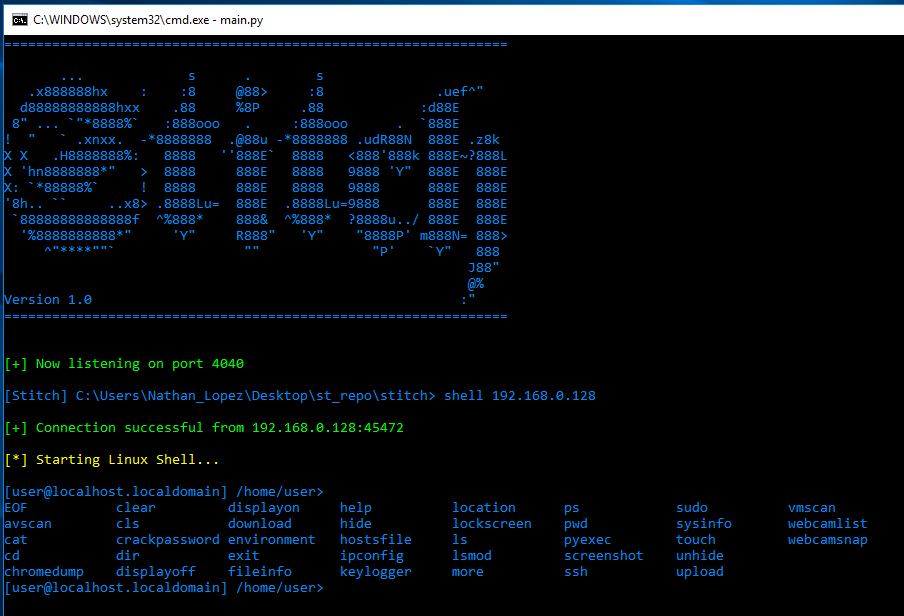
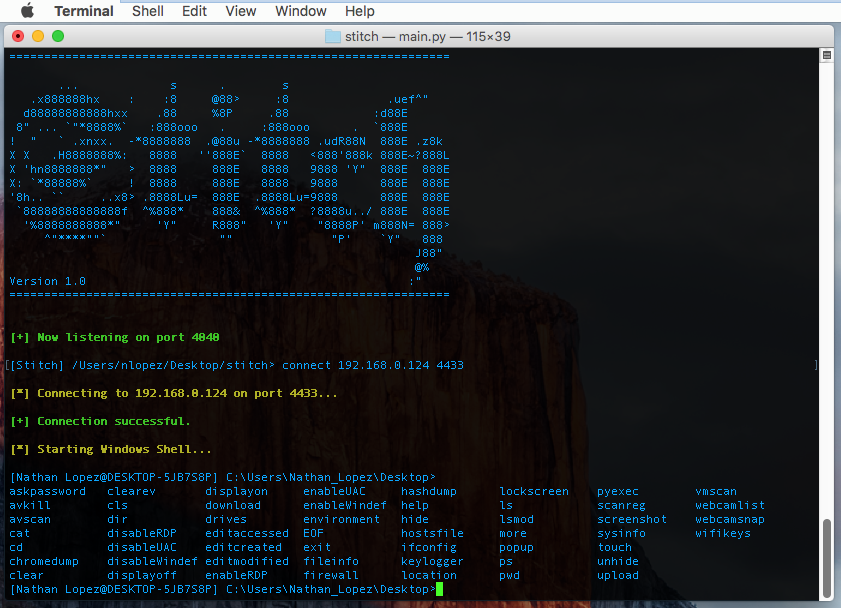
Screenshots
!linux options
!win_options
!win_upload
!osx_download
License
See LICENSE
项目信息
开发语言:Python
Star 数:3690
技术要点
该项目属于黑客技术方向的开源资源,代码结构清晰,适合安全研究人员学习参考。项目围绕Python Remote Administration Tool (RAT)展开,提供了可运行的实现,对理解相关安全机制、工具原理与攻防技术具有较高的研究价值。
从技术实现角度看,此类项目的核心在于对底层原理的深入理解与工程化落地。开发者在研究过程中可以结合官方文档与社区讨论,梳理项目的初始化流程、核心模块职责与数据流转,逐步掌握其中的技术细节与设计思路。
使用与学习建议
1. 下载源码压缩包,解压到本地环境。
2. 根据项目类型准备对应的运行环境与依赖。
3. 按照 README 中的步骤完成配置与部署。
4. 在隔离的测试环境中运行验证,避免影响生产系统。
免责声明
本资源来源于开源社区,仅供安全研究、技术学习与合法授权范围内的攻防演练使用,请勿用于任何非法或侵害他人权益的用途。使用本项目产生的一切后果由使用者自行承担。
| 资源标题 | Stitch - Python Remote Administration Tool (RAT) |
| 所属分类 | 黑客技术 |
| 发布作者 | admin |
| 发布时间 | 2026-10-05 22:11:25 |
| 下载权限 | 免费下载 |
| 附件数量 | 2 个下载链接 |
| 浏览次数 | 412 |
| 讨论数量 | 0 |
| 主题状态 | 正常讨论中 |