 黑客技术
点击放大
juice-shop - OWASP Juice Shop: Probably the most modern and sop
项目说明
!Juice Shop Logo OWASP Juice Shop
![OWASP Flagship]()
![GitHub release]()
![Twitter Follow]()
![Subreddit subscribers]()
![CI/CD Pipeline]()
![Release Pipeline]()
![Co Status]()
![Cypress tests]()
![OpenSSF Best Practices]()
!GitHub stars

> The most trustworthy online shop out there.
> () —
> The best juice shop on the whole internet!
> () —
> Actually the most bug-free application in existence!
> (@) —
> First you 😂😂then you 😢
> () —
> But this doesn't ha to do with juice.
> (' wife)
OWASP Juice Shop is probably the most modern and sophisticated insecure web application! It can be used in security
trainings, awareness demos, CTFs and as a guinea pig for security tools! Juice Shop encompasses from the
entire
OWASP Top Ten along with many other security flaws found in real-world
applications!
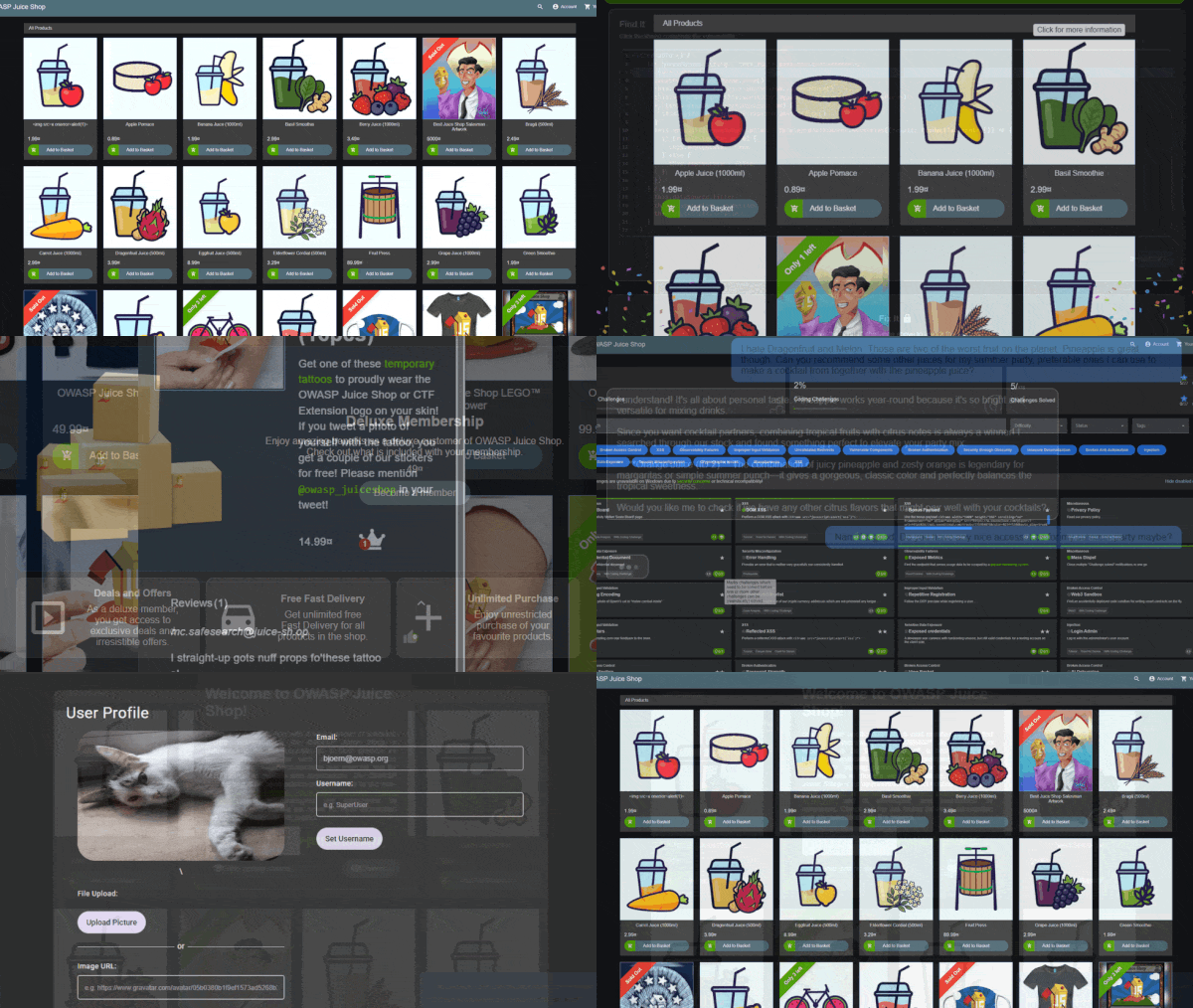
!Juice Shop Screenshot Slideshow
For a detailed introduction, full list of features and architecture o please visit the official project page:
<
Table of contents
- From Sources
- Packaged Distributions
- Docker Container
-
- Node.js compatibility
- Troubleshooting
- Official companion guide
Setup
> You can find some less common installation as well as instructions to run Juice Shop on a of cloud computing pro in
> the _Running OWASP Juice Shop_ documentation.
> Some challenges require an AI/LLM provider to work properly. Check the
> _Setting up external dependencies_ documentation
> for instructions on configuring local or cloud-based AI pro.
From Sources
!GitHub repo size
1. Install node.js
2. Run git clone --depth 1 (or
clone your own fork
of the repository)
3. Go into the cloned folder with cd juice-shop
4. Run npm install (only has to be done before first start or when you change the 源码 代码)
5. Run npm start
6. Browse to <
Packaged Distributions
![GitHub release]()
![SourceForge]()
![SourceForge]()
1. Install a 64bit node.js on your Windows, MacOS or Linux machine
2. Download juice-shop-<>_<node->_<os>_x64.zip (or
.tgz) attached to
latest release
3. Unpack and cd into the unpacked folder
4. Run npm start
5. Browse to <
> Each packaged distribution includes some binaries for sqlite3 and
> libxmljs2 bound to the OS and node.js which npm install was
> executed on.
Docker Container
![Docker Pulls]()
!Docker Stars


1. Install Docker
2. Run docker pull bkimminich/juice-shop
3. Run docker run --rm -p 127.0.0.1:3000:3000 bkimminich/juice-shop
4. Browse to < (on macOS and Windows browse to
< if you are using docker-machine instead of the nati installation)
1. Install and
2. Run git clone (or
clone your own fork
of the repository)
3. Run cd && up
4. Browse to 192.168.56.110
Demo
Feel free to have a look at the latest of OWASP Juice Shop:
<
> This is a deployment-test and sneak-peek instance only! You are __not
> supposed__ to use this instance for your own hacking endeavours! No
> guaranteed uptime! Guaranteed stern looks if you break it!
Documentation
Node.js compatibility
!GitHub package.json dynamic
!GitHub package.json dynamic
OWASP Juice Shop officially supports the following of
node.js in line with the official
node.js LTS schedule as close as possible. Docker images and packaged distributions are
offered accordingly.
| node.js | Supported | Tested | Packaged Distributions | Docker images from master | Docker images from develop |
|:--------|:-----------------------|:-------------------|:--------------------------------------------------|:-------------------------------------------------|:--------------------------------------------------|
| 26.x | :hea: | :hea: | | | |
| 25.x | ( :hea: ) | :x: | | | |
| 24.x | :hea: | :hea: | Windows (x64), MacOS (x64), Linux (x64) | latest (linux/amd64, linux/arm64) | snapshot (linux/amd64, linux/arm64) |
| 23.x | :x: | :x: | | | |
| 22.x | :hea: | :hea: | | | |
| <22.x | :x: | :x: | | | |
Juice Shop is automatically tested _only on the latest .x minor of each node.js mentioned above!
There is no guarantee that older minor node.js releases will always work with Juice Shop!
Please make sure you stay up to date with your chosen .
Troubleshooting
![Gitter]()
If you need help with the application setup please check
our existing _Troubleshooting_
guide. If this does not solve your issue please post your specific problem or question in the
Gitter Chat where community members can best try to help you.
:stop_sign: Please avoid opening GitHub issues for support requests or questions!
Official companion guide
![Write Goodreads Review]()
OWASP Juice Shop comes with an official companion guide eBook. It will give you a complete o of all
found in the application including hints how to spot and exploit them. In the appendix you will even
find complete step-by-step solutions to every challenge. Extensi of
custom re-branding,
CTF-support,
trainer's guide
and much more is also included.
Pwning OWASP Juice Shop is published under
CC BY-NC-ND 4.0
and is a for free in PDF, Kindle and ePub format on LeanPub. You can also
browse the full content online!
<img alt="Pwning OWASP Juice Shop cover" src=" width="200"/>
<img alt="Pwning OWASP Juice Shop back cover" src=" width="200"/>
Contributing
![GitHub contributors]()
![Ja Style Guide]()
![Crowdin]()
!GitHub issues by-label
!GitHub issues by-label
We are always happy to get new contributors on board! Please check
CONTRIBUTING.md to learn how to
contribute to our codebase or the
translation into different languages!
References
Did you write a blog post, magazine article or do a podcast about or mentioning OWASP Juice Shop? Or maybe you held or
joined a conference talk or meetup session, a hacking workshop or public training where this project was mentioned?
Add it to our e list of REFERENCES.md by forking and opening a Pull Request!
Merchandise
* On Spreadshirt.com and
Spreadshirt.de you can get some swag (Shirts, Hoodies, Mugs) with the official
OWASP Juice Shop logo
* On
StickerYou.com
you can get of the OWASP Juice Shop logo as single stickers to decorate your laptop with. They can also print
magnets, iron-ons, sticker sheets and temporary tattoos.
Donations
![]()
The OWASP Foundation gratefully accepts donations . Projects such as Juice Shop can then request reimbursement
for expenses from the Foundation. If you'd like to express your support of the Juice Shop project, please make sure to
tick the "Publicly list me as a supporter of OWASP Juice Shop" checkbox on the donation form. You can find our more
about donations and how they are used here:
<
Contributors
The OWASP Juice Shop Project Leaders are:
bkimminich ![Keybase PGP]()J12934For a list of all contributors to the OWASP Juice Shop please visit our
HALL_OF_FAME.md.
Licensing

This program is free software: you can redistribute it and/or modify it under the terms of the MIT license.
OWASP Juice Shop and any contributions are Copyright © by Bjoern Kimminich & the OWASP Juice Shop contributors
2014-2026.
!Juice Shop Logo
项目信息
开发语言:TypeScript
Star 数:14026
技术要点
该项目属于黑客技术方向的开源资源,代码结构清晰,适合安全研究人员学习参考。项目围绕OWASP Juice Shop: Probably the most modern and sophisticated insecure web application展开,提供了可运行的实现,对理解相关安全机制、工具原理与攻防技术具有较高的研究价值。
从技术实现角度看,此类项目的核心在于对底层原理的深入理解与工程化落地。开发者在研究过程中可以结合官方文档与社区讨论,梳理项目的初始化流程、核心模块职责与数据流转,逐步掌握其中的技术细节与设计思路。
使用与学习建议
1. 下载源码压缩包,解压到本地环境。
2. 根据项目类型准备对应的运行环境与依赖。
3. 按照 README 中的步骤完成配置与部署。
4. 在隔离的测试环境中运行验证,避免影响生产系统。
免责声明
本资源来源于开源社区,仅供安全研究、技术学习与合法授权范围内的攻防演练使用,请勿用于任何非法或侵害他人权益的用途。使用本项目产生的一切后果由使用者自行承担。
| 资源标题 | juice-shop - OWASP Juice Shop: Probably the most modern and sop |
| 所属分类 | 黑客技术 |
| 发布作者 | admin |
| 发布时间 | 2026-10-05 22:29:05 |
| 下载权限 | 免费下载 |
| 附件数量 | 2 个下载链接 |
| 浏览次数 | 301 |
| 讨论数量 | 0 |
| 主题状态 | 正常讨论中 |