 安全软件
点击放大
msticpy - Microsoft Threat Intelligence Security Tools
项目说明
MSTIC Jupyter and Python Security Tools
!GitHub Actions build
![Azure Pipelines build]()
![Downloads]()
---
Temporary halt on PyPI publishing
Due to increased security controls as a result of recent supply chain attacks, we are temporarily
unable to publish updates to PyPI. We are working to resolve this issue, as it is causing a backlog of,
among other things, security-related fixes. My sincere apologies for the interruption of service.
Until we get this moving again, we'll continue to update the GitHub repo and you can install directly
from here:
or
---
Microsoft Threat Intelligence Python Security Tools.
msticpy is a library for InfoSec in and hunting
in Jupyter Notebooks. It includes functionality to:
resource data
time series decomposition
multi-dimensional Morph Charts
It also includes some time-saving notebook tools such as widgets to
set query time boundaries, select and display items from lists, and
configure the notebook en.
<img src="./docs/source//_static/Timeline-08.png"
alt="Timeline" title="Msticpy Timeline Control" height="300" />
The msticpy package was initially de to support
Jupyter Notebooks
authoring for
Microsoft Sentinel.
While Azure Sentinel is still a big focus of our work, we are
extending the data query/acquisition components to pull log data from
other sources (currently Splunk, Microsoft Defender for Endpoint and
Microsoft Graph are supported but we
are actively working on support for data from other SIEM platforms).
Most of the components can also be used with data from any 源码. Pandas
DataFrames are used as the ubiquitous input and output format of almost
all components. There is also a data provider to make it easy to and process
data from local CS and pickled DataFrames.
The package addresses three central needs for security in
and hunters:
We welcome feedback, bug reports, suggestions for new features and contributions.
Installing
For core install:
pip install msticpy
or for the latest de
pip install git+
Upgrading
To upgrade msticpy to the latest public non-beta release, run:
pip install --upgrade msticpy
Note it is good practice to copy your msticpyconfig.yaml and store it on your disk but outside of your msticpy folder, referencing it in an en . This prevents you from losing your configurations every time you update your msticpy installation.
Documentation
Full documentation is at ReadTheDocs
Sample notebooks for many of the modules are in the
docs/notebooks
folder and accompanying notebooks.
You can also browse through the sample notebooks referenced at the end of this document
to see some of the functionality used in context. You can play with some of the package
functions in this interactive demo on mybinder.org.
![Binder]()
---
Log Data Acquisition
QueryProvider is an extensible query library targeting Microsoft Sentinel/Log Analytics,
Microsoft XDR, Splunk, OData
and other log data sources. It also has special support for
Mordor data sets and using local data.
Built-in parameterized queries allow complex queries to be run
from a single function call. Add your own queries using a simple YAML
schema.
Data Queries Notebook
Data Enrichment
Threat Intelligence pro
The TILookup class can lookup IoCs across multiple TI pro. built-in
pro include AlienVault OTX, IBM XForce, and Azure Sentinel.
The input can be a single IoC observable or a pandas DataFrame containing
multiple obser. Depending on the provider, you may require an account
and an API key. Some pro also enforce throttling (especially for free
tiers), which might affect performing bulk lookups.
TIPro
and
TILookup Usage Notebook
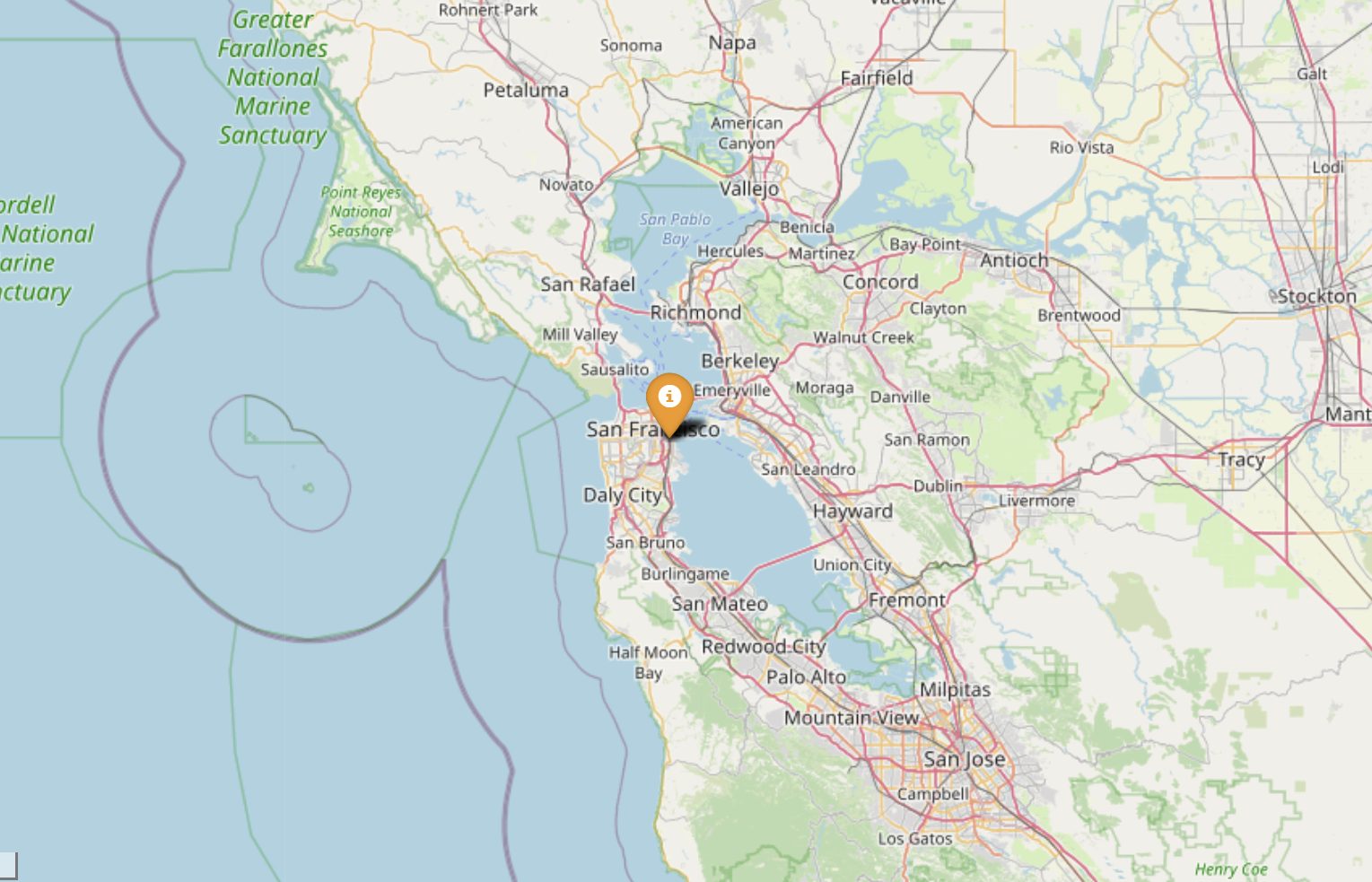
GeoLocation Data
The GeoIP lookup classes allow you to match the geo-locations of IP addresses
using either:
<img src="./docs/source//_static/folium_sf_zoom.png"
alt="Folium map"
title="Plotting Geo IP Location" height="200" />
GeoIP Lookup
and
GeoIP Notebook
Azure Resource Data, Storage and Azure Sentinel API
The AzureData module contains functionality for enriching data regarding Azure host
details with additional host details exposed via the Azure API. The AzureSentinel
module allows you to query incidents, retrie and hunting
queries. AzureBlogStorage lets you read and write data from blob storage.
Azure Resource APIs,
Azure Sentinel APIs,
Azure Storage
Security Analysis
This subpackage contains several modules helpful for working on security in and hunting:
Anomalous Sequence Detection
Detect unusual sequences of events in your Office, Acti or other log data.
You can extract sessions (e.g. activity initiated by the same account) and identify and
unusual sequences of activity. For example, detecting an attacker setting
a mail forwarding rule on someone's mailbox.
Anomalous Sessions
and
Anomalous Sequence Notebook
Time Series Analysis
Time series analysis allows you to identify unusual patterns in your log data
taking into account normal seasonal (e.g. the regular ebb and flow of
events o of the day, days of the week, etc.). Using both analysis and
highlights unusual traffic flows or event activity for any data
set.
<img src="./docs/source//_static/TimeSeriesAnomalieswithRangeTool.png"
alt="Time Series anomalies" title="Time Series anomalies" height="300" />
Time Series
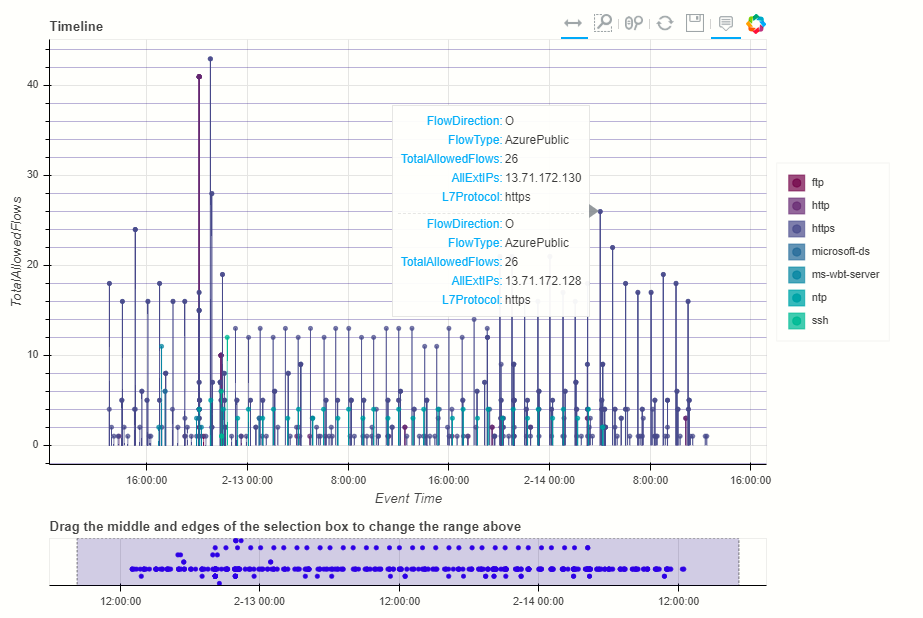
Event Timelines
Display any log events on an interacti. Using the
Bokeh Library the timeline control enables
you to one or more event streams, interactively zoom into specific time
slots and view event details for plotted events.
<img src="./docs/source//_static/TimeLine-01.png"
alt="Timeline" title="Msticpy Timeline Control" height="300" />
Timeline
and
Timeline Notebook
Process Trees
The process tree functionality has two main components:
the parent-child relationships between processes in the data set.
There are a set of utility functions to extract indi and partial trees from the processed data set.
<img src="./docs/source//_static/process_tree3.png"
alt="Process Tree"
title="Interacti Tree" height="400" />
Process Tree
and
Process Tree Notebook
Data Manipulation and Utility functions
Pi
Lets you use *MSTICPy* functionality in an "entity-centric" way.
All functions, queries and lookups that relate to a particular entity type
(e.g. Host, IpAddress, Url) are collected together as methods of that
entity class. So, if you want to do things with an IP address, just load
the IpAddress entity and browse its methods.
Pi
and
Pi Notebook
base64unpack
Base64 and archive (gz, zip, tar) extractor. It will try to identify any base64 encoded
strings and try decode them. If the result looks like one of the supported archi it
will unpack the contents. The results of each decode/unpack are rechecked for further
base64 content and up to a specified depth.
Base64 Decoding
and
Base64Unpack Notebook
iocextract
Uses regular expressions to look for Indicator of Compromise (IoC) patterns - IP Addresses, URLs,
DNS domains, Hashes, file paths.
Input can be a single string or a pandas dataframe.
IoC Extraction
and
IoCExtract Notebook
e (experimental)
This module is intended to be used to summarize large numbers of
events into clusters of different patterns. High repeating
events can often make it difficult to see unique and interesting items.
<img src="./docs/source/data_analysis/_static/E.png"
alt="Clustering"
title="Clustering based on command-line " height="400" />
This is an unsupervised learning module implemented using SciKit Learn DBScan.
Event Clustering
and
Event Clustering Notebook
auditdextract
Module to load and decode Linux audit logs. It collapses messages sharing the same
message ID into single events, decodes hex-encoded data fields and performs some
e formatting and normalization (e.g. for process start events it will
re-assemble the process command line arguments into a single string).
syslog_utils
Module to support an in of a Linux host with only syslog logging enabled.
This includes functions for collating host data, clustering logon events and detecting
user sessions containing suspicious activity.
cmd_line
A module to support the detection of known malicious command line activity or suspicious
patterns of command line activity.
domain_utils
A module to support in of domain names and URLs with functions to
a domain name and screenshot a URL.
Notebook widgets
These are built from the Jupyter ipywidgets collection
and group common functionality useful in InfoSec tasks such as list pickers,
query time boundary settings and event display into an easy-to-use format.
<img src="./docs/source//_static/Widgets1.png"
alt="Time span Widget"
title="Query time setter" height="100" />
<img src="./docs/source//_static/Widgets4.png"
alt="Alert browser"
title="Alert browser" height="300" />
---
Example MSTICPy notebooks
MSTICPy Notebooks
More Notebooks on Azure Sentinel Notebooks GitHub
Azure Sentinel Notebooks
Example notebooks:
View directly on GitHub or copy and paste the link into nb.org
Notebook examples with saved data
See the following notebooks for more examples of the use of this package in practice:
Supported Platforms and Packages
---
Contributing
For (brief) de guidelines, see this wiki article
Contributor Guidelines
This project welcomes contributions and suggestions. Most contributions require you to agree to a
Contributor License Agreement (CLA) declaring that you have the right to, and actually do, grant us
the rights to use your contribution. For details, visit <
When you submit a pull request, a CLA-bot will automatically determine whether you need to provide
a CLA and decorate the PR appropriately (e.g., label, comment). Simply follow the instructions
provided by the bot. You will only need to do this once across all repos using our CLA.
This project has adopted the Microsoft Open 源码 代码 of Conduct.
For more information see the 代码 of Conduct FAQ or
contact with any additional questions or comments.
项目信息
开发语言:Python
Star 数:2008
技术要点
该项目属于安全软件方向的开源资源,代码结构清晰,适合安全研究人员学习参考。项目围绕Microsoft Threat Intelligence Security Tools展开,提供了可运行的实现,对理解相关安全机制、工具原理与攻防技术具有较高的研究价值。
从技术实现角度看,此类项目的核心在于对底层原理的深入理解与工程化落地。开发者在研究过程中可以结合官方文档与社区讨论,梳理项目的初始化流程、核心模块职责与数据流转,逐步掌握其中的技术细节与设计思路。
使用与学习建议
1. 下载源码压缩包,解压到本地环境。
2. 根据项目类型准备对应的运行环境与依赖。
3. 按照 README 中的步骤完成配置与部署。
4. 在隔离的测试环境中运行验证,避免影响生产系统。
免责声明
本资源来源于开源社区,仅供安全研究、技术学习与合法授权范围内的攻防演练使用,请勿用于任何非法或侵害他人权益的用途。使用本项目产生的一切后果由使用者自行承担。
| 资源标题 | msticpy - Microsoft Threat Intelligence Security Tools |
| 所属分类 | 安全软件 |
| 发布作者 | admin |
| 发布时间 | 2026-10-05 22:30:10 |
| 下载权限 | 免费下载 |
| 附件数量 | 2 个下载链接 |
| 浏览次数 | 508 |
| 讨论数量 | 0 |
| 主题状态 | 正常讨论中 |