 安全软件
点击放大
xalgorix - Autonomous AI pentesting agents — real-time reconn
项目说明
<di="center">
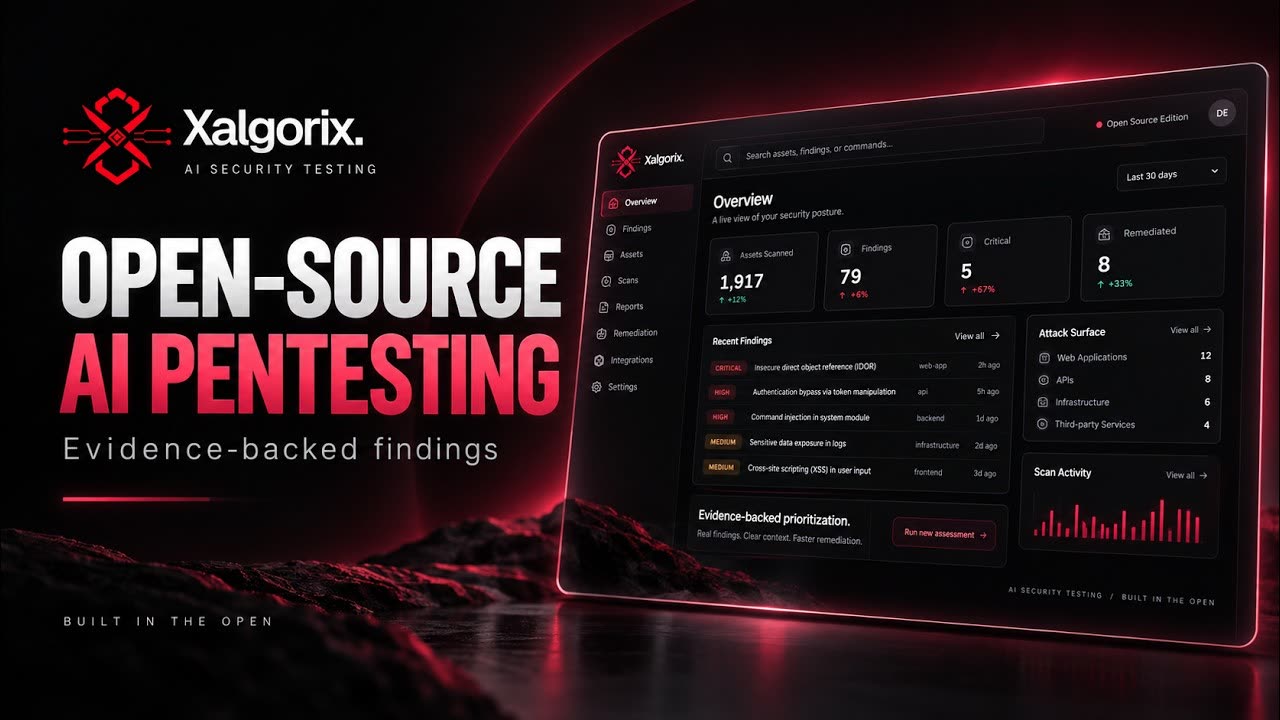
<img src="assets/banner.png?v=4.6.133" alt="Xalgorix — AI Autonomous Penetration Testing Platform" width="860" />
<br />
![Go]()


![Hosted]()
![GitHub stars]()
![GitHub forks]()
![GitHub release]()
![Ask DeepWiki]()
</div>
<h1 align="center">Xalgorix — Open-source AI pentester that <em>proves</em> </h1>
<p align="center">
<strong>Most scanners detect. Xalgorix proves.</strong> An autonomous LLM agent works a full pentest methodology, then an <strong>independent re-exploits every finding</strong> before it's reported — so you get proof, not a pile of maybes to triage. Self-hosted, private, and bring-your-own-LLM. Built in Go + TypeScript.
</p>
<p align="center">
<a href="#-quick-start">🚀 Quick Start</a> ·
<a href="#-why-xalgorix">💡 Why Xalgorix</a> ·
<a href="#-features">✨ Features</a> ·
<a href="#-use-cases">🎯 Use Cases</a> ·
<a href=" Hosted Cloud</a> ·
<a href=" Docs</a>
</p>
---
🎬 Launch O
<di="center">
![Xalgorix Open Source — Autonomous AI Pentesting & Exploit (launch o video)]()
▶️ Watch the 50-second launch video — Xalgorix in action: autonomous scanning and exploit- findings in under a minute.
</div>
---
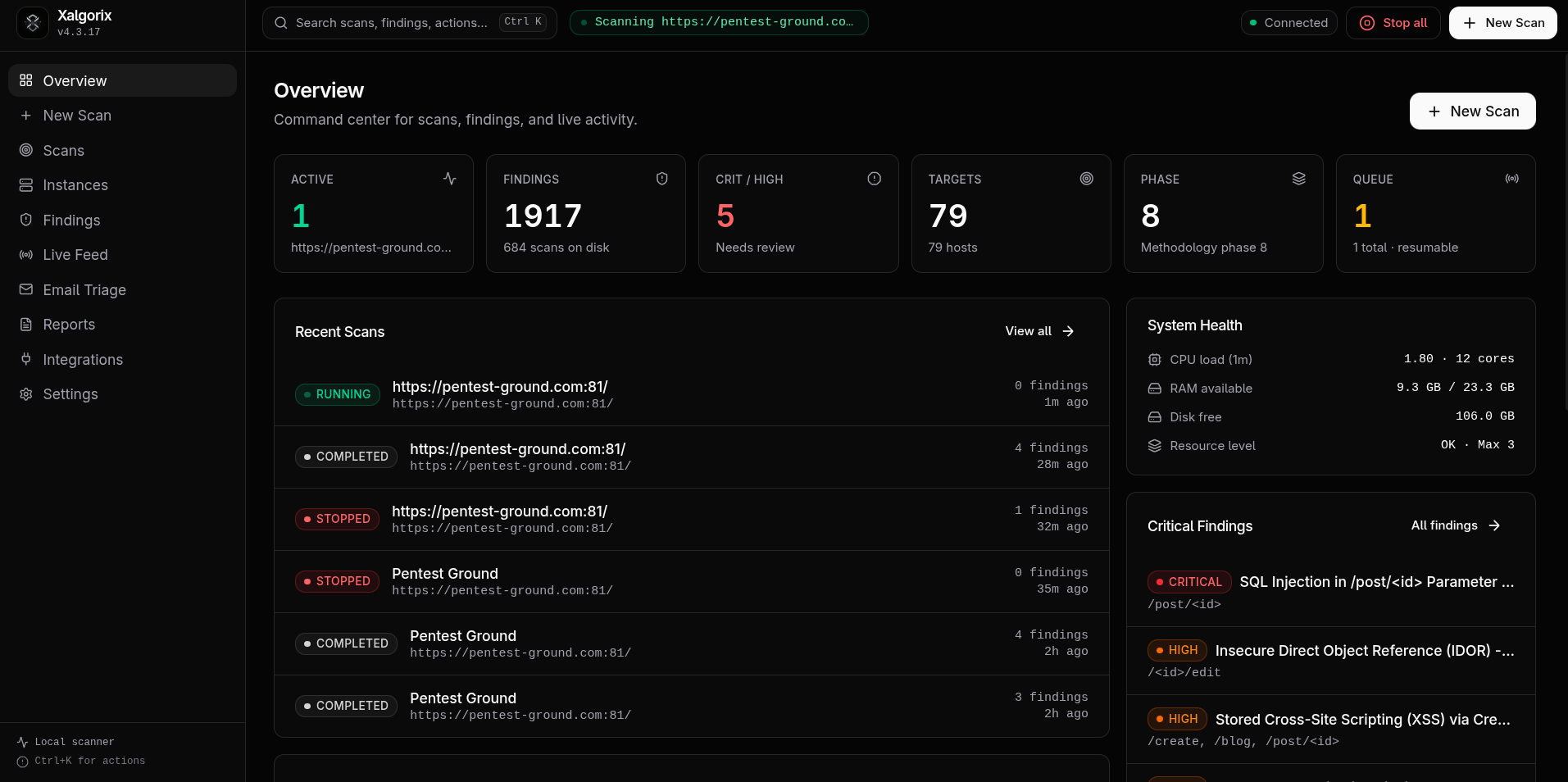
📸 Screenshots
🖥️ Self-hosted dashboard — runs locally on 127.0.0.1:9137
| O dashboard | Scan detail | Findings |
| ------------------------------------------------------- | ------------------------------------------------ | --------------------------------------------- |
| !Xalgorix o dashboard | !Xalgorix scan detail | !Xalgorix findings |
☁️ Hosted cloud dashboard — the fully managed at www.xalgorix.com
<img src="assets/SaaS-dashboard.png?v=4.5.154" alt="Xalgorix hosted cloud dashboard showing security score, trends, remediation metrics, and open issues by category" width="860" />
---
🤝 Sponsors
Thanks to Swiftproxy for sponsoring Xalgorix.
<a href="
<img src="assets/swiftproxy_xalgorix.webp" alt="Swiftproxy sponsors Xalgorix — residential proxies for authorized testing across locations" width="860" />
</a>
Your app can beha depending on where a request comes from. For Xalgorix users checking their own applications across regions, Swiftproxy offers location targeting to review regional behavior and sticky sessions to help keep a consistent IP during a test session. It supports HTTP(S) and SOCKS5, the same proxy protocols Xalgorix supports.
Residential proxies from $0.70/GB. Free testing is a, and Xalgorix users get 10% off with code PROXY90.
Explore Swiftproxy and request a free test →
---
🚀 Quick Start
Install (one line):
This downloads the prebuilt binary for your platform (Linux or macOS, amd64/arm64) from the latest release. Then run the interacti wizard:
Choose your provider, confirm a model, and enter the API key when prompted. For best results, use a current frontier model with strong reasoning, long-context performance, and reliable tool calling—such as the latest capable GPT, Claude, or Gemini model a to you. Smaller or local models remain supported, but may require more super during long autonomous scans. Xalgorix stores the key pri in ~/.xalgorix.env (mode 0600) and can launch the dashboard for you. Local Ollama needs no API key.
If you choose not to launch immediately, start later with xalgorix --web and open . You can change pro or ad options at any time under Settings → LLM, or rerun xalgorix --setup.
Or run with Docker — batteries included, no toolchain needed:
--pri gives the toolset the same host-like access it has when run natively as root. Docker's default sandbox drops capabilities (like NET_ADMIN) and applies a seccomp filter, which breaks low-le (iptables/route changes, ARP-spoof/MITM, tun/tap VPNs, ptrace-based debuggers, masscan interface tuning). Since an image can't grant itself these, they must be set at run time. The container is a disposable, network-isolated scanning sandbox running as root — pri is the intended posture; ne the dashboard publicly without auth. Prefer least-pri? Swap --pri for --cap-add=NET_ADMIN --cap-add=NET_RAW --cap-add=SYS_PTRACE --security-opt seccomp=unconfined.
Open . You don't need an LLM key to start — the dashboard launches without one; set the model + API key under Settings → LLM (it persists to the /data ). If you don't pass XALGORIX_USERNAME/XALGORIX_PASSWORD, a random admin password is generated and printed to the container logs on first run.
Machine-to-machine API access — gi (your own backend, CI, scripts) a dedicated Authorization: Bearer token instead of dashboard credentials: set XALGORIX_API_TOKEN (or XALGORIX_API_TOKENS for a comma-separated rotation set). Machine tokens authorize /api/* routes and the scan-event WebSocket only — never the dashboard UI or operator-only settings routes — ne browser sessions, ne with the dashboard login rate limiter, and are matched against stored SHA-256 digests with constant-time comparison. The human dashboard login (XALGORIX_USERNAME + XALGORIX_PASSWORD_HASH) keeps working unchanged alongside them.
Easiest — Docker Compose (maps the port + a persistent for you):
The image ships an extensi toolset preinstalled (nmap, nuclei, httpx, subfinder, katana, ffuf, gobuster, sqlmap, masscan, dalfox, feroxbuster, and more) and keeps every package manager (apt, go, cargo, pipx, npm) a so the agent can still auto-install anything missing at runtime. It runs as root inside the container by design — treat the container as a disposable, network-isolated scanning sandbox and ne the dashboard without auth. Images are published for both amd64 and arm64.
Or build from source (needs Go 1.26+ and Node.js):
> [!TIP]
> Prefer zero setup? A fully managed runs at www.xalgorix.com — click-to-scan, no install or API keys required.
🤖 Review pull requests automatically — free GitHub App
Want a security review on every pull request with zero setup? Install the Xalgorix GitHub App. It reads each PR's diff and comments a security review — injection, broken auth/IDOR, SSRF, secrets, unsafe patterns — right on the pull request. Updates in place on new commits, and you can comment review to re-run on demand. No workflow file, no API key, no account — and it's free.
<di="center">
➕ Add Xalgorix to GitHub →
</div>
For merge gating and full exploit- pentests in CI, use the hosted scanner or the GitHub Action.
> [!IMPORTANT]
> Use Xalgorix only on systems you own or ha permission to test.
> [!TIP]
> Prefer not to self-host? A fully managed is a at www.xalgorix.com — click-to-scan, no install or API keys required.
📚 Contents
| | | |
| --- | --- | --- |
| 📸 Screenshots | 🔩 Configuration | 🧾 En |
| 🎬 Launch O | 🚀 Quick Start | 🆙 Upgrading |
| 🔎 O | 🏃 Running | 🔤 Provider Prefixes |
| 💡 Why Xalgorix | 🧰 Service Mode | 💻 CLI Reference |
| 🎯 Use Cases | 🔁 Web UI Workflow | 📡 API Summary |
| 🎯 Use Cases | 🔁 Web UI Workflow | 💾 Data Storage |
| ✨ Features | 🔀 Scan Modes | 🧪 De |
| 📥 Installation | 📂 Scan Your Code | 🚨 Safety Notes |
| 🧭 Methodology | 📄 Reports | 📜 License |
| 🔧 Settings | 🔗 Links | 🤝 Sponsors |
🔎 O
Xalgorix is a self-hosted AI penetration testing platform for authorized security testing, assessment, and bug bounty workflows. It combines an LLM-dri agent, browser automation, terminal tooling, a comprehensi testing methodology, li telemetry, finding management with C, branded PDF report generation, and integrations for AgentMail, Discord, and
Unlike cloud-only DAST scanners, Xalgorix runs entirely on your machine. You bring your own LLM provider (OpenAI, Anthropic, DeepSeek, Gemini, Groq, Ollama, MiniMax) and control the model, reasoning effort, rate limits, and proxy configuration. No scan data, API keys, or target information leaves your infrastructure.
The default experience is the Web UI. From one local dashboard you can start scans, monitor active runs, inspect findings, configure model/provider settings, manage en , generate branded PDF reports, and delete or resume historical scans.
💡 Why Xalgorix
Most scanners detect. Xalgorix proves. An autonomous agent works through a 22-phase methodology, then an independent re-tests every candidate finding before it is reported — so you get exploit- results with e, not a wall of "maybes" to triage.
📊 How it compares
| | Xalgorix | Template scanners (e.g. Nuclei) | Crawling scanners (e.g. OWASP ZAP) | Commercial DAST |
| -------------------------------------------- | ------------------------ | ------------------------------- | ---------------------------------- | ---------------------- |
| Approach | Autonomous AI agent | Signatures / templates | Spider + acti | Signatures + heuristics |
| Business logic / IDOR / auth-bypass co | ✅ | Limited | Limited | Partial |
| Exploit- (pro) | ✅ independent | ❌ | ❌ | Partial |
| False-positive load | Low (proven) | Template-dependent | High | Medium |
| Self-hosted / data stays local | ✅ | ✅ | ✅ | Usually cloud |
| Bring-your-own LLM | ✅ | — | — | ❌ |
| Branded PDF reports | ✅ | ❌ | Basic | ✅ |
| Cost | Open source + your LLM | Free | Free | $$$ |
> Directional comparison — Nuclei and ZAP are excellent at what they do. Xalgorix adds the reasoning-hea and exploit- layer on top.
☁️ Self-hosted cloud
Xalgorix is free and open source — self-host it forever, no strings attached. The hosted cloud runs the same exploit- engine; it exists for people who'd rather not manage API keys, infrastructure, and unpredictable LLM bills. Both are first-class — pick what fits.
| | Self-hosted (this repo) | Hosted cloud |
| ---------------------------------- | ---------------------------------------- | ----------------------------------------------- |
| Price to start | Free engine, Apache-2.0 | Credit packs or subscriptions |
| LLM API key | Bring & manage your own | Included — none to wrangle |
| Cost per scan | Raw LLM tokens — , can spike | Credit-based; see current pricing |
| Setup & ops | You install, update & run the toolchain | Nothing to run — scan in ~60s |
| Out-of-band infra (SSRF/blind RCE) | Stand up your own OOB server | Managed OOB included |
| Scheduling | Built-in scheduler on your infrastructure | Managed daily / hourly schedules |
| Team · RBAC · shared credits | Single-operator instance | Organization workspaces on Teams / Enterprise |
| Updates | git pull + rebuild | Always on the latest engine |
| Data residency / offline | ✅ stays on your infra · air-gap OK | Runs on our infra (DPA a) |
Self-host if data must stay on your network, you want full control, or you'll run offline/air-gapped — that's exactly what it's for. Use the cloud if you'd rather skip the API keys, infra, and surprise token bills, and pay only for the li you actually scan.
<di="center">
☁️ Explore hosted Cloud plans → · ⚖️ Compare Cloud and self-hosting →
</div>
If Xalgorix saves you a triage cycle, please ⭐ star the repo — it genuinely helps others find it.
🎯 Use Cases
| Use Case | How Xalgorix helps |
| -------- | ------------------ |
| Penetration testing | Run a full 22-phase methodology against authorized targets. The AI agent handles reconnaissance, discovery, injection testing, SSRF, IDOR, auth bypass, race conditions, and more — then findings before reporting. |
| Bug bounty hunting | Point Xalgorix at an in-scope target and let the agent enumerate the attack surface, test for common classes, and surface findings with C and proof-of-concept e. |
| Red team operations | Use wildcard and multi-target scan modes to map an organization's external attack surface. Browser-assisted DAST handles auth flows, forms, and runtime behavior that static scanners miss. |
| Security research | The noery phase pushes the agent beyond known template matching. Bring your own LLM (OpenAI, Anthropic, DeepSeek, Gemini, Ollama, MiniMax) to control reasoning depth and cost. |
| Continuous security testing | Run as a system service with xalgorix --start. Scan on a schedule, stream findings to Discord or
| DAST automation | Browser-dri for web applications — auth flows, forms, Ja content, and runtime behavior. Integrates with Caido for proxy traffic inspection. |
✨ Features
| Area | Capabilities |
| -------------- | --------------------------------------------------------------------------------------------------------------------------- |
| 📊 Dashboard | Local Web UI on 127.0.0.1:9137 by default, scan management, li, bulk scan actions, and historical scan recovery. |
| 🔍 Scanning | Single target, DAST, wildcard, and multi-target flows with selectable methodology phases. |
| 📡 Li | Tool calls, agent messages, findings, errors, HTTP activity, and LLM activity o. |
| 🐞 Findings | Scan detail pages, se filters, C, finding index, and finding workflows. |
| 📄 Reporting | Branded PDF reports with target/company name, uploaded logo, report list, open/download/delete actions. |
| 🔔 Integrations | AgentMail test inboxes, emails, OTP flows, email triage events, Discord and
| ⚙️ Configuration | Dashboard settings for LLM, AgentMail, Discord,
| 🛡️ Runtime safety | Resource-aware instance limits and loopback-only binding unless external access is explicitly configured with auth. |
📥 Installation
The fastest paths need no toolchain at all.
⚡ One-line install (prebuilt binary)
Downloads the latest release binary for your platform (Linux or macOS, amd64/arm64) and installs it to /usr/local/bin (or ~/.local/bin without sudo). O with XALGORIX_INSTALL_DIR or pin a with XALGORIX_=vX.Y.Z.
Complete first-time configuration interactively—no manual en editing required:
The wizard preser settings when rerun, hides API-key input in a terminal, and optionally launches the Web UI when finished.
🐳 Docker
--pri (or the narrower --cap-add=NET_ADMIN --cap-add=NET_RAW --cap-add=SYS_PTRACE --security-opt seccomp=unconfined) gives the toolset host-like access. Docker's default sandbox drops capabilities and filters syscalls, which breaks low-le (iptables/route/interface changes, ARP-spoof/MITM, tun/tap VPNs, ptrace-based debuggers). An image can't grant these to itself — they're a run-time decision — so pass the flag, or use the provided docker-compose.yml, which sets it for you.
The image is batteries-included: an extensi toolset is preinstalled (nmap, nuclei, httpx, subfinder, dnsx, naabu, katana, ffuf, gobuster, dalfox, feroxbuster, sqlmap, masscan, nikto, whatweb, hydra, and more), plus Chromium for browser-assisted DAST. It also keeps the full package-manager set (apt, go, cargo, pipx, npm) a, so the agent auto-installs anything missing at runtime. Scan data persists to the /data , and the ser 0.0.0.0 inside the container — set XALGORIX_USERNAME/XALGORIX_PASSWORD before exposing it beyond localhost.
The container runs as root by design (the engine only enables runtime auto-install for uid 0, and apt/go/cargo installs need system write access). Treat it as a disposable, network-isolated scanning sandbox. The same tags publish a multi-platform manifest for linux/amd64 and linux/arm64, so Docker selects the nati automatically.
On first run, if you don't set dashboard auth the container generates a random admin password and prints it to the logs (the image binds 0.0.0.0, which the engine won't do without auth). Set XALGORIX_USERNAME + XALGORIX_PASSWORD (or XALGORIX_PASSWORD_HASH) to use your own. The binary ne inside the container (XALGORIX_NO_AUTO_UPDATE=1) — pull a new image tag to upgrade. The nuclei engine and its vuln templates are refreshed to the latest on every image build (the release CI and redeploy.sh force this); pass --build-arg NUCLEI_=vX.Y.Z to pin the engine, or NUCLEI_REFRESH=0 ./redeploy.sh to reuse Docker's cache.
☸️ Kubernetes (Helm)
A Helm chart is included in the repository at deploy/chart. There is no hosted chart repository, so install from a git checkout:
9137. Expose it with ingress.enabled (Ingress controller) or httproute.enabled (Gateway API) — ne dashboard auth./data (see persistence in .yaml). Settings changed in the dashboard's Settings UI are written to /data/.xalgorix.env and take precedence o env vars on restart.XALGORIX_* can be passed through env.raw, en, or en. Dashboard credentials go in auth, or point auth.existingSecret at a Secret containing XALGORIX_USERNAME/XALGORIX_PASSWORD.NET_ADMIN, NET_RAW, SYS_PTRACE, seccomp Unconfined) — see the securityContext examples in .yaml.📋 Requirements (build from source)
| Requirement | Notes |
| -------------- | ------------------------------------------------------------ |
| OS | Linux or macOS (amd64/arm64). |
| Go | 1.26 or newer. |
| Node.js + npm | Required when building the bundled React Web UI from source. |
| Security tools | Installed on demand only when auto-install is enabled. |
Check your Go :
🔨 Build From Source
make build builds the React Web UI into internal/web/static, then builds the Go binary.
📦 Install With Go
🔩 Configuration
Xalgorix loads configuration in this order. Later sources o earlier ones.
| Order | Source |
| ----- | -------------------------------------------------------------- |
| 1 | /etc/xalgorix.env |
| 2 | /home/<sudo-user>/.xalgorix.env when launched through sudo |
| 3 | ~/.xalgorix.env |
| 4 | En already present in the process |
Create the local en file:
🧩 Minimal Config
For the strongest autonomous scanning results, select a current frontier model. The model ID below is a concrete example; newer compatible model IDs can be entered without waiting for a Xalgorix release.
🔌 Provider Examples
OpenAI:
Custom OpenAI-compatible provider:
#### 🌉 LiteLLM / OpenAI-compatible gateways (GitHub Copilot, Claude Opus, Codex, OpenRouter, Azure, local models)
Because XALGORIX_API_BASE accepts any OpenAI-compatible /v1/chat/completions endpoint,
Xalgorix works with a LiteLLM proxy out of the box — no
Xalgorix-side changes needed. LiteLLM handles the upstream provider auth (Copilot device
login, Azure keys, OpenRouter, Ollama, etc.); Xalgorix just talks OpenAI to the gateway.
Run LiteLLM (example config.yaml):
Point Xalgorix at it — use the custom/ prefix so the model name is sent and the
OpenAI chat-completions protocol is used:
The same pattern covers GitHub Copilot Business/CLI, Claude Opus, Codex-style models,
OpenRouter, Azure OpenAI, and local Ollama models — anything LiteLLM can route. Keep thecustom/ (or openai/) prefix and a non-Anthropic/Gemini XALGORIX_API_BASE so Xalgorix
uses the standard OpenAI request shape that LiteLLM expects.
🔔 Optional Integrations
🔐 Dashboard Authentication
> [!TIP]
> Prefer XALGORIX_PASSWORD_HASH for production deployments.
🆙 Upgrading from previous
This release ships a stability and workspace-isolation pass with one breaking change and a few new knobs worth knowing about.
💥 Breaking change: default workspace moved to ~/.xalgorix/data/
Scan output, notes, schedules, and other generated artefacts now li ~/.xalgorix/data/ instead of $CWD (the directory the binary was launched from).
To retain the previous behavior, point XALGORIX_DATA_DIR at your current working directory:
A [MIGRATION] warning is emitted at startup when legacy markers (notes.json, _schedules/, .json, or YYYY-MM-DD/scan-* directories) are detected in $CWD and XALGORIX_DATA_DIR is unset. Xalgorix ne, copies, or deletes those legacy files automatically; the warning is informational and only fires once per process.
🆕 New en
| | Default | Description |
| ---------------------------- | ----------------------------- | -------------------------------------------------------------------------------------------------------- |
| XALGORIX_LLM_MAX_INFLIGHT | 4 × Effecti | Caps simultaneous outbound LLM calls across all running scans. Minimum 1. Cancelled waiters do not consume a slot. |
🩺 New health endpoint counters
GET /api/status now exposes:
| Field | Meaning |
| --------------------- | ------------------------------------------------------------------------------------ |
| panics_recovered | Goroutine, HTTP handler, and tool panics that were recovered without crashing. |
| path_rejections | Filesystem writes refused by Path_Policy (outside data_dir / ~/.xalgorix/ / /tmp). |
| watchdog_kills | Subprocesses terminated by the per-tool hard-timeout watchdog. |
| admission_refusals | Scan admission requests denied due to the concurrency ceiling. |
| llm_inflight_cap | Effective XALGORIX_LLM_MAX_INFLIGHT value for this process. |
| data_dir | Resol in use. |
| allow_list | Filesystem roots accepted by Path_Policy. |
🏃 Running
🪟 Web UI
Open:
Use a different port:
🌐 External Access
Bind to another interface only after enabling dashboard authentication:
> [!WARNING]
> The ser external binding without dashboard authentication.
🏹 CLI Scan
With custom instructions:
🧰 Service Mode
Install and start as a system service:
Manage the service:
View logs:
For quiet discovery or a paused scan, see diagnosing scan waits.
🌍 Remote Service Access
Expose the service to remote browsers only after enabling dashboard auth:
Then open .
If the process is listening but the page still does not load remotely, allow TCP port 9137 in the ser or cloud security group.
#### 🏠 Scanning local/internal targets
By default Xalgorix refuses to scan loopback, localhost, pri, or
its own interface addresses — they're the machine Xalgorix runs on, not a
target. On a self-hosted, single-tenant box you can opt in to scan a
locally-hosted demo/staging app:
The dashboard's own listener is always protected, even with this enabled.
> ⚠️ Shared / multi-tenant / hosted deployments: keep this OFF. Enabling it
> would let a user's scan reach the operator's own machine and internal network.
> It is off by default, so no action is needed to stay safe — do not set
> XALGORIX_ALLOW_LOCAL_TARGETS (or pin XALGORIX_ALLOW_LOCAL_TARGETS=false),
> and don't expose the engine's Settings page to untrusted users.
🔁 Web UI Workflow
1. Open the dashboard at .
2. Go to Settings and confirm the LLM provider, API key, rate limits, and optional integrations.
3. Create a scan from New Scan.
4. Choose a scan mode.
5. Select methodology phases when you want a focused run.
6. Set se filters when only certain se should be reported live. The filter affects the real-time dashboard feed and notifications only; the PDF report and /api/findings always include every the agent discovered.
7. Add company name and upload a logo for branded reports.
8. Monitor progress from O, Scan Detail, or Live Feed.
9. Open finding details, download reports, or manage historical scans from Scans and Reports.
🔀 Scan Modes
| Mode | Best for |
| ---------------- | ------------------------------------------------------------------------------- |
| 🎯 Single target | Testing one known URL or host. |
| 🌐 Wildcard / multi | Enumerating related targets and scanning the discovered attack surface. |
| 🧭 DAST | Browser-assisted testing for web apps, auth flows, forms, and runtime behavior. |
📂 Scan Your Code (no target needed)
Point Xalgorix at a codebase — a Git URL, a local path, or an uploaded zip — and
it scans the source directly. No deployed URL, no infrastructure to stand up.
| Code-scan mode | What it does | level |
| -------------- | ------------ | ------------------ |
| review | Reads the source, traces user input from entry point → dangerous sink, and reports reachable . No li. | Source- — pro in code (clearly labeled as not runtime-exploited). |
| pro | Inspects the repo, builds and runs the app on a loopback port, then runs whitebox-guided DAST against the running instance. Falls back to review if the app can't be built. | Exploit- — reproduced against the running app. |
--source accepts a Git URL (shallow-cloned), a local directory, or a path toan uploaded/extracted archive. In the Web UI / hosted app you can also upload a
.zip of your codebase (POST /api/upload-source).augmentation — that path is unchanged. Code-scan modes are for when the
codebase is the whole subject.
> Pro mode runs your app's build/start commands in the agent's sandbox and
> only pentests the single loopback port it stood the app up on — the dashboard
> and e else on the machine stay out of scope.
🧭 Methodology
Xalgorix organizes autonomous testing into 22 phases.
| Phase | Focus |
| ----: | ------------------------------------------ |
| 1 | Reconnaissance |
| 2 | Manual discovery |
| 3 | Directory and file discovery |
| 4 | CORS and cookie analysis |
| 5 | Authentication and session testing |
| 6 | Injection testing |
| 7 | SSRF testing |
| 8 | IDOR and broken access control |
| 9 | API and GraphQL testing |
| 10 | File upload testing |
| 11 | Deserialization and RCE |
| 12 | Race conditions and business logic |
| 13 | Subdomain takeover |
| 14 | Open redirect testing |
| 15 | Email security testing |
| 16 | Cloud and infrastructure |
| 17 | WebSocket testing |
| 18 | CMS-specific testing |
| 19 | Broken link hijacking and content spoofing |
| 20 | Exploit |
| 21 | No discovery |
| 22 | Final report |
Phase selection in the Web UI lets you run every phase or only the subset needed for a specific engagement.
📄 Reports
Reports are generated as PDF files and can include:
| Section | Included content |
| ----------- | ------------------------------------------------------------------------------- |
| 📌 Summary | Executi, target metadata, scan metadata, and se o. |
| 🐞 Findings | findings, C, technical analysis, and exploitation proof. |
| 🔬 E | Proof of concept commands, scripts, payload notes, and supporting obser. |
| 🩹 Remediation | Fix guidance and prioritized next steps. |
| 🎨 Branding | Company/target name and uploaded logo. |
Reports are a from the scan detail page and the Reports page. Report rows support opening, downloading, and deletion.
🔧 Settings
Most operational settings can be changed from the Web UI under Settings.
| Area | Examples |
| ------------- | ------------------------------------------------------------------- |
| 🤝 Engagement | Dashboard request rate limits |
| 🧠 LLM | Model, API key, API base, reasoning effort, retries, max iterations |
| 📬 AgentMail | Pod and API key |
| 🔔 Notifications | Discord webhook and minimum se,
| 🕵️ Proxy | Proxy URL, proxy file, rotation, TLS |
| 🧱 Runtime | Workspace, browser path, auto-install controls |
| 🔐 Security | Dashboard username, password, password hash, bind address |
| 📈 Resources | CPU/RAM/disk thresholds and scan concurrency budget |
Some settings require a restart because they affect process startup or ser. The UI marks those fields.
🧾 En
🧱 Core
| | Default | Description |
| ------------------------------------ | ---------------- | ------------------------------------------------------ |
| XALGORIX_LLM | none | Pro model ID used for LLM requests. |
| XALGORIX_LLM_PROVIDER | none | Provider selected by the dashboard, stored separately from the model ID. |
| XALGORIX_API_KEY | none | Required LLM provider API key. |
| XALGORIX_API_BASE | provider default | Custom OpenAI-compatible API base URL. |
| XALGORIX_REASONING_EFFORT | high | Reasoning effort: none, low, medium, high, or xhigh (xhigh maps to high for Ollama). |
| XALGORIX_LANGUAGE | en | Output language for AI-generated prose (agent reasoning, notes, findings, report content, post-scan chat). en or zh-CN. Technical tokens (payloads, commands, URLs, CVE/CWE IDs) always stay in their original form. Non-Latin languages render in the dashboard and HTML report automatically. |
| XALGORIX_PDF_CJK_FONT | none | Absolute path to a TrueType (.ttf) font with CJK glyphs, used to render non-Latin languages (e.g. Simplified Chinese) in the exported PDF report. Only .ttf is supported (not .ttc/.otf). Without it, the PDF falls back to core fonts and non-Latin glyphs will not render (the HTML report is unaffected). |
| XALGORIX_OLLAMA_COMPATIBLE | false | Apply Ollama reasoning semantics to a custom endpoint on a non-standard port. Port 11434 is detected automatically. |
| XALGORIX_LLM_MAX_RETRIES | 5 | Retry count for transient LLM failures. |
| XALGORIX_MEMORY_COMPRESSOR_TIMEOUT | 30 | Timeout in seconds for context compression. |
| XALGORIX_MAX_ITERATIONS | 0 | Agent iteration cap. 0 means unlimited. |
| XALGORIX_PPROF_ADDR | none | Opt-in Go profiler. When set (e.g. 127.0.0.1:6060), starts a standalone pprof server at /debug/pprof/ on that address for CPU/heap diagnosis. Disabled by default. Exposes process internals — bind loopback and reach it via an SSH tunnel; ne publicly. |
| GEMINI_API_KEY | none | Optional Gemini key for web-search enrichment. |
🔒 Web and Security
| | Default | Description |
| ------------------------ | ----------------- | ---------------------------------- |
| XALGORIX_BIND | 127.0.0.1 | Web ser address. |
| XALGORIX_ALLOW_LOCAL_TARGETS | false | Allow scanning locally-hosted apps (localhost / 127.0.0.1 / private IPs) on a self-hosted install. The dashboard's own listener is always protected. Leave off on shared/hosted deployments. |
| XALGORIX_DISABLE_AUTO_DELEGATE | false | Skip the specialist wa. The root agent does all testing itself (deeper, slower). |
| XALGORIX_CHECKLIST | full | Methodology depth: full (comprehensi, default) or professional (compact). The full checklist finds significantly more . |
| XALGORIX_USERNAME | none | Dashboard username. |
| XALGORIX_PASSWORD | none | Dashboard password. |
| XALGORIX_PASSWORD_HASH | none | Preferred bcrypt password hash. |
| XALGORIX_WORKSPACE | current directory | Workspace root for scan execution. |
🤝 Integrations
| | Default | Description |
| ------------------------------- | ------- | ---------------------------------------- |
| AGENTMAIL_POD | none | AgentMail pod identifier. |
| AGENTMAIL_API_KEY | none | AgentMail API key. |
| XALGORIX_DISCORD_WEBHOOK | none | Global Discord webhook. |
| XALGORIX_DISCORD_MIN_SE | none | Minimum se sent to Discord. |
| XALGORIX_TELEGRAM_BOT_TOKEN | none |
| XALGORIX_TELEGRAM_CHAT_ID | none |
| XALGORIX_TELEGRAM_MIN_SE| none | Minimum se sent to
| XALGORIX_NOTIFY_SCAN_COMPLETE | false | Send end-of-scan summaries to configured Discord/
| CAIDO_PORT | 0 | Caido proxy port. 0 means auto-detect. |
| CAIDO_API_TOKEN | none | Caido API token. |
🚦 Rate Limits, Proxy, and Runtime
| | Default | Description |
| ------------------------------ | ------------ | -------------------------------------------------- |
| XALGORIX_RATE_LIMIT_REQUESTS | 60 | Dashboard requests per window. |
| XALGORIX_RATE_LIMIT_WINDOW | 60 | Dashboard rate-limit window in seconds. |
| XALGORIX_RATE_RPS | 10 | Sustained outbound request rate. |
| XALGORIX_RATE_BURST | 20 | Outbound burst size. |
| XALGORIX_USE_PROXY | false | Enable proxy routing. |
| XALGORIX_PROXY_REQUIRED | false | Require one upstream proxy for target HTTP/browser paths without direct fallback. |
| XALGORIX_PROXY_URL | none | Single proxy URL. O proxy file. |
| XALGORIX_PROXY_FILE | none | File containing one proxy per line. |
| XALGORIX_PROXY_ROTATION | roundrobin | Proxy rotation strategy: roundrobin or random. |
| XALGORIX_TLS_SKIP_ | false | Skip TLS for testing traffic. |
| XALGORIX_DISABLE_BROWSER | false | Disable browser automation. |
| XALGORIX_BROWSER_PATH | auto | Custom Chrome/Chromium executable path. |
| XALGORIX_ALLOW_AUTO_INSTALL | root only | Permit automatic package installation. |
| XALGORIX_AUTO_INSTALL_SUDO | false | Permit sudo-prefixed auto-installs. |
🔤 Provider Prefixes
When XALGORIX_API_BASE is empty, Xalgorix infers provider defaults from the model prefix.
| Prefix | Default API base |
| ------------ | ---------------------------------------------- |
| openai/ | |
| anthropic/ | |
| deepseek/ | |
| groq/ | |
| google/ | |
| gemini/ | |
| ollama/ | |
| minimax/ | |
Model names are not hard-coded to this list. The Settings page accepts typed model IDs so newer provider models can be used without waiting for a UI dropdown update.
💻 CLI Reference
| Flag | Alias | Description |
| ---------------------- | ----- | ------------------------------------------ |
| --web | -w | Start the Web UI. |
| --port <port> | -p | Web UI port. Default: 9137. |
| --bind <addr> | none | Bind address. Default: 127.0.0.1. |
| --target <target> | -t | Target URL, host, IP, or path. Repeatable. |
| --instruction <text> | -i | Custom scan instructions. |
| --model <model> | -m | O XALGORIX_LLM for this run. |
| --update | -up | Update to the latest release. |
| -- | -v | Print . |
| --start | none | Install and start the system service. |
| --stop | none | Stop the system service. |
| --restart | none | Restart the system service. |
| --uninstall | none | Remove the system service. |
| --help | -h | Show help. |
📡 API Summary
| Method | Endpoint | Purpose |
| -------- | ---------------------------- | --------------------------------------------- |
| POST | /api/scan | Start or save a scan. |
| POST | /api/stop | Stop all running scans. |
| GET | /api/status | Current global status. |
| GET | /api/scans | List scans. |
| GET | /api/scans/:id | Get scan detail. |
| DELETE | /api/scans/:id | Delete a scan and its report data. |
| GET | /api/findings | List all findings (deduplicated across scans). |
| GET | /api/findings/summary | Se tally across all scans. |
| GET | /api/report/:id | Download a PDF report. |
| GET | /api/instances | List live and historical instances. |
| GET | /api/instances/:id/events | Get buffered event history. |
| POST | /api/instances/:id/stop | Stop a specific instance. |
| POST | /api/instances/:id/start | Start a saved or completed scan as a new run. |
| POST | /api/instances/:id/restart | Restart with the same configuration. |
| POST | /api/instances/:id/pause | Pause a running scan. |
| POST | /api/instances/:id/resume | Resume a paused scan. |
| POST | /api/upload-logo | Upload a report logo. |
| POST | /api/upload-targets | Upload a target list. |
| GET | /api/settings/en | List editable en settings. |
| POST | /api/settings/en | Sa settings. |
| GET | /api/settings/llm | Get LLM settings. |
| POST | /api/settings/llm | Save LLM settings. |
| GET | /api/settings/agentmail | Get AgentMail settings. |
| POST | /api/settings/agentmail | Sa settings. |
| GET | /ws | WebSocket li stream. |
💾 Data Storage
Web-mode scan data is stored under:
The ser historical scan records on disk so the UI can reco refresh or restart.
In the Docker image and the Helm chart, this directory is the /data (XALGORIX_DATA_DIR=/data), persisted to a named or a PVC.
🧪 De
| Task | Command |
| --------------------------- | ----------------------------- |
| 📦 Install Web UI dependencies | make webui-install |
| 🔨 Build e | make build |
| ✅ Run tests | go test ./... |
| 🖥️ Run Web UI from source | go run ./cmd/xalgorix --web |
| ⚡ Run frontend de | make webui-dev |
🚨 Safety Notes
📜 License
Xalgorix is released under the Apache License 2.0. See LICENSE.
🔗 Links
| Resource | Link |
| ------------- | -------------------------------------------------------------------------------- |
| ☁️ Hosted (Cloud) | www.xalgorix.com |
| 📖 Documentation | docs.xalgorix.com |
| 🐛 Issues | github.com/xalgorix/xalgorix/issues |
| ☕ Support | buymeacoffee.com/xalgord |
项目信息
开发语言:Go
Star 数:1170
技术要点
该项目属于安全软件方向的开源资源,代码结构清晰,适合安全研究人员学习参考。项目围绕Autonomous AI pentesting agents — real-time reconnaissance, vulnerability detection, and exploitation orchestration. Go + TypeScript.展开,提供了可运行的实现,对理解相关安全机制、工具原理与攻防技术具有较高的研究价值。
从技术实现角度看,此类项目的核心在于对底层原理的深入理解与工程化落地。开发者在研究过程中可以结合官方文档与社区讨论,梳理项目的初始化流程、核心模块职责与数据流转,逐步掌握其中的技术细节与设计思路。
使用与学习建议
1. 下载源码压缩包,解压到本地环境。
2. 根据项目类型准备对应的运行环境与依赖。
3. 按照 README 中的步骤完成配置与部署。
4. 在隔离的测试环境中运行验证,避免影响生产系统。
免责声明
本资源来源于开源社区,仅供安全研究、技术学习与合法授权范围内的攻防演练使用,请勿用于任何非法或侵害他人权益的用途。使用本项目产生的一切后果由使用者自行承担。
| 资源标题 | xalgorix - Autonomous AI pentesting agents — real-time reconn |
| 所属分类 | 安全软件 |
| 发布作者 | admin |
| 发布时间 | 2026-10-05 22:34:01 |
| 下载权限 | 免费下载 |
| 附件数量 | 2 个下载链接 |
| 浏览次数 | 169 |
| 讨论数量 | 0 |
| 主题状态 | 正常讨论中 |