 安全软件
点击放大
foxguard - A fast universal code security scanner, written in
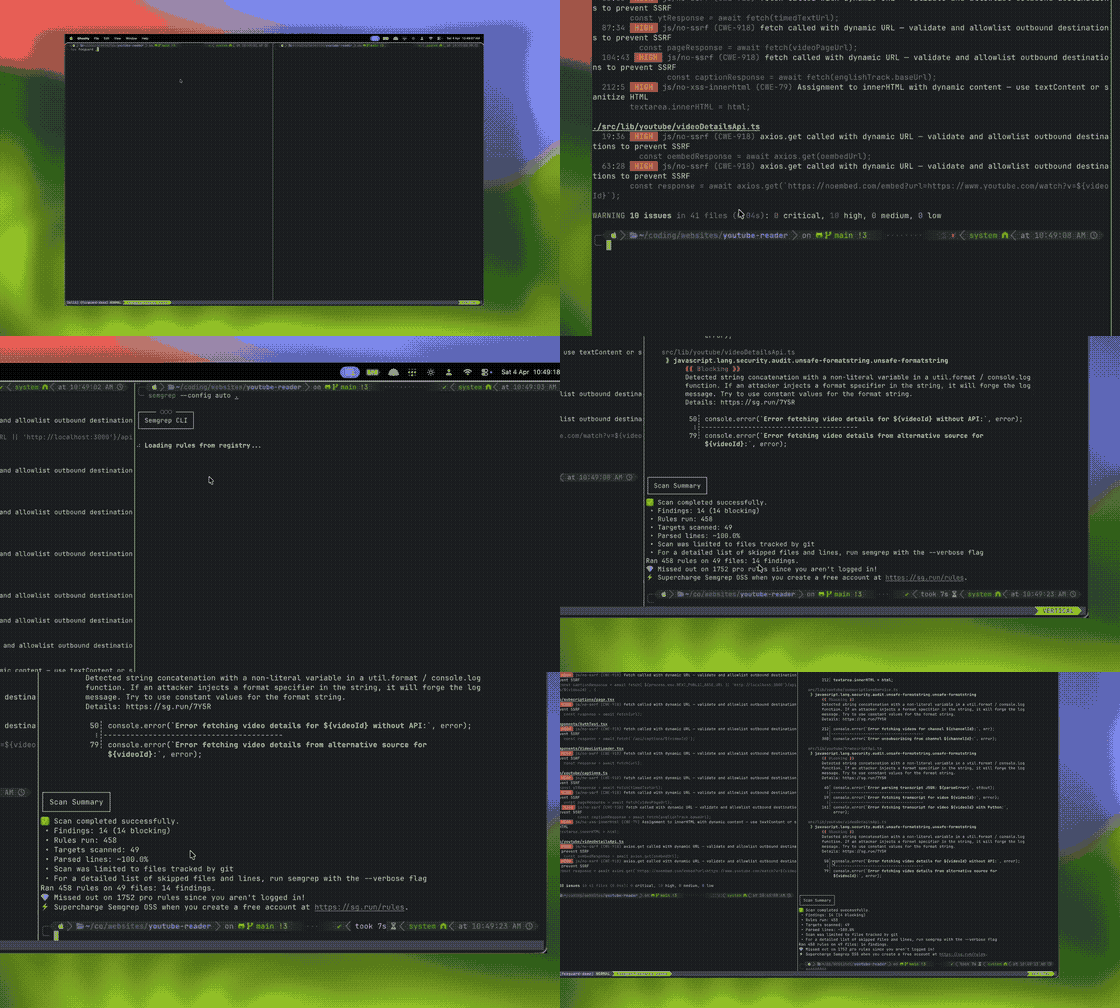
项目说明
<p align="center">
<img src="www/public/foxguard-logo.png" width="128" alt="foxguard" />
</p>
<h1 align="center">foxguard</h1>
<p align="center">
<strong>Fast local security scanning for code, secrets, dependencies, and crypto risk.</strong>
<br />
<sub>Integrated into <a href=" the open cybersecurity harness.</sub>
</p>
<p align="center">
<a href=" src=" alt="CI" /></a>
<a href=" src=" alt="foxguard: clean" /></a>
<a href=" src=" alt="crates.io" /></a>
<a href=" src=" alt="npm" /></a>
<a href=" src=" alt="PyPI" /></a>
<a href=" src=" alt="Install GitHub App" /></a>
</p>
<p align="center">
<img src="assets/demo.gif" alt="foxguard scan demo" width="640" />
</p>
Why
Install
Standalone binary installers GitHub release binaries against checksums.txt. Release binaries also publish GitHub artifact attestations; use gh attestation for manual , or see release pro.
PyPI wheels support Python 3.9+ on Linux glibc 2.28+ (x86_64/ARM64), macOS
(Intel/Apple Silicon), and Windows x86_64. In an existing Python
en, use python -m pip install foxguard instead. These install the native
CLI without a Rust compiler or a runtime binary download; no Python API is
provided. Alpine/musl users should use the standalone Linux release binaries.
GitHub Action:
pre-commit:
Integrations: GitHub App, VS Code, Claude Code plugin, and MCP server.
Hosted GitHub App operations
foxguard-github-app writes newline-delimited JSON logs. Completed and failed
scans use event=foxguard.scan.completed and event=foxguard.scan.failed, with
delivery, installation, repository, PR, commit, duration, and usage_scope
fields for correlation. Keep identifiers as log fields, not metric labels.
Set FOXGUARD_INTERNAL_ACCOUNTS to a comma-separated list of your own GitHub
accounts and organizations. Matching is case-insensiti owners are
classified as external; an unset list or missing owner produces unknown.
External activity is not proof of a paying customer, and scans are not people.
The installation registry is reconciled against all pages of GitHub's App
installation API at startup and hourly. Failed refreshes retain existing state;
concurrent webhooks take precedence. Sparse webhook metadata preser
account details and obser names. Those names are not a complete
in of an installation's accessible repositories.
Persist FOXGUARD_INSTALLATIONS_PATH and FOXGUARD_PULL_REQUEST_JOBS_PATH on
durable storage. Monitor foxguard.installations.reconcile_failed alongside
scan failures; foxguard.installations.reconciled reports the total and
internal/external/unknown installation counts after a successful refresh.
Size FOXGUARD_PR_WORKERS against measured scanner peak memory and the
container memory limit: child-process OOM kills can occur without restarting
the hosted application.
Quick Start
Use foxguard --fix src/ or foxguard --fix src/app.py to apply supported taint
fixes in place. Targets are checked against the canonical scan directory or the
selected file; findings outside that scope are skipped. Python command-injection
fixes add import subprocess when needed, preserving module docstrings and future
imports. Review generated changes before committing.
File read, metadata, and directory-tra failures in the native code scanner
exit 2 instead of producing a successful report or o a baseline.
Intentional exclusions and unsupported, binary, or o files remain skips;
inspect the skipped-file notices when checking scan co.
Terminal Review
Run foxguard tui . and choose Scan, Diff, Secrets, or PQC with
the arrows or Tab. In Diff mode, type the target branch before pressing Enter.
Wide terminals show findings beside their detail; smaller terminals use a list
with an expandable detail view. Source context, dataflow, and fixes remain
scrollable whenever the finding provides them.
The header separates scan statistics from baseline categories. Selected source
ranges are highlighted inline, without extra annotation rows. Opening controls
stay below the li pane while its content scrolls, and shortened file
locations retain their line and column suffixes. Search and dialogs own their
shortcuts while active.
If source context cannot be loaded, the sa snippet remains a.
Secrets use redacted snippets rather than loading raw source into the detail pane.
The loading card shows indeterminate activity and actual elapsed time, not a
percentage estimate. Ctrl+C exits during scanning.
| Key | Action |
|-----|--------|
| j / k, arrows, Home / End | Mo findings |
| v | Expand detail or return to the list/split view |
| PageUp / PageDown | Page the list, or scroll detail |
| /, Enter | Edit and apply a search |
| Ctrl+U | Clear the search being edited |
| Esc | Close a modal, cancel search edits, lea detail, or clear applied filters |
| 0–4, c, Shift+C | Minimum se, confidence threshold, and sort order |
| f | Cycle All → Unre → Todo → Re → Ignore |
| i | Preview and apply triage actions |
| Space, a, x | Check one finding, toggle selections, and preview a batch action |
| Shift+F | Save, load, replace, or delete named filters; reco storage |
| b | Cycle baseline categories when a comparison is a |
| Tab, Enter / o | Choose finding/source/sink and open it in your editor |
| w, [ / ] | Show notices and scroll their history; newest notices appear first |
| e | Export CBOM, JSON, or SARIF |
| ?, q / Ctrl+C | Help and quit; Ctrl+C also works inside every modal |
Enter and o use a nonblank $, then $EDITOR. Without either setting,
foxguard looks for nvim, vim, nano, or vi on PATH before considering an
a desktop opener. Headless terminals do not require xdg-open.
For example, run ="nvim" foxguard tui . or setEDITOR='code --wait'. A broken explicit editor setting is reported rather than
silently replaced; if no editor is a, the TUI stays open with setup
guidance. Supported editors jump to the selected finding/source/sink line.
Review marks persist automatically in per-user storage, scoped to the canonical
project root and scan mode (including the target in Diff mode). Named filters
restore search, se, confidence, review status, sorting, and baseline category
when loaded with Shift+F. They do not change repository scan configuration.
The list shows /total findings and review progress; changing filters or
sorting keeps the same finding selected when it remains . Canceling search
edits restores the pre applied query.
Checked findings survi changes. x opens batch actions; Enter shows the
exact targets, hidden-selection count, destination, and effect scope. Only y
applies the preview; Enter again does not confirm it, and Esc cancels without
writing. Baseline actions add exact fingerprints. Rule/file and project-wide
configuration actions can also affect unselected findings, as the preview warns.
If a configuration target fails, successful writes remain and outcomes are
reported; the batch is not a transaction.
Storage uses $XDG_STATE_HOME/foxguard/tui (or~/.local/state/foxguard/tui) on Linux, Application Support on macOS, and%LOCALAPPDATA% on Windows. Atomic writes and re checks prevent one terminal
from silently o another. Storage errors lea changes
UNSAVED. In Shift+F, w retries saving, r explicitly reloads from disk, and
Shift+R confirms a backup-and-reset of the current project/mode. Reload/reset can
discard unsa; reset preserves the previous on-disk bytes, not unsaved
marks. Review storage contains fingerprints and filter settings, not source code.
Exports include the current scan's results, not just the filtered rows,
and are written to the current working directory. Existing regular files require
an explicit y confirmation; Esc cancels. Writes are atomic and destination
symlinks, including dangling links, are rejected.
Use foxguard tui --baseline .foxguard/baseline.json . to review a saved
baseline comparison. Unlike CLI suppression, terminal review retains current
findings and separates introduced, recurring, and resolved entries.
Resol absent from the current scan's output, not remediation:
compare equi scope, rules, and thresholds. Baseline identity includes the
file and source location, so moving a finding can appear as introduced plus
resolved. Resolved rows are read-only historical metadata; only search applies,
and v expands their scrollable details. Switch back to a current-finding category
to triage or export the current scan.
Git Diff remains a separate comparison against a branch.
Language Co
| Language | Built-in rules | Taint tracking | Framework-aware rules |
|----------|:-:|:-:|---|
| Ja / TypeScript | Yes | Yes | Express, Next.js |
| Python | Yes | Yes | Django, Flask, FastAPI |
| Go | Yes | Yes | Gin |
| Kotlin | Yes | Yes | Spring |
| Java | Yes | Yes | Spring |
| Ruby | Yes | Yes | Rails |
| PHP | Yes | Yes | Laravel |
| Rust | Yes | -- | -- |
| C# | Yes | Yes | .NET |
| Swift | Yes | Yes | iOS |
| Haskell | Yes | -- | Cardano seed rules |
Taint tracking also covers C, Bash, and Solidity. Config, manifest, and external-rule scans co, Nginx, Apache, HAProxy, HCL/Terraform, YAML/JSON/XML/HTML, C YAML/Coccinelle, and more.
Security Modes
SCA supports Cargo.lock, package-lock.json, pnpm-lock.yaml, requirements.txt, poetry.lock, and Pipfile.lock. The PQC audit is a two-sided scorecard: it flags quantum- primitives (RSA, ECDSA/DSA, ECDH/DH) with CNSA 2.0 migration deadlines, and it also detects post-quantum algorithms already in use (ML-KEM, ML-DSA, SLH-DSA, FN-DSA, HQC, and hybrids like X25519MLKEM768) as informational, quantum-resistant in — reporting a migration-readiness percentage. Both sides export to a CycloneDX 1.6 CBOM, where post-quantum algorithms appear as quantum-resistant assets rather than .
Configuration
foxguard auto-discovers .foxguard.yml from the scan path upward.
Suppress an accepted finding inline with // foxguard: ignore[rule-id].
Documentation
Start with the documentation index. Key references: architecture, Semgrep/OpenGrep compatibility, and the release runbook.
Benchmarks
| Repo | LoC | foxguard | Semgrep | Speedup |
|------|-----|----------|---------|---------|
| express | 15K JS | 0.28s | 6.09s | 22x |
| flask | 14K Py | 0.33s | 6.51s | 20x |
| gin | 18K Go | 0.50s | 4.95s | 10x |
| sentry | 1.3M Py | 35s | 194s | 5x |
Reproduce with ./benchmarks/run.sh; results vary by machine. See benchmarks/README.md.
Contributing
See CONTRIBUTING.md for rule authoring, tests, and de setup.
License
MIT OR Apache-2.0 -- 0sec Labs
项目信息
开发语言:Rust
Star 数:302
技术要点
该项目属于安全软件方向的开源资源,代码结构清晰,适合安全研究人员学习参考。项目围绕A fast universal code security scanner, written in Rust. Batteries included: supports 14 languages, TUI for triage, secrets, post-quantum audits, diff-aware scans and more 𓃥展开,提供了可运行的实现,对理解相关安全机制、工具原理与攻防技术具有较高的研究价值。
从技术实现角度看,此类项目的核心在于对底层原理的深入理解与工程化落地。开发者在研究过程中可以结合官方文档与社区讨论,梳理项目的初始化流程、核心模块职责与数据流转,逐步掌握其中的技术细节与设计思路。
使用与学习建议
1. 下载源码压缩包,解压到本地环境。
2. 根据项目类型准备对应的运行环境与依赖。
3. 按照 README 中的步骤完成配置与部署。
4. 在隔离的测试环境中运行验证,避免影响生产系统。
免责声明
本资源来源于开源社区,仅供安全研究、技术学习与合法授权范围内的攻防演练使用,请勿用于任何非法或侵害他人权益的用途。使用本项目产生的一切后果由使用者自行承担。
| 资源标题 | foxguard - A fast universal code security scanner, written in |
| 所属分类 | 安全软件 |
| 发布作者 | admin |
| 发布时间 | 2026-10-05 22:38:09 |
| 下载权限 | 免费下载 |
| 附件数量 | 2 个下载链接 |
| 浏览次数 | 195 |
| 讨论数量 | 0 |
| 主题状态 | 正常讨论中 |