 安全软件
点击放大
avain - A Modular Framework for the Automated Vulnerabilit
项目说明
AVAIN - Automated Analysis (in) IP-based Networks
A framework for the automated analysis in IP-based networks that enables its modules to work collaboratively by sharing results.
<p>
<a href="#"><img src=" alt="Python 3.6+"></a>
<a href="#"><img src=" alt="Platform: linux, macOS"></a>
<a href="#"><img src=" alt="<release>"></a>
<a href=" src=" alt="License: MIT"></a>
<a href=" src=" alt="Wiki"></a>
<a href="#"><img src="
</p>
About
AVAIN is a modular analysis / penetration testing framework for computer networks and indi machines that allows its modules to work collaboratively to achieve more sophisticated results. Once you start an analysis with AVAIN, it uses its modules to enumerate, find and assess the o security level of an IP-based network or host. During the analysis, the most relevant results are shown directly in a comprehensible way. The complete and in depth results are saved for later to enable the user to fully retrace the assessment. In addition, AVAIN automatically aggregates certain types of results during the analysis to make it easier for modules to utilize them. E the analysis finishes, upon which AVAIN outputs a final score between 0 and 10, where the higher the score, the more / insecure the assessed object(s).
At its core, AVAIN is an extensible framework that uses modules to do assessment. As such it offers several features that make it easier to develop completely new modules or build on top of existing ones. These features include:
* simple result sharing and storage
* aggregation of results
* simple and uniform way of configuring modules
* modules are implemented in Python; other tools can be wrapped
* modules can specify install and update scripts
For more information about AVAIN's framework features, look at the separate wiki page. To see how to develop new modules with Python, have a look at this wiki page.
Current Features of Modules
The currently a modules can automatically:
- [x] Facilitate an Nmap scan & postprocess it
- [x] Retrieve CVE / NVD entries that affect the discovered software by using a local database
- [x] Connect the CVE / NVD entries to existing exploits from the Exploit Database
- [x] Brute force directories and files on a webserver via a configurable wordlist using Gobuster
- [x] Completely scrape a webserver, i.e.:
- [x] crawl paths via Scrapy
- [x] find GET / POST parameters and cookies
- [x] find source code comments
- [x] find new network locations / domains
- [x] Find even more / attack by using Selenium to disco that only becomes when interactively opening websites within a web browser
- [x] Dynamically detect SQL Injection via sqlmap by utilizing the pre scraped website data from other modules
- [x] Discover WordPress installations in any sub folder of a web server and analyze them using WPScan
- [x] Use SMBMap and Enum4Linux to enumerate SMB services
- [x] Use Nmap scripts to disco SMB services
- [x] Brute force credentials for SSH & Telnet services via Hydra and a configurable wordlist
A more detailed o of the current modules, what they can do and how they work is a in the wiki. All of AVAIN's modules are highly configurable. As a small example, you can configure authentication cookies to be used or regex URLs to be excluded while scraping a website. For a full list of configuration parameters and how to use them properly, have look at the separate wiki page. In addition, despite AVAIN being fairly during the analysis, all the result files that contain even more information are stored in AVAIN's output directory. While the file structure should be simple to understand, it is further explained in the wiki.
Important: If you intend to run AVAIN against a sensitive or system, be sure to configure it properly beforehand and know what to expect. Some modules, e.g. the sqlmap module, can run aggressive / intrusi that may not be side-effect free and break things on the scanned host.
Demo
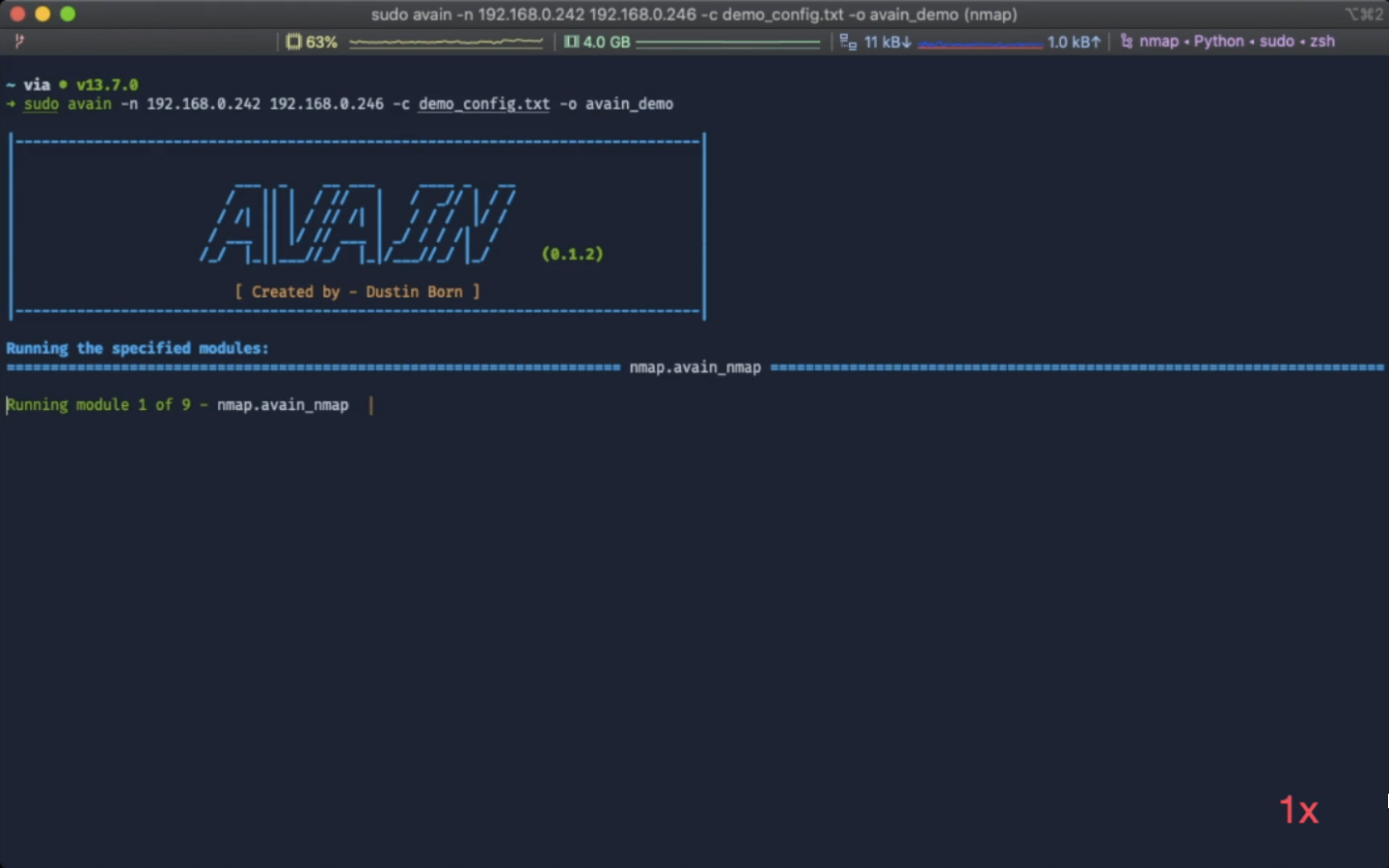
For demonstration purposes, AVAIN was run against *Kioptrix 3* and *Basic Pentesting 1* (with additional SMB service running) from . Disclaimer: parts of the scan are sped up in the video, see the bottom right corner. Click on the image to go the video on YouTube:
<p align="center">
<a href="
<img src="images/demo_thumbnail.png" width="90%">
</a>
</p>
The obtained results are a in the `sample_result folder.
Installation
AVAIN was made to work on Unix based systems. It was tested to work on macOS, Ubuntu Linux and Kali Linux. You can either install it directly on your system or use the a Dockerfile. To install it directly & automatically, run the
install.sh script. As the script attempts to install AVAIN's required software, you may have to run it as *root* or get asked for a password. If you do not have *apt* (Linux) or *Homebrew* (macOS) as your package manager installed, you can simply change the package manager at the top of the script. For other issues feel free to open an issue. Since macOS by default does not have a package manager installed, you may have to install Homebrew first. For more information on the installation process and potential problems, see the wiki page.Usage
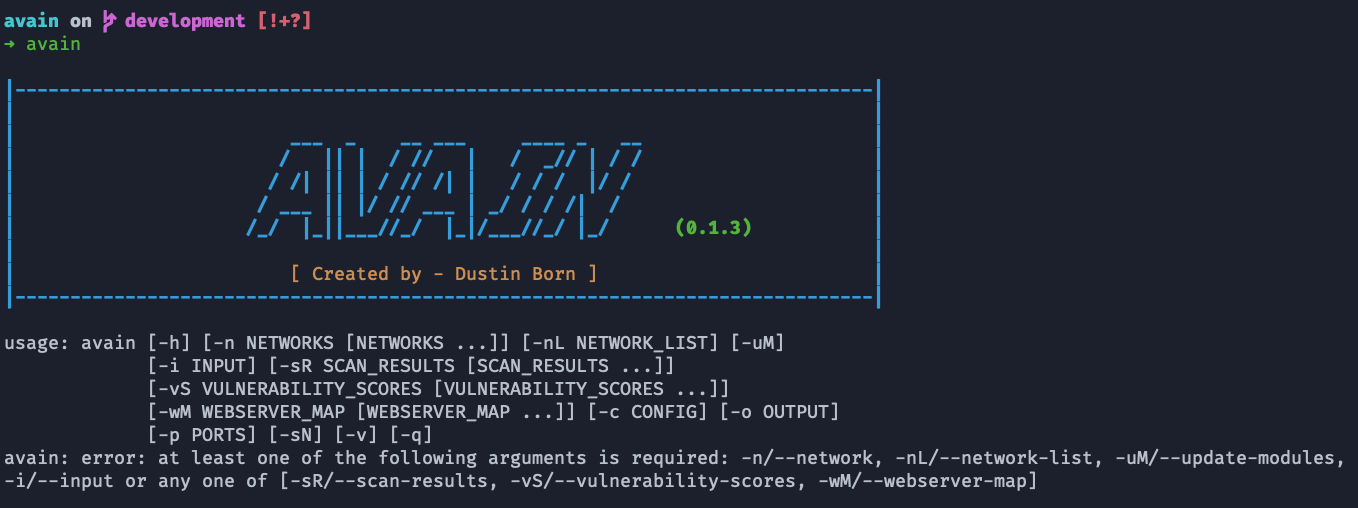
To use AVAIN, simply call it by typing avain without any arguments in a terminal and you will see the following usage information:<p align="center">
<img src="images/usage_info.png" width="90%">
</p>
Further insight on AVAIN's usage information is a at this wiki page.
For running AVAIN on some target like
192.168.42.1, the corresponding call is:The contents of the created output folder should mostly be simple to understand, but a separate wiki page goes into more detail.
Three more examples of how you can call AVAIN:
*
avain -n 192.168.0.* -uM -p T:80,U:53 -o http_dns_sec
* avain -n 10.0.42.* 192.168.0.1-150 -sN -c config/someconfig.cfg -v
* avain -sR path_to_sr_1 path_to_sr_2 -o network_analysis`Wiki
In case you have more question about AVAIN, the wiki is very detailed and explains AVAIN in great detail.
Contribution & Bugs
If you want to contribute, or have any questions or suggestions, use GitHub or directly contact me <a href="mailto:">here</a>. If you found a bug or ha troubles, feel free to open an issue.
License
AVAIN is licensed under the MIT license, see here.
Miscellaneous
I originally created AVAIN as part of my Bachelor Thesis at TU Darmstadt (located in Germany) under the guidance of my advisor Rolf Egert. After my thesis I decided to continue working on AVAIN in my spare time. We presented a demo paper about AVAIN at NetSys '19. In addition, we presented a full paper based on AVAIN at the IEEE GLOBECOM 2019 Workshop on Security and Privacy in Smart, Cooperative IoT and CPS. For more info see the Publications wiki page.
项目信息
开发语言:Python
Star 数:67
技术要点
该项目属于安全软件方向的开源资源,代码结构清晰,适合安全研究人员学习参考。项目围绕A Modular Framework for the Automated Vulnerability Analysis in IP-based Networks展开,提供了可运行的实现,对理解相关安全机制、工具原理与攻防技术具有较高的研究价值。
从技术实现角度看,此类项目的核心在于对底层原理的深入理解与工程化落地。开发者在研究过程中可以结合官方文档与社区讨论,梳理项目的初始化流程、核心模块职责与数据流转,逐步掌握其中的技术细节与设计思路。
使用与学习建议
1. 下载源码压缩包,解压到本地环境。
2. 根据项目类型准备对应的运行环境与依赖。
3. 按照 README 中的步骤完成配置与部署。
4. 在隔离的测试环境中运行验证,避免影响生产系统。
免责声明
本资源来源于开源社区,仅供安全研究、技术学习与合法授权范围内的攻防演练使用,请勿用于任何非法或侵害他人权益的用途。使用本项目产生的一切后果由使用者自行承担。
| 资源标题 | avain - A Modular Framework for the Automated Vulnerabilit |
| 所属分类 | 安全软件 |
| 发布作者 | admin |
| 发布时间 | 2026-10-05 22:44:15 |
| 下载权限 | 免费下载 |
| 附件数量 | 2 个下载链接 |
| 浏览次数 | 469 |
| 讨论数量 | 0 |
| 主题状态 | 正常讨论中 |