 安全软件
点击放大
chaca-scanner - Native desktop web security scanner for developers
项目说明
<p align="center">
<strong>Chaca</strong> — Web Security Scanner
</p>
<p align="center">
<em>A nati security scanner for vibe coders and de</em>
</p>
<p align="center">
<img src=" alt="" />
<img src=" alt="tauri" />
<img src=" alt="react" />
<img src=" alt="rust" />
</p>
<p align="center">
Fast, opinionated security audits of your web apps — no terminal required.
</p>
<p align="center">
Support Chaca directly: <a href=" Chaca Pro</a>, support via <a href=" or send $100 founder support to <code></code> and get your company logo listed here forever.
</p>
---
Screenshots
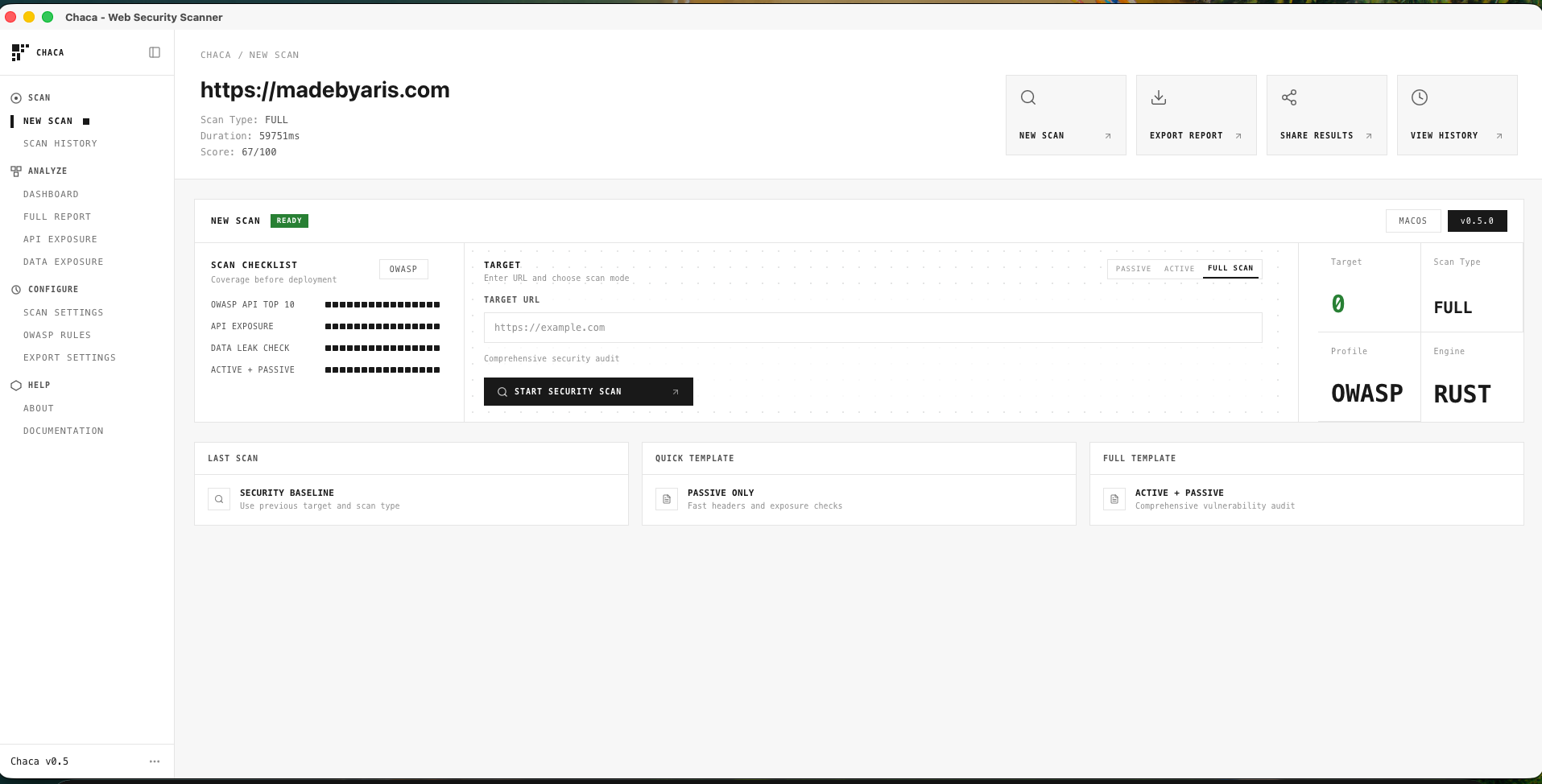
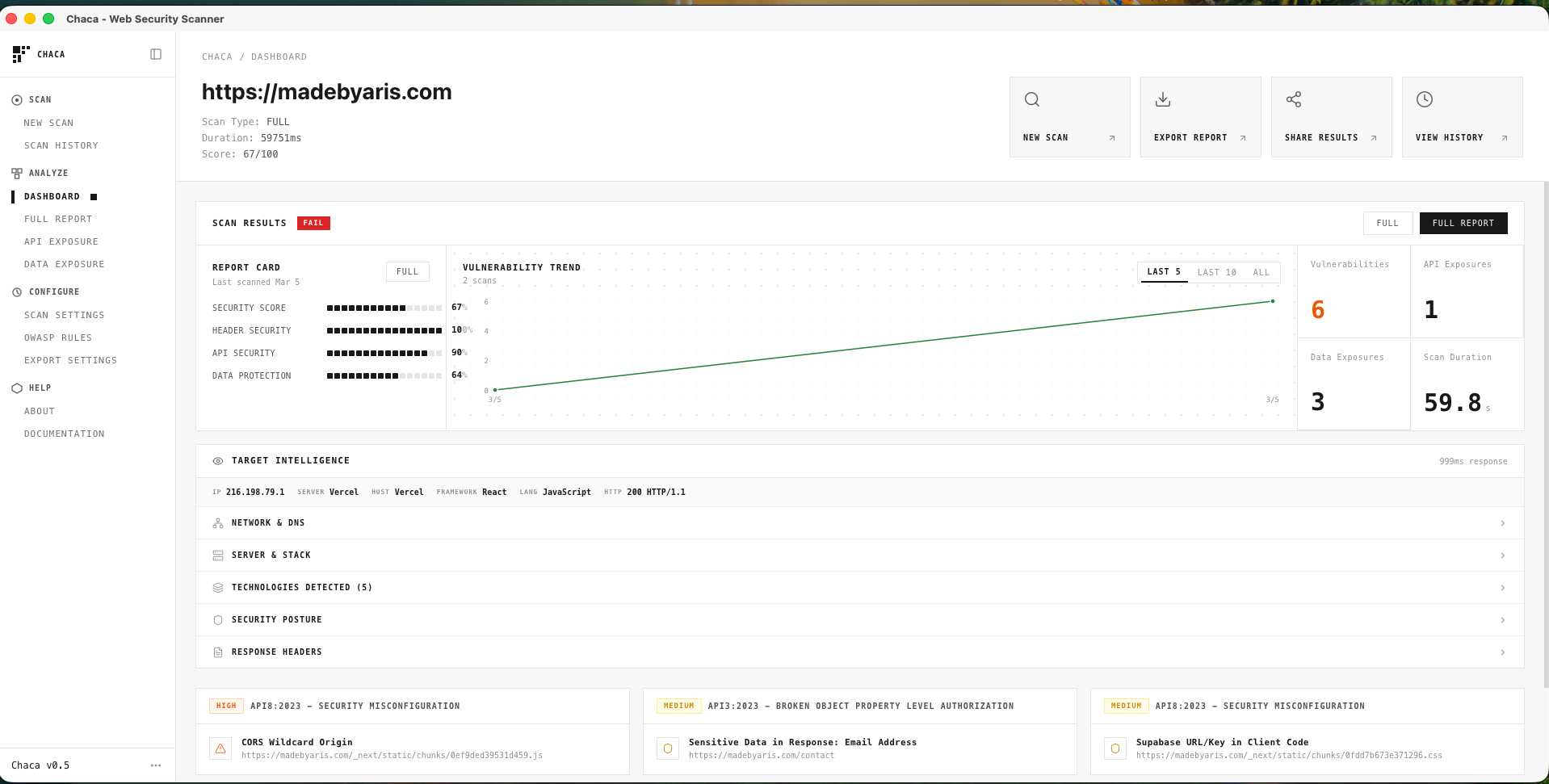
| New Scan | Dashboard | Full Report |
|:--------:|:----------:|:-----------:|
| <img src="assets/home.png" width="280" alt="Chaca New Scan screen" /> | <img src="assets/detail.png" width="280" alt="Chaca Dashboard" /> | <img src="assets/list-vuln.png" width="280" alt="Chaca list" /> |
| Configure target URL, scan mode (Passi/Full), or scan a local folder | Security score, trend, target intelligence | Filter by se, CWE references, export to JSON/CS/PDF |
---
What is Chaca?
Chaca = Chalim Scanner — a desktop app built with Tauri 2, React 19, and Rust that scans web applications for security issues. Designed for de who want actionable results without learning Burp Suite or OWASP ZAP.
---
Features
Scanning Engine (Rust)
| Category | Capabilities |
|----------|--------------|
| Passive | Security headers, cookies, CORS, CSP, CSRF, clickjacking, JWT, rate limits, deserialization indicators |
| Active | XSS (canary + attribute/event injection), SQLi, SSTI, open redirect, path tra, CORS reflection, CSRF |
| CMS | WordPress, Drupal, Joomla, Shopify, Magento fingerprinting + platform-specific checks |
| API | 57+ sensitive path probes (/swagger.json, /env, /graphql, /wp-json/wp/v2/users, …) |
| Disclosure | Stack traces, debug headers, file path leaks (Python, Java, PHP, .NET, Go, Ruby, Node.js) |
| Services | Supabase, Firebase, PocketBase, admin panels (phpMyAdmin, Adminer, wp-login, debug consoles) |
| Recon | IP, DNS, TLS, ser, tech detection (frameworks, CDNs, WAFs, hosting), robots.txt / sitemap.xml / security.txt |
| Knowledge | 50+ definitions with CWE, C, remediation, references |
| Quality | Confidence scoring (Confirmed/Firm/Tentative), deduplication, category-capped security score (0–100) |
Desktop App (React + Tailwind)
---
Tech Stack
| Layer | Technology |
|-------|------------|
| Shell | Tauri 2 |
| Frontend | React 19, TypeScript, Tailwind CSS v4 |
| State | Zustand, tauri-plugin-store |
| UI | Radix UI, Lucide icons, Recharts |
| Backend | Rust (reqwest, regex, tokio, serde, tracing, base64) |
---
Getting Started
Prerequisites
Run
Build
Output: src-tauri/target/release/bundle/
Release (GitHub)
Pre-built binaries for Windows (x64) and Linux (x64 AppImage) are published to GitHub Releases on each tag. macOS builds currently require local compilation because Chaca is not yet signed/notarized with an Apple De account.
To cut a release:
1. Bump in package.json and src-tauri/tauri.conf.json
2. Commit and push
3. Create and push a tag: git tag v0.6.0 && git push origin v0.6.0
4. GitHub Actions builds all platforms and creates a draft release
5. Edit the draft release, add release notes, and publish
Expected artifacts:
| Platform | Artifact | Notes |
|----------|----------|-------|
| macOS (Apple Silicon) | Build locally | For now, macOS de should compile Chaca themselves with npm run tauri build |
| Windows (x64) | Chaca_0.6.0_x64-portable.exe | Run directly; requires WebView2 on Windows 10 |
| Windows (x64) | Chaca_0.6.0_x64-setup.nsis.exe | Installer (includes WebView2) |
| Linux (x64) | Chaca_0.6.0_amd64.AppImage | Run directly |
Note: Current releases are unsigned. Windows may show security warnings, and macOS public distribution is temporarily blocked until Chaca is signed/notarized. Ensure Settings → Actions → General → Workflow permissions is set to "Read and write permissions" so the release workflow can create releases.
macOS "Damaged" Warning
If macOS says "Chaca.app" is damaged and can't be opened, the app is usually being blocked by Gatekeeper because it is unsigned or was downloaded with a quarantine flag.
If you are a Mac de, the most reliable option for now is to clone the repo and build locally:
Try these steps:
1. Open the .dmg
2. Drag Chaca.app into Applications
3. In Finder, right-click Chaca.app and choose Open
4. If macOS still blocks it, go to System Settings -> Privacy & Security and click Open Anyway
If that still does not work, remove the quarantine attribute manually:
Then open the app again.
---
Usage
URL Scan
1. Enter a target URL
2. Choose Passive or Full scan
3. Review dashboard — score, , target intelligence
4. Open findings for e, remediation, CWE references
5. Export as JSON, CS, or PDF
Local Folder Scan (v0.6)
1. Click SCAN FOLDER and select a project directory
2. Chaca scans for: secrets (AWS, GitHub, Stripe, etc.), exposed config files (
.env, CI, K8s), and endpoint patterns (Express, Next.js, FastAPI)3. All scanning is local-only; no content leaves your machine
4. Results appear in the same dashboard; export as usual
> Only scan targets you ha permission to test.
---
Project Structure
---
Support
Chaca Pro unlocks branded PDF export, unlimited history, scan profiles, quick auth headers, and login-first scanning. Get a license to support indie de.
If you want to directly support the work at the founder level, you can also contribute $100 via:
Founder-le can ha company logo listed here as a permanent founding supporter of the repo.
If your subscription expires, you have 7 days to resubscribe before Pro features are disabled — no sudden interruptions.
---
Author
Aris Setiawan
---
<p align="center">
<sub>Open-source. Use responsibly.</sub>
</p>
项目信息
开发语言:Rust
Star 数:41
技术要点
该项目属于安全软件方向的开源资源,代码结构清晰,适合安全研究人员学习参考。项目围绕Native desktop web security scanner for developers. OWASP Top 10, API exposure, CMS detection, target intelligence. Built with Tauri 2 + React 19 + Rust.展开,提供了可运行的实现,对理解相关安全机制、工具原理与攻防技术具有较高的研究价值。
从技术实现角度看,此类项目的核心在于对底层原理的深入理解与工程化落地。开发者在研究过程中可以结合官方文档与社区讨论,梳理项目的初始化流程、核心模块职责与数据流转,逐步掌握其中的技术细节与设计思路。
使用与学习建议
1. 下载源码压缩包,解压到本地环境。
2. 根据项目类型准备对应的运行环境与依赖。
3. 按照 README 中的步骤完成配置与部署。
4. 在隔离的测试环境中运行验证,避免影响生产系统。
免责声明
本资源来源于开源社区,仅供安全研究、技术学习与合法授权范围内的攻防演练使用,请勿用于任何非法或侵害他人权益的用途。使用本项目产生的一切后果由使用者自行承担。
| 资源标题 | chaca-scanner - Native desktop web security scanner for developers |
| 所属分类 | 安全软件 |
| 发布作者 | admin |
| 发布时间 | 2026-10-05 22:47:36 |
| 下载权限 | 免费下载 |
| 附件数量 | 2 个下载链接 |
| 浏览次数 | 421 |
| 讨论数量 | 0 |
| 主题状态 | 正常讨论中 |