 安全软件
点击放大
aqua-microscanner-plugin - Enables scanning of docker builds in Jenkins for O

项目说明
Aqua Jenkins MicroScanner Plugin #
Enables scanning of docker builds in Jenkins for OS package .
Prerequisites for the plugin to be operational ##
1. Docker must be installed on the same machine Jenkins is installed. If your job is configured to use a node other than Master node, then Docker is required only on the build Jenkins node (slave).
2. The *jenkins* user must be added to the *docker* group so it has permission to run Docker:
Install and configure the plugin
1. In Jenkins, select Manage Jenkins and then select Manage Plugins from the list. Make sure that the list of a plugins is up to date.
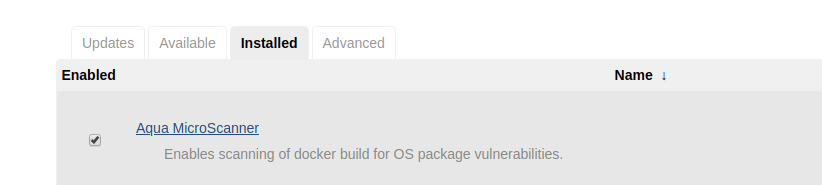
2. Select the A tab, search for Aqua MicroScanner, and select it. Click on Download the Plugin. This will install the plugin.

3. Follow the instructions here to obtain a token to use the microscanner.
4. In Jenkins, select Manage Jenkins, then select Configure System. Enter the token value.

Use the plugin
You can use the MicroScanner plugin in the build process in Freestyle and Pipelines jobs. You can configure the job to scan the image during the build process.
Freestyle jobs
In Freestyle jobs add a build step to scan the image with the Aqua MicroScanner, as part of the job configuration.
1. In Jenkins, in the Configure page for a job, click Add Build Step.
1. Select Aqua MicroScanner.

3. Select the action to be taken when high se are found in the build. You can optionally include a shell command.
4. Enter the image name.
Pipeline jobs
In Pipeline jobs, the build step to scan the image with the MicroScanner is included in a pipeline script, as part of the job configuration.
1. In Jenkins, in the Configure page for a job, scroll to the Pipeline section.
1. Add the a snippet such as the following to the pipeline script, to include a step to scan the image.

3. Alternatively, you can use the Snippet Generator to create the snippet.

Plugin Output
You can see the results of the scan in the Console Output.

You can also see results of the scan as an HTML page. An artifact named "scanout.html" will be created in the project's workspace. In the Jenkins build menu, select Aqua MicroScanner, and then select the job whose results you wish to see.

Build the plugin (instructions for Ubuntu)
* If JDK 7 is not installed, install it
* Install Maven3 (must be 3)
* Build
When in the root directory, where *pom.xml* resides:
Note: the first time this command is invoked, many downloads will occur and it will take quite some time.
Install manually ##
Copy the *target/aqua-docker-scanner.hpi* file to *$JENKINS/plugins/* where *JENKINS* is the Jenkins root directory, by default it is */var/lib/jenkins/*.
Restart Jenkins:
Publicly release a new to jenkins-ci.org ##
See It describes several alternatives; use the following:
1. If not already done, create a *settings.xml* file with your credentials as described
2. Execute and accept defaults for prompts :
`
项目信息
开发语言:Java
Star 数:35
技术要点
该项目属于安全软件方向的开源资源,代码结构清晰,适合安全研究人员学习参考。项目围绕Enables scanning of docker builds in Jenkins for OS package vulnerabilities.展开,提供了可运行的实现,对理解相关安全机制、工具原理与攻防技术具有较高的研究价值。
从技术实现角度看,此类项目的核心在于对底层原理的深入理解与工程化落地。开发者在研究过程中可以结合官方文档与社区讨论,梳理项目的初始化流程、核心模块职责与数据流转,逐步掌握其中的技术细节与设计思路。
使用与学习建议
1. 下载源码压缩包,解压到本地环境。
2. 根据项目类型准备对应的运行环境与依赖。
3. 按照 README 中的步骤完成配置与部署。
4. 在隔离的测试环境中运行验证,避免影响生产系统。
免责声明
本资源来源于开源社区,仅供安全研究、技术学习与合法授权范围内的攻防演练使用,请勿用于任何非法或侵害他人权益的用途。使用本项目产生的一切后果由使用者自行承担。
| 资源标题 | aqua-microscanner-plugin - Enables scanning of docker builds in Jenkins for O |
| 所属分类 | 安全软件 |
| 发布作者 | admin |
| 发布时间 | 2026-10-05 22:48:58 |
| 下载权限 | 免费下载 |
| 附件数量 | 2 个下载链接 |
| 浏览次数 | 118 |
| 讨论数量 | 0 |
| 主题状态 | 正常讨论中 |