 安全软件
点击放大
deepbug - Self-hosted bug bounty & recon platform: per-proje
项目说明
🐛 DeepBug
An automated reconnaissance and bug bounty hunting platform built with Streamlit.
DeepBug is a self-hosted, browser-based platform that streamlines the whole bug bounty workflow: create a project, run deep reconnaissance against your targets, launch Nuclei scans, review e on a dashboard, export HTML reports, and optionally bring your own AI to analyze findings. It integrates battle-tested open-source tools — subfinder, amass, nuclei, katana, ffuf, httpx, nmap, and friends — behind one friendly web UI.
---
✨ Features
* 📂 Projects — Create, load, or delete projects. Every scan result is saved per project, per target, straight to disk.
* 🔍 Reconnaissance — 8 tabs of discovery: subdomain enumeration & takeo, port scanning, deep Ja analysis, detection, cloud & infra probing, parameter mining, security headers, and ad scans. Powered by 70 tool modules in app/modules/tools.
* 🛡️ Scanner — Nuclei-based scanning with a li UI, results saved to disk and reloadable later. Targets pull from every tool in the pipeline (li, JS endpoints, param-mined URLs, collected URLs, Caido/Burp history, GF candidates) with controls: tags, se filter, rate/concurrency, workflows, and a per-project custom template library (custom_templates/).
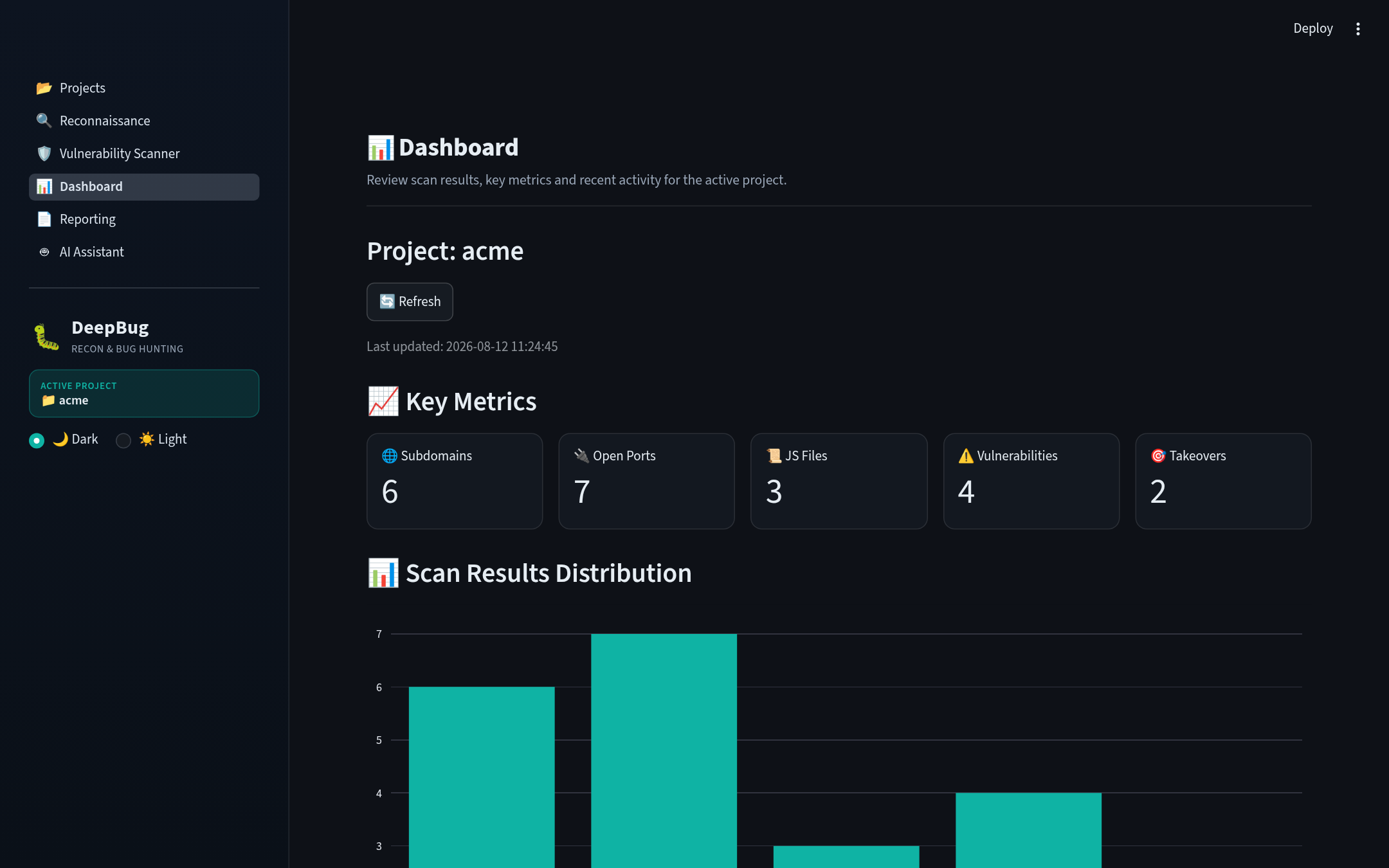
* 📊 Dashboard — KPIs, charts, target o, detailed results, and recent activity across the acti.
* 📄 Reporting — One-click HTML report generation from all saved scan sections, with a download button.
* 🤖 AI Assistant — Bring your own AI: chat with pinned context and get summaries, triage, prioritization, and next-step suggestions for sa — with a built-in heuristic fallback when no API key is configured.
---
🧭 Workflow (7 pages)
The app ships with a sidebar na in canonical workflow order:
1. Projects (/projects) — create/load/delete projects, see a per-target scan o.
2. Reconnaissance (/recon) — target picker (persisted per project) + 8 scan tabs:
* 🌐 Subdomain & Takeover — subfinder + amass + CT logs in parallel, DNS resolution, httpx probing, takeo.
* 🔌 Port & Service Scan — nmap / masscan / naabu.
* 📜 Ja Analysis — the v3.0 engine with 10 sub-tabs (o, secrets & patterns, client-side , endpoints, plus acti for prototype pollution, DOM XSS, CORS, open redirect, and SSRF — and a dedicated API Keys tab backed by the 89-service streaak/keyhacks corpus with precise key-format regexes).
* 🔍 Detection — GF pattern scanning plus kxss confirmation.
* ☁️ Cloud & Infra — cloud enumeration, Shodan, ASN/DNS OSINT.
* 🔑 Parameter Mining — param mining and historical URL hunting.
* 🛡️ Security Headers — header hardening checks.
* 🧬 Ad Scans — GraphQL, IDOR, race conditions, smuggling, JWT, and more.
3. Scanner (/scanner) — merge URL sources from the whole pipeline (li, JS endpoints, param-mined URLs, collected URLs, Caido/Burp history, GF candidates) or paste URLs manually; run Nuclei in a background thread with queue-dri, tags/se/rate/concurrency controls, custom + project templates, and sa to disk as .
4. Dashboard (/dashboard) — KPI metrics (subdomains, open ports, JS files, , takeovers), charts, target o, detailed expandable results, and recent activity (mtime-sorted), plus a refresh button.
5. Reporting (/reporting) — pick saved scan sections, set a title/author, and generate an escaped, download-ready HTML report.
6. AI Assistant (/ai) — chat with an OpenAI-compatible endpoint and analyze saved scan results.
7. Integrations (/integrations) — connect Burp Suite (REST API: send li to a scan, import findings and proxy history) and Caido (GraphQL: push endpoints into Replay, pull proxy history), plus export e bundles (HAR + JSONL) captured from findings. See docs/INTEGRATIONS.md.
---
📸 Screenshots
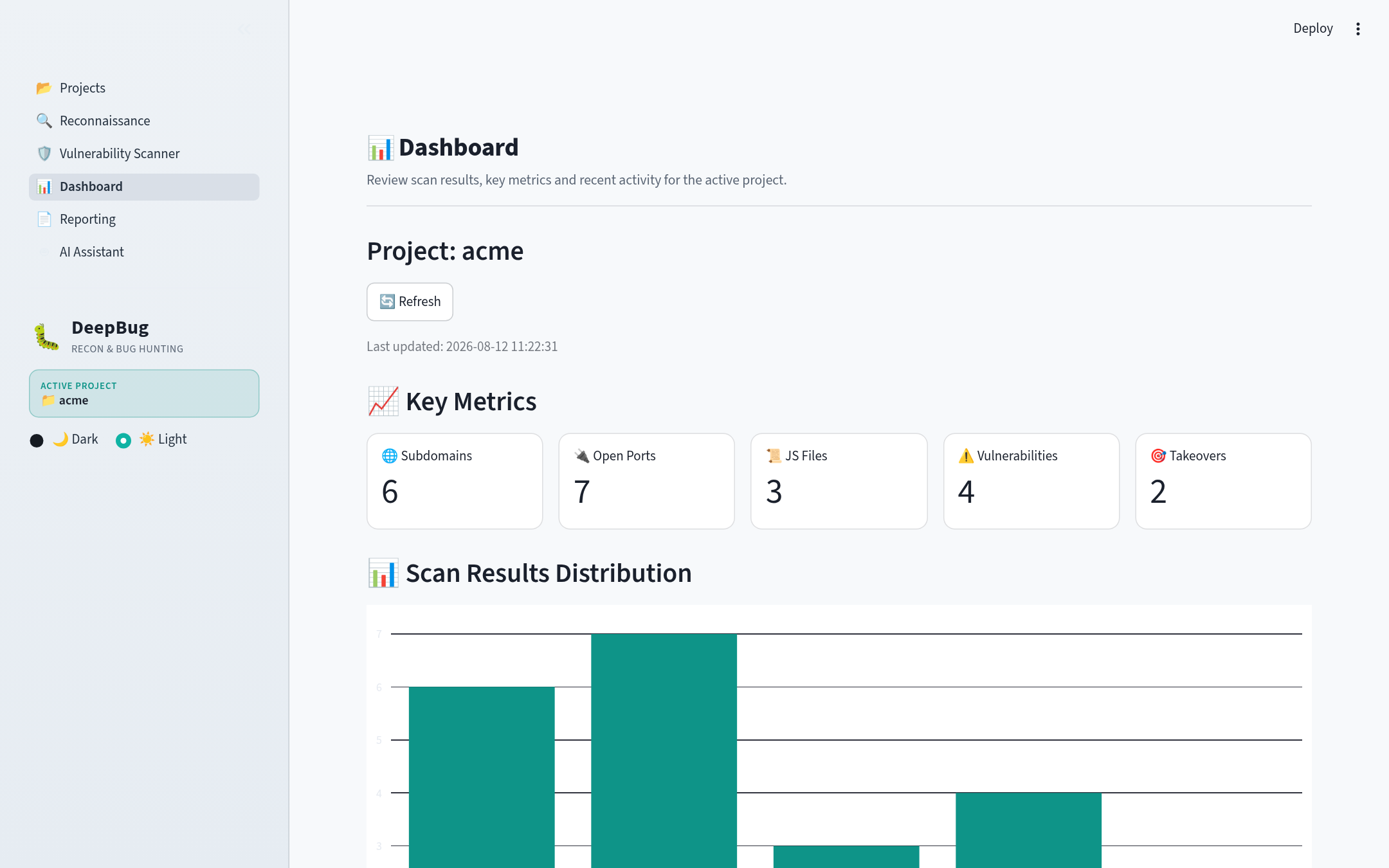
DeepBug ships with a dark theme by default with a ☀️/🌙 theme toggle in the sidebar
— switch between dark and light at any time; your choice persists across pages.
The screenshots below use a demo project (acme.com).
| Dashboard (dark) | Dashboard (light) |
|---|---|
| !Dashboard dark | !Dashboard light |
| Projects | Reconnaissance |
|---|---|
| !Projects | !Reconnaissance |
| Scanner | Reporting |
|---|---|
| ! Scanner | !Reporting |
| AI Assistant |
|---|
| !AI Assistant |
---
🚀 Getting Started
Prerequisites
* Python 3.13
* Go (for the external recon tools)
* A modern browser
1. Install Python dependencies
2. Install external tools
app/install.sh installs the command-line tools DeepBug shells out to (requires sudo for apt packages):
* Go tools: subfinder, dnsx, nuclei, subjs, webanalyze, httpx, getjs, gf, amass, fakjs, ffuf
* Nuclei templates: cloned to ~/nuclei-templates
* APT packages: nmap, masscan
* Python tools: paramspider, LinkFinder, cloud_enum
Make sure the Go binary dir is on your PATH:
3. Run
Then open — dark theme by default, with a 🌙/☀️ theme toggle in the sidebar
(your choice persists across pages; change the default in .streamlit/config.toml).
---
🗄️ How Data Is Persisted
E is saved per project to disk — no database required:
* Results live at projects/<project>/<sanitized_target>/<scan_type>_results.json (atomic writes via temp file + rename, scope-filtered at save time).
* The acti is stored in .current_project_name.txt.
* Each project has its own scope manager (.scope.json) with exact-match, wildcard (*.example.com), and exclusion rules. Scope is enforced as a central chokepoint — out-of-scope rows ne disk.
* Nuclei findings are saved as results and reloaded from disk on the Scanner page.
* The Dashboard and Reporting pages read from disk as the single source of truth.
* AI chat history is persisted per project in .ai_chat.json.
---
🗂️ Project Structure
---
⚙️ Configuration
Configuration lives in app/modules/config.json, merged o defaults in app/modules/utils.py (en like $HOME are expanded). Key sections:
* project_settings.base_projects_dir — where projects are stored (default ./projects).
* tools.paths — paths to external binaries: nuclei, subfinder, httpx, nmap, masscan, katana, ffuf, gau, gf, kxss, amass, and more.
* experimental — feature flags and tuning: enable_ai, SHODAN_API_KEY, subprocess_timeout, and others.
* ai — AI Assistant settings: enable, api_base, api_key, model, chat_base, chat_model, chat_temperature, chat_max_history, chat_max_chars, timeout.
---
🤖 Bring Your Own AI
DeepBug ne with a baked-in LLM key — instead, the AI Assistant points at any OpenAI-compatible endpoint (plain HTTP POST /chat/completions, no SDK required). It works with:
| Provider | Base URL | Example model |
|----------|----------|---------------|
| OpenAI | | gpt-4o-mini |
| Groq | | llama-3.3-70b- |
| OpenRouter | | moonshotai/kimi-k3-free |
| Ollama (local) | | llama3.3, qwen2.5 |
| LM Studio (local) | | any model you serve |
Via app/modules/config.json
Add an ai section:
You can also set the key via the OPENAI_API_KEY en — DeepBug ne your key anywhere itself.
Via the in-app UI (/ai)
Open the AI Assistant page and use the *Connection* panel: paste the base URL, model name, and API key right in the form — no config file edits needed. The key is held in the session only.
Then:
* 💬 Chat — talk to the model with an optional *pinned context* (paste scan results or JS code and it's attached to every message). History persists per project.
* 📊 Analyze sa — pick any sa set and run one of four modes: summary, triage, prioritize, or suggest_next. If no API key is configured, a built-in local heuristic fallback kicks in, so the feature is always usable offline.
---
📚 Documentation
See docs/ for the full wiki (installation, configuration, architecture, AI guide, modules, troubleshooting) — start at docs/README.md.
---
📄 License
This project is licensed under the MIT License.
项目信息
开发语言:Python
Star 数:29
技术要点
该项目属于安全软件方向的开源资源,代码结构清晰,适合安全研究人员学习参考。项目围绕Self-hosted bug bounty & recon platform: per-project recon, JS analysis with API-key detection, nuclei scanning, REST/GraphQL validation, Caido/Burp integrations, AI triage.展开,提供了可运行的实现,对理解相关安全机制、工具原理与攻防技术具有较高的研究价值。
从技术实现角度看,此类项目的核心在于对底层原理的深入理解与工程化落地。开发者在研究过程中可以结合官方文档与社区讨论,梳理项目的初始化流程、核心模块职责与数据流转,逐步掌握其中的技术细节与设计思路。
使用与学习建议
1. 下载源码压缩包,解压到本地环境。
2. 根据项目类型准备对应的运行环境与依赖。
3. 按照 README 中的步骤完成配置与部署。
4. 在隔离的测试环境中运行验证,避免影响生产系统。
免责声明
本资源来源于开源社区,仅供安全研究、技术学习与合法授权范围内的攻防演练使用,请勿用于任何非法或侵害他人权益的用途。使用本项目产生的一切后果由使用者自行承担。
| 资源标题 | deepbug - Self-hosted bug bounty & recon platform: per-proje |
| 所属分类 | 安全软件 |
| 发布作者 | admin |
| 发布时间 | 2026-10-05 22:50:16 |
| 下载权限 | 免费下载 |
| 附件数量 | 2 个下载链接 |
| 浏览次数 | 256 |
| 讨论数量 | 0 |
| 主题状态 | 正常讨论中 |