 安全软件
点击放大
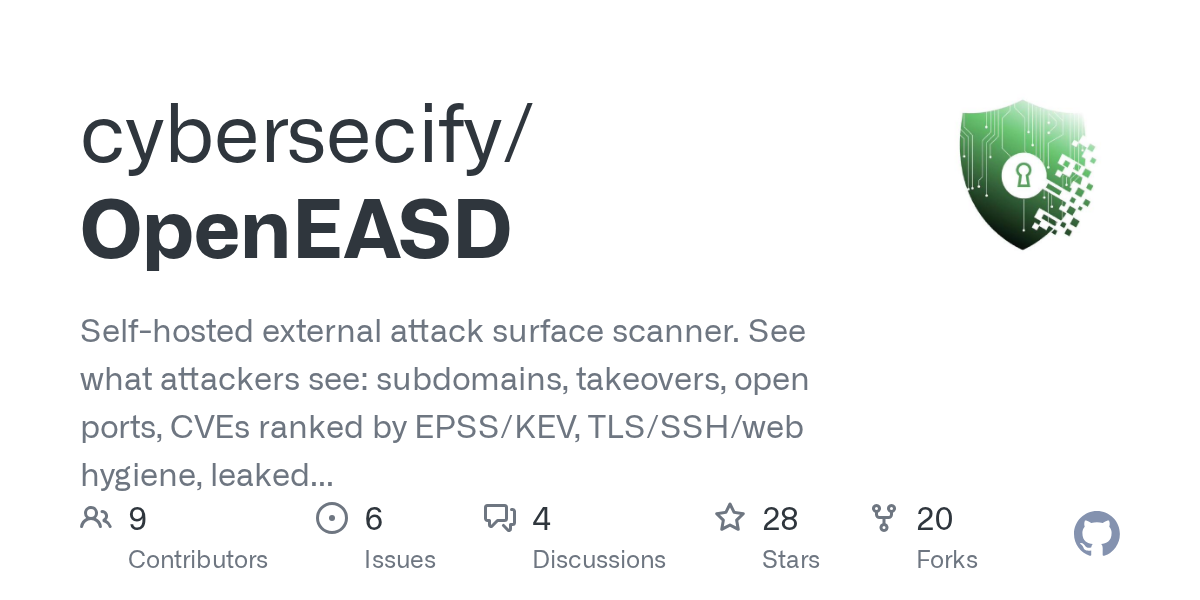
OpenEASD - Self-hosted external attack surface scanner. See w
项目说明
<p align="center">
<a href=" src="docs/brand/cybersecify-horizontal.svg" alt="Cybersecify" height="72"></a>
</p>
OpenEASD
![GitHub Stars]()
![CI]()
![CodeQL]()
![Docker Image]()

See what attackers see. Use it before they do.
Use it as a red teamer to map external surface fast on targets you're authorised to test. Use it as a defender to see what's leaking out of your own infrastructure: subdomains, exposed ports, dangling CNAMEs, missing TLS, known CVEs, without paying $500-5000/mo for a commercial EASM platform.
OpenEASD wraps the open-source recon tools security teams already use: subfinder, amass, alterx, dnsx, subzy, cloud_enum, naabu, nmap, httpx, gau, katana, nuclei, gitleaks, behind a single web UI with scheduling, alerts, and findings tracking. Twenty-eight tools across DNS/DNSSEC, historical DNS records (passive; A/AAAA/MX a domain has resolved to over time), email (SPF/DMARC/DKIM/MTA-STS/open-relay), TLS, SSH, ports, CVEs, subdomain takeover, ASN/IP-range discovery, historical URLs, cloud assets, exposed secrets in Ja, leaked secrets in public GitHub (passi GitHub's code-search API for the org's committed credentials and runs gitleaks over the hits — bring-your-own GitHub token), public-source infrastructure exposure (passi hostnames, cloud buckets, and API endpoints leaked in the org's public GitHub repos), infostealer-log exposure ( Rock's keyless Ca API), data-breach exposure (passive; free XposedOrNot tier out of the box, authoritative with a bring-your-own Have I Been Pwned key), Shodan-sourced exposure (passive; free InternetDB tier out of the box, richer with a bring-your-own Shodan key), lookalike / TLD-squat domain detection (passi infrastructure and brand abuse targeting your domain), technology fingerprinting, web hygiene, and C (EPSS + CISA KEV). Run a passive scan (public-source only, no authorization needed) or an active scan (probes the target, authorization required). Self-hosted, MIT-licensed, one docker run. Results stay on your machine — unless you enable the optional Cloudflare Workers AI analysis (off by default, explicit consent required), which sends finding data to your own Cloudflare account.
Optionally, OpenEASD can rank each scan's findings by exploitability and explain why (a "fix these first" list with per-finding rationale), schedule targeted follow-up scan steps based on what was found, and write plain-language report and alert summaries — using Cloudflare Workers AI with your own account (credentials entered on the AI Analysis page, or via CLOUDFLARE_ACCOUNT_ID + CLOUDFLARE_API_TOKEN env vars). Off by default; enabling it requires explicit consent in the UI, every call is audit-logged (never the prompt or response contents), and acti scanning still requires the same domain authorization as manual scans.
Built by Rathnakara GN and Ashok Kamat of Cybersecify, the same tool we run in engagements and on our own infrastructure.
Who this is for
Who this isn't for
Compliance e
OpenEASD is not a compliance product and does not make anyone certified. What it does produce is the external scanning e auditors ask for, dated and exportable, instead of a screenshot taken the week before the audit.
| What an auditor asks for | Where it comes from |
| --- | --- |
| Scanning happens on a defined cadence | Per domain monitoring (6h / 12h / 24h / 48h / weekly) plus one time and recurring schedules, with every run recorded |
| An in of internet facing assets | Assets page and /api/assets/: subdomains, IPs, ports and URLs deduplicated across scans, each with first seen, last seen, and active or gone status |
| Findings ranked by real world risk | Se enriched with EPSS exploit probability and CISA KE, plus an exposure score and grade with mo against the previous scan |
| E that findings get triaged and closed | Issue status (open, acknowledged, in progress, resolved, false positi risk) with owner, resolution note, first seen, last seen and resolved date |
| Something you can hand over | Per scan PDF and CS, including the Issue Register |
| Authority to scan the target | Each domain carries a recorded authorization (owner, written consent or bug bounty) with who gave it and when, enforced server side before any active scan |
Control references that usually apply: ISO/IEC 27001:2022 Annex A 8.8 (technical management) and A 5.9 (in of information and other associated assets); SOC 2 Trust Services Criteria CC7.1 (detection and monitoring) and CC6.6 (boundary protection). Auditors word their requests differently, so treat this as a starting point, not a mapping to cite.
What it does not do: it is not a penetration test, so it does not satisfy requirements that call for one, such as Amazon SP-API Data Protection Policy reviews or most enterprise security questionnaires. It does not look at internal networks, cloud configuration posture, or the policy and process side of either framework.
Supply chain transparency
OpenEASD is a security tool, so it's reasonable to ask whether the tool
itself is trustworthy. Here's what we do (and don't do) to make that
auditable.
What's in the Docker image
Every external tool we ship is downloaded inside the Docker build from
its maintainer's official source. No repackaging, no mirroring:
| Tool | Upstream source |
|---|---|
| subfinder, dnsx, naabu, httpx, nuclei, alterx, katana | github.com/projectdiscovery (signed releases) |
| amass | github.com/owasp-amass/amass (OWASP) |
| subzy | github.com/PentestPad/subzy (Go modules) |
| gau | github.com/lc/gau (Go modules) |
| cloud_enum | github.com/initstring/cloud_enum |
| gitleaks | github.com/gitleaks/gitleaks (MIT, signed releases) |
| nmap | apt-get install nmap (Ubuntu 24.04 official) |
install commands are in the Dockerfile; every
is pinned. To a binary, pull the same directly
from the upstream URL; it should byte-match what ships in the image.
How the image is built
Every push to main and every vX.Y tag triggers.github/workflows/ci.yml, which buildslinux/amd64 images and publishes toghcr.io/cybersecify/openeasd. The build is reproducible from the
public source; the published image carries:
the image, retrievable via
docker buildx imagetools inspectwas built by this repo's GitHub Actions, not swapped or rebuilt
elsewhere
What we don't do
updates, doesn't send your scan results anywhere.
the scan itself, originating from the tools shipped in the image.
Block all egress at your firewall (except what's needed to reach scan
targets) and OpenEASD continues to work.
Continuous security checks
| Check | Tool | Runs on |
|---|---|---|
| Python SAST | bandit | Every push + PR |
| Python CVE scan | pip-audit | Every push + PR |
| Semantic security analysis | CodeQL (Python + JS/TS) | Every push + PR + weekly |
GitHub Actions are pinned to commit SHAs (not floating tags) so a
compromised action update can't silently rotate into the build.
Dependabot keeps them current on a weekly cadence.
Open security alerts are public on the
Security tab; we don't hide gaps.
Want to ? Build from source.
If you don't trust the published Docker image, build it yourself;
every step is in the Dockerfile:
Known gap (named honestly)
in the manifest covers the "what's in it + who built it" question;
cosign would add a separate, externally- signature. On the
roadmap.
For reporting, see SECURITY.md.
System requirements
The scan tools (nuclei and amass especially) are memory-hungry. On a host with
too little RAM the kernel will OOM-kill them mid-scan, so scans finish partial or
empty.
| | RAM | vCPU | Disk |
|---|---|---|---|
| Minimum | 2 GB | 1 | 5 GB |
| Recommended | 4 GB | 2 | 10 GB |
| 1 GB host | set OPENEASD_LOW_MEMORY=true | 1 | 5 GB |
OpenEASD adapts to the host automatically via OPENEASD_PROFILE (defaultauto, detected from RAM):
| Profile | When | Behaviour |
|---|---|---|
| low | < 2 GB (or OPENEASD_LOW_MEMORY=true) | tools run sequentially, nuclei throttled, amass skips brute — completes on ~1 GB without OOM |
| balanced | 2–8 GB | phase-parallel, nuclei -c 25 |
| high | ≥ 8 GB | phase-parallel + higher local concurrency and deeper enumeration |
Set -e OPENEASD_PROFILE=low|balanced|high to o auto-detection. On a 1 GB
box, auto-detect picks low (or set it explicitly); a few GB of swap also helps.
On politeness: a bigger box scales *local* parallelism, not how hard the
target is hit — the per-target request rate stays capped across all profiles, sohigh doesn't flood targets or trip their WAFs (which the report flags anyway).
Quick start
OpenEASD runs as three services (PostgreSQL + web + worker). Set the secrets indocker-compose.yml (SECRET_KEY, DB_PASSWORD, ALLOWED_HOSTS), then:
Open → log in with admin / admin (you'll be forced to set a new password) → add a domain → run a scan. Full env-, update path, Kubernetes manifests, and standalone (no-Docker) install are under Deployment.
Features
/api/assets/)admin/admin password must be changed on first loginScan Pipeline
Every scan probe also carries an honest OpenEASD/1.0 user agent (so a target
can allowlist it), and the report flags WAF/edge blocking so an empty result
means "clean", never "silently blocked".
The AI stage runs only when Cloudflare Workers AI credentials are provided
(saved on the AI Analysis page, or CLOUDFLARE_ACCOUNT_ID / CLOUDFLARE_API_TOKEN
env vars) and an operator enables it with explicit consent. With it off — the
default — the pipeline ends at Phase 12 and nothing leaves your machine. Every AI
call is recorded in an audit log (time, scan, purpose, model, token counts,
finding IDs); prompt and response contents are ne.
Architecture
Deployment
Docker Compose (recommended)
OpenEASD runs as three services — PostgreSQL + web + worker. Edit the
secrets in docker-compose.yml (SECRET_KEY, DB_PASSWORD, ALLOWED_HOSTS),
then:
db — PostgreSQL 17 (app data + the DBOS durable-execution schema)web — the slim openeasd-web image (UI/API + synchronous CSV/PDF reports; no scanner tools)worker — the openeasd-worker image (DBOS worker + the full scanner matrix, NET_RAW)> Run all three tiers — this is the recommended architecture. Keeping
> web, worker, and db as separate containers is deliberate:
> - Pri separation — the internet-facing web image carries **no
> scanner tools and no NET_RAW**, so a compromised web surface doesn't
> inherit the offensi or raw-socket access (those live only on the
> worker, which isn't exposed).
> - Fault isolation — nuclei/amass are memory-hungry; if one is OOM-killed
> it takes down only a worker, not the UI/API.
> - Independent scaling — Postgres has no single-writer lock, so you can run
> multiple worker replicas pulling the same DBOS queue for scan throughput
> while the web tier scales separately for HTTP load.
>
> Collapsing web + worker into one container is possible for a small,
> trusted, single-user e, but it puts the scanner tools and NET_RAW
> on the exposed process — not recommended for internet-facing deployments.
> Keep db as its own container either way so app replacement ne data.
Open then log in with admin / admin. You will be forced to set a new password before accessing the app.
> Production note: ALLOWED_HOSTS="*" is fine for e on a private network. For internet-facing deployments, narrow it to your actual hostname or IP (e.g. ALLOWED_HOSTS="scanner.example.com,127.0.0.1") and set CSRF_TRUSTED_ORIGINS if accessing over a domain.
#### Update to latest
#### En
| | Default | Description |
|---|---|---|
| SECRET_KEY | insecure default | Django secret key; set this in production |
| FIELD_ENCRYPTION_KEY | *(derived from SECRET_KEY)* | Optional Fernet key (urlsafe-base64, 32 bytes) encrypting BYOK API keys/webhooks at rest. Set it to decouple secret encryption from SECRET_KEY rotation; changing the effective key makes stored secrets unreadable (re-enter them) |
| LOGIN_RATELIMIT_ENABLED / LOGIN_RATELIMIT_MAX_FAILURES / LOGIN_RATELIMIT_WINDOW_SECONDS / LOGIN_RATELIMIT_LOCKOUT_SECONDS | True / 5 / 900 / 900 | Brute-force protection on the login endpoint: after N failed logins from an IP within the window, that IP is locked out (429) for the lockout period |
| LOGIN_RATELIMIT_TRUST_FORWARDED_FOR | True | Key the limiter on the client's X-Forwarded-For (correct behind the mandated TLS proxy). Set False only if running without a trusted proxy — then XFF is ignored (it would be attacker-spoofable) and the raw REMOTE_ADDR is used |
| ALLOWED_HOSTS | localhost,127.0.0.1 | Comma-separated hostnames (add your server IP/domain) |
| CSRF_TRUSTED_ORIGINS | *(none)* | Required if accessing via a domain, e.g. |
| DEBUG | False | Set True only for local de |
| DB_HOST / DB_PORT / DB_NAME / DB_USER / DB_PASSWORD | db / 5432 / openeasd / openeasd / — | PostgreSQL connection (or set DATABASE_URL) |
| DBOS_SCAN_CONCURRENCY | 2 | Max scans executing at once (Postgres has no single-writer lock) |
| CLOUDFLARE_ACCOUNT_ID / CLOUDFLARE_API_TOKEN | *(none)* | Optional AI analysis (or enter on the AI Analysis page) |
| SLACK_WEBHOOK_URL | *(none)* | Slack incoming webhook for scan alerts (can also be set in the Notifications UI) |
| MS_TEAMS_WEBHOOK_URL | *(none)* | Teams incoming webhook for scan alerts (can also be set in the Notifications UI) |
| ALERT_SE | high | Minimum se to trigger alerts; o by the Notifications UI setting |
| SCAN_DAILY_HOUR | 2 | Hour for daily scheduled scans (24h, UTC) |
| SCAN_DAILY_MINUTE | 0 | Minute for daily scheduled scans |
| REPORT_CTA_URL | *(none)* | Optional URL appended to PDF and CS. Renders only when both REPORT_CTA_URL and REPORT_CTA_TEXT are set |
| REPORT_CTA_TEXT | *(none)* | Optional call-to-action line shown alongside REPORT_CTA_URL in PDF/CS |
Kubernetes
Manifests are in k8s/. Requires a cluster with an nginx Ingress controller.
1. Set your secret
Edit k8s/secret.yaml and replace REPLACE_WITH_OPENSSL_RAND_HEX_32 with a real key:
2. Set your domain
Edit k8s/configmap.yaml (ALLOWED_HOSTS, CSRF_TRUSTED_ORIGINS) and k8s/ingress.yaml (host) to match your domain.
3. Deploy
4. Update to latest image
#### Architecture
Three tiers, each its own workload — a default deploy is 3 pods (logs → stdout, no PVC):
| Workload | Command | Resources |
|---|---|---|
| openeasd-web Deployment | init (migrations/admin) → gunicorn (2 workers) | 256Mi–512Mi, no NET_RAW, Service → :8000 |
| openeasd-worker Deployment | manage.py dbos_worker | 512Mi–4Gi, NET_RAW for nmap/naabu, no Service |
| openeasd-postgres StatefulSet | PostgreSQL 17 | 10Gi PVC |
Only the openeasd-web Deployment runs migrations (its initContainer); the openeasd-worker Deployment waits for them via the role-aware entrypoint (OPENEASD_ROLE=worker → migrate --check), so there's no DDL race.
> Scaling: each Deployment is replicas: 1 by default. Postgres removes the old single-writer limit, so openeasd-worker scales independently — kubectl scale deploy/openeasd-worker --replicas=N adds workers all draining the same DBOS queue, without touching the web tier.
#### Health check
GET /health/ returns {"status": "ok"}, used by K8s readiness and li probes (no auth required).
Standalone (no Docker)
The fastest way to get running on a Linux server or macOS without Docker:
The script installs: Python/uv, Node.js, nmap, ProjectDiscovery tools (subfinder, dnsx, naabu, httpx, nuclei), amass, builds the frontend, generates a .env with a random SECRET_KEY, runs migrations, creates the admin user, grants NET_RAW to nmap/naabu, and sets up systemd services on Linux.
After install, edit .env to add your domain to ALLOWED_HOSTS and CSRF_TRUSTED_ORIGINS, then restart:
On macOS, start manually:
De Mode
Full local-de (prerequisites, first-time setup, CI parity,
troubleshooting): docs/OPERATIONS.md.
CI/CD
GitHub Actions runs on every push to main and v* tags:
test_domain_security.py)npm ci && npm run buildamd64 images published on every main push and tagsAPI
The REST API is served at /api/ Ninja with JWT Bearer authentication.
POST /api/token/pair → {access, refresh} tokensPOST /api/token/refreshAdding a New Tool
Create a tool app with tool_meta in its AppConfig; no core files to modify:
Then add "apps.my_tool" to INSTALLED_APPS in openeasd/settings/base.py. The tool auto-registers in the workflow system.
Tool App Structure
Running Tests
Tech Stack
Backend:
Frontend:
License
MIT License - see LICENSE
Author
Rathnakara GN and Ashok Kamat / Cybersecify
项目信息
开发语言:Python
Star 数:28
技术要点
该项目属于安全软件方向的开源资源,代码结构清晰,适合安全研究人员学习参考。项目围绕Self-hosted external attack surface scanner. See what attackers see: subdomains, takeovers, open ports, CVEs ranked by EPSS/KEV, TLS/SSH/web hygiene, leaked secrets, breach and lookalike domain exposure. Recon for pentests, evidence for ISO 27001/SOC 2 audits. 30 tools, 13 phases, one `docker compose up`. MIT.展开,提供了可运行的实现,对理解相关安全机制、工具原理与攻防技术具有较高的研究价值。
从技术实现角度看,此类项目的核心在于对底层原理的深入理解与工程化落地。开发者在研究过程中可以结合官方文档与社区讨论,梳理项目的初始化流程、核心模块职责与数据流转,逐步掌握其中的技术细节与设计思路。
使用与学习建议
1. 下载源码压缩包,解压到本地环境。
2. 根据项目类型准备对应的运行环境与依赖。
3. 按照 README 中的步骤完成配置与部署。
4. 在隔离的测试环境中运行验证,避免影响生产系统。
免责声明
本资源来源于开源社区,仅供安全研究、技术学习与合法授权范围内的攻防演练使用,请勿用于任何非法或侵害他人权益的用途。使用本项目产生的一切后果由使用者自行承担。
| 资源标题 | OpenEASD - Self-hosted external attack surface scanner. See w |
| 所属分类 | 安全软件 |
| 发布作者 | admin |
| 发布时间 | 2026-10-05 22:50:56 |
| 下载权限 | 免费下载 |
| 附件数量 | 2 个下载链接 |
| 浏览次数 | 258 |
| 讨论数量 | 0 |
| 主题状态 | 正常讨论中 |