 安全软件
点击放大
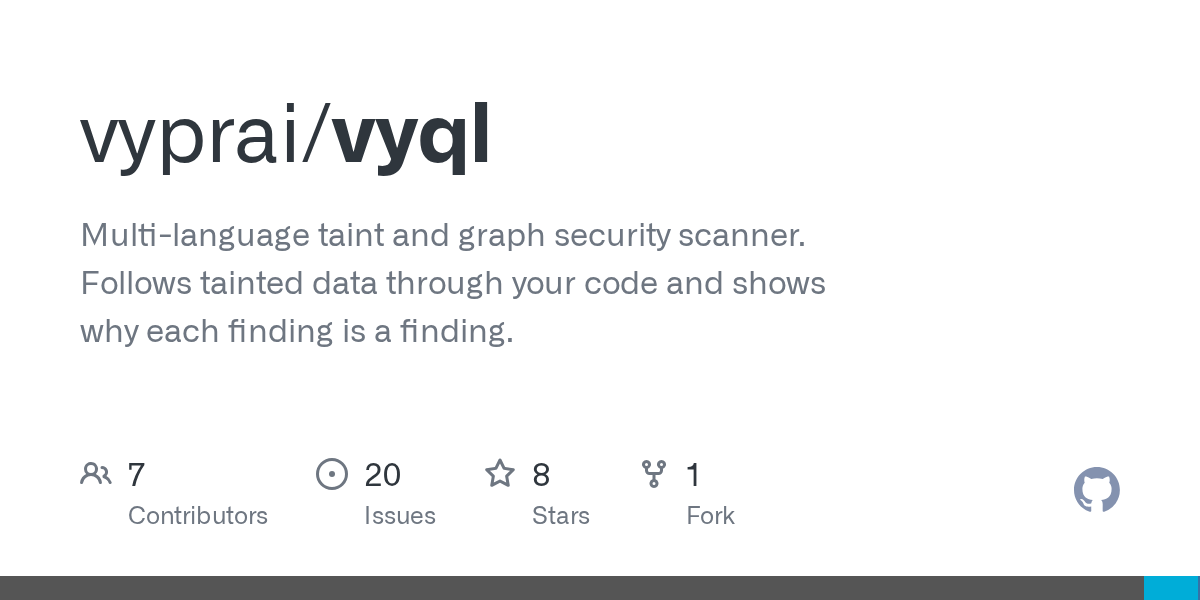
vyql - Multi-language taint and graph security scanner. F
项目说明
VyQL
![ci]()
![detection]()
![data]()
![security]()
![Go Reference]()

A security scanner for 22 languages. It follows untrusted input through your
code, and for every finding it explains why it thinks the finding is real.
There are two parts. A small Go engine builds one graph of your program and
answers questions about it. E the engine knows about frameworks, sinks,
sanitizers and classes lives in a vyql/ data directory as plain
text you can read and edit — shipped with release installs, or fetched withvyql update after go install.
A pattern is a shape in the code. A binding attaches a concept
(code.SqlExecution, core.HtmlEscape) to it. A rule says which
combinations add up to a . To cover a new framework you usually
write a binding, not Go.
Install
Picks the right build for your platform, its published SHA-256, unpacks
it under ~/.local/share/vyql, and puts vyql in ~/.local/bin. Set, or to change any of that.
Release assets come from the GitHub release, which is where the checksums and
build pro live. points the download at a mirror
serving the same <base>/<>/<asset> layout.
The checksum comes from the same host as the archive. This catches a corrupted
download, but it does not catch a compromised release. If you need more than
that, pin and compare the checksum with a second source.
Linux and macOS, amd64 and arm64. On Windows it tells you so, instead of failing
obscurely. Use WSL, or the GitHub
Action.
Download a release manually
The scanner loads its security knowledge from a vyql/ directory at startup. The
release archi both halves, so it works on a machine that has never seen
VyQL:
go install
Requires Go 1.26+ and a C toolchain (the parsers are C). This installs the
engine only. The knowledge base is not in the module.
vyql update downloads the free definitions from dl..ai into~/.local/share/vyql/vyql. An interactive scan with no data directory nearby
asks before doing the same download. Without a terminal, a missing data
directory exits 1 and names vyql update -yes.
Use the install script instead if you want both halves in one step:
Homebrew, Docker, and the GitHub release archi include the free
definitions.
Container
About 270 MB, and most of that is the security knowledge base. It runs as a
non-root user, so it does not lea files in a mounted tree. The base
is debian:stable-slim and not Alpine, because the parsers are C linked against
glibc.
From source
CI uses the same fetch (with tests) before go test. The runtime free bundle
without tests is what release archives and vyql update install.
As an agent skill
For Claude Code, VyQL ships as a plugin that teaches the agent to run a scan and
triage what comes back:
Then ask for a security scan in the normal way. If the vyql binary is missing,
the skill installs it, but it asks you first. A security tool should not download
and run binaries without asking.
It lives in /claude-plugins
and not here, so installing it copies 32 KB. Cloning this repository would copy
a knowledge base of several hundred megabytes.
skills// there follows the Agent
Skills format, which is not Claude-specific: any tool
that reads a SKILL.md can use it directly, without the plugin manifests.
Check what you have
Quote this in a bug report, because findings depend on the of the security
knowledge as much as on the engine.
How you use it
The same shape whether you drive the CLI yourself or ask an agent.
Scope. Whole repo, or just what a change introduced. These are different
questions. On a codebase that already has a backlog, scanning e at
review time mixes the two findings your branch added into the two hundred that
were there before. For a diff, scan both sides and use vyql diff.
Scan. vyql scan . with no configuration. There is nothing to pick.
Co. Read the scanned line before the findings. A clean report over a
tree that was mostly skipped looks the same as a clean report over a tree that
was fully read. That line is the only way to tell them apart.
List. E it found, by se, each with a location.
. Pick one, or all the high ones. Findings are grouped by rule family
and one agent at a time, four families at most, because a systematic
false positi appears as a whole family. This is static : it
shows that the path holds up, not that the bug can be exploited.
Reproduce. Optionally, boot the app from a clean worktree and exploit that.
If it will not boot cold, a failing test instead. Local only, never the instance
you are already running.
Fix. Optionally, and only if you ask. The default is to name the control and
leave the edit to you.
You can stop at any point where you have your answer. A list is a complete answer to "what is wrong
here", and most scans end there.
Driving it with an agent
The same flow, without remembering the commands:
Then it is a con, and each turn builds on the last:
You do not need to repeat which finding you mean, because the list is still in
the con. A single question also works, but the flow above is what the
skill is built for.
A reproduction runs only against your own machine, and the skill asks you before
it runs one. Writing the reproduction is the result. Whether to run it is your
decision.
The skill runs the right commands and reports co before findings. It also
keeps a strict meaning for a . It asks you before it installs anything,
before it scans, and before it writes a reproduction.
It asks about scope because scope decides what the scan cannot find. A directory
skipped there is one that the report calls clean without having read it. It also
ne a list of findings without telling you. Past about 25 findings it
shows the critical and high ones, states how many of each se it is holding
back, and offers you the rest.
skills// in that repository is a plain
SKILL.md, which is an open format. Any agent that reads
it can follow the same flow. Claude Code is only the one that has an installer
for it.
Scan something
Every finding shows the source, the sink, the path between them, and **the
controls that would ha it**. If you already have one of those controls
in place, explain tells you why it did not apply here.
Failing a build
scan exits 3 when it finds anything HIGH or CRITICAL. If you put it in a
pipeline, it gates that pipeline, and you do not have to configure anything.
Se, lowest to highest: info low medium high critical. -fail-on
takes any of them, or none.
Every command reports the same four codes, so a pipeline can act on the status
alone without parsing output:
| code | meaning |
| --- | --- |
| 0 | the command run successfully |
| 1 | VyQL could not complete: bad path, unreadable file, rules that do not compile |
| 2 | usage error: unknown command or flag, missing path, a value outside its set |
| 3 | the check ran and did not pass: findings at or above -fail-on, a corpus that does not , a finding set that changed |
Adopting it on a codebase that already has findings
A baseline records what you ha triaged, keyed on the finding
fingerprint. The fingerprint is anchored to rule and location rather than line
number, so your survi elsewhere in the file.
Applying a baseline lowers the gate to any new finding. Without one, scan
asks "is anything in this code wrong". A se floor is how a team decides not
to fix e at once. With a baseline it asks "did this change add
anything", and then every addition counts: a new medium is something this branch
introduced, and not part of a backlog someone already accepted. With the normal
default, the build would pass on exactly those findings, while the report above
it listed them.
The run states this on stderr, so you do not have to work it out yourself, and it
names how to get the normal threshold back:
A threshold you name always wins, so a pipeline that only wants new criticals
can ask for that:
Entries are written as accepted with an empty reason; fill them in as you
triage, and change the to false-positive where the finding is wrong:
A recording run still reports. -baseline-write writes the file and then prints
the findings it recorded, in whatever -format you asked for, so the run that
adopts the scanner can still publish its SARIF and you can see what was accepted
on your behalf:
That run does not fail the build. E it reported was accepted at the same
time, and failing on the backlog would make it impossible to adopt the scanner in
the pipeline that needs it. It does fail, before it prints anything, if the
baseline cannot be written.
Rolling a baseline forward. Give both flags, with different paths, and the
run applies the old baseline and records the next one:
This run reports and gates on what the old baseline does not cover, because that
is what is new. The file it writes carries three things: every finding the old
baseline covered, keeping its and reason, so triage survives the roll;
every new finding below -fail-on, as accepted; and nothing else. A new
finding that meets -fail-on is left out on purpose. If it were recorded, the
next run would be green, the finding would be absorbed, and nobody would be told.
Entries in the old baseline that match no current finding are dropped, so a
rolled baseline does not keep suppressions for code that is gone.
Pointing both flags at the same file is refused. Recording writes every finding
as accepted with an empty reason, so it would o the you
triaged. Record to a different path and diff it.
Baselined findings are kept out of both the report and the gate. Anything not in
the file is new and reported normally.
Entries that stop matching are reported, not forgotten:
Without this, a suppression li than the code it was written for: the
code moves, the
excuse stays, and nobody looks again.
A malformed baseline, an unknown or a missing file is an error, and not
an empty baseline. It is better to fail with a message than to silently suppress
e, or nothing.
#### Drift: a is anchored to the taint path it was made against
Findings are identified by fingerprint — rule, sink location, concept — which
is deliberately stable under edits elsewhere in the file. But the *reason* a
finding was triaged often li the taint path: the source end, the hops
in between. An entry can therefore carry the finding's path signature — a
digest of the concepts and call paths along the witness — recorded when it was
triaged:
Such an entry suppresses only while the finding's path still hashes to one of
its signatures. The same fingerprint on a new path — the source swapped, a hop
added or removed — is drifted: the finding is reported again and the scan
names it, because the recorded may no longer describe what the finding
is about:
Signatures survive line shifts, formatting and edits elsewhere in the file; a
renamed intermediate call changes its callee path and re-fires once. Entries
recorded without sig (every entry written before this existed, and-baseline-write ones rolled forward from them) keep the old behaviour: the
is anchored to the finding alone and ne.
In -format graph-json, the document carries what the baseline did, so a
consumer does not parse stderr:
drifted is the part findings alone cannot tell you: those findings'
exist and must be re-, they are not first-time findings.
#### vyql triage: recording without a scan
-baseline-write records e at once. triage records one at
a time, against a fingerprint copied from a report:
-from attaches the scan's path signature (and rule and location, for the
human reading the file later); without it the entry is fingerprint-only and
ne. Re-adding after a drift joins the new path's signature to the
entry instead of replacing the old one, so path churn that is not a semantic
change costs one re-triage, not one per scan. triage ne the data
directory, and the file it writes is the file -baseline-write writes — same
, same shape — so both can be mixed freely.
Skipping files
-exclude takes one pattern and may be repeated. One rule decides what a
pattern means:
A value with no slash and no glob character names a directory. A value with no
slash but with a glob character names a file at any depth, because * does not
cross a slash: written literally, a bare suffix pattern would match only at the
scan root. A value that contains a slash is anchored at the scan root and matches
as written.
An excluded directory is ne, so its files are not read and not even
listed. A malformed pattern is rejected before the scan starts, and -co
reports how much each pattern excluded.
One pattern per flag: a comma is rejected, because it would be ambiguous with a
valid glob pattern.
What was actually read
"No findings" only means something if you know what was read. Anything left
unanalysed gets reported whether you ask or not:
-co gives the full account:
Source files above 2 MiB are skipped during tree walks by default. A file that
large is almost ne by hand, and parsing one costs more than the whole
rest of the tree. -max-file-size 8MB raises the ceiling and 0 turns it off.
Naming a file directly always scans it, whatever its size.
A clean report over a tree that was mostly skipped looks the same as a clean
report over a tree that was fully read. The warning is what separates them, and
that is why you cannot turn it off. The note is there because the gap is real:
tree-sitter recovers from syntax errors, so a file that parsed badly still counts
as parsed.
Understand a finding
The diagnostic commands are why the design works this way: you ask the analysis
questions instead of guessing. Each one takes paths in the same way as scan, so . scans
the current directory.
explain prints each finding's full proof tree, including the negation e:
every unless clause the rule carries and whether it was satisfied. Usually the
fastest answer to "why did this fire".
match lists every node a binding attached a concept to. If your source or sink
is not listed, no rule can fire, because rules match concepts.
resolve shows which calls resolved to a body and which did not. Taint stops at
an unresolved call, so this is where a missing cross-function flow shows up.
trace follows taint from source to sink, or shows where it stops. Both
filters match on a substring of the concept name.
query searches the graph by predicate, for when you want to look rather than be
told.
graph dumps the whole graph, or taint reachability per source. , and
definitive when the others all look right.
Two more that are useful to know:
A filter that matches no known concept is an error, and not an empty result,
because "0 sources reach a sink" and "you typed the name wrong" must not look
the same:
Comparing two scans
diff compares two -format json runs by finding fingerprint. Fingerprints
are anchored to rule and location rather than line number, so the comparison
survi elsewhere in the file:
This is how to ask "did this branch introduce anything new" without failing on a
backlog that was already there.
A missed finding is almost always one of three things, and match, resolve andexplain separate them in that order: nothing was labelled, the call did not
resolve, or an unless clause was satisfied.
Every command and flag
vyql help lists the commands; vyql help <command> prints that command's
flags. This section is the same information with the reason for each one.
Four flags are shared. -data points at the vyql/ data directory when it is
not where the binary would look, -profile picks the analysis profile, and-cpuprofile / -memprofile write pprof files.
Every command that reads the data directory takes -data, including each
subcommand of definitions. -profile is on the commands that analyse source.diff compares two reports and cache manages files on disk, so neither takes
any of the four:
$, $ and $ do the same and are the
fallback when the flag is not given.
scan
| flag | default | what it does |
| --- | --- | --- |
| -rules | vyql/packs | load rules from a .vyql file or directory |
| -bindings | | a repo-local binding o directory |
| -format | text | text, sarif, json or graph-json |
| -fail-on | high, or any new finding with -baseline | exit 3 at or above this se, or none |
| -exclude | | skip paths matching this pattern; repeatable |
| -baseline | | apply triaged findings, and report only what is new |
| -baseline-write | | record the current findings to this path |
| -co | off | what was parsed, excluded and left unread |
| -stats | off | graph counts, taint hubs, per-phase timing |
| -flags | off | review flags: off, with (findings and flags), only |
| -flag-category | all | filter review flags by category |
| -flag-kind | all | all, attention, target or check |
| -flag-loc | | filter review flags by location substring |
| -cache | auto | auto, off, or a directory |
| -cache-incremental | off | also cache per-file parses, for an edit loop |
| -max-ram | 80% of a RAM | hard limit on memory use, e.g. 8GB or 16GiB |
| -max-file-size | 2MiB | skip larger source files; 0 disables |
Combinations that are useful to know:
-flags selects the mode and the three -flag-* flags filter it. Setting a
filter while -flags is off is a usage error, because the filter could not
reach the output.
triage
Records into a baseline without running a scan. The platform does
this in its database and materializes the file; this is the same workflow for
a checkout.
-fp is the fingerprint printed by reports (fp= in text, fp in JSON,
SARIF partialFingerprints, graph-json). -from is a scan's graph-json
output of the same finding, from which the path signature, rule and location
are recorded; see Drift
for what the signature does to later scans. triage does not need the data
directory.
With -from, list also marks each entry against that scan: covered
(still suppressed), drifted (re-fired; re-triage it), reported (its
fingerprint fires but that scan applied no baseline for it) or stale (the
code it excused is gone), and suggests the cleanup. remo drops
every stale entry in one pass — the same thing a rolled baseline does on its
own, on demand — and refuses to run without -from, because stale is a fact
about a scan, not about the file.
trace
| flag | what it does |
| --- | --- |
| -from | only sources whose concept contains this substring |
| -to | only sinks whose concept contains this substring |
| -brief | one line per connected pair, with a hop count |
| -count | the number of connected pairs, and nothing else |
-from and -to are checked against the ontology before the scan runs, so a
typo is an error rather than a report of zero. Every mode reports how many
sources dead-ended, because a list of only the sources that reached a sink looks
the same as a clean result.
query
| flag | what it does |
| --- | --- |
| -type | match node type substring |
| -concept | match concept label substring |
| -call | match callee path or method |
| -loc | match location substring |
| -edges | also print each match's outgoing edges |
| -count | print only how many matched |
Filters combine with AND. Reachability is trace, not query.
explain, match, resolve, graph
definitions
| flag | default | what it does |
| --- | --- | --- |
| -kind | all | all, concepts, rules, bindings, reviews, packs |
| -lang | | binding language filter |
| -query | | case-insensiti across names, patterns, packages, CWE |
| -limit | 80 | maximum rows per section |
| -format | text | text or json |
Subcommands:
exits 3 when the corpus does not .
refs and explain take the path as -in <path> and not as a positional
argument, because their positional argument is the definition you are asking
about:
diff, cache, update, help
diff exits 3 when the finding set changed, so a pipeline can gate on "there
are new findings" without parsing the output.
update -check exits 3 when the CDN has a newer free bundle, or when none is
installed yet. update -yes installs without prompting into the current data
directory when one is found, otherwise into ~/.local/share/vyql/vyql.
cache clear removes the directory instead of emptying it, and reports how much
space it freed. The next scan creates it again.
scan -max-ram puts the graph in a store under the user cache directory
($XDG_CACHE_HOME/vyql/graph, or ~/Library/Caches/vyql/graph on macOS),
removed when the scan ends, and also when you interrupt it. A kill -9 cannot be
caught, so only that case leaves the directory behind, and the next scan removes
any store left there for more than a day. It is not the system temporary
directory on purpose: /tmp is a memory filesystem on most systemd
distributions, and a graph stored there is still in RAM.
The flag is a hard limit, not a hint. A scan stops at a conser safety
threshold below it and exits 1, rather than waiting until the ceiling has
already been crossed and racing the kernel's OOM killer. The watch counts the
complete resident set on Linux and the resident high-water mark on macOS,
including mapped pages. The graph a scan builds is li that no amount
of collection can release, so a tree large enough will still exceed the safe
working set. When that happens, exclude unwanted files with -exclude, or
raise the ceiling. With no -max-ram, the same safety margin guards what the
machine or the cgroup allows.
Languages
Ja, Ja/TypeScript, C#, PHP, Ruby, Go, Rust, Kotlin, Scala,
Swift, Dart, Groo, Lua, Perl, C, C++, Objective-C, Solidity, Bash,
PowerShell.
The depth is not the same e. Ja and Ja are the
reference frontends and have the most complete modelling. The others range from
full taint tracking down to call-and-concat co. vyql definitions -kind all
reports what is actually
loaded.
Where the knowledge lives
None of this is compiled into the binary. It is loaded at startup from the
directory that $ or -data names, from a vyql/ directory found
above the working directory, or beside the executable. vyql update installs
the free bundle under ~/.local/share/vyql/vyql. Point $ at your own
copy, and your edits apply on the next run.
Adding co
A binding says "this shape in this language is this concept":
Write it, add a spec in vyql/tests/, run go test -count=1 ./.... See
docs/07-adapters-and-patterns.md for the
binding language.
Check a binding file parses, and what it emits, without running a scan. Bindings
li vyql/bindings/<language>/, one module per file:
Then check that it attaches what you expect on real code. match lists what was
labelled, and definitions explain names the binding that did it:
Documentation
docs/README.md is the index. The design series (docs/03
through docs/20) is the reference for how the engine works; read it before
changing the engine or the language.
Stability
The CLI is stable. Commands, flags and output formats follow semantic
: scan, its -format , the JSON and SARIF shapes, and the
finding fingerprint will not change incompatibly within a major . Build
tooling against them.
The rule and binding language is not. It is still moving, and a future
changes parts of the syntax. Concepts are renamed and clauses are added,
so a rule pack you write today may need edits later to keep working. The specs invyql/tests/ are what tell you when something breaks.
The knowledge base keeps changing. A newer release can report findings that
an older one did not. That is the purpose of it, but it also means that pinning a
is the only way to get identical output twice.
Some documents describe design rather than behaviour. The reference series in
docs/ also includes work that is not implemented. Those
documents say so at the top, and the index lists them separately. What a scan
actually does is what vyql definitions -kind all reports as loaded.
Contributing
See CONTRIBUTING.md. Two things to know before your
first change:
go test must always be go test -count=1. The Go test cache keys onsource and does not track the
.vyql data files, so a cached pass can hide achange to the security knowledge base completely.
CGO_ENABLED=1 is required. The parsers are C; without cgo the buildconstraints exclude them silently rather than failing.
make ci runs exactly what the pipeline runs.
Accuracy
Measured on the public OWASP Benchmark suites, scored by Youden index
(J = TPR − FPR, macro-a o):
| Suite | Cases | Score |
|---|---|---|
| BenchmarkJava | 2,740 | +1.00 |
| BenchmarkPython | 1,230 | +0.90 |
Run them yourself: benchmarks/fetch-corpora.sh pulls the corpora, which are
GPL and not here. benchmarks/RESULTS.md has the
method, per-category numbers and known corpus defects. Scores from our own
language ports li too, and are not comparable to these.
License
Apache-2.0. See LICENSE, NOTICE and
THIRD_PARTY_NOTICES.md. The last one covers the
tree-sitter grammars, the MITRE CWE/CAPEC taxonomies, and the ecosyste.ms package
snapshot, which is CC-BY-SA 4.0.
项目信息
开发语言:C
Star 数:8
技术要点
该项目属于安全软件方向的开源资源,代码结构清晰,适合安全研究人员学习参考。项目围绕Multi-language taint and graph security scanner. Follows tainted data through your code and shows why each finding is a finding.展开,提供了可运行的实现,对理解相关安全机制、工具原理与攻防技术具有较高的研究价值。
从技术实现角度看,此类项目的核心在于对底层原理的深入理解与工程化落地。开发者在研究过程中可以结合官方文档与社区讨论,梳理项目的初始化流程、核心模块职责与数据流转,逐步掌握其中的技术细节与设计思路。
使用与学习建议
1. 下载源码压缩包,解压到本地环境。
2. 根据项目类型准备对应的运行环境与依赖。
3. 按照 README 中的步骤完成配置与部署。
4. 在隔离的测试环境中运行验证,避免影响生产系统。
免责声明
本资源来源于开源社区,仅供安全研究、技术学习与合法授权范围内的攻防演练使用,请勿用于任何非法或侵害他人权益的用途。使用本项目产生的一切后果由使用者自行承担。
| 资源标题 | vyql - Multi-language taint and graph security scanner. F |
| 所属分类 | 安全软件 |
| 发布作者 | admin |
| 发布时间 | 2026-10-05 23:06:10 |
| 下载权限 | 免费下载 |
| 附件数量 | 2 个下载链接 |
| 浏览次数 | 466 |
| 讨论数量 | 0 |
| 主题状态 | 正常讨论中 |