 病毒分析
点击放大
cloudflare-gateway-pihole-scripts - Use Cloudflare Gateway DNS/VPN to block ads, malwa
项目说明
Cloudflare Gateway Pi-hole Scripts (CGPS)
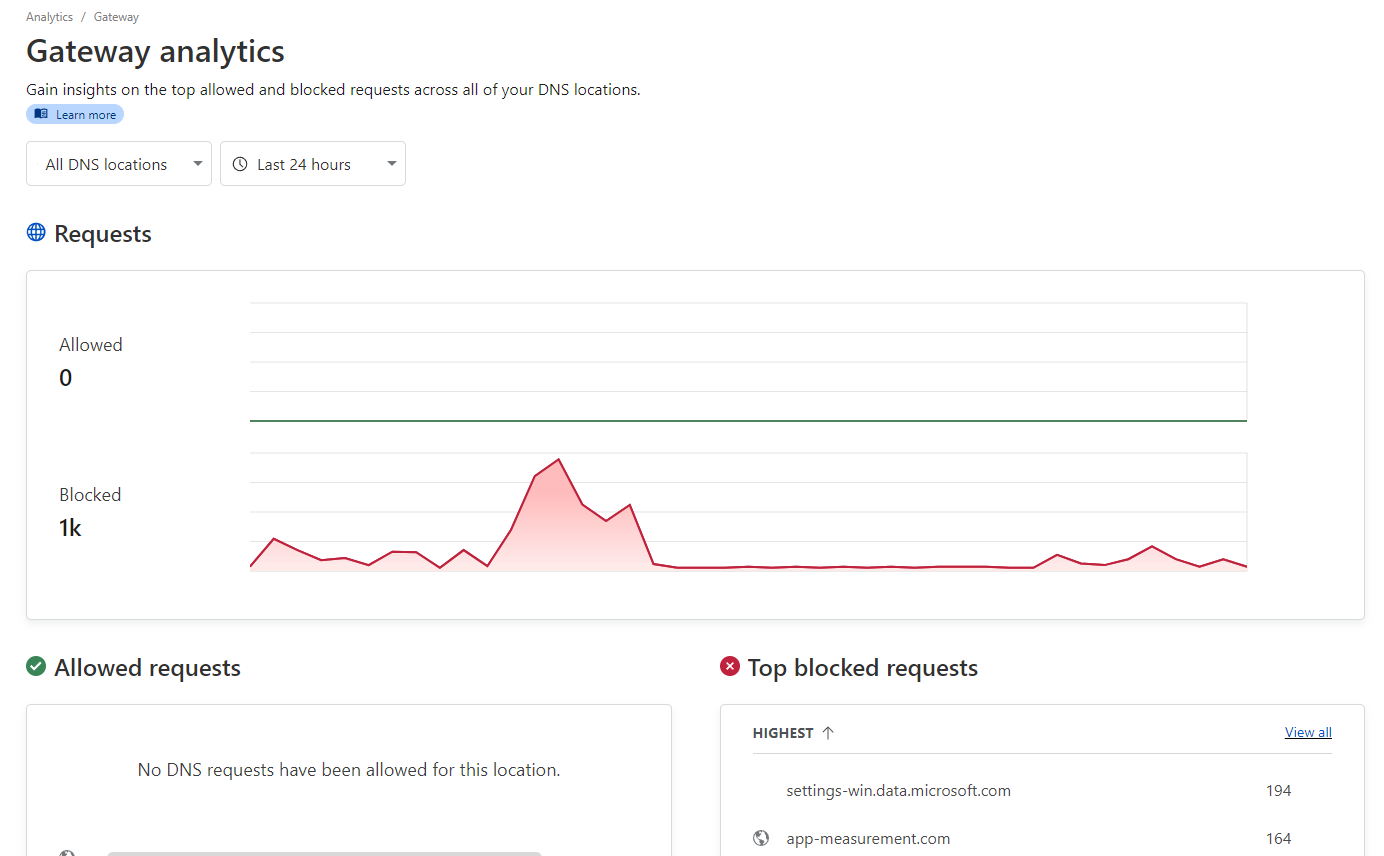
!Cloudflare Gateway Analytics screenshot showing a thousand blocked DNS requests
Cloudflare Gateway allows you to create custom rules to filter HTTP, DNS, and network traffic based on your firewall policies. This is a collection of scripts that can be used to get a similar experience as if you were using Pi-hole, but with Cloudflare Gateway - so no servers to maintain or need to buy a Raspberry Pi!
About the indi scripts
cf_list_delete.js - Deletes all lists created by CGPS from Cloudflare Gateway. This is useful for subsequent runs.cf_list_create.js - Takes a blocklist.txt file containing domains and creates lists in Cloudflare Gatewaycf_gateway_rule_create.js - Creates a Cloudflare Gateway rule to block all traffic if it matches the lists created by CGPS.cf_gateway_rule_delete.js - Deletes the Cloudflare Gateway rule created by CGPS. Useful for subsequent runs.download_lists.js - Initiates blocklist and whitelist download.Features
Usage
Prerequisites
1. Node.js installed on your machine
2. Cloudflare Zero Trust account - the Free plan is enough. Use the Cloudflare documentation for details.
3. Cloudflare email, API token with Zero Trust read and edit permissions, and account ID. See here for more information about how to create the token.
4. A file containing the domains you want to block - max 300,000 domains for the free plan - in the working directory named blocklist.txt. Mull awesome DNS blocklists that work well with this project. A script that downloads recommended blocklists, download_lists.js, is included.
5. Optional: You can whitelist domains by putting them in a file allowlist.txt. You can also use the get_recomended_whitelist.sh Bash script to get the recommended whitelists.
6. Optional: A Discord (or similar) webhook URL to send notifications to.
Running locally
1. Clone this repository.
2. Run npm install to install dependencies.
3. Copy .en to .env and fill in the .
4. If you haven't downloaded any filters yourself, run the node download_lists.js command to download recommended filter lists (OISD Small and AdAway; about 50 000 domains).
5. Run node cf_list_create.js to create the lists in Cloudflare Gateway. This will take a while.
6. Run node cf_gateway_rule_create.js to create the firewall rule in Cloudflare Gateway.
7. Profit! Time is money after all. You can update the lists by repeating steps 4, 5 and 6.
Running in GitHub Actions
These scripts can be run using GitHub Actions so your filters will be automatically updated and pushed to Cloudflare Gateway. This is useful if you are using a frequently updated blocklist.
Please note that:
1. Create a new empty, private repository. Forking or public repositories are discouraged, but supported - although the script ne your API keys and GitHub Actions secrets are automatically redacted from the logs, it's better to be safe than sorry. There is no need to use the "Sync fork" button if you're doing that! The GitHub Action downloads the latest code regardless of what's in your forked repository.
2. Create the following GitHub Actions secrets in your repository settings:
- CLOUDFLARE_API_TOKEN: Your Cloudflare API Token with Zero Trust read and edit permissions
- CLOUDFLARE_ACCOUNT_ID: Your Cloudflare account ID
- CLOUDFLARE_LIST_ITEM_LIMIT: The maximum number of blocked domains allowed for your Cloudflare Zero Trust plan. Default to 300,000. Optional if you are using the free plan.
- PING_URL: /Optional/ The HTTP(S) URL to ping (using curl) after the GitHub Action has successfully updated your filters. Useful for monitoring.
- DISCORD_WEBHOOK_URL: /Optional/ The Discord (or similar) webhook URL to send notifications to. Good for monitoring as well.
3. Create the following GitHub Actions in your repository settings if you desire:
- ALLOWLIST_URLS: Uses your own allowlists. One URL per line. Recommended allowlists will be used if this is not provided.
- BLOCKLIST_URLS: Uses your own blocklists. One URL per line. Recommended blocklists will be used if this is not provided.
- BLOCK_PAGE_ENABLED: Enable showing block page if host is blocked.
4. Create a new file in the repository named .github/workflows/main.yml with the contents of auto_update_github_action.yml found in this repository. The default settings will update your filters every week at 3 AM UTC. You can change this by editing the schedule property.
5. Enable GitHub Actions in your repository settings.
DNS setup for Cloudflare Gateway
1. Go to your Cloudflare Zero Trust dashboard, and na to Networks -> Resolvers & Proxies -> DNS locations.
2. Click on the default location or create one if it doesn't exist.
3. Configure your router or device based on the provided DNS addresses.
Alternatively, you can install the Cloudflare WARP client and log in to Zero Trust. This method proxies your traffic o servers, meaning it works similarly to a commercial VPN. You need to do this if you want to use the SNI-based filtering feature, as it requires Cloudflare to inspect your raw traffic (HTTPS remains encrypted if "TLS decryption" is disabled).
Malware blocking
The default filter lists are only optimized for ad & tracker blocking because Cloudflare Zero Trust itself comes with much more ad security features. It's recommended that you create your own Cloudflare Gateway firewall policies that le those features on top of CGPS.
Dry runs
To see if e.g. your filter lists are valid without actually changing anything in your Cloudflare account, you can set the DRY_RUN en to 1, either in .env or the regular way. This will only print info such as the lists that would be created or the amount of duplicate domains to the console.
Warning: This currently only works for cf_list_create.js.
<!-- markdownlint-disable-next-line MD026 -->
Why not...
Pi-hole or Adguard Home?
NextDNS?
Cloudflare Gateway?
a hosts file?
License
MIT License. See LICENSE for more information.
项目信息
开发语言:JavaScript
Star 数:836
技术要点
该项目属于病毒分析方向的开源资源,代码结构清晰,适合安全研究人员学习参考。项目围绕Use Cloudflare Gateway DNS/VPN to block ads, malware and tracking domains - free alternative to NextDNS, Pi-hole and AdGuard展开,提供了可运行的实现,对理解相关安全机制、工具原理与攻防技术具有较高的研究价值。
从技术实现角度看,此类项目的核心在于对底层原理的深入理解与工程化落地。开发者在研究过程中可以结合官方文档与社区讨论,梳理项目的初始化流程、核心模块职责与数据流转,逐步掌握其中的技术细节与设计思路。
使用与学习建议
1. 下载源码压缩包,解压到本地环境。
2. 根据项目类型准备对应的运行环境与依赖。
3. 按照 README 中的步骤完成配置与部署。
4. 在隔离的测试环境中运行验证,避免影响生产系统。
免责声明
本资源来源于开源社区,仅供安全研究、技术学习与合法授权范围内的攻防演练使用,请勿用于任何非法或侵害他人权益的用途。使用本项目产生的一切后果由使用者自行承担。
| 资源标题 | cloudflare-gateway-pihole-scripts - Use Cloudflare Gateway DNS/VPN to block ads, malwa |
| 所属分类 | 病毒分析 |
| 发布作者 | admin |
| 发布时间 | 2026-10-05 23:15:13 |
| 下载权限 | 免费下载 |
| 附件数量 | 2 个下载链接 |
| 浏览次数 | 537 |
| 讨论数量 | 0 |
| 主题状态 | 正常讨论中 |