 病毒分析
点击放大
MalwareLab_VM-Setup - Setup scripts for my Malware Analysis VMs
项目说明
DissectingMalwa.re Lab VMs
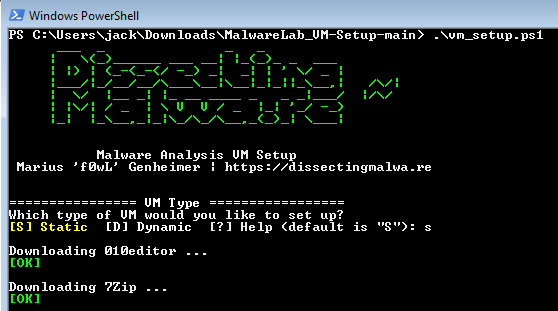
This repository contains my download/setup script for the Windows machines I use for Malware Analysis and Software Reverse Engineering. If you are looking for a Linux VM you should check out Remnux or Tsurugi.
<p align="center">
<img src="img/ps1.png">
</p>
Table of Contents
* Features
* Screenshots
* Requirements
* Installation
* FAQ
* Customization
* Tips & Tricks
* Tools and Licensing
* Contributing
Features
* The purpose of the script is to download tools, not install them. This leaves the choice of what and where to install it to the user.
* No BoxStarter/Chocolatey trouble!
* Separate Static Code Analysis and Dynamic Analysis VMs. YMMV but this is the approach I prefer!
* Option to skip tools that are not licensed for professional use
* Apply system modifications like: disable ASLR, fix Explorer file/folder views
* Download hyper scripts that match your setup
* Preload debugging symbols for offline use (more on this in the Installation section below)
The tool lists will be updated on a monthly basis!
Screenshots
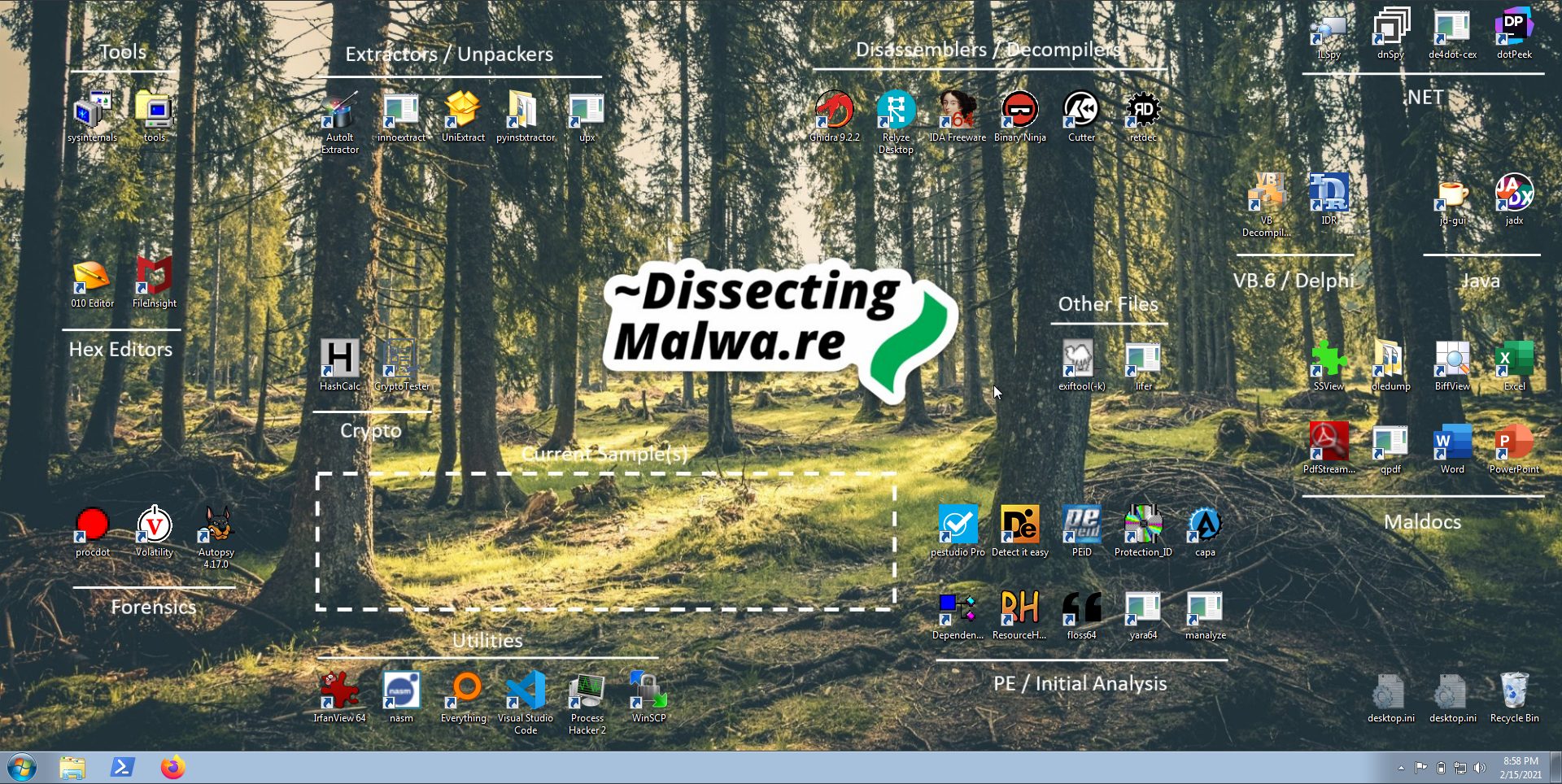
Static Code Analysis VM
<p align="center">
<img src="img/sca.png">
</p>
Dynamic Analysis VM
<p align="center">
<img src="img/da.png">
</p>
Requirements
* A host machine capable of running both VMs at the same time would be optimal
* 4-8GB+ of RAM and 64GB+ storage per VM
* A hypervisor of your choice
* Windows ISOs (Win 7 SP1, Win 8.1 or Win 10) and matching license keys
Installation
1. Setup a fresh Windows VM with the Hypervisor you trust or download a modern.ie VM (note that this script is meant to run on x64 VMs). I'm using Windows 7 Ultimate x64 for my VMs, but I also have a secondary debugging Windows 10 Pro to stay up-to-date ;-)
A few tips for fresh Windows 7 Installs:
2. I'd recommend to create a snapshot or export an .ova/.ovf file of the clean VM.
3. Open a Powershell prompt as an Administrator and run to allow for Powershell scripts to be run on the system without interference.
4. Download/clone this repository and run with PowerShell (an elevated prompt is necessary for setting Registry Keys)
Arguments:
* - skip tools that don't allow commercial use in their licensing terms
* - this is a post-installation step, make sure to install the "Build Tools for Studio" first. If you just need the most common symbols let it run for a few minutes (< 5-10min) and cancel with Ctrl+C. Going through all the symbols for files present in System32 will take a long time and fill up your drive.
5. Once the script successfully exited you can close the Powershell window and install the downloaded software. By default the files will be saved to a subdirectory called in the same directory as the script you executed.
6. Open a new command prompt (Run as Administrator!) and try to upgrade pip first . Once that is done you can install the Python tools via
7. Once again take a snapshot/backup of the state of the VM with all the tools installed.
FAQ
Why not FLARE-VM etc.?
As I mentioned below I am not a big fan of the Boxstarter/Chocolatey install mechanism. Furthermore I prefer to download the tools directly from the de if possible and choose the e.g. installation path myself. Lastly I like to separate my Static Code Analysis VM from my Dynamic Analysis VM for a couple of reasons: less clutter, faster snapshot restore times, parallel working, to prevent license key theft and so on...
Ne other scripts might work better for you, so choose whate your boat and (mis)trust your tools!
Here are some great alternatives to my script:
* Fireeye FLARE-VM
* SentinelLabs RevCore Tools
Customization
Again, there might be one or two tools missing or superfluous for your workflow. Should this be the case you can simply add/remove them to/from the files after cloning the repository to your machine. Feel free to contribute useful tools (see below)!
The tool lists are json files with the following structure:
* = Name of the tool
* = Download URL
* = Professional use allowed? Yes -> true, No -> false
* = Requires manual download
Tips & Tricks
This section will be expanded should there be any Issues while installing or running one of the tools.
<details>
<summary> Show me! </summary>
<br>
- BinaryNinja is not officially supported on Windows 7 and will produce a graphics dri when run in VBox/. You can fix this by disabling 3D acceleration. Here is the official Documentation.
</details>
Tools and Licensing
In the collapsible section below you can find a list of all tools a to download via the script.
Warning: Please check the Licenses/Terms and Conditions of the tools before you download any of them! It is the responsiblilty of the user to read, accept and comply with the terms set by the respecti.
There are a few commercial tools that do ha/Demo , but I chose not to include them in this download script. I'll install Microsoft Office, Cerbero Suite, Binary Ninja, Pro etc. manually.
<details>
<summary> 🧰 Click to expand! 🛠️ </summary>
Static Code Analysis
| Tool | License |
|-----------------------|:------------------------------------------------------------------------------------------------:|
| 010editor | Link |
| 7Zip | Link |
| Amazon Corretto JDK11 | Link |
| apktool | Link |
| AutoIT Extractor | Link |
| Autopsy | Link |
| BiffView | Link |
| Bindiff | Link |
| Cryptotester | n/a (Copyright Demonslay335) |
| Cutter | Link |
| de4dot-cex | Link |
| DependencyWalker | Link |
| Detect it easy | Link |
| dnspyEx | Link |
| dotPeek | Link |
| E | Link |
| exiftool | Link |
| fileinsight | Link |
| fileinsight-plugins | Link |
| FLARE capa | Link |
| FLARE FLOSS | Link |
| Ghidra | Link |
| Git for Windows | Link |
| Golang | Link |
| Hashcalc | Link |
| IDA Free | Link |
| IDR | Link |
| ILSpy | Link |
| ImHex | Link |
| innoextract | Link |
| IrfanView | Link |
| IrfanView Plugins | Link |
| jadx | Link |
| jd-gui | Link |
| lifer | Link |
| LINQPad | Link |
| Manalyze | Link |
| NASM | Link |
| oledump.py | Link |
| PDFStreamDumper | Link |
| PEBear | Link |
| PEid | Link |
| PEStudio | Link |
| PortEx Analyzer | Link |
| ProcDot | Link |
| ProcessHacker | Link |
| protectionID | Link |
| PyInstaller Extractor | Link |
| Python3 | Link |
| qpdf | Link |
| Recaf | Link |
| Reflexil | Link |
| Relyze Desktop | Link |
| ResourceHacker | Link |
| retdec | Link |
| SSView | Link |
| UniExtract2 | Link |
| UPX | Link |
| VBdec | Link |
| | Link |
| WinSCP | Link |
| xorsearch | Link |
| Yara | Link |
Dynamic Analysis
| Tool | License |
|-------------------------|:---------------------------------------------------------------------------------------------------:|
| 010editor | Link |
| 7Zip | Link |
| API-Monitor | Link |
| CheatEngine | Link |
| DbgChild | Link |
| ErrorLookup | Link |
| E | Link |
| Fake Sandbox Artifacts | Link |
| FileTest | Link |
| HxD | Link |
| LordPE | Link |
| NetworkMiner | Link |
| NoVMP | Link |
| ODbgScriptv2 | Link |
| OllyDbg | Link |
| OllyDumpEx | Link |
| OllySubScript | Link |
| PEBear | Link |
| PESieve | Link |
| ProcessHacker | Link |
| PSDecode | Link |
| Python3 | Link |
| Registry Explorer | Link |
| Regshot | Link |
| scdbg | Link |
| Telerik Fiddler Classic | Link |
| ThreadTear | Link |
| | Link |
| | Link |
| WinSCP | Link |
| Wireshark | Link |
| x64dbg | Link |
| xAnalyzer | Link |
Python Tools
| Tool | License |
|----------------------|:----------------------------------------------------------------------------------:|
| hexdump | Link |
| malduck | Link |
| msoffcrypto-tool | Link |
| olefile | Link |
| oletools | Link |
| pefile | Link |
| pycryptodome | Link |
| requests | Link |
| uncompyle6 | Link |
| XLMMacroDeobfuscator | Link |
| xortool | Link |
| yara-python | Link |
Microsoft Utilities
| Tool | License |
|-------------------------------------------|:---------------------------------------------------------------------------------------------------:|
| Build Tools for Studio 2019 | Link |
| Sysinternals | Link |
| C++ Redistributable 2013 | Link |
| C++ Redistributable 2015,2017,2019 | Link |
| Studio Code | Link |
| Windows 10 SDK | Link |
</details>
Contributing
If you have any suggestions for awesome tools that are missing on these lists and that e would profit from or you spot an error somewhere: feel free to open an Issue or send a Pull Request. Same goes for outdated links to packages! Thank you :)
A few guidelines:
* Directly link to the original download site provided by the de whene
* Remember to insert the tool and license link into the Readme
* Please stick to the static/dynamic compartmentalization
* Please make sure that Python Tools run on Python3 and are (somewhat) actively maintained
* Be excellent to each other in Issues/PRs
项目信息
开发语言:PowerShell
Star 数:261
技术要点
该项目属于病毒分析方向的开源资源,代码结构清晰,适合安全研究人员学习参考。项目围绕Setup scripts for my Malware Analysis VMs展开,提供了可运行的实现,对理解相关安全机制、工具原理与攻防技术具有较高的研究价值。
从技术实现角度看,此类项目的核心在于对底层原理的深入理解与工程化落地。开发者在研究过程中可以结合官方文档与社区讨论,梳理项目的初始化流程、核心模块职责与数据流转,逐步掌握其中的技术细节与设计思路。
使用与学习建议
1. 下载源码压缩包,解压到本地环境。
2. 根据项目类型准备对应的运行环境与依赖。
3. 按照 README 中的步骤完成配置与部署。
4. 在隔离的测试环境中运行验证,避免影响生产系统。
免责声明
本资源来源于开源社区,仅供安全研究、技术学习与合法授权范围内的攻防演练使用,请勿用于任何非法或侵害他人权益的用途。使用本项目产生的一切后果由使用者自行承担。
| 资源标题 | MalwareLab_VM-Setup - Setup scripts for my Malware Analysis VMs |
| 所属分类 | 病毒分析 |
| 发布作者 | admin |
| 发布时间 | 2026-10-05 23:25:17 |
| 下载权限 | 免费下载 |
| 附件数量 | 2 个下载链接 |
| 浏览次数 | 422 |
| 讨论数量 | 0 |
| 主题状态 | 正常讨论中 |