 CTF思路
点击放大
Name-That-Hash - 🔗 Don't know what type of hash it is? Name That H
项目说明
<p align="center">
<img src="logo.gif">
<p align="center">➡️ <a href=" | <a href=" ⬅️</p>
<p align="center">The Modern Hash Identification System<br>
<code>pip3 install name-that-hash && nth</code>
<br>
<a href=" App with no install needed</a>
</p>
<p align="center">
<img alt="Discord" src=" <img alt="PyPI - Downloads" src=" <img alt="Twitter Follow" src=" <img alt="PyPI - Python " src=" <img alt="PyPI" src="
</p>
<hr>
🤔 What is this?

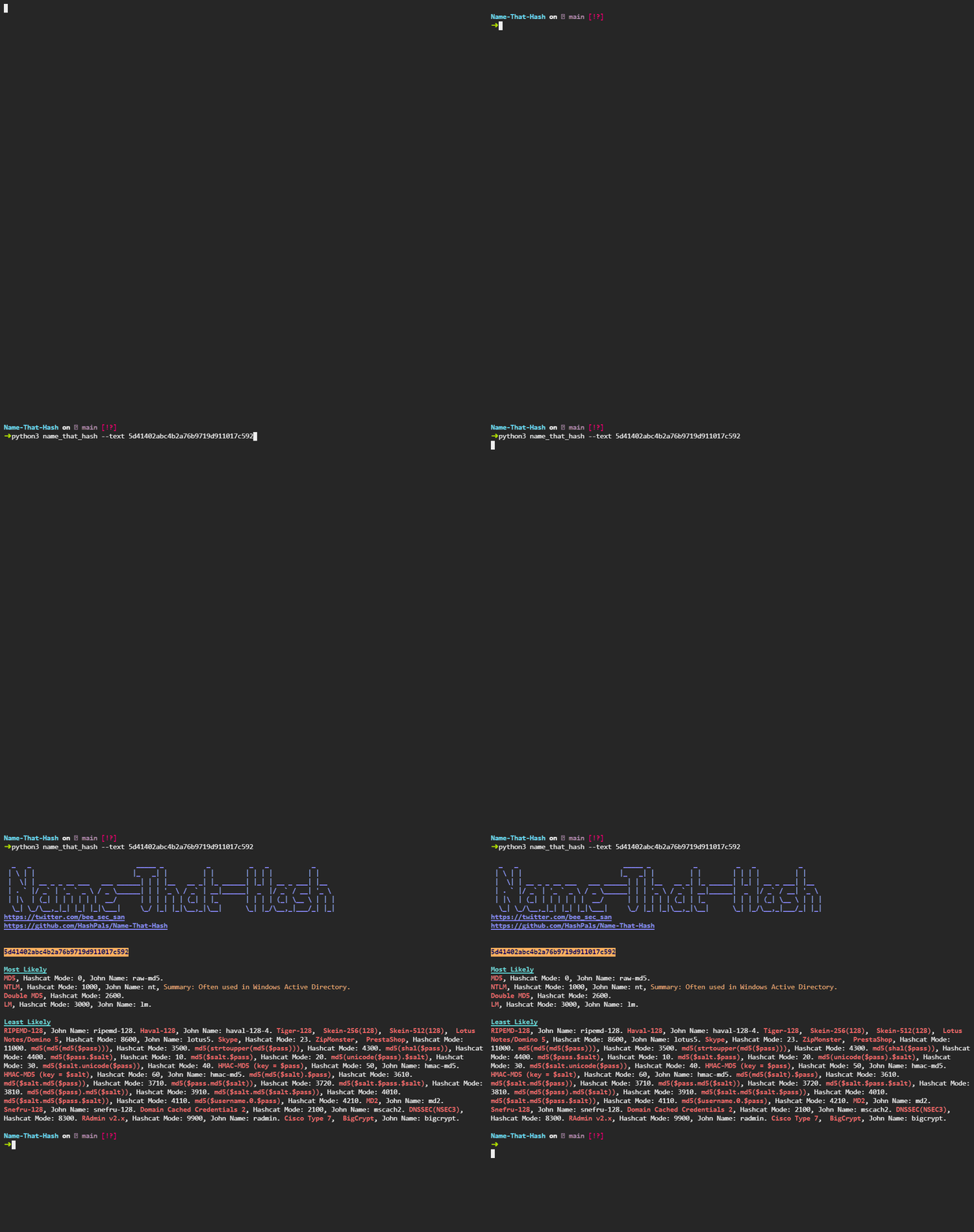
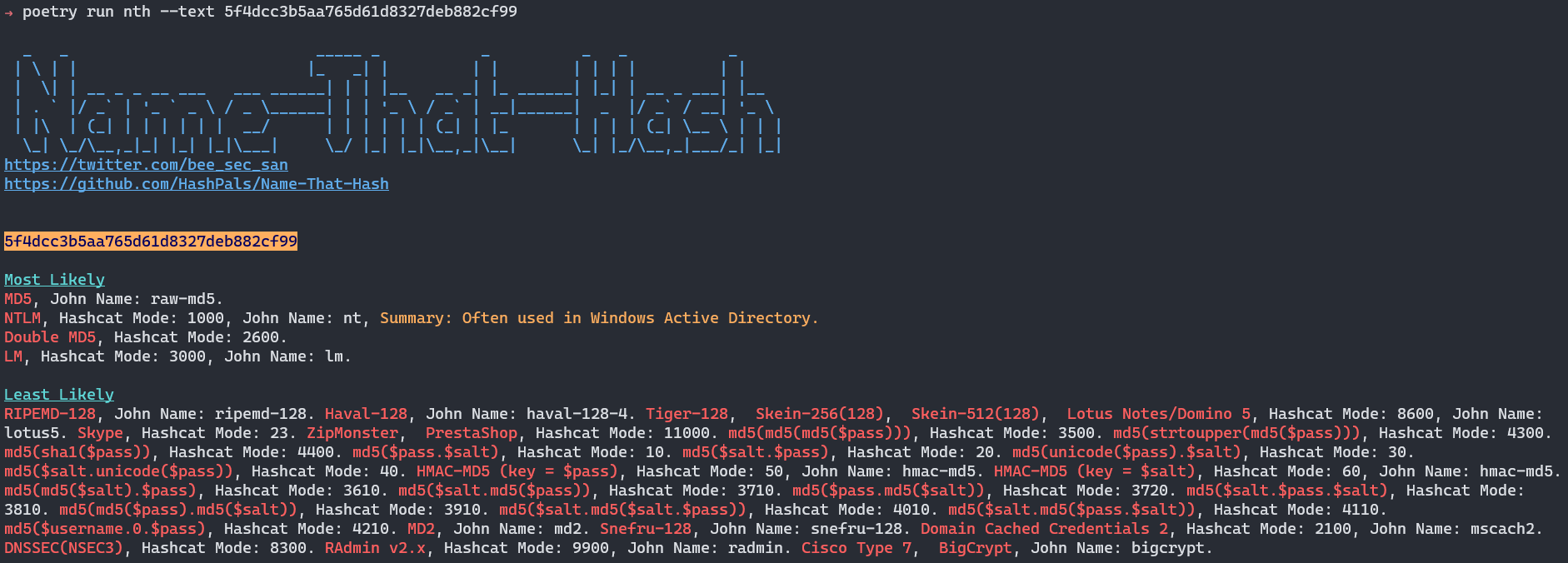
Have you ever come across a hash such as 5f4dcc3b5aa765d61d8327deb882cf99 and wondered what type of hash that is? 🤔
Name-that-hash will name that hash type!
🔥 Features
* 📺 Popularity Ratings - Name that hash will show you the most popular hashes first. In older systems it would prioritise Skype Hash the same as Acti's NTLM! Which makes as much sense as saying that my GitHub is as popular as 📈
* ✍ Hash Summaries - no more wondering whether it's MD5 or NTLM. Name-that-hash will summarise the main usage of each hash, allowing you to make an informed & decisi ⚡
* 🌈 Colour Output - Don't worry, the colours were hand-selected with a designer to be 100% accessible and gnarly 😎
* 🤖 JSON output && API - Want to use Name-That-Hash in your project? We are API first, CLI second. Use JSON output or import us as a Python module! 💾
* 👵 Updated! - HashID was last updated in 2015. Hash-Identifier in 2011! Name-That-Hash is a 2021 project 🦧
* ♿ Accessible - We are 100% committed to making this an accessible hacking tool 🙏
* 🎫 Extensible - Add new hashes as quickly as you can edit this README. No, seriously -- it's that easy! 🎱
🥊 Name-That-Hash
| Features | Name-That-Hash | HashID | Hash-Identifier |
| ---- | ---- | ---- | ---- |
| Last updated | 2021, check commits. | 17/03/2015 | 30/09/2011 |
Honestly, do you need any more con? 😂
But, let's look at the features more in-depth.
📈 Feature Comparison
!Name-that-hash proudly displays the most likely hash types
Here HashID displays Skype before NTLM, whereas Name-That-Hash understands popularity of hashes so places NTLM before Skype.

📕 You can also see Name-That-Hash displaying a summary, whereas HashID doesn't. In the default view it also displays John + HashCat information. Because let's face it, the only reason you're using this tool is to figure out what to put into HashCat! 🐱🚀
Name-That-Hash is radically different from HashID, I'm not going to list all the differences -- you can physically see them yourselves 😎
💌 Accessibility
Name-That-Hash is an accessible hacking tool. That means we spent time designing things, such as....
!No long text or ascii art here
Removing the ASCII Art of very long "least likely" text blocks using --accessible.
Doing this means you don't get access to least likely, and if the hash is in that pile it'd suck. So we also have --no-banner.

Which removes the ASCII art banner.
🔨 Installation
Easy Mode Use our web app at
You can install using Python's Pip.
or:
And then run:
To use.
![Packaging status]()
We're also in:
* REMnux.
* The Arch User Repository (AUR).
* MacPorts.
* Homebrew.
⚱ Fun Facts
* We have a test-matrix which makes sure all of our hashes are up-to-date, including the HashCat mode and John the Ripper modes!
* Unlike other hash identifiers which identify non-hashes, we ha these so you'll only get real hashes (base64 who?)
* Each and every hash is tested multiple times, for both false positives and true positives. No mistakes here!
* There is a magical lamp that summons a genie somewhere in the source code.
💡 Documentation
Want to learn how popularity works?
What about using this in your own programs?
Or maybe even our commitment to accessibility?
Our documentation is for you!
| 📚 Documentation | 🐦 My Twitter (@ me for questions) | 🎳 Discord | 🧩 Web App
| --------------- | ----------------------------------- | ---------------- | ---------------- |
| Wiki | | Discord | Web App |
🙏 Contributing
The easiest way to contribute is by adding more hashes, writing descriptions, or changing their REGEX> All you have to do is go to this file and edit it.
You can read more about contributing here.
💌 Thanks
Many thanks to Jabba & Jayyy for their help :)
Thanks to HashID and Hash-Identifier for their work in this field, which heavily inspired this. 💝 The database of hashes was originally taken from them, but we' modified it. Thank you so much for creating that database of 3000+ hashes 😻
Thanks to the TryHackMe Community too, and especially Oriel for her feedback on early .
And special thanks to Varg on his masterful understanding of colour theory 🌈
Finally, thanks too Blackout for helping write descriptions of hashes 🐱👤
📺 What people are saying
<a href=" src="images/xss_rat.png"></img></a>
!FalconSpy loves it!
We're in REMnux!
Contributors ✨
<!-- ALL-CONTRIBUTORS-BADGE:START - Do not remove or modify this section -->

<!-- ALL-CONTRIBUTORS-BADGE:END -->
Thanks goes to these wonderful people (emoji key):
<!-- ALL-CONTRIBUTORS-LIST:START - Do not remove or modify this section -->
<!-- prettier-ignore-start -->
<!-- markdownlint-disable -->
<table>
<tr>
<td align="center"><a href=" src=" width="100px;" alt=""/><br /><sub><b>Digital Sleuth</b></sub></a><br /><a href=" title="Code">💻</a></td>
<td align="center"><a href=" src=" width="100px;" alt=""/><br /><sub><b>amadejpapez</b></sub></a><br /><a href=" title="Bug reports">🐛</a> <a href=" title="Code">💻</a></td>
<td align="center"><a href=" src=" width="100px;" alt=""/><br /><sub><b>SkeletalDemise</b></sub></a><br /><a href=" title="Code">💻</a> <a href="#maintenance-SkeletalDemise" title="Maintenance">🚧</a> <a href="#ideas-SkeletalDemise" title="Ideas, Planning, & Feedback">🤔</a></td>
<td align="center"><a href=" src=" width="100px;" alt=""/><br /><sub><b>Brandon</b></sub></a><br /><a href=" title="Code">💻</a> <a href="#maintenance-bee-san" title="Maintenance">🚧</a> <a href="#ideas-bee-san" title="Ideas, Planning, & Feedback">🤔</a></td>
<td align="center"><a href=" src=" width="100px;" alt=""/><br /><sub><b>Swanand Mulay</b></sub></a><br /><a href=" title="Code">💻</a></td>
</tr>
</table>
<!-- markdownlint-restore -->
<!-- prettier-ignore-end -->
<!-- ALL-CONTRIBUTORS-LIST:END -->
This project follows the all-contributors specification. Contributions of any kind welcome!
项目信息
开发语言:Python
Star 数:1672
技术要点
该项目属于CTF思路方向的开源资源,代码结构清晰,适合安全研究人员学习参考。项目围绕🔗 Don't know what type of hash it is? Name That Hash will name that hash type! 🤖 Identify MD5, SHA256 and 300+ other hashes ☄ Comes with a neat web app 🔥展开,提供了可运行的实现,对理解相关安全机制、工具原理与攻防技术具有较高的研究价值。
从技术实现角度看,此类项目的核心在于对底层原理的深入理解与工程化落地。开发者在研究过程中可以结合官方文档与社区讨论,梳理项目的初始化流程、核心模块职责与数据流转,逐步掌握其中的技术细节与设计思路。
使用与学习建议
1. 下载源码压缩包,解压到本地环境。
2. 根据项目类型准备对应的运行环境与依赖。
3. 按照 README 中的步骤完成配置与部署。
4. 在隔离的测试环境中运行验证,避免影响生产系统。
免责声明
本资源来源于开源社区,仅供安全研究、技术学习与合法授权范围内的攻防演练使用,请勿用于任何非法或侵害他人权益的用途。使用本项目产生的一切后果由使用者自行承担。
| 资源标题 | Name-That-Hash - 🔗 Don't know what type of hash it is? Name That H |
| 所属分类 | CTF思路 |
| 发布作者 | admin |
| 发布时间 | 2026-10-05 23:36:28 |
| 下载权限 | 免费下载 |
| 附件数量 | 2 个下载链接 |
| 浏览次数 | 296 |
| 讨论数量 | 0 |
| 主题状态 | 正常讨论中 |