 CTF思路
点击放大
ctftool - Interactive CTF Exploration Tool

项目说明
CTFTOOL
>
> Just want to test the SYSTEM exploit? Click here.
>
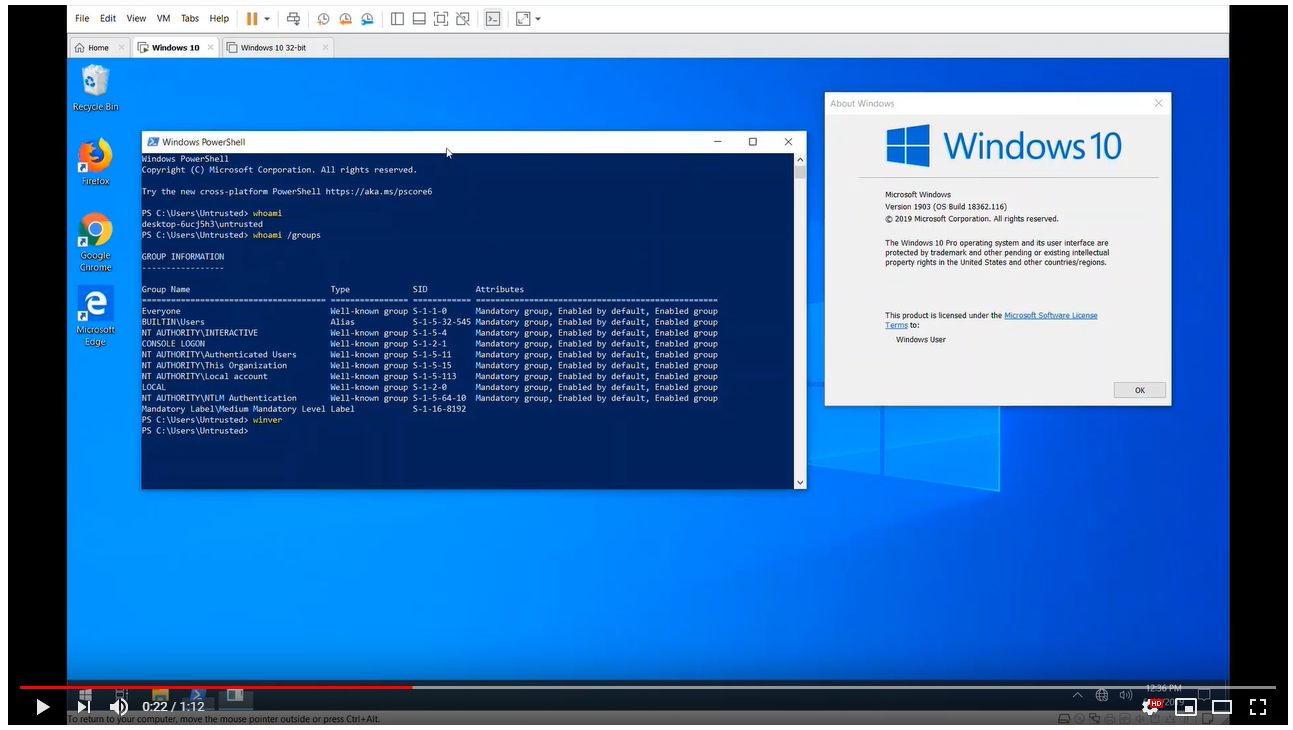
![Video of Exploit]()
An Interactive CTF Exploration Tool
This is ctftool, an interacti line tool to experiment with CTF, a
little-known protocol used on Windows to implement Text Services. This might
be useful for studying Windows internals, debugging complex issues with Text
Input Processors and analyzing Windows security.
It is possible to write simple scripts with ctftool for automating interaction
with CTF clients or servers, or perform simple fuzzing.
Background
There is a blog post that accompanies the release of this tool a here.
Usage
ctftool has been tested on Windows 7, Windows 8 and Windows 10. Both 32-bit
and x64 are supported, but x64 has been tested more extensively.
There is online help for most commands, simply type help to see a list of
commands, and help <command> to see detailed help for a particular command.
The first thing you will want to do is connect to a session, and see which
clients are connected.
You can then experiment by sending and receiving commands to the server, or any
of the connected clients.
Building
> If you don't want to build it yourself, check out the releases tab
I used GNU make and
Studio 2019 to develop ctftool. Only 32-bit builds are supported, as this
allows the tool to run on x86 and x64 Windows.
If all the dependencies are installed, just typing make in a de command
prompt should be enough.
I use the "Build Tools" of Studio, and the only components I have
selected are MS, CMake and the SDK.
This project uses submodules for some of the dependencies, be sure that you're
using a command like this to fetch all the required code.
Exploit
> The examples only work on Windows 10 x64. All platforms and since
> Windows XP are affected, but no PoC is currently implemented.
This tool was used to discover many critical security problem with the CTF
protocol that ha for decades.
If you just want to test an exploit on Windows 10 x64 1903, run or double-click
ctftool.exe and enter this command:
This will wait for the UAC dialog to appear, compromise it and start a shell.
In fact, the exploit code is split into two stages that you can use
independently. For example, you might want to compromise a process belonging to
a user on a different session using the optional parameters to connect.
Most CTF clients can be compromised, as the kernel forces applications that draw
windows to load the library.
Simply connect to a session, select a client to compromise (use the scan and
thread commands, or just wait), then:
Exploitation Notes
Building a CFG jump chain that worked on the majority of CTF clients was quite
challenging. There are two primary components to the final exploit, an arbitrary
write primitive and then setting up our registers to call LoadLibrary().
> You can use dumpbin /headers /loadconfig to dump the whitelisted branch
> targets.
#### Arbitrary Write
I need an arbitrary write gadget to create objects in a predictable location.
The best usable gadget I was able to find was an arbitrary dword decrement in
msvcrt!_init_time.
This means rather than just setting the we want, We have to keep
decrementing until the LSB reaches the value we want. This is a lot of work,
but we never have to do more than (2^8 - 1) * len decrements.
!Decrement Write
Using this primitive, I build an object like this in some unused slack space
in kernel32 .data section. It needs to be part of an image so that I can
predict where it will be mapped, as image randomization is per-boot on Windows.
!Object Layout
There were (of course) lots of arbitrary write gadgets, the problem was
regaining control of execution *after* the write. This pro challenging,
and that's the reason I was stuck with a dword decrement instead of something
simpler.
MSCTF catches all exceptions, so the challenge was finding an arbitrary write
that didn't mess up the stack so that SEH survived, or crashed really quickly
without doing any damage.
The msvcrt!_init_time gadget was the best I could find, within a few
instructions it dereferences NULL without corrupting any more memory. This means
we can repeat it ad infinitum.
#### Redirecting Execution
I found two useful gadgets for adjusting registers, The first was:
And the second was:
By combining these two gadgets with the object we formed with our write gadget,
we can redirect execution to kernel32!LoadLibraryA by bouncing between them.
This was complicated, but the jump sequence works like this:
!Exploit Chain Sequence
If you're interested, I recommend watching it in a debugger. Note that you will
need to use the command sxd av and sxd bpe or the debugger will stop for
every write!
Edit Session Attacks
Apart from memory corruption, a major class exposed by CTF are
*edit session attacks*. Normally, an unpri process (for example, low
integrity) would not be permitted to send input or read data from a high
pri process. This security boundary is called UIPI, *User Interface
Pri Isolation*.
CTF breaks these assumptions, and allows unpri processes to send input
to pri processes.
There are some requirements for this attack to work, as far as I'm aware it
will only work if you have a display language installed that uses an OoP TIP,
*out-of-process text input processor*. Users with input languages that use IMEs
(Chinese, Japanese, Korean, and so on) and users with a11y tools fall into this
category.
Example attacks include...
* Sending commands to an elevated command window.
* Reading passwords out of dialogs or the login screen.
* Escaping IL/AppContainer sandboxes by sending input to unsandboxed windows.
There is an example script in the scripts
directory that will send input to a notepad window to demonstrate how edit
sessions work.

Monitor Hijacking
Because there is no authentication in between clients and servers in the
CTF protocol, an attacker with the necessary pri to write to
\BaseNamedObjects can create the CTF ALPC port and pretend to be the monitor.
This allows any and all restrictions enforced by the monitor to be bypassed.
If you want to experiment with this attack, try the hijack command in ctftool.
Cross Session Attacks
There is no session isolation in the CTF protocol, any process can connect to
any CTF server. For example, a Terminal Services user can interact with the
processes of any other user, even the Administrator.
The connect command in ctftool supports connecting to non-default sessions
if you want to experiment with this attack.
Status
At the time of writing, it is unknown how Microsoft will change the CTF
protocol in response to the numerous design flaws this tool helped expose.
For that reason, consider this tool to be in proof-of-concept state.
Supported and Platforms
All of Windows since Windows XP use CTF, on all supported platforms.
While not part of the base system until XP, as early as Windows 98 and
NT4 would use CTF if you installed Microsoft Office.
ctftool supports Windows 7 and later on x86 and x64, but earlier and
other platforms *could* be supported, and contributions would be appreciated.
Acronym
Microsoft doesn't document what CTF stands for, it's not explained in any
of the Text Services documentation, SDK samples, symbol names, header files,
or anywhere else. My theory is it's from CTextFramework, what you might name
the class in hungarian notation.
> There are some websites that claim ctfmon has something to do with Clear
> Type Fonts or the Azure Collaborati Framework. They're mistaken.
> Update: Jake Nelson finds
> e for "Common Text Framework"
Authors
Ta <>
License
All original code is Apache 2.0, See LICENSE file for details.
The following components are imported third party projects.
* pe-parse, by Andrew Ruef et al.
* pe-parse is used to implement a GetProcAddress() for 64-bit modules from a
32-bit process. This is used in the symbol command, and allows the same
binary to work on x64 and x86.
* wineditline, by Paolo Tosco.
* wineditline is used to implement user friendly command-line input and
history editing.
* dynamorio, by Derek Bruening et al.
* I borrowed some of the prototypes and type definitions from DR.
* ntdll.h, by Ladisla.
* Ladisla some structure definitions and prototoypes from
WDK, DDK, SDK releases into one con file.
项目信息
开发语言:C
Star 数:1669
技术要点
该项目属于CTF思路方向的开源资源,代码结构清晰,适合安全研究人员学习参考。项目围绕Interactive CTF Exploration Tool展开,提供了可运行的实现,对理解相关安全机制、工具原理与攻防技术具有较高的研究价值。
从技术实现角度看,此类项目的核心在于对底层原理的深入理解与工程化落地。开发者在研究过程中可以结合官方文档与社区讨论,梳理项目的初始化流程、核心模块职责与数据流转,逐步掌握其中的技术细节与设计思路。
使用与学习建议
1. 下载源码压缩包,解压到本地环境。
2. 根据项目类型准备对应的运行环境与依赖。
3. 按照 README 中的步骤完成配置与部署。
4. 在隔离的测试环境中运行验证,避免影响生产系统。
免责声明
本资源来源于开源社区,仅供安全研究、技术学习与合法授权范围内的攻防演练使用,请勿用于任何非法或侵害他人权益的用途。使用本项目产生的一切后果由使用者自行承担。
| 资源标题 | ctftool - Interactive CTF Exploration Tool |
| 所属分类 | CTF思路 |
| 发布作者 | admin |
| 发布时间 | 2026-10-05 23:36:30 |
| 下载权限 | 免费下载 |
| 附件数量 | 2 个下载链接 |
| 浏览次数 | 278 |
| 讨论数量 | 0 |
| 主题状态 | 正常讨论中 |