项目说明
Shellz
A script for generating common re fast and easy. <br>
Especially nice when in need of PowerShell and Python re, which can be a PITA getting correctly formatted.<br><br>
PowerShell re<br>
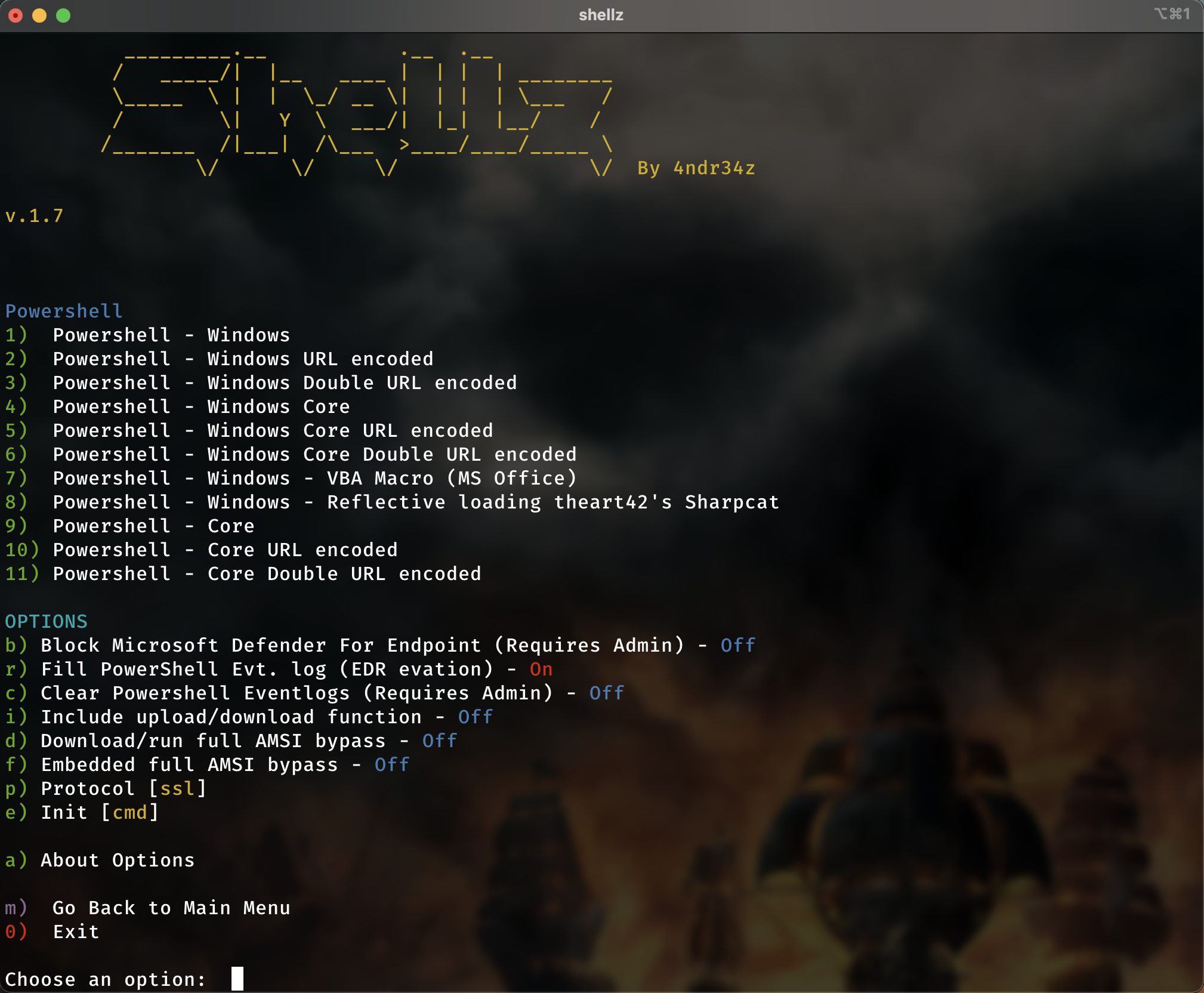
Shows username.(domain), above the prompt and working-directoryHas a partial and full AMSI-bypass.TCP, UDP and SSL shells New custom TCP re!New custom SSL re!Reflecti theart42's <b>amazing</b> Sharpcat! Windows Powershell and Core PowershellFunctions for uploading and downloading files. (Using Updog by sc0tfree)Python
No PowerShell? No problem! Load embedded Python. Signed files and trusted by Microsoft Intelligent Security Graph.
ngrok support
ngrok can be started/stopped from inside the scriptpayloads will be genereated with the ngrok addressesUpdog support
you can start/stop Updog from inside the scriptThe PowerShell re ha/download function embeddedTo upload from nix using curl: To install Shells from git
git clone
cd shells
./install.sh
To install shells on BlackArch:
pacman -S shellz
Screenshots
!Main
!Netcat
!pwsh
!screenshot3
!screenshot4
!screenshot5
!screenshot6
#### Required dependencies
netcat, rlwrap, jq, basenc (coreutils)
#### Optional dependencies
updog, ngrok, xclip
Youtube video
Shellz 1.7.5
1.7.7
Added Windows Terminal Init option in the PowerShell section 1.7.6
Added option under Python, for using Python Embedded in a 1.7.5
Added option under PowerShell for staged loading of a Constrained Language Mode bypass using msbuild.exe 1.7.4
Changed payload for Python Embedded. Not saving script to disk anymoreObfuscated the Python re some 1.7.3
Fixed typo in Python3 payload for WindowsAdded option for using Python Embedded to get a re on a Windows box not having Python installed and without using PowerShell. 1.7.1
Added PS to prompt in SSL shellShortened the full amsi bypass 1.7
Removed "updog is not running" message when it first hasn't been activatedRemoved some more auto-enter selections in menus 1.6.9
Fixed error in block MDE commandAdded init command options: cmd, conhost, powershell (If the payload is over 8191 characters, it has to be initiated from powershell directly) 1.6.8
Filling "Microsoft-Windows-PowerShell/Operational" with even more entries, to be sure to push out the script initial execution. (Only works if scriptblock logging is enabled on target) 1.6.7
Had only URL-safe Base64 encoding. Added ordinary base64 encodig of payloads. 1.6.6
Added option for filling powershell-log. It will start a bunch of powershell sessions, passing a long string and exit. This will fill the log, when scriptblock logging is enabled, effectively pushing out earlier log entries and thus removing the event of the shell itself spawning. Could prevent EDR detection. Tested with success on SentinelOne. Fixed confusing menu selections. Remo on selecting options on most menus.Added Metasploit Multi/handler Listener 1.6.5
Added Powershell ETW-patchAdded Powershell embedded full AMSI-bypass.Added payload length check. The maximum length of the string that you can use at the Windows command prompt (cmd.exe) is 8191 character. 1.6.4
Fixed Powershell SSL-shell 1.6.3
Added expansion on the powershell payload, making it run from e.g. batch-files without modifying it 1.6.2
Renaming to Shellz 1.6.1
Listener started in new window. (Optional on Linux) 1.6
Powershell: Added option for reflecti Sharpcat 1.5.9
PowerShell: New custom SSL shellPowerShell: Added options for choosing TCP/UDP/SSLPowerShell/OpenSSL: Defaulting to correct listener when using SSL 1.5.8
Updated installer to use wrapper-script (remember to delete /usr/local/bin/shells when upgrading from < 1.5.8) 1.5.7
PowerShell: Buildt a unique TCP re, that is not using Net.Sockets.TCPClient PowerShell: Remote errormessages now being properly displayed 1.5.6
PHP: added options and more payloads 1.5.5
Added option on other payloads for changing shell 1.5.4
Powershell: Fixed the NIX payloadPowershell: Updated the payload for reflecti C# 1.5.3
Powershell: Added options for payload in menu. 1.5.2
PowerShell: Changed re for bypassing more APowershell: Added firewall-rule, pre MS ATP from phoning home (if the running user has access)Powershell: Updated VBA (MS Office Macros) 1.5.1
PowerShell: Disabling scriptblock logging and CheckSuspiciousContentPowerShell: Clears PowerShell e (if the running user has access) 1.5.0
PowerShell: Added for MS Office MacrosAdded some node.js payloads 1.4.9
Added a simple C# shell. Added payload for reflecti the C# shell into memory. (Needs full AMSI bypass)Co this by adding Rastamouse's full AMSI BypassPowerShell: You can automatically upload and run full AMSI bypass. The partitial AMSI bypass makes this possible.C# Shell: Automatically upload and run full AMSI bypass before loading it into memoryUpdog and ngrok status showing in every menu 1.4.8
Sometimes less is more. Removed the obfuscating on TCP/UDP PowerShell re, because it actually triggers AV more than it bypasses and the payload got really big :-) Still using randomization. 1.4.6
Added webshells (ASPX, PHP, JSP) 1.4.5
Added 2 c++ re binaries for Windows 32 and 64 bit. 1.4.4
Fixed the handling of starting/stopping Updog 1.4.3
Added Updog supportAdded Netcat binaries. Powershell: Created upload/download functionality (upload requires Updog for receiving files)Added more information about running ngrok and Updog. 1.4.2
PowerShell: Added a new "mini AMSI-bypass". (It is a partial bypass) Based on Matt Graebers Reflection method PowerShell: Added a "upload" function in the Powershell re 1.4.1
Removed AMSI. Not tested enough :-) 1.4
Added AMSI-bypass for the powershell payloads 1.3.9
Fixed bug when setting portChanged default port to 443PowerShell: obfuscated some more 1.3.8
PowerShell: Minor changes to the UDP payload 1.3.7
Using only native nc on macOS, because the one on homebrew doesn't work on incoming UDPPowerShell: Added UDP payloads 1.3.6
PowerShell: Added more payloads 1.3.5
PowerShell: Added some randomization and obfuscation for the payload 1.3.4
PowerShell: Using UTF8 encoding in payload 1.3.3
Added Golang 1.3.2
Added OpenSSL 1.3.1
Fixed bug in Python reAdded awkAdded Bash UDP 1.3
Added Windows Python re 1.2.9
Added a ngrok running-status 1.2.8
Hiding ngrok choice if not installed 1.2.7
Fixed the install options: not doing default option when pressing enter without making a choice 1.2.6
Added support for ngrok. 1.2.4
Added a install-scriptAdded install options for checking and installing missing dependencies 1.2.3
Added a couple of PHP shells 1.2.2
Added shells for: Ruby, Perl, Telnet and zsh 1.2.1
Added copy to clipboard using pbcopy on macOSAdded info about listening netcat as the macOS doesn't display that 1.2
Added looping netcat shells. Calls back every 10 seconds. Great in case you loose your shellAdded check for netcat GNU netcat 0.7.0 Homebrew when running on macOS 1.1
Added support for macOS项目信息
开发语言:Shell
Star 数:488
技术要点
该项目属于CTF思路方向的开源资源,代码结构清晰,适合安全研究人员学习参考。项目围绕Script for generating revshells展开,提供了可运行的实现,对理解相关安全机制、工具原理与攻防技术具有较高的研究价值。
从技术实现角度看,此类项目的核心在于对底层原理的深入理解与工程化落地。开发者在研究过程中可以结合官方文档与社区讨论,梳理项目的初始化流程、核心模块职责与数据流转,逐步掌握其中的技术细节与设计思路。
使用与学习建议
1. 下载源码压缩包,解压到本地环境。
2. 根据项目类型准备对应的运行环境与依赖。
3. 按照 README 中的步骤完成配置与部署。
4. 在隔离的测试环境中运行验证,避免影响生产系统。
免责声明
本资源来源于开源社区,仅供安全研究、技术学习与合法授权范围内的攻防演练使用,请勿用于任何非法或侵害他人权益的用途。使用本项目产生的一切后果由使用者自行承担。