 CTF思路
点击放大
bscan - an asynchronous target enumeration tool
项目说明
<p align="center">
<img width="350" height="200" src="static/logo.png" alt="bscan">
</p>
<p align="center">
:mag: <em>an asynchronous target enumeration tool</em> :mag_right:
</p>
<p align="center">
<a href="
<img src=" alt="tra">
</a>
<a href="
<img src=" alt="pypi">
</a>
<a href="
<img src=" alt="built for kali linux">
</a>
<a href="
<img src=" alt="python ">
</a>
</p>
<p align="center">
<a href="
<img src=" width="750"/>
</a>
</p>
---
Synopsis
bscan is a command-line utility to perform acti gathering and service enumeration. At its core, bscan asynchronously spawns processes of well-known scanning utilities, repurposing scan results into highlighted console output and a well-defined directory structure.
License
bscan is intended for educational purposes and events such as CTFs only and should never be run on machines and/or networks without explicit prior consent. This code is released under the MIT license.
Installation
bscan was written to be run on Kali Linux, but there is nothing inherently pre it from running on any OS with the appropriate tools installed. There's a few different types of packaged releases and ways to install them.
The easiest way to get up and running is to install the appropriate single-file executable of the program for your operating system (no Python installation required):
You can also download the latest packaged from PyPI (note that this requires an existing Python 3.6+ installation):
Similarly, you could get the bleeding-edge from control:
Basic Usage
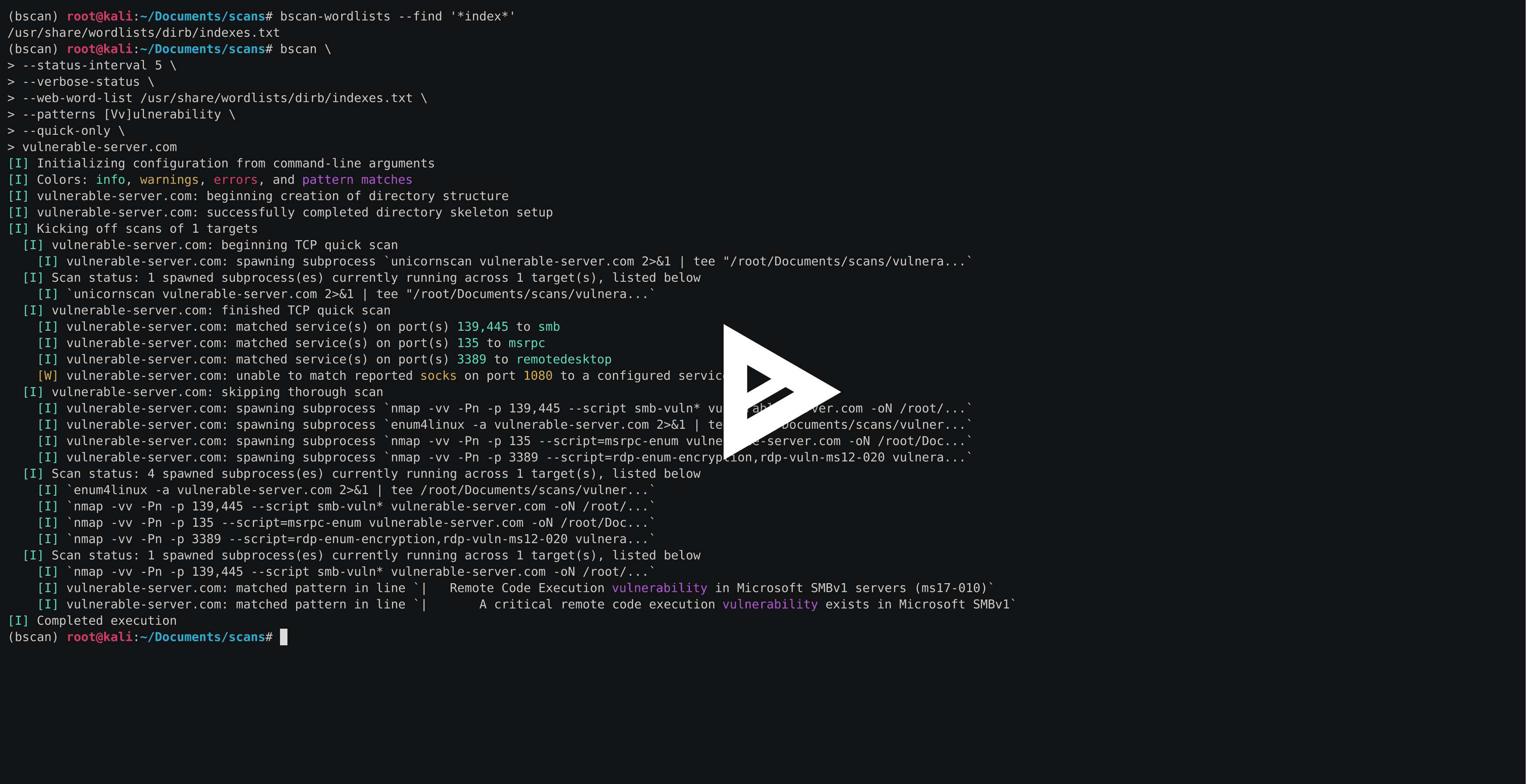
bscan has a wide of configuration options which can be used to tune scans to your needs. Here's a quick example:
What's going on here?
* --max-concurrency 3 means that no more than 3 concurrent scan subprocesses will be run at a time
* --patterns [Mm]icrosoft defines a custom regex pattern with which to highlight matches in the generated scan output
* --status-interval 10 tells bscan to print runtime status updates every 10 seconds
* -- means that each of these status updates will print details of all currently-running scan subprocesses
* scanme.nmap.org is the host upon which we want to enumerate
bscan also relies on some additional configuration files. The default files can be found in the bscan/configuation directory and serve the following purposes:
* patterns.txt specifies the regex patterns to be highlighted in console output when matched with scan output
* required-programs.txt specifies the installed programs that bscan plans on using
* port-scans.toml defines the port-disco scans to be run on the target(s), as well as the regular expressions used to parse port numbers and service names from scan output
* ser.toml defines the scans be run on the target(s) on a per-service basis
Detailed Options
Here's what you should see when running bscan --help:
Companion Tools
The main bscan program ships with two utility programs (bscan-wordlists and bscan-shells) to make your life a little easier when looking for wordlists and trying to open reverse shells.
bscan-wordlists is a program designed for finding wordlist files on Kali Linux. It searches a few default directories and allows for glob filename matching. Here's a simple example:
Try bscan-wordlists --help to explore other options.
bscan-shells is a program that will generate a of reverse shell one-liners with target and port fields populated for you. Here's a simple example to list all Perl-based shells, configured to connect back to 10.10.10.10 on port 443:
Note that bscan-shells pulls these commands from the re.toml configuration file. Try bscan-shells --help to explore other options.
De
Start by setting up a new de en and installing the requirements (using / ):
Lint and type-check the project (these are run on Travis, too):
When it's time to package a new release:
项目信息
开发语言:Python
Star 数:252
技术要点
该项目属于CTF思路方向的开源资源,代码结构清晰,适合安全研究人员学习参考。项目围绕an asynchronous target enumeration tool展开,提供了可运行的实现,对理解相关安全机制、工具原理与攻防技术具有较高的研究价值。
从技术实现角度看,此类项目的核心在于对底层原理的深入理解与工程化落地。开发者在研究过程中可以结合官方文档与社区讨论,梳理项目的初始化流程、核心模块职责与数据流转,逐步掌握其中的技术细节与设计思路。
使用与学习建议
1. 下载源码压缩包,解压到本地环境。
2. 根据项目类型准备对应的运行环境与依赖。
3. 按照 README 中的步骤完成配置与部署。
4. 在隔离的测试环境中运行验证,避免影响生产系统。
免责声明
本资源来源于开源社区,仅供安全研究、技术学习与合法授权范围内的攻防演练使用,请勿用于任何非法或侵害他人权益的用途。使用本项目产生的一切后果由使用者自行承担。
| 资源标题 | bscan - an asynchronous target enumeration tool |
| 所属分类 | CTF思路 |
| 发布作者 | admin |
| 发布时间 | 2026-10-05 23:45:25 |
| 下载权限 | 免费下载 |
| 附件数量 | 2 个下载链接 |
| 浏览次数 | 341 |
| 讨论数量 | 0 |
| 主题状态 | 正常讨论中 |