 CTF思路
点击放大
项目说明
[![circleci][circleci-shield]][circleci-shield]
[![Contributors][contributors-shield]][contributors-url]
[![Forks][forks-shield]][forks-url]
[![Pull requests][pr-shield]][pr-url]
[![Stargazers][stars-shield]][stars-url]
[![Issues][issues-shield]][issues-url]
[![GPL License][license-shield]][license-url]
<!-- PROJECT LOGO -->
<br />
<p align="center">
<a href="
<img src="demo_images/logo.svg">
</a>
<h3 align="center">Flower</h3>
<p align="center">
TCP flow analyzer with sugar for Attack/Defence CTF
<br />
<a href=" Bug</a>
·
<a href=" Feature</a>
·
<a href="#features">View Features</a>
</p>
</p>
Table of Contents
- Run with docker
- Manual installation
- Run
- Pcap import
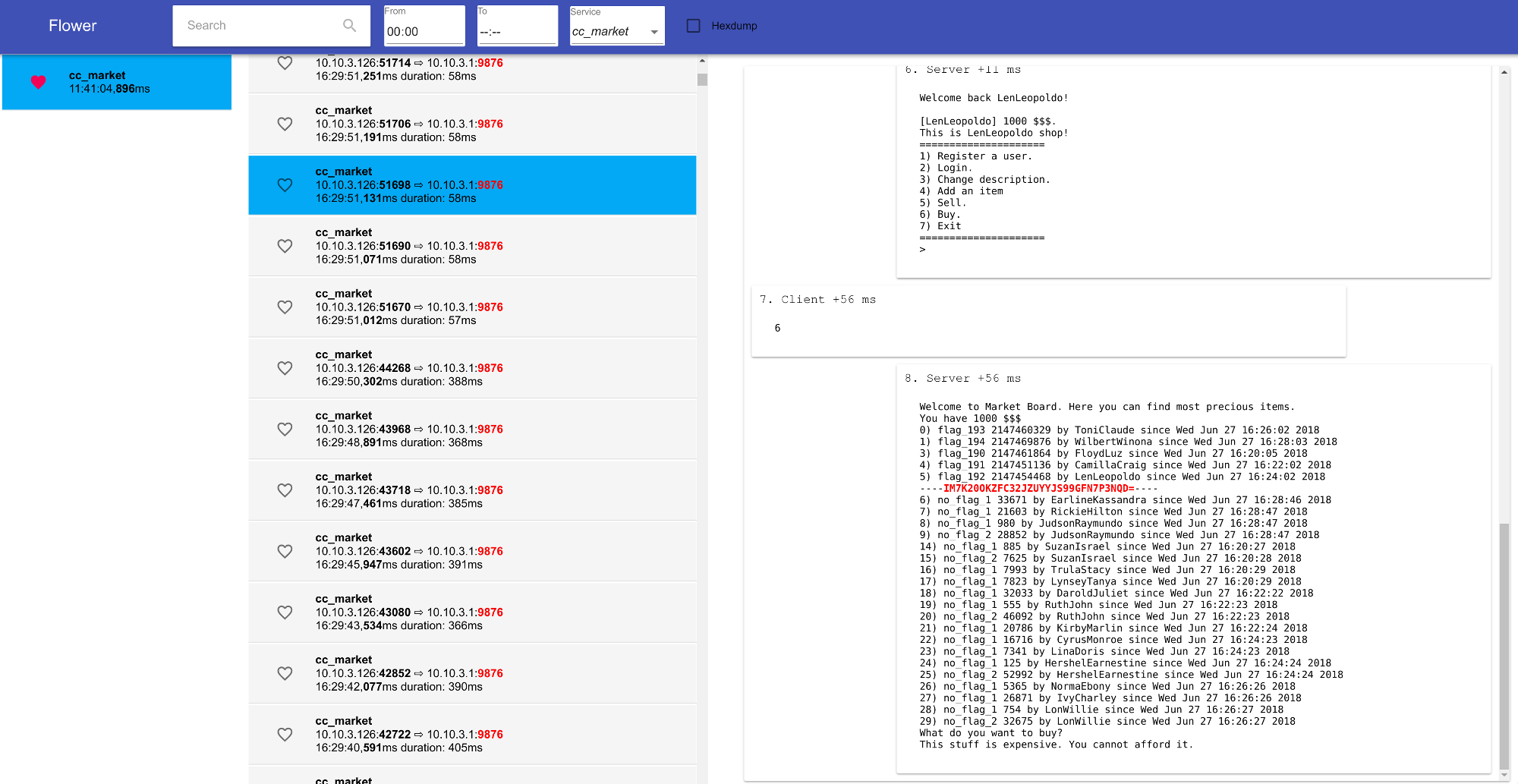
What is it?
!demo_image
Flower is an automatic packet analyzer made by Ca' Foscari Uni team for CyberChallenge attack/defense CTF held in Rome on the June 27th, 2018.
This tool was written in less than ten days, but it works! Every contribution is welcome!
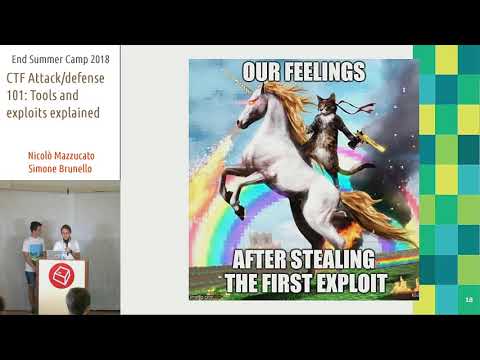
Presentation of Flower (from min 7:30), and general introduction to CTFs at ESC2K18 in italian:
![tools presentation]()
Features
k and j to na the list)![]()
![]()
![]()
![]()
![]()
Getting Started
Run with docker
Clone the repo, enter in the directory, and just run docker-compose up, and after a while you will find flower at
For the flag regex, modify REACT_APP_FLAG_REGEX in docker-compose.yml.
The build will automatically import the test pcaps.
To enter in the service to import other pcaps, run docker exec -it flower_flower-python_1 /bin/bash (if flower is in a folder with a different name, modify the prefix after -it).
The container share the /shared folder with the host. Put the pcap files inside this folder and use python services/importer.py /shared/pcap_file_here from the container to import pcaps to flower.
Manual installation
1. Clone and install dependencies
2. (Optional) Set the following en :
REACT_APP_FLOWER_MONGO ip of the host that will ha db acti)REACT_APP_FLOWER_SERVICES ip of the host that will ha activeREACT_APP_FLAG_REGEX regex that match flags. 3. Mongodb is required on the same machine that run the services.
To start it: sudo mongod --dbpath /path/to/mongodb/db --bind_ip 0.0.0.0
#### Run
1. Start flower
2. Start flower services
Once e has been started, flower should be accessible at the address of the machine that started it on port 3000.
Pcap import
You must first install pynids from here. The pip is outdated! Good luck with the installation.
Then, you can import pcaps into mongodb by executing the provided script
importer.py as follows:You can find a test_pcap in services/test_pcap. For a quick demo, run ./importer.py test_pcap/dump-2018-06-27_13:25:31.pcap
Security tips (Important!)
If you are going to use flower in a CTF, remember to set up the firewall in the most appropriate way, as the current implementation does not use other security techniques.
> If you ignore this, e will be able to connect to your database and steal all your flags!
Credits
With the support of c00kies@
<!-- MARKDOWN LINKS & IMAGES -->
<!-- -->
[circleci-shield]:
[contributors-shield]:
[contributors-url]:
[forks-shield]:
[forks-url]:
[stars-shield]:
[stars-url]:
[issues-shield]:
[issues-url]:
[license-shield]:
[license-url]:
[pr-shield]:
[pr-url]:
[product-screenshot]: images/screenshot.png
项目信息
开发语言:JavaScript
Star 数:143
技术要点
该项目属于CTF思路方向的开源资源,代码结构清晰,适合安全研究人员学习参考。项目围绕TCP flow analyzer with sugar for A/D CTF展开,提供了可运行的实现,对理解相关安全机制、工具原理与攻防技术具有较高的研究价值。
从技术实现角度看,此类项目的核心在于对底层原理的深入理解与工程化落地。开发者在研究过程中可以结合官方文档与社区讨论,梳理项目的初始化流程、核心模块职责与数据流转,逐步掌握其中的技术细节与设计思路。
使用与学习建议
1. 下载源码压缩包,解压到本地环境。
2. 根据项目类型准备对应的运行环境与依赖。
3. 按照 README 中的步骤完成配置与部署。
4. 在隔离的测试环境中运行验证,避免影响生产系统。
免责声明
本资源来源于开源社区,仅供安全研究、技术学习与合法授权范围内的攻防演练使用,请勿用于任何非法或侵害他人权益的用途。使用本项目产生的一切后果由使用者自行承担。
| 资源标题 | 花 - 含糖的TCP流量分析仪,用于A/D CTF |
| 所属分类 | CTF思路 |
| 发布作者 | admin |
| 发布时间 | 2026-10-05 23:50:47 |
| 下载权限 | 免费下载 |
| 附件数量 | 2 个下载链接 |
| 浏览次数 | 363 |
| 讨论数量 | 0 |
| 主题状态 | 正常讨论中 |