 CTF思路
点击放大
zen-os - ZEN-OS is a modern Obsidian command center with Go
项目说明
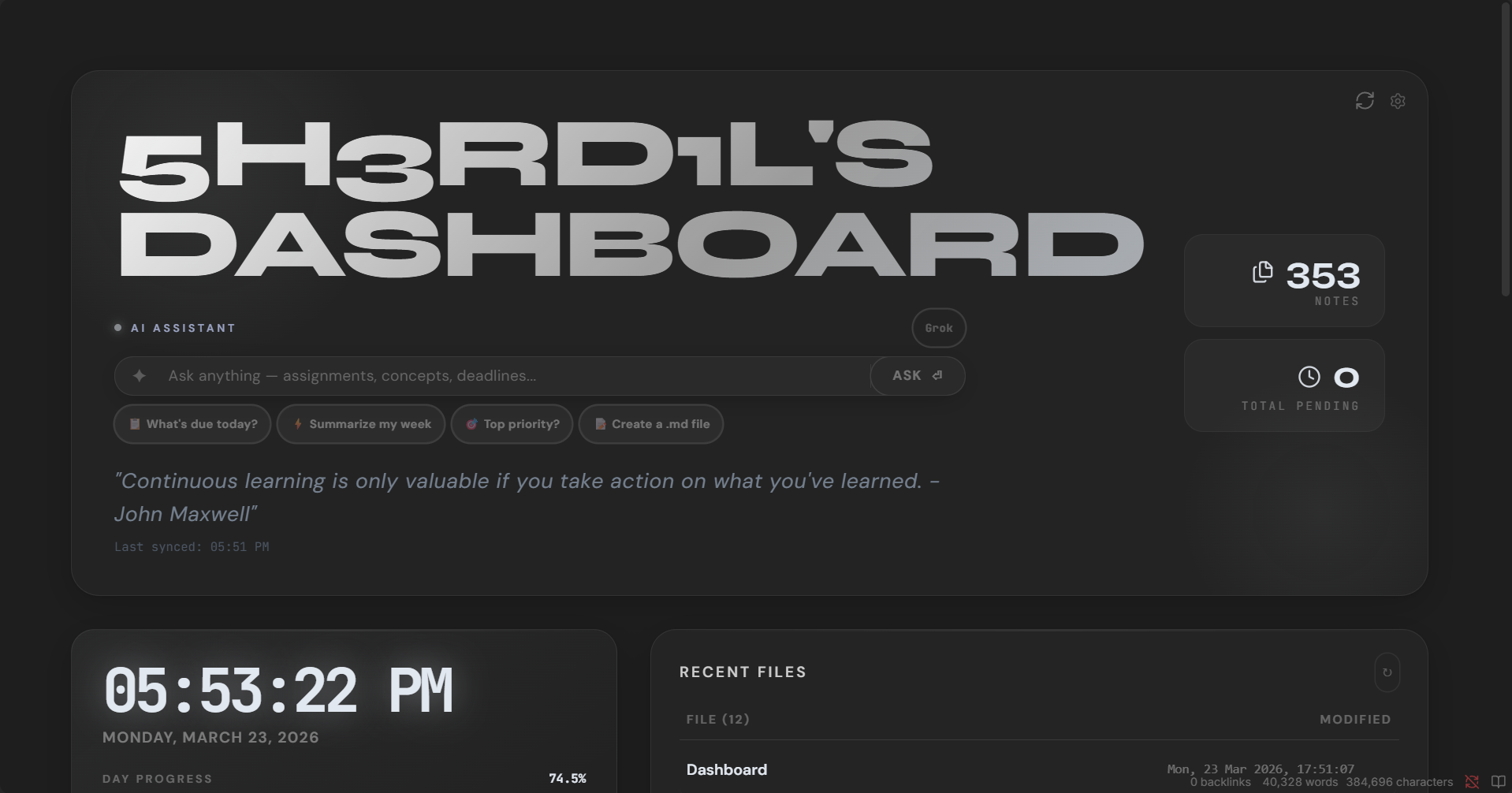
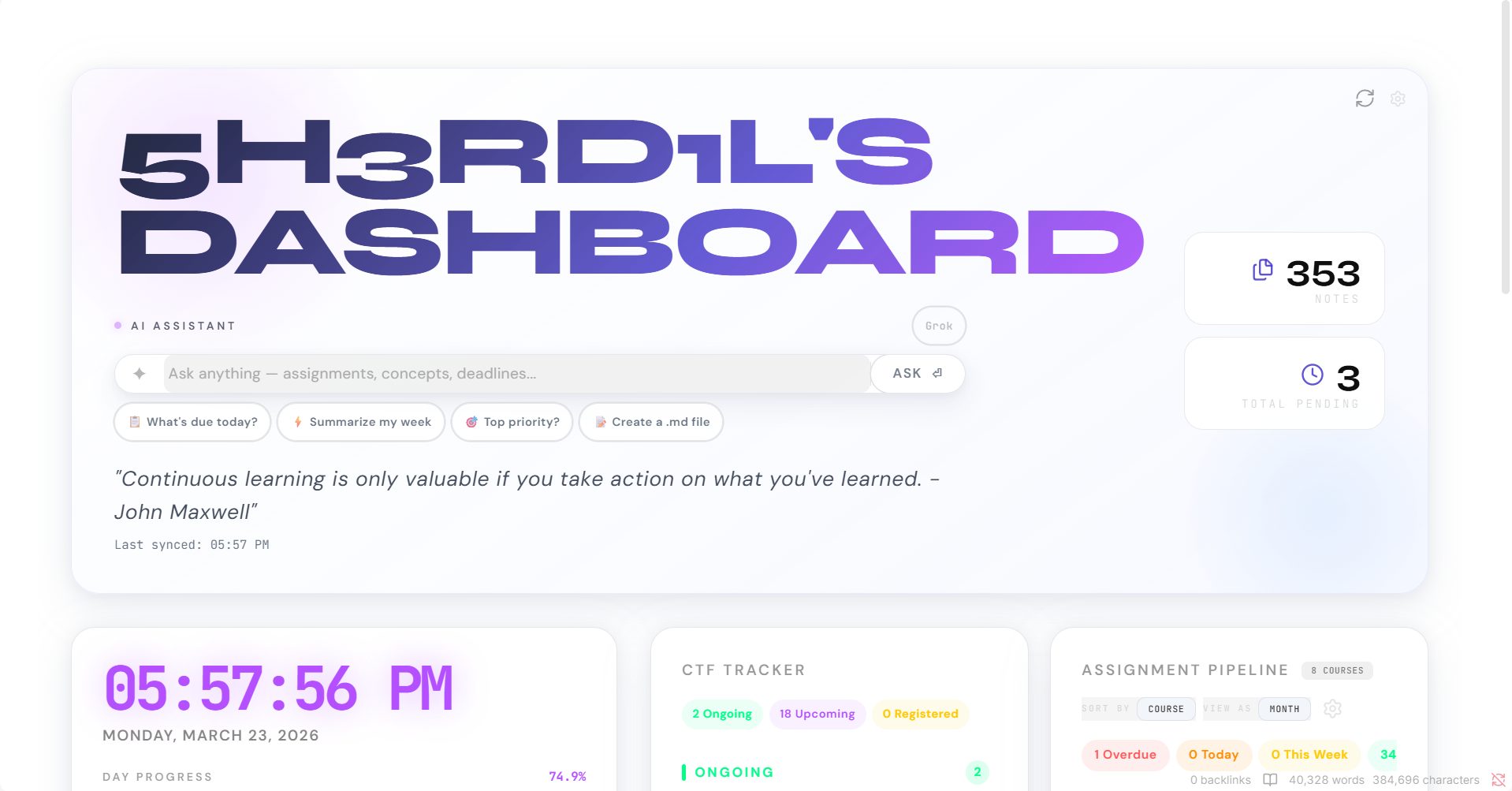
✦ ZEN-OS Dashboard
> A professional Obsidian command center with Google Classroom sync, AI assistant, CTF tracker, and quick links — all in a single data note.
!ZEN-OS ! !License
---
> 📦 Download ZEN-OS v5.0 — unzip and copy into your vault. That's it.
!ZEN-OS Dashboard
<details>
<summary>📸 More Screenshots</summary>
<br>
| | |
|---|---|
| ![]() | ![]() |
| ![]() | ![]() |
| ![]() | ![]() |
| ![]() | |
</details>
---
Features
---
Requirements
| Requirement | Details |
|---|---|
| Obsidian | Any recent |
| Dataview plugin | Community plugin — enable Ja queries |
| Google Workspace plugin | Companion plugin (included) — for Calendar / Classroom / Drive sync |
| Google account | For Classroom + Drive sync |
| AI key (optional) | Groq is free and recommended |
---
Installation
1. Copy the files
2. Enable the CSS snippet
Open Obsidian → Settings → Appearance → CSS Snippets → enable Dashboard-Zen.
3. Enable the Dataview plugin
Go to Settings → Community Plugins → Browse, search Dataview, install and enable it. Then in its settings, turn on Enable Ja Queries.
4. Enable the Google Workspace plugin
Enable it from Settings → Community Plugins. Then go to its settings tab to connect your Google account.
5. Open the dashboard
Open Dashboard.md in Reading View (not Editing View). The setup wizard will launch automatically.
---
Setup Wizard
The wizard runs on first launch and walks you through:
1. Welcome — o of features
2. Plugin — checks if the Google Workspace plugin is installed and connected
3. Branding — set your dashboard title and tagline
4. Theme — pick one of 8 accent colors (saved as a CSS snippet to your vault)
5. Google — connect your Google account
6. AI — add an API key (Groq is free and fastest)
7. Review — confirm e before saving
8. Launch — confetti, countdown, done
After the wizard completes, it saves a CSS snippet and a config note to your vault.
To re-run the wizard: clear zos-wizard-complete and zos-setup-complete from localStorage (or use the dashboard settings menu).
---
Getting a Free AI Key
The AI assistant supports multiple pro with automatic fallback. Groq is recommended — it's free and fast.
| Provider | Free Tier | Get Key |
|---|---|---|
| Groq ✓ | Yes | console.groq.com/keys |
| Gemini | Yes | aistudio.google.com/app/apikey |
| OpenRouter | Yes (some models) | openrouter.ai/keys |
| Together | Yes (some models) | api.together.xyz |
| OpenAI | No | platform.openai.com/api-keys |
| Grok (xAI) | No | console.x.ai |
Paste the key in the wizard's AI step. You can configure multiple pro — the dashboard tries them in order and falls back automatically if one is rate-limited.
---
Google OAuth Setup (for de forking this)
The companion plugin handles OAuth via a Cloudflare Worker proxy. If you fork this project and want your own OAuth client:
1. Go to Google Cloud Console → APIs & Services → Credentials
2. Create an OAuth 2.0 Client ID (Web application)
3. Enable these APIs: Google Calendar API, Google Classroom API, Google Drive API
4. Update the worker URL in the plugin's main.js
---
File Structure
---
Storing AI Keys in Vault (Optional)
Instead of entering keys in the wizard, you can store them in _config/ai-keys.md:
The dashboard reads this file on every load and registers them as AI pro automatically.
---
Keyboard Shortcuts
| Key | Action |
|---|---|
| → or Enter | Next step in wizard |
| ← | Previous step in wizard |
---
Troubleshooting
Assignments not loading
AI not responding
Ctrl+Shift+I) and look for errorsAccent color not applying
Dashboard-Zen is enabledWizard appears again after setup
CTFs not loading
requestUrl to bypass them---
Credits
Built with Obsidian, Dataview, and the Google Calendar Plugin.
Fonts: Syne, DM Sans, JetBrains Mono.
CTF data from CTFtime.org.
---
License
MIT — free to use, modify, and share. Attribution appreciated but not required.
项目信息
开发语言:未知
Star 数:57
技术要点
该项目属于CTF思路方向的开源资源,代码结构清晰,适合安全研究人员学习参考。项目围绕ZEN-OS is a modern Obsidian command center with Google Classroom sync, AI assistant, CTF tracker, Pomodoro timer, and quick links in a single dashboard.展开,提供了可运行的实现,对理解相关安全机制、工具原理与攻防技术具有较高的研究价值。
从技术实现角度看,此类项目的核心在于对底层原理的深入理解与工程化落地。开发者在研究过程中可以结合官方文档与社区讨论,梳理项目的初始化流程、核心模块职责与数据流转,逐步掌握其中的技术细节与设计思路。
使用与学习建议
1. 下载源码压缩包,解压到本地环境。
2. 根据项目类型准备对应的运行环境与依赖。
3. 按照 README 中的步骤完成配置与部署。
4. 在隔离的测试环境中运行验证,避免影响生产系统。
免责声明
本资源来源于开源社区,仅供安全研究、技术学习与合法授权范围内的攻防演练使用,请勿用于任何非法或侵害他人权益的用途。使用本项目产生的一切后果由使用者自行承担。
| 资源标题 | zen-os - ZEN-OS is a modern Obsidian command center with Go |
| 所属分类 | CTF思路 |
| 发布作者 | admin |
| 发布时间 | 2026-10-06 00:05:04 |
| 下载权限 | 免费下载 |
| 附件数量 | 2 个下载链接 |
| 浏览次数 | 193 |
| 讨论数量 | 0 |
| 主题状态 | 正常讨论中 |