 防护思路
点击放大
notif360 - Notif360 is an open-source system monitoring and n
项目说明
Notif360 !bash !docker
> Made with lo:
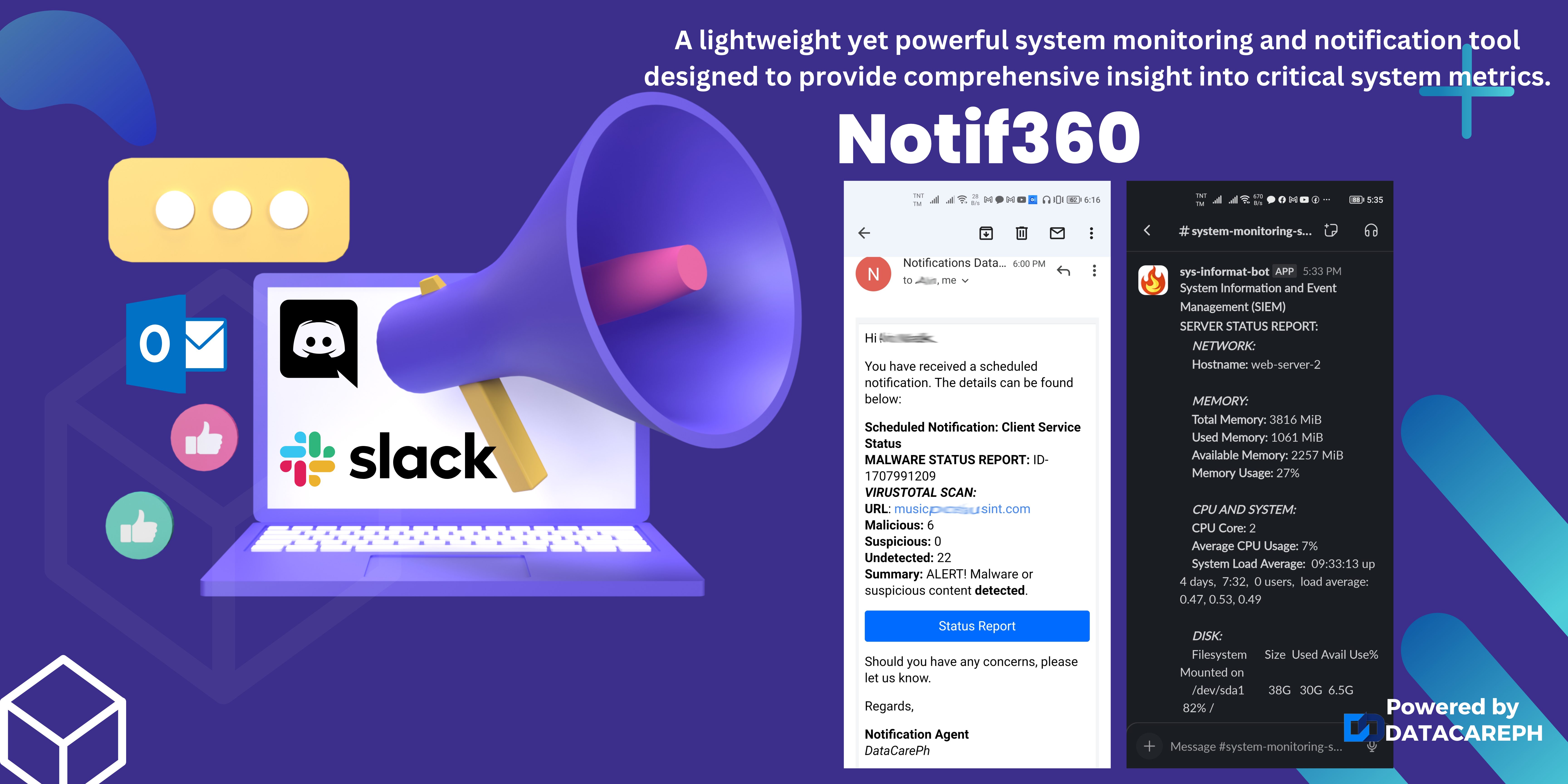
A simple :zap: and lightweight system monitoring and notification tool designed to provide comprehensi of critical system metrics website health, and malware scanning.
!Welcome
:books: Table of Contents
:package: Installation
Requirements
There are a few requirements that may already be a on your current Unix-like operating system:
OpenSSL: Mainly used for SMTP and SSL checks.cURL: Used for checking website a and for Slack integration.crontab: Used as a scheduler mechanism.> These requirements are typically present in Unix-like systems such as Linux or macOS.
To check if you ha components installed, you can run a simple command in your command-line interface CLI:
:rocket: Usage
Create project folder and download the updated copy
>
/opt directory requires root or sudoer access by simply by sudo su commands.#### Copy en to .env and replace accordingly
To use the tool, you may need the following:
Furthermore, to integrate with Slack, simply click the Add to Slack button below, allow this app to be added into your Workspace and specific Channel, and copy the Slack Url Endpoint and paste it to your project .env file SLACK_WEBHOOK_URL:
<a href=" alt="Add to Slack" height="40" width="139" src=" srcSet=" 1x, 2x" /></a>
Once you have the necessary requirements, there are two methods to use the tool: directly on your Host Machine or within a Docker Container, and you can use either approach.
Method 1: Host Machine Installation
1. Edit your cronjob with your preferred editor (e.g., nano):
> You can use sudo crontab -e to gain root pri and avoid file permission issues.
2. Add the following code into your cronjob
#### You can copy and paste this code accordingly
> Save.
> Update /opt/datacareph/notif360/notif360 with your correct path.
Method 2: Docker Container Implementation
We are working to seamlessly integrate it with both new and existing Docker containers. Before proceeding, please review the docker-compose.yml file.
> Replace $WWW_PROJECT_DIR with your actual project folder.
This will automatically build a new Docker image of approximately 15MB and spawn the Docker container.
Check these cron schedules in the docker container.
#### Test it!
> Make sure you ha in the .env file
Tips
We will gradually update this readme file. Stay connected!
:family: Beneficiaries
:thinking: Rationale
Imagine managing tens or hundreds of servers, containers, apps, and websites. Manually checking and maintaining them on an hourly and daily basis is a heavy lift. To ease this burden, we ha a solution. While there may be similar or existing tools a, they often consume considerable resources and can introduce by exposing APIs.
:fireworks: Features
Here's the feature-rich functionality that this script can provide.
:white_check_mark: System Monitoring
:white_check_mark: Website Health Checks
:white_check_mark: Customizable Alerts and Notifications
:white_check_mark: Easy Integration and Automation
:space_invader: Future
TO-DO list and additional features:
:hammer_and_wrench: Support
Please open an issue for support.
:memo: Contributing
Contributing to this project is made simple, just follow these steps.
1️⃣ Fork this repository under your GitHub account.
2️⃣ Clone your fork:
3️⃣ Create a branch:
4️⃣ Make your changes.
5️⃣ Push to your fork:
> Note: On first push, Git will ask:
Username: YOUR_USERNAME
Password: PASTE YOUR PERSONAL ACCESS TOKEN HERE
> Keep your token safe.
> This can be repetiti how often you made the update
6️⃣ Open a Pull Request
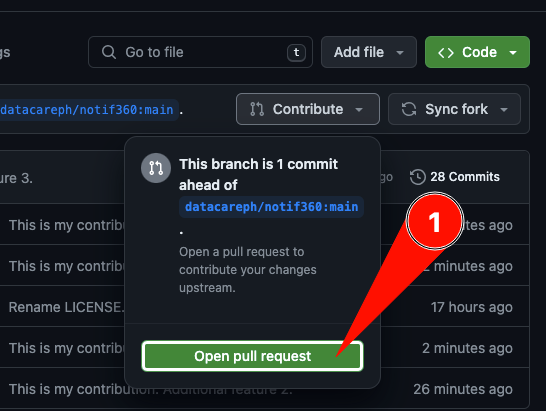
Go to your forked repository on GitHub → Switch to my-amazing-feature-1 branch → Click Contribute → Open pull request.
Submit it to the original repo's main branch.
!Create pull request
Or alternatively click Compare & pull request see screenshot
!Compare & pull request
:scroll: License
MIT © DataCarePh
:bookmark: Resources
项目信息
开发语言:Shell
Star 数:3
技术要点
该项目属于防护思路方向的开源资源,代码结构清晰,适合安全研究人员学习参考。项目围绕Notif360 is an open-source system monitoring and notification tool designed to provide comprehensive oversight of critical system metrics, website health, and malware scanning展开,提供了可运行的实现,对理解相关安全机制、工具原理与攻防技术具有较高的研究价值。
从技术实现角度看,此类项目的核心在于对底层原理的深入理解与工程化落地。开发者在研究过程中可以结合官方文档与社区讨论,梳理项目的初始化流程、核心模块职责与数据流转,逐步掌握其中的技术细节与设计思路。
使用与学习建议
1. 下载源码压缩包,解压到本地环境。
2. 根据项目类型准备对应的运行环境与依赖。
3. 按照 README 中的步骤完成配置与部署。
4. 在隔离的测试环境中运行验证,避免影响生产系统。
免责声明
本资源来源于开源社区,仅供安全研究、技术学习与合法授权范围内的攻防演练使用,请勿用于任何非法或侵害他人权益的用途。使用本项目产生的一切后果由使用者自行承担。
| 资源标题 | notif360 - Notif360 is an open-source system monitoring and n |
| 所属分类 | 防护思路 |
| 发布作者 | admin |
| 发布时间 | 2026-10-06 00:18:28 |
| 下载权限 | 免费下载 |
| 附件数量 | 2 个下载链接 |
| 浏览次数 | 480 |
| 讨论数量 | 0 |
| 主题状态 | 正常讨论中 |