 防护思路
点击放大
NetGuardian - Comprehensive network security and automation tool
项目说明
NetGuardian
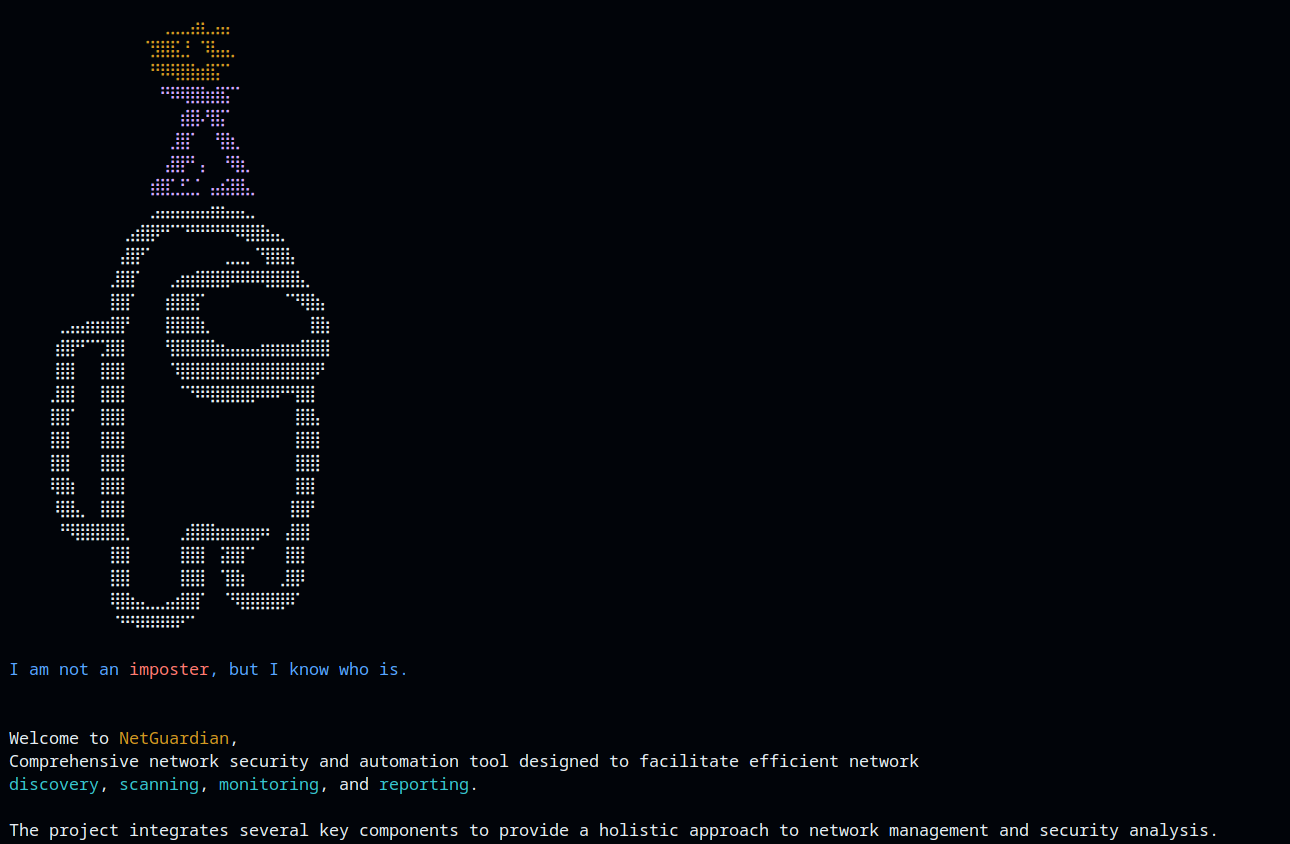
!MainScreenshot
NetGuardian is a comprehensi security and automation tool designed to facilitate efficient network discovery, scanning, monitoring, and reporting. The project integrates several key components to provide a holistic approach to network management and security analysis. Below are the main components and their functionalities:
---
Architecture
The interactive menu engine (NetGuardian.py) is the entry point. It routes the user to the four functional modules, which persist their findings through the shared ReportGenerator. Note that the modules use different report formats: PortScanner writes CSV, TXT, and JSON; Discover writes CSV and TXT; the Analyzer detection routines report their results to the console and do not currently persist through ReportGenerator.
<!--
Screenshot slot: place additional UI screenshots in docs/screenshots/ and embed them here, e.g.
!NetGuardian main menu
-->
---
Components and Functionalities:
#### 1. Discover
The Disco focuses on identifying and mapping network devices and their attributes. Its primary functions include:
!SScreenshot
#### 2. Port_Scanner
Built on the NetworkConfig class, the Port_Scanner module offers extensi scanning capabilities. Key features include:
!SScreenshot
#### 3. Analyzer
The Analyzer module provides ad network traffic analysis and anomaly detection. Its capabilities include:
!SScreenshot
#### 4. TaskAutomation
The TaskAutomation module allows users to automate and manage multiple tasks efficiently. It supports execution modes:
!SScreenshot
#### 5. Report_Generator
The Report_Generator module produces detailed reports in multiple formats. It includes:
metadata object in JSON reports).---
Usage Scenarios:
---
NetGuardian offers a robust suite of tools for network administrators, security professionals, and IT auditors to maintain secure and well-managed network en. Its combination of discovery, scanning, monitoring, and reporting capabilities ensures comprehensi of all aspects of network security.
---
Requirements
ping, timeout, ifconfig, sysctl) and reads /etc/sysctl.conf, so it is not portable to Windows/macOS as-is.sudo.scapy for packet capture, e.g. sudo apt install libpcap-dev).requirements.txt: scapy, netifaces, requests, networkx, matplotlib.MAC.CSV (bundled) is the public IEEE OUI registry used for offline MAC- lookups.
---
Getting Started
Clone the repository:
git clone
cd NetGaurdian
(Optional) create a en:
python3 -m venv venv
source venv/bin/activate
Install dependencies:
pip install -r requirements.txt
---
Usage
Run the main interactive menu with root pri:
sudo python3 NetGuardian.py
Indi modules can also be run on their own, e.g.:
sudo python3 Discover.py
sudo python3 Analyzer.py
python3 PortScanner.py
Follow the on-screen prompts to select a module and an action. See Instructions.txt for a per-module command reference.
---
Running with Docker
A Dockerfile is provided so you can run NetGuardian with a reproducible dependency
en (Python 3.12 + scapy/netifaces/networkx/matplotlib and the required
Linux packet utilities) instead of installing e on the host.
> Docker here provides reproducible dependencies, not isolation. NetGuardian is a
> raw-packet tool: ARP/ICMP discovery, SYN/ACK/FIN/etc. scans, traffic sniffing,
> MAC-address spoofing, and IP-forwarding toggling all need the host network and the
> NET_RAW / NET_ADMIN capabilities. The container therefore shares the host's
> network stack and runs pri operations directly against it.
Build the image:
docker build -t netguardian .
Run the interactive menu (Linux host required):
docker run --rm -it \
--net=host \
--cap-add=NET_RAW \
--cap-add=NET_ADMIN \
netguardian
Notes:
--net=host is required so the tool sees your real interfaces; the addedcapabilities let scapy open raw sockets and let the MAC /
sysctl paths work.the working directory, e.g.
-v "$PWD/reports:/app" (or mount a subpath), thenchoose *Sa to file* in the menu.
root: the added capabilities are only effectivefor uid 0, and a non-root user would silently break every raw-socket feature.
Only run this against networks you own or are explicitly authorized to assess
(see *Authorized Use Only* below). Running inside a container does not change your
legal responsibilities.
---
Authorized Use Only
NetGuardian is intended for defensi administration, monitoring, and security auditing on networks you own or are explicitly authorized to assess. Scanning, sniffing, MAC-address spoofing, or otherwise probing networks and hosts without permission may be illegal in your jurisdiction. You are solely responsible for complying with all applicable laws and for obtaining written authorization before use. The authors accept no liability for misuse.
---
A note on naming
Earlier re of this project used the misspelling *NetGaurdian* for the
repository, entry-point script, and help file. These have all been corrected to
NetGuardian (NetGuardian.py). GitHub redirects the old repository URL, so
existing clones and links continue to work.
---
Contributing:
Contributions, bug reports, and feature requests are welcome! Feel free to fork the repository, make your changes, and submit a pull request.
项目信息
开发语言:Python
Star 数:2
技术要点
该项目属于防护思路方向的开源资源,代码结构清晰,适合安全研究人员学习参考。项目围绕Comprehensive network security and automation tool designed to facilitate efficient network discovery, scanning, monitoring, and reporting.展开,提供了可运行的实现,对理解相关安全机制、工具原理与攻防技术具有较高的研究价值。
从技术实现角度看,此类项目的核心在于对底层原理的深入理解与工程化落地。开发者在研究过程中可以结合官方文档与社区讨论,梳理项目的初始化流程、核心模块职责与数据流转,逐步掌握其中的技术细节与设计思路。
使用与学习建议
1. 下载源码压缩包,解压到本地环境。
2. 根据项目类型准备对应的运行环境与依赖。
3. 按照 README 中的步骤完成配置与部署。
4. 在隔离的测试环境中运行验证,避免影响生产系统。
免责声明
本资源来源于开源社区,仅供安全研究、技术学习与合法授权范围内的攻防演练使用,请勿用于任何非法或侵害他人权益的用途。使用本项目产生的一切后果由使用者自行承担。
| 资源标题 | NetGuardian - Comprehensive network security and automation tool |
| 所属分类 | 防护思路 |
| 发布作者 | admin |
| 发布时间 | 2026-10-06 00:21:46 |
| 下载权限 | 免费下载 |
| 附件数量 | 2 个下载链接 |
| 浏览次数 | 468 |
| 讨论数量 | 0 |
| 主题状态 | 正常讨论中 |