 防护思路
点击放大
SwarmID-Intrusion-Detection-System - SwarmID - Anomaly-Based Intrusion Detection System
项目说明
SwarmID - Anomaly-Based Intrusion Detection System Using Swarm Intelligence
![.NET]()
![C#]()
![Blazor]()
![LiteDB]()
![SignalR]()
A comprehensi detection system that le swarm intelligence algorithms (Ant Colony Optimization and Bee Algorithm) to detect network anomalies in real-time. The system provides ad network traffic analysis, anomaly classification, and an intuiti dashboard for security monitoring.
🚀 Features
🧠 Swarm Intelligence Algorithms
📊 Real-time Monitoring
🔍 Multi-format Traffic Analysis
🎯 Anomaly Classification
📈 Performance Metrics
🏗️ Architecture
The system follows a clean architecture pattern with clear separation of concerns:
📁 Project Structure
🚀 Quick Start
Prerequisites
Installation
1. Clone the repository
2. Restore dependencies
3. Build the solution
4. Run tests
Running the Application
#### Option 1: Using Studio
1. Open SwarmID.sln in Studio 2022
2. Set multiple startup projects:
- SwarmID.Api
- SwarmID.Dashboard
3. Press F5 to start debugging
#### Option 2: Using Command Line
Start the API (Terminal 1):
Start the Dashboard (Terminal 2):
Access the Application
📸 Screenshots
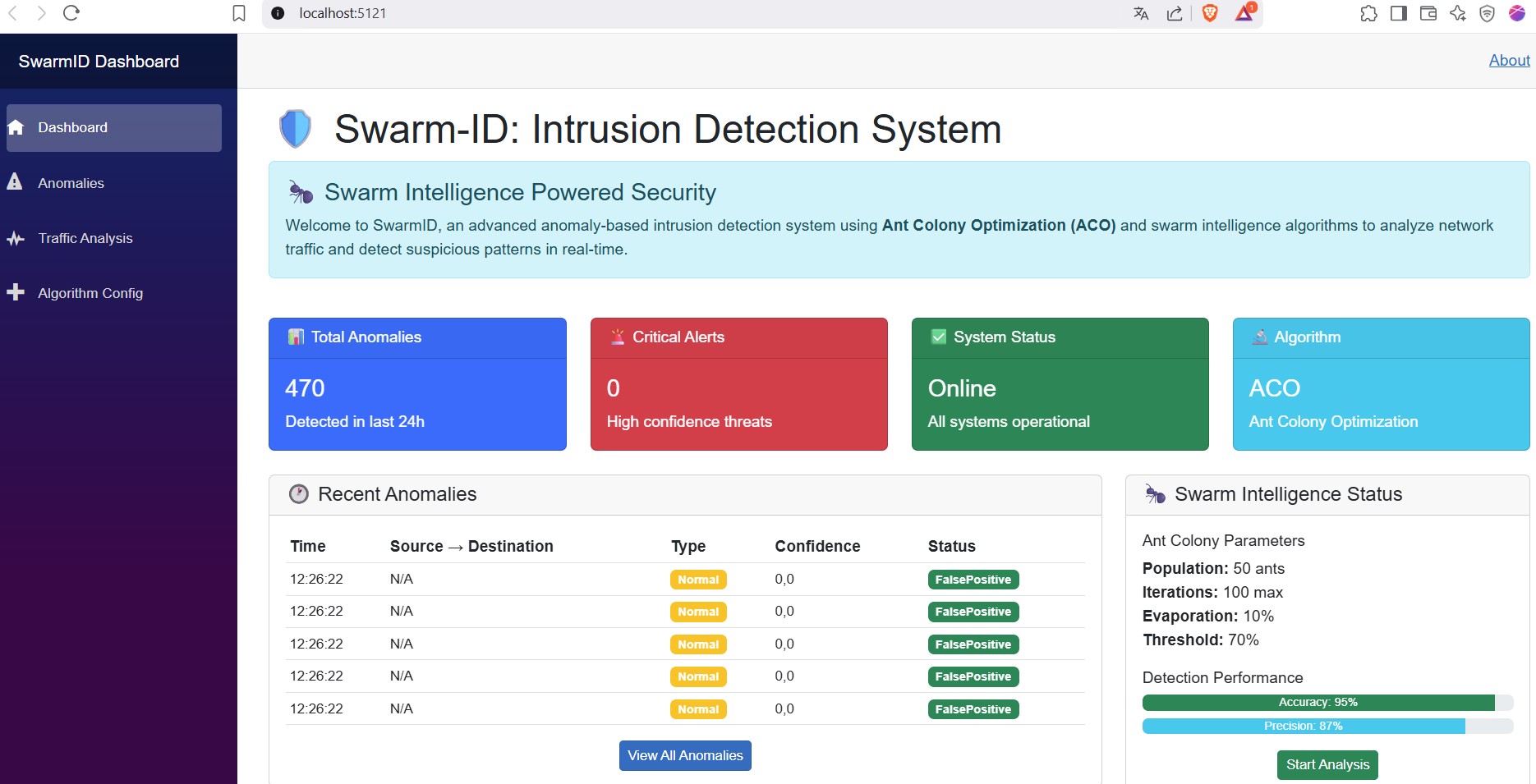
Main Dashboard
!Main Dashboard
*Real-time system o with anomaly detection statistics and performance metrics*
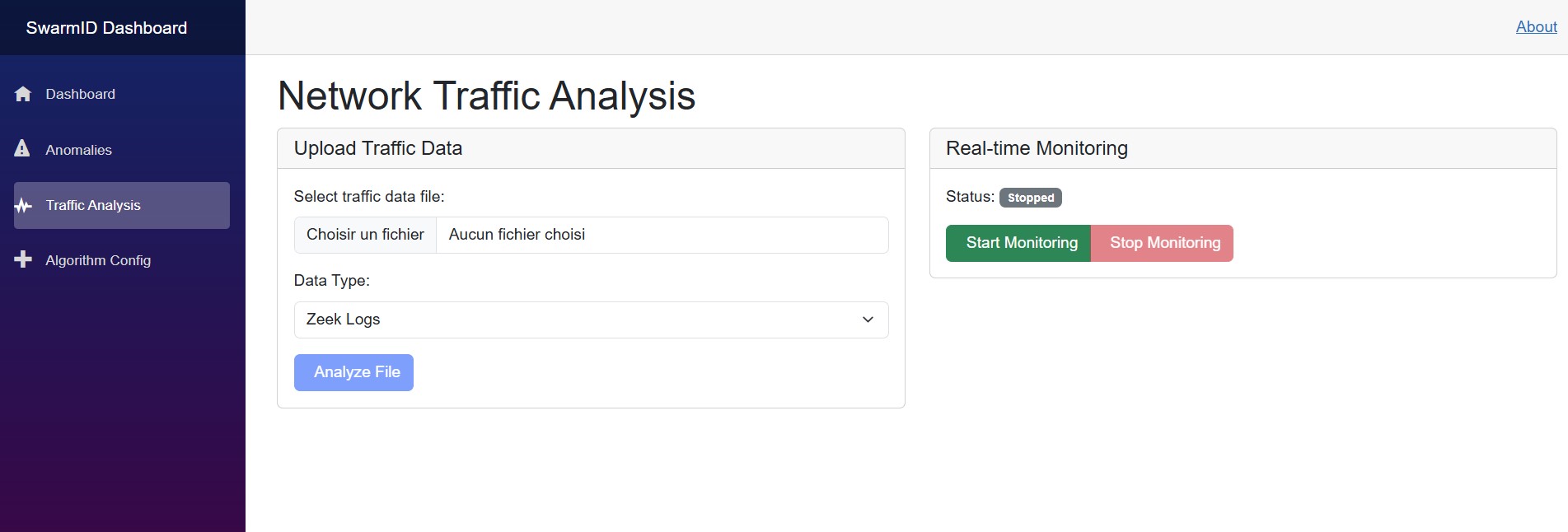
Traffic Analysis Page
!Traffic Analysis
*Network traffic monitoring with file upload and real-time analysis capabilities*
Anomaly Management
!Anomaly Management
*Comprehensi review and management interface*
API Documentation (Swagger)
!API Documentation
*Interactive API documentation with endpoint testing capabilities*
Real-time Monitoring
!Real-time Monitoring
*Li traffic and instant anomaly alerts*
PCAP File Upload
!PCAP Upload
*File upload interface for PCAP, Zeek logs, and Snort alerts analysis*
📊 Usage
1. Dashboard O
2. Traffic Monitoring
3. Anomaly Management
4. API Integration
🧪 Testing
The project includes comprehensive test co:
Test Co:
🔧 Configuration
Algorithm Parameters
Configure swarm intelligence algorithms in appsettings.json:
Database Configuration
LiteDB configuration for data storage:
📈 Performance Optimization
Algorithm Tuning
Scalability
🔒 Security Considerations
📚 Documentation
📸 Adding Screenshots
To add screenshots to this documentation:
1. Prerequisites: Ensure both services are running
2. Take Screenshots: Visit the URLs and capture screenshots
- Dashboard:
- API Docs:
3. Sa: Place PNG files in docs/images/ with exact names:
- dashboard-main.png
- traffic-analysis.png
- anomaly-management.png
- api-swagger.png
- realtime-monitoring.png
- pcap-upload.png
4. Automatic Display: Images will appear automatically in the README
See docs/SCREENSHOT_GUIDE.md for detailed instructions.
🤝 Contributing
1. Fork the repository
2. Create a feature branch (git checkout -b feature/amazing-feature)
3. Commit your changes (git commit -m 'Add amazing feature')
4. Push to the branch (git push origin feature/amazing-feature)
5. Open a Pull Request
De Guidelines
📄 License
This project is licensed under the MIT License - see the LICENSE file for details.
👥 Authors
🙏 Acknowledgments
---
SwarmID - Protecting networks through the power of swarm intelligence 🐝🐜
项目信息
开发语言:C#
Star 数:2
技术要点
该项目属于防护思路方向的开源资源,代码结构清晰,适合安全研究人员学习参考。项目围绕SwarmID - Anomaly-Based Intrusion Detection System Using Swarm Intelligence展开,提供了可运行的实现,对理解相关安全机制、工具原理与攻防技术具有较高的研究价值。
从技术实现角度看,此类项目的核心在于对底层原理的深入理解与工程化落地。开发者在研究过程中可以结合官方文档与社区讨论,梳理项目的初始化流程、核心模块职责与数据流转,逐步掌握其中的技术细节与设计思路。
使用与学习建议
1. 下载源码压缩包,解压到本地环境。
2. 根据项目类型准备对应的运行环境与依赖。
3. 按照 README 中的步骤完成配置与部署。
4. 在隔离的测试环境中运行验证,避免影响生产系统。
免责声明
本资源来源于开源社区,仅供安全研究、技术学习与合法授权范围内的攻防演练使用,请勿用于任何非法或侵害他人权益的用途。使用本项目产生的一切后果由使用者自行承担。
| 资源标题 | SwarmID-Intrusion-Detection-System - SwarmID - Anomaly-Based Intrusion Detection System |
| 所属分类 | 防护思路 |
| 发布作者 | admin |
| 发布时间 | 2026-10-06 00:22:15 |
| 下载权限 | 免费下载 |
| 附件数量 | 2 个下载链接 |
| 浏览次数 | 531 |
| 讨论数量 | 0 |
| 主题状态 | 正常讨论中 |