 防护思路
点击放大
SentinelWiFi - Passive personal network security auditor (defensi
项目说明
<h1 align="center">SentinelWiFi</h1>
<p align="center">
<strong>A home network health check for your own WiFi and LAN.</strong><br>
Grades your network A–F, flags what's wrong, and tells you how to fix it — in plain language.
</p>
<p align="center">
<img src=" alt="CI">
<img src=" alt="MIT">
<img src=" alt="Python 3.10+">
<img src=" alt="Passive only">
</p>
<p align="center">
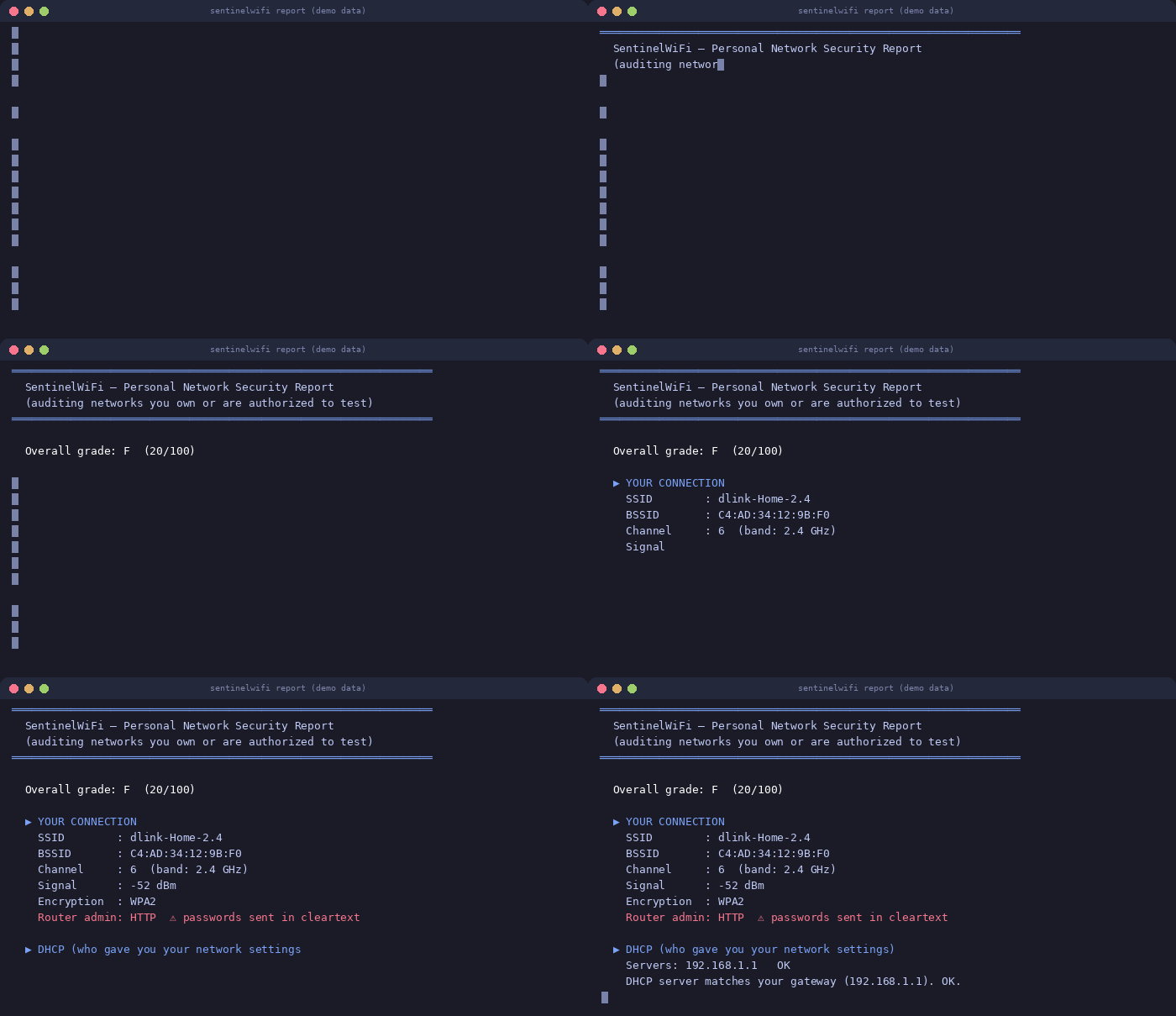
<img src="docs/demo.gif" alt="SentinelWiFi report demo (sample data)" width="700">
</p>
SentinelWiFi audits the network you own: WiFi encryption, router admin
exposure, rogue DHCP servers, e access points, and the devices on
your subnet. E is passive and local-only — it listens, never
transmits anything beyond ordinary LAN traffic, writes its data to~/.sentinelwifi/, and has no telemetry, no cloud component, and no
auto-update.
> Scope: run this on networks you own or are explicitly authorized to
> test. Scanning or monitoring other people's networks is illegal in most
> jurisdictions (CFAA in the US, computer-misuse laws in the EU, and
> equi elsewhere).
| | Linux | Windows | macOS |
|---|---|---|---|
| Connection audit | ✔ | ✔ () | ✔ |
| AP en scan | ✔ full / managed fallback | managed only | unsupported |
| E + congestion analysis | ✔ | ✔ | unsupported |
| Device in (devices, watch) | ✔ | ✔ | unsupported |
| Service scan (ports) | ✔ | ✔ | unsupported |
| Passi window | ✔ monitor adapter | — | — |
macOS is unsupported: it may work, but nobody has it. If you
try it, run sentinelwifi doctor and file an issue with the output.
Quick start
Or from a clone:
No adapter handy, or just curious what the output looks like?python sentinel.py demo renders a full report from synthetic data —
that's exactly what the GIF abo.
What it checks
type. Open and WEP networks are flagged as what they are: no real
protection.
(your admin password crosses the LAN in cleartext) or HTTPS.
handed out your settings isn't your gateway, someone else may be
redirecting your traffic.
point, you get a critical warning with the suspicious BSSIDs listed.
2.4 GHz o math (channels 1/6/11 are not the whole story).
can be cracked via its PIN no matter how strong your password is.
Detected passively from beacons; the fix is a single router toggle.
whether forced-disconnect attacks would even work against your network.
No attack is e; it's a capability flag in the beacon.
so you know when your router is due for an upgrade.
Devices are remembered between runs; anything new shows up marked
★ NEW.
watch re-sweeps every 60 s and alerts on joiners, optionallywith a desktop notification.
port list (Telnet, TR-069, VNC, RDP, SMB…) against your own devices,
with banner grabbing: *"what could an attacker who got onto my WiFi
touch first?"*
How it works
!Scan pipeline
What it deliberately does not do
No packet injection, no deauthentication, no handshake capture, no
password or WPS attacks, no association attempts, no scanning outside
your subnet. CI enforces this: every push greps the package for offensive
capability and fails the build if any appears. That's not a marketing
line — it's a test in ci.yml, and you can run
it yourself:
If a feature needs monitor mode and your adapter can't do it, the tool
falls back to a managed-mode scan and says so in the report. It never
crashes, and it ne skips.
Commands
Global flags work before or after the subcommand: --json, --html FILE,--iface NAME, --quiet (suppresses platform notes — handy in cron).
Per-command options: --window, --interval, --timeout, --no-ports,--notify, --csv.
Machine-readable output is first-class: --json for full reports,--csv for device lists, --quiet for clean logs. Example cron entry
that appends only new devices to a file:
Sample outputs
Configuration
On first run a config file appears at ~/.sentinelwifi/config.json:
trusted_bssids is worth setting on dual-band setups: put your own
APs' BSSIDs there and the e check stops flagging your second
radio.
How the grade works
The score starts at 100 and loses points per finding — Open/WEP WiFi
(−45), rogue DHCP (−20), a possible evil twin (−20), unknown devices
(−10/−25), HTTP admin page (−15), exposed risky services (−10), a
brand-re SSID (−10), WPS enabled (−10), PMF off (−5), congestion
(−5), WPA2 instead of WPA3 (−5).
Bands: A ≥ 90, B ≥ 75, C ≥ 60, D ≥ 40, F below that. Every rule lives inscoring.py, commented, in plain sight.
Platform notes
monitor-capable adapter (most laptop built-ins are managed-mode-only;
the tool detects this and falls back). Install
iw for wireless tools.there. If you try it,
doctor first, then file an issue with theoutput.
scapy? ARP falls back to reading the kernel neighbour table(after priming it with a quick connect sweep) and sniffing is skipped
with a note. Missing
rich? Plain text instead of colors.pip install --user, run without sudoor install it system-wide — root's Python can't see user packages.
FAQ
Is it safe to run on public WiFi?
Yes — that's a design goal. It ne frames, ne to
join anything, and stores e locally. It adds no attack surface
of its own.
Why does the report say "no devices found" when I ran with sudo?
You probably installed scapy with pip install --user, which root's
Python can't see. Either run without sudo, or sudo pip install scapy.sentinelwifi doctor will tell you exactly which case you're in.
**My router has two WiFi names (2.4 GHz and 5 GHz) — why is it flagged
as a possible evil twin?**
Two BSSIDs with the same SSID is exactly what a dual-band router looks
like. Add both BSSIDs to trusted_bssids in the config and the warning
stops.
Does the "new device" alarm mean someone hacked me?
No — it means a device your machine hasn't seen before joined your
network. A housemate's new phone triggers it too. That's the point: you
decide whether you recognize it.
The grade dropped after I changed nothing — why?
New neighbors, a new device, or your router answering HTTP after a
firmware update all change findings. Run it a few times to learn your
network's normal baseline.
De
Contributions welcome — see CONTRIBUTING.md. The two CI
guards that keep the tool honest (no offensi, header on every
file) are non-negotiable. Planned work is in ROADMAP.md;
changes are logged in CHANGELOG.md.
License
MIT, see LICENSE. Use it on your own networks.
---
maintained · 2026-09-30
项目信息
开发语言:Python
Star 数:1
技术要点
该项目属于防护思路方向的开源资源,代码结构清晰,适合安全研究人员学习参考。项目围绕Passive personal network security auditor (defensive only) — audits WiFi environments and LANs you own展开,提供了可运行的实现,对理解相关安全机制、工具原理与攻防技术具有较高的研究价值。
从技术实现角度看,此类项目的核心在于对底层原理的深入理解与工程化落地。开发者在研究过程中可以结合官方文档与社区讨论,梳理项目的初始化流程、核心模块职责与数据流转,逐步掌握其中的技术细节与设计思路。
使用与学习建议
1. 下载源码压缩包,解压到本地环境。
2. 根据项目类型准备对应的运行环境与依赖。
3. 按照 README 中的步骤完成配置与部署。
4. 在隔离的测试环境中运行验证,避免影响生产系统。
免责声明
本资源来源于开源社区,仅供安全研究、技术学习与合法授权范围内的攻防演练使用,请勿用于任何非法或侵害他人权益的用途。使用本项目产生的一切后果由使用者自行承担。
| 资源标题 | SentinelWiFi - Passive personal network security auditor (defensi |
| 所属分类 | 防护思路 |
| 发布作者 | admin |
| 发布时间 | 2026-10-06 00:26:49 |
| 下载权限 | 免费下载 |
| 附件数量 | 2 个下载链接 |
| 浏览次数 | 332 |
| 讨论数量 | 0 |
| 主题状态 | 正常讨论中 |