 防护思路
点击放大
PowerAudit - Windows configuration audit and security review to
项目说明
PowerAudit 3.2
> Windows configuration audit and security review tool — for ethical and defensive use only.
---
<a href="
<img src="
alt="Image"
width="500">
</a>
Objective
PowerAudit is a PowerShell script designed for Blue Team analysts, system administrators, and security auditors. It provides a rapid snapshot of a Windows machine's configuration, identifies de from security best practices, and generates an interactive HTML report ready for immediate use.
The script contains no write, modify, or exploitation commands. It relies exclusively on read-only calls (Get-*, netsh, bcdedit, we, etc.) and does not alter the audited system in any way.
---
Guide
<img width="1353" height="592" alt="image" src=" />
Dashboard
<img width="1339" height="590" alt="image" src=" />
Audit logs
<img width="1361" height="597" alt="image" src=" />
Export PDF Report
<img width="1336" height="589" alt="image" src=" />
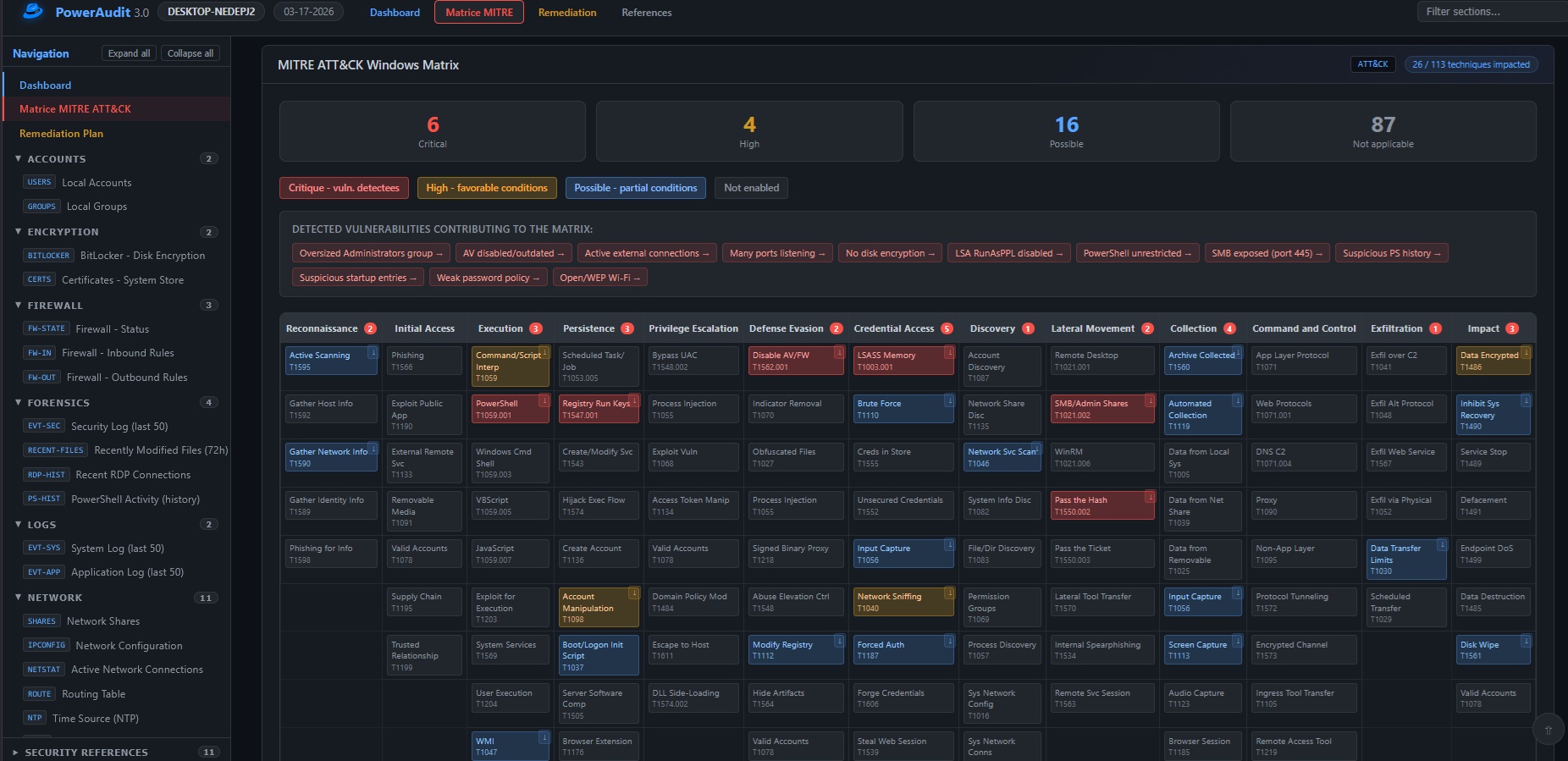
MITRE Matrix
<a href="
<img src="
alt="Image"
width="900">
</a>
Remediation
<a href="
<img src="
alt="Image"
width="900">
</a>
Legal Disclaimer
> The author of this script cannot be held responsible for its use.
> PowerAudit is designed to be used only on systems you own or for which you ha written authorization.
> Any use on a third-party system without authorization is illegal and unethical.
> This script contains only read commands and does not modify, exfiltrate, or alter any system data.
---
Prerequisites
PowerShell and Administrator rights
The script requires Administrator rights to access certain system information (security logs, local security policy, GPO, etc.).
> PowerShell must be launched as Administrator (right-click → Run as administrator).
Minimum requirements
---
Recommended Usage
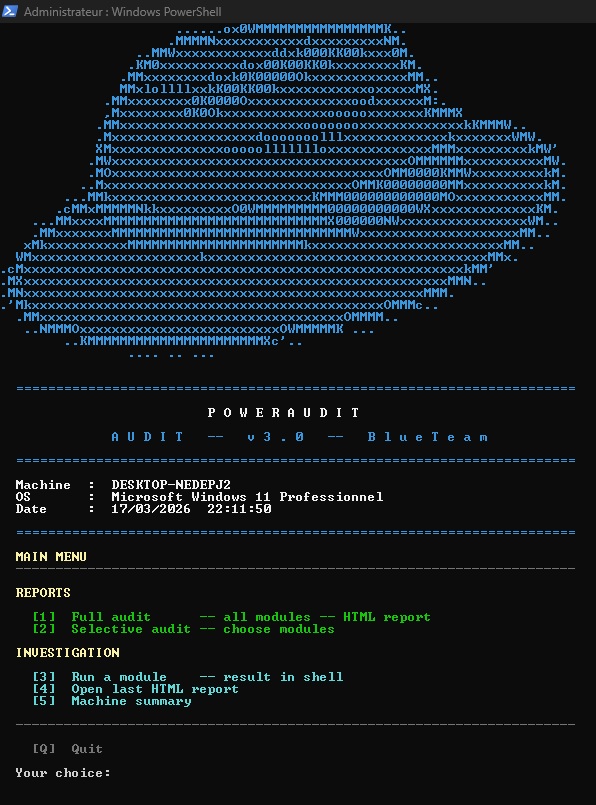
Powershell in administrator (full analysis)
Powershell in user is not possible but you can try
<img width="718" height="68" alt="image" src=" />
---
Menus
Menu 1 — Full Audit
Runs all 46 audit modules in sequence and generates a complete interactive HTML report.
The report is saved in the current directory as:
Menu 2 — Selecti
Lets you manually choose which modules to run via an interacti menu.
| Command | Action |
|---------|--------|
| [number] | Check / uncheck a module |
| A | Select all |
| N | Deselect all |
| V | and generate report |
| Q | Back without generating |
Partial reports are saved as:
Menu 3 — Indi Execution
Runs a single module and displays the result directly in the shell, without generating an HTML report. Useful for quick checks or targeted diagnostics.
Menu 4 — Open Last Report
Opens the last HTML report generated during the current session in the default browser.
Menu 5 — Machine Summary
Displays a full machine o in the console:
---
Audit Modules (46)
| # | ID | Description | Category |
|---|----|-------------|----------|
| 01 | BCD | Boot Manager | System |
| 02 | OS | OS Information | System |
| 03 | ENV | En | System |
| 04 | PROC-TREE | Process Tree | Processes |
| 05 | PROC-LIST | Process List | Processes |
| 06 | EXEC-POL | PowerShell Policy | Security |
| 07 | SECEDIT | Local Security Policy | Security |
| 08 | USERS | Local Accounts | Accounts |
| 09 | GROUPS | Local Groups | Accounts |
| 10 | SHARES | Network Shares (SMB) | Network |
| 11 | USB | USB History | System |
| 12 | DISK | Partitions / Disks | System |
| 13 | IPCONFIG | Network Configuration | Network |
| 14 | NETSTAT | Acti Connections | Network |
| 15 | ROUTE | Routing Table | Network |
| 16 | WSUS | Update Source (WSUS) | Updates |
| 17 | HOTFIX | Installed Updates | Updates |
| 18 | NTP | Time Source (NTP) | Network |
| 19 | WIFI | Wi-Fi Configuration | Network |
| 20 | DNS-CACHE | DNS Cache | Network |
| 21 | PROXY | Proxy Configuration | Network |
| 22 | ARP | ARP Table | Network |
| 23 | HOSTS | HOSTS File | Network |
| 24 | SERVICES | Services Status | Services |
| 25 | FW-STATE | Firewall — Status | Firewall |
| 26 | FW-IN | Firewall — Inbound Rules | Firewall |
| 27 | FW-OUT | Firewall — Outbound Rules | Firewall |
| 28 | AV | Antivirus | Security |
| 29 | TASKS | Scheduled Tasks | Persistence |
| 30 | APPS | Installed Software | System |
| 31 | E | System Log (last 50) | Logs |
| 32 | E | Application Log (last 50) | Logs |
| 33 | GPO | GPO / GPResult | Security |
| 34 | STARTUP | Startup Programs | Persistence |
| 35 | IPv6 | IPv6 — Addresses and Privacy | Network |
| 36 | BITLOCKER | BitLocker — Disk Encryption | Encryption |
| 37 | CERTS | Certificates — System Store | Encryption |
| 38 | E | Security Log (last 50) | Forensics |
| 39 | RECENT-FILES | Recently Modified Files (72h) | Forensics |
| 40 | RDP-HIST | Recent RDP Connections | Forensics |
| 41 | PS-HIST | PowerShell Activity (history) | Forensics |
| 42 | UAC | UAC Rights and Pri | |
| 43 | APPLOCKER | AppLocker / SRP | |
| 44 | LSAPROT | Credential Guard / LSA Protection | |
| 45 | NET-GEO | Established Connections — GeoIP | |
| 46 | PS-MODULES | Loaded PowerShell Modules | |
---
HTML Report
The generated report is a self-contained HTML file (no external dependencies) containing:
Security Score Calculation
The score is not a simple a. It is calculated using a formula inspired by CVSS:
Puniti — certain critical domains in failure lock the global score regardless of other modules:
| Condition | Ceiling | Meaning |
|-----------|---------|---------|
| Critical domain (weight >= 4) at <= 2/10 | 3.9 | E.g. Antivirus disabled -> Critical certain |
| Critical domain (weight >= 4) at <= 4/10 | 4.9 | Severe failure on vital domain |
| Critical domain (weight >= 4) at <= 6/10 | 6.4 | Partial failure on vital domain |
| Important domain (weight >= 3) at <= 2/10 | 4.9 | Major failure |
| Important domain (weight >= 3) at <= 4/10 | 5.9 | Significant failure |
Critical domains (weight 4): Antivirus, Firewall, Updates, Security Log, LSA Protection.
Co penalty — a partial audit (few modules analyzed) pulls the score toward 5/10 to reflect uncertainty.
Display thresholds:
| Score | Label | Color |
|-------|-------|-------|
| 0 – 4.9 | Critical | Red |
| 5 – 6.9 | Warning | Yellow |
| 7 – 10 | Good | Green |
---
License
Apache 2.0 — see LICENSE file.
---
Author
Anadema
项目信息
开发语言:PowerShell
Star 数:1
技术要点
该项目属于防护思路方向的开源资源,代码结构清晰,适合安全研究人员学习参考。项目围绕Windows configuration audit and security review tool - Powershell 5.0 — for ethical and defensive use only.展开,提供了可运行的实现,对理解相关安全机制、工具原理与攻防技术具有较高的研究价值。
从技术实现角度看,此类项目的核心在于对底层原理的深入理解与工程化落地。开发者在研究过程中可以结合官方文档与社区讨论,梳理项目的初始化流程、核心模块职责与数据流转,逐步掌握其中的技术细节与设计思路。
使用与学习建议
1. 下载源码压缩包,解压到本地环境。
2. 根据项目类型准备对应的运行环境与依赖。
3. 按照 README 中的步骤完成配置与部署。
4. 在隔离的测试环境中运行验证,避免影响生产系统。
免责声明
本资源来源于开源社区,仅供安全研究、技术学习与合法授权范围内的攻防演练使用,请勿用于任何非法或侵害他人权益的用途。使用本项目产生的一切后果由使用者自行承担。
| 资源标题 | PowerAudit - Windows configuration audit and security review to |
| 所属分类 | 防护思路 |
| 发布作者 | admin |
| 发布时间 | 2026-10-06 00:27:33 |
| 下载权限 | 免费下载 |
| 附件数量 | 2 个下载链接 |
| 浏览次数 | 172 |
| 讨论数量 | 0 |
| 主题状态 | 正常讨论中 |