 红蓝攻防
点击放大
discover - Custom Bash and Python scripts used to automate va
项目说明
Discover
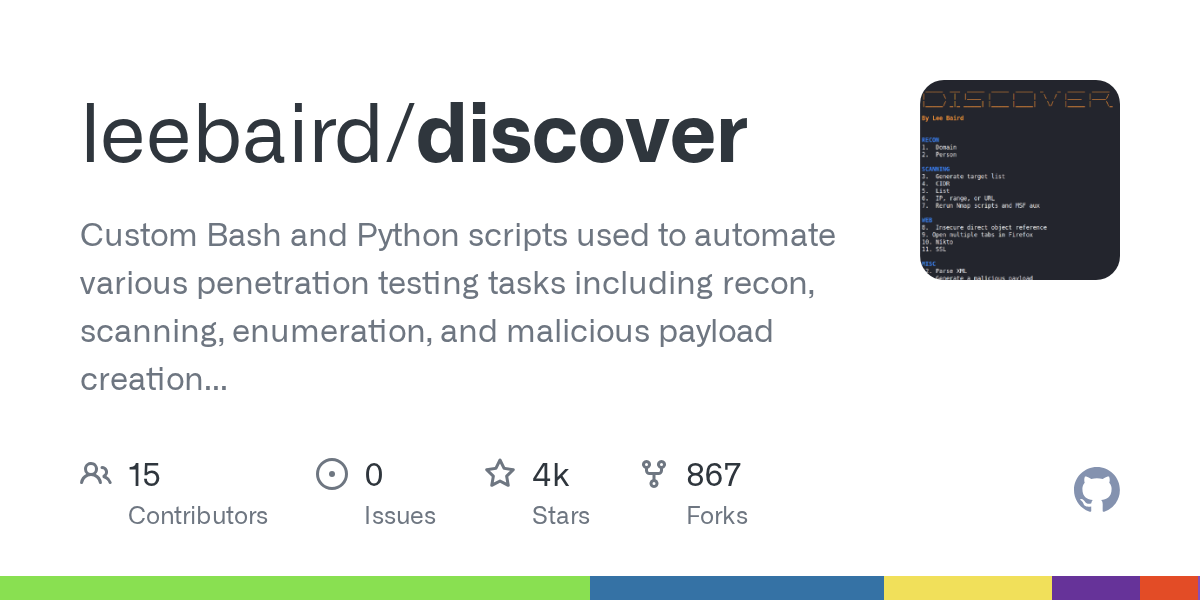
Custom Bash and Python scripts used to automate penetration testing tasks including recon, scanning, enumeration, and malicious payload creation using Metasploit. For use with Ubuntu. Limited support for Kali Linux.
![License: MIT]()
* ![Twitter Follow]() Lee Baird
* ![Twitter Follow]() Jay "L1ghtn1ng" Townsend
----------------------------------------------------------------------------------------------
Setup and usage
* Download to your home directory.
* On first run, Discover asks for your first name (max 10 letters) and saves it to ~/.disco. That name is written on every engagement audit log line. To change it later, edit or delete that file and restart Discover.
* Select main menu option 18 Update to update the operating system and install dependencies.
* Some options require root credentials to run.
---
Optional shell helpers (config/zshrc)
| Host | What install.sh does |
|------|-------------------------|
| Ubuntu / other (incl. macOS) | Copies zshrc to ~/.bash_aliases and sources it |
| Kali (detected via /etc/os-release) | Appends zshrc to ~/.zshrc |
Also installs tmux.conf to ~/.tmux.conf and vimrc to ~/.vimrc.
Useful commands (after install / new shell):
| Command | Purpose |
|---------|---------|
| n | Network summary (external/internal IP, DNS, MAC, iface; ss without TIME-WAIT; ping 8.8.8.8) |
| s | cd ~/discover and short git status (no pull) |
| m / ms | Start MSF DB + console / stop MSF DB |
| web / web2 | HTTP server on port 80 (sudo) / 8000 |
| now | Formatted date/time (does not o date) |
| update | Grok update + full apt upgrade chain |
| bh, th, smb, sip | BloodHound, theHar, smbserver, IP sort |
Network identity (IPs, DNS, MAC) is computed when you run n / web / upload — not at shell startup — so new shells stay fast and stay current after VPN/wifi changes.
Notes
* On Ubuntu and other non-Kali hosts, re-running o ~/.bash_aliases with the repo copy.
* On Kali, re-running install.sh appends again and can duplicate the block; edit ~/.zshrc or install only once.
* Default zsh on macOS/Kali does not load ~/.bash_aliases unless you source it from ~/.zshrc.
---
Main menu
----------------------------------------------------------------------------------------------
RECON
Domain
Note: Passive and Acti be run as root.
---
#### Engagement workflow
1. Passive — build $HOME/data/<domain>/ HTML report.
2. Open report (or finish Active) so the engagement is on statusd.
3. Audit > Import — names, names/titles/emails, subdomains, or another operator’s package into the current report.
4. Active — httpx / whatweb / gowitness; Active and Subdomains pages; optional NVD CVSS.
5. Shodan (optional) — Active page Enrich (Shodan checkbox).
6. Software filter on Active, then filtered Subdomains, then host scans in operator mode.
7. Export — on Report > Audit (Disco only): Client, Defender, or Operator package.
---
#### Passi
Uses Amass, ARIN, DNSRecon, dnstwist, Metasploit, subfinder, sublist3r, Shodan CTL (free CT hostnames; no API key), theHar, Whois, and multiple websites.
* Acquire free API keys for maximum results with theHar ($HOME/.theHar/api-keys.yaml).
* Passi an HTML report at $HOME/data/<domain>/.
* Find registered domains updates pages/registered-domains.htm in an existing report.
* HTML Reports menu: Passive, Active, and Audit.
* Names: US public companies pull DEF 14A / Form 4 from SEC EDGAR.
* Summary: HQ from 10-K then website footer (tools/company-manual.tsv o); social profile links when found.
---
#### Import
On Reports > Audit, Import (Disco only) targets the current engagement.
| Choice | What it does |
|--------|----------------|
| Operator scans | Merge another operator’s unpacked report (host-scans, screenshots, Active data, their audit lines) |
| Names | Merge tools/names-manual.tsv (Name, Title, Phone; # comments; filled title/phone win) |
| Names, titles, and emails | Merge an external names dump into Names and Emails |
| Subdomains | Existing sources (Firefox / Pentest-Tools / TSV) or CSV subdomain,ip,category; optional Active on new public hosts |
CLI (same backends):
CSV list skips hosts already in tools/subdomains. Empty IP then dig. Category: Disco first, else CS writes recon/subdomain-categories.tsv.
---
#### Active
Domain menu option 6. Run after Passive (and optionally Import subdomains).
* Reads public hostnames from tools/subdomains (stored RFC1918 skipped).
* dig A @1.1.1.1 before httpx. A private, loopback, link-local, or 0.0.0.0 answer is left out of httpx and added to tools/pri (tools/dns-private.tsv). The stored public IP is not changed. VPN DNS is not used.
* httpx (tools/httpx.jsonl); alive = 200–399, 401, 403, or 405.
* whatweb + gowitness on alive URLs; merge with recon/acti.py.
* Re-run Active to replace those artifacts and rebuild Active / Subdomains.
Artifacts li tools/ (httpx.jsonl, whatweb.json, gowitness/, software-c.json).
##### Software filter and host scans
In operator mode only (report opened via Open report / Active at ), Subdomains public rows with an HTTP status get a host-scan expand control (also on ?software= / ?cve= filtered views). Manual file:// open ne chevrons. Expandable rows show host-scan boxes (quietest to loudest):
| Tool | Role | When shown |
|------|------|------------|
| robots | Fetch /robots.txt and list Disallow paths (same idea as multiTabs, then Directories in robots.txt); TXT = raw body, WEB = open Disallow dirs in Firefox | Always on expand |
| nmap | TCP-only: nmap -Pn -n --open -sTV -p <ports> <host>. With UDP: sudo nmap --pri -Pn -n --open -sTV -sUV -p T:<tcp>,U:<udp> <host> (Shodan transport, else Discover UDP= list; port 53 always TCP+UDP). UDP prompts for sudo in the host-scan terminal if needed. If raw UDP sendto is blocked (often VPN/TUN), TXT warns and does not keep tcpwrapped as a UDP fingerprint. TXT; web opens each http/https SERVICE in Firefox (ssl/unknown as https) | Gated: Shodan ports for that IP, or the row URL is http/https (80 or 443 even if Shodan is empty). No HTTP pre-check |
| nuclei | Template recon (product tags) then auto Pass 2 CVE/KEV from the engagement software-C + CISA KE nuclei templates only) | Gated: product known via ?software= or row fingerprint (Technologies / title / web server / hostname). Hidden when no product is known |
| droopescan | CMS enum (scan drupal / ...; -e a -t 4 --hide-progressbar); TXT drops percent-bar lines | Gated: supported CMS from ?software= or row fingerprint (Drupal, Joomla, Moodle, Sil — not WordPress) |
| WPScan | WordPress checks (passi detection + moderate enum) | Gated: WordPress from ?software= or row fingerprint. Optional WPSCAN_API_TOKEN for vuln DB |
| nikto | Web ser (request timeout 5s, FAILURES=8, maxtime 10m, hard stop 11m); report TXT + HTM when the scan actually ran | Always on expand |
| feroxbuster | Content discovery (same wordlist picker as ffuf; no recursion; auto-bail; 10 threads, 20 req/s, 5s timeout, 10m time-limit); report TXT + WEB | Always on expand |
| ffuf | Content discovery (quiet defaults); report TXT + WEB (open each finding in Firefox) | Always on expand |
Each box shows the tool name and a blue Run button on one line, plus last-run time and green output buttons (TXT / HTM / WEB as applicable). A Unicode ⓘ in the top-right of each box opens a modal explaining what the tool does, when it appears, what Run does, safety check, and outputs.
Software fingerprint (expand): ?software= wins (e.g. Acti link). Otherwise Disco the row Technologies tokens (keeps when present, e.g. Kibana:9.4.2), then title, web server, and hostname labels (every label, e.g. uatapi.iis.cgi.com to IIS). Priority products include CMS, Kibana, Grafana, Prometheus, Elasticsearch, Jenkins, Kafka UI / Kafbat UI / AKHQ, Filebrowser, SonarQube, RabbitMQ, Redis Commander, Kiali, Kubecost, Superset, GitLab / Gitea / Gogs, Keycloak, Citrix / NetScaler AAA, Rancher, Argo CD (hostname argocd / argo-*), Eureka, Harbor, MinIO, Nexus, JFrog / Artifactory, Strapi, CloudBeaver, DBeaver, pgAdmin, UiPath (hostname accel360), Oracle (oci-adb-control / OCI ADB Control; not the bare oci label), Tomcat, WildFly / JBoss, SharePoint, IIS, nginx, Apache, ASP.NET, PHP, Node.js, CrafterCMS, Java (not Ja). Not Cisco ASA VPN. Citrix / NetScaler AAA is fingerprinted for nuclei (-tags citrix,netscaler). That product string is passed into run-host-scan.sh so nuclei Pass 1 uses product tags and Pass 2 can select C.
Reachability pre-check (HTTP expand tools): before nuclei, droopescan, wpscan, robots, nikto, ffuf, or feroxbuster launches, misc/run-host-scan.sh runs a curl HTTP/1.1 GET (15s max, same User-Agent as the scan). One request records status and time; a 000 result is retried once. robots probes {origin}/robots.txt (not the site root), so a slow or 403 homepage does not skip a working robots.txt. If the probe does not answer HTTP, Discover does not run the tool. The run’s output.txt records the skip, status.json / latest.json set skip_reason=host_unreachable, and the box shows Unreachable (red) with a TXT note. Nikto does not show HTM on that skip, and robots does not show WEB (no report / no Disallow list). nmap does not use this gate (Shodan ports and/or the row HTTP port).
Google Sheet (optional): Audit Config > Google Sheet stores a spreadsheet URL for this engagement (tools/op-notes-url). Host-scan Start appends one row. Authorize in that panel. Empty URL means off. Append uses uv (Disco). A missing uv, missing token, or failed write prints on the scan and does not abort the tool. Client/defender exports omit the URL file.
Active Scope: public / private / responding hosts. Status codes count all httpx responses; screenshots, whatweb, and Categories use the ali.
---
#### API keys, Shodan, and KEV
Audit Config > APIs (or ~/.disco, chmod 600). Shell export wins if set. Update seeds the file from resource/api-keys.example when missing.
| | Purpose |
|----------|---------|
| N | Faster Active CVSS (still runs without a key, slower). Request a key |
| DISCO=1 | Skip N; Software table still lists |
| SHODAN_API_KEY | Active Enrich (Shodan). Membership key; host lookups do not use query credits. Account |
| WPSCAN_API_TOKEN | Optional WPScan vuln DB |
theHar keys stay in ~/.theHar/api-keys.yaml (Config APIs has a link). C are triage leads from NVD CPE, not confirmed findings.
Shodan: Report > Active > Enrich after Acti up public IPs from tools/httpx.jsonl. Without a key the flow soft-skips.
KEV: Update downloads CISA KEV to resource/kevs.json. Open report rewrites tools/shodan/kev-ids.js for that engagement (no Shodan re-query). Acti Top CVE prefers a KE when present (orange KEV badge).
---
#### Open report
Domain menu 7. Reopen an existing report (does not re-run Passi). Saves the path to ~/.disco, refreshes Audit, syncs host-scan assets, refreshes KE if Shodan artifacts exist, and opens the report in a browser.
---
#### Export report
Disco Report > Audit > Export. Default output directory $HOME/data. Filename YYYYMMDD-HHMM uses the Config Time zone. Ledger and audit line stay UTC.
| Kind | Package |
|------|---------|
| Client | HTML ZIP; operator IPs redacted; scans disabled |
| Defender | Audit log CSV only |
| Operator | Full HTML ZIP; IPs included; launches enabled |
---
#### Audit page
Reports > Audit. Config (hosted only): Operator name, Time zone (display and metrics only; stamps stay UTC), APIs, Google Sheet. Delete on log rows (hosted only). Import as above.
---
Person
* Combines info from multiple websites.
----------------------------------------------------------------------------------------------
SCANNING
Generate target list
* Use different tools to create a target list including Angry IP Scanner, arp-scan, netdiscover, and Nmap pingsweep.
---
CIDR, List, IP, Range, or URL
* External scan sets the Nmap source port to 53 and max-rtt-timeout to 1500ms.
* Internal scan sets the Nmap source port to 88 and max-rtt-timeout to 500ms.
* Nmap performs host discovery, port scanning, service enumeration, and OS identification.
* Nmap scripts and Metasploit auxiliary modules provide additional enumeration.
* Additional tools: enum4linux, smbclient, and ike-scan.
----------------------------------------------------------------------------------------------
WEB
Insecure direct object reference
---
Open multiple tabs in Firefox
Examples:
* A list containing multiple IPs and/or URLs
* Open every Nikto HTML report in a directory
* wget a domain’s robots.txt, then open listed directories
---
Nikto
---
SSL
* Uses sslscan, sslyze, and Nmap to check for SSL/TLS certificate issues.
----------------------------------------------------------------------------------------------
MISC
Generate a malicious payload
Main menu option 12.
---
Start a Metasploit listener
Main menu option 13.
---
C
Main menu option 14.
* Accepts C, YYYY-NNNN, or a 4+ digit number for the current year.
* Opens Firefox tabs for N, Tenable, Exploit-DB, Sploitus, C, GitHub, and CISA KE.
---
Parse XML
Main menu option 15.
---
Notes
Main menu option 17. Opens notes/index.htm in a browser when a.
---
Update
Main menu option 18 (misc/update.sh). OS packages, git pulls, locate DB, recon/de, desktop handlers, Edge User-Agent, and CISA KE.
Gotchas:
* nuclei-templates — git clone + git pull --ff-only (not nuclei -ut).
* gowitness — clone/build under /opt/gowitness (not go install ; that module uses replace).
* nikto — git under /opt/nikto (not the stale apt 2.1.5 package).
* Metasploit — snap refresh when snap is installed; otherwise apt. Snap MSF does not use msfupdate.
---
DEV
Security scanners by Yiğit ibrahim (ibrahimsql). Main menu 16.
Standalone reports under $HOME/data/ (api-scan_*, cloud-scan_*, and so on). They do not write Discover’s domain HTML report ($HOME/data/<domain>/pages/*.htm). Flags and output files: each script’s -h.
| Menu | Script |
|------|--------|
| API Security | de.sh |
| Cloud Security | de.sh |
| Container Security | de.sh |
| OAuth and JWT Security | de.sh |
| Open Redirect Scanner | de.sh |
| Sensiti | de.sh |
| WAF Detection | de.sh |
| Web and API Security | de.sh |
项目信息
开发语言:Shell
Star 数:3933
技术要点
该项目属于红蓝攻防方向的开源资源,代码结构清晰,适合安全研究人员学习参考。项目围绕Custom Bash and Python scripts used to automate various penetration testing tasks including recon, scanning, enumeration, and malicious payload creation using Metasploit. For use with Ubuntu. Limited support for Kali Linux.展开,提供了可运行的实现,对理解相关安全机制、工具原理与攻防技术具有较高的研究价值。
从技术实现角度看,此类项目的核心在于对底层原理的深入理解与工程化落地。开发者在研究过程中可以结合官方文档与社区讨论,梳理项目的初始化流程、核心模块职责与数据流转,逐步掌握其中的技术细节与设计思路。
使用与学习建议
1. 下载源码压缩包,解压到本地环境。
2. 根据项目类型准备对应的运行环境与依赖。
3. 按照 README 中的步骤完成配置与部署。
4. 在隔离的测试环境中运行验证,避免影响生产系统。
免责声明
本资源来源于开源社区,仅供安全研究、技术学习与合法授权范围内的攻防演练使用,请勿用于任何非法或侵害他人权益的用途。使用本项目产生的一切后果由使用者自行承担。
| 资源标题 | discover - Custom Bash and Python scripts used to automate va |
| 所属分类 | 红蓝攻防 |
| 发布作者 | admin |
| 发布时间 | 2026-10-06 00:33:29 |
| 下载权限 | 免费下载 |
| 附件数量 | 2 个下载链接 |
| 浏览次数 | 489 |
| 讨论数量 | 0 |
| 主题状态 | 正常讨论中 |