 红蓝攻防
点击放大
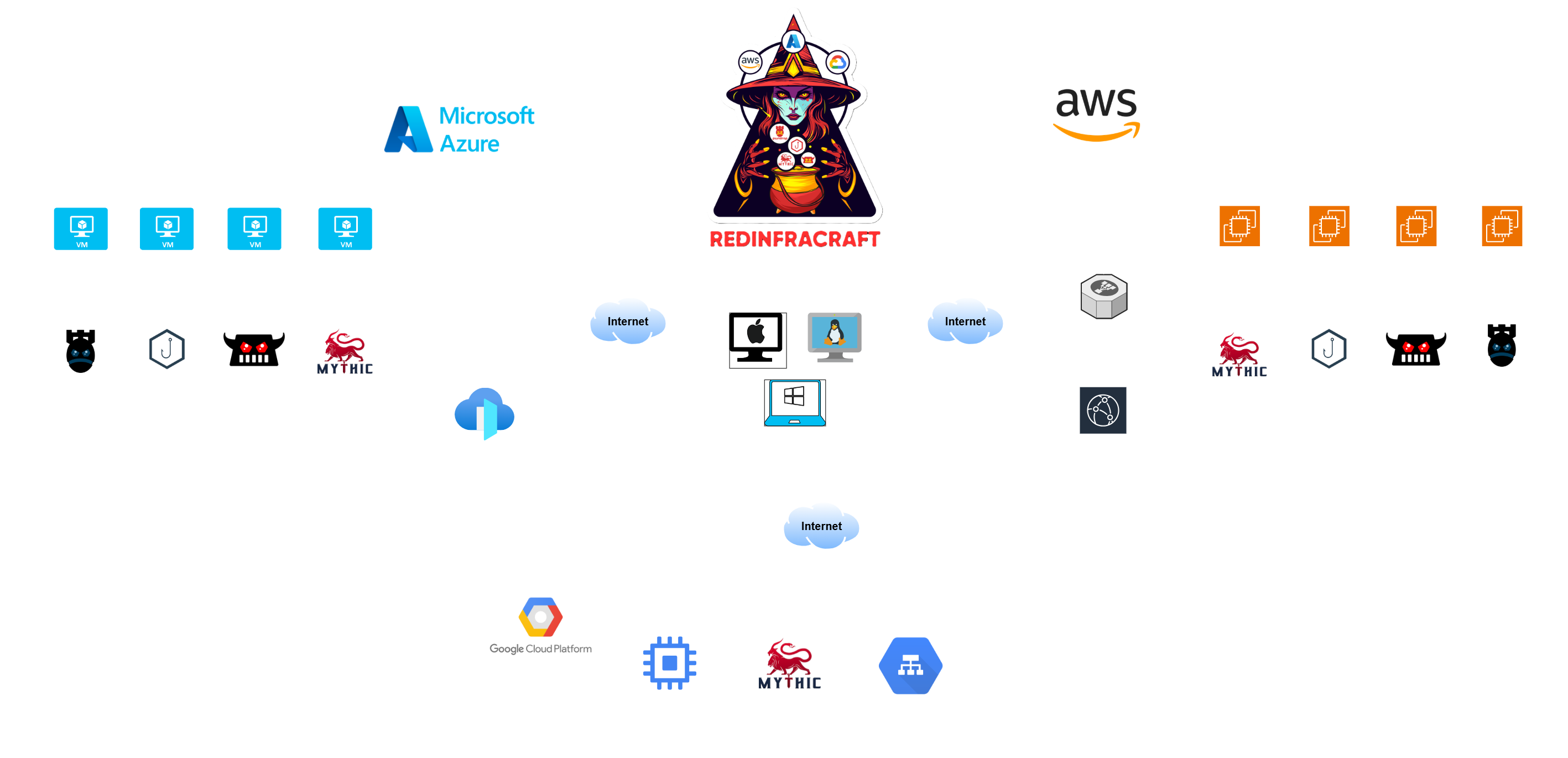
Red-Infra-Craft - RedInfraCraft automates the deployment of powerful
项目说明
<di="center">
<picture>
<source media="(prefers-color-scheme: dark)" srcset="assets/RedinfraCraft_White.png">
<source media="(prefers-color-scheme: light)" srcset="assets/RedInfraCraft_Black.png">
<img align="center" alt="Mythic_C2" src="assets/RedinfraCraft_White.png">
</picture>
</div>
Red-Infra-Craft (V2)
Welcome to the RedInfraCraft (V2) Tool - your gateway to automating the deployment of robust red team infrastructures! RedInfraCraft is your trusted companion in effortlessly setting up and managing red team infrastructures, streamlining the process so you can focus on your mission.
Let's craft infrastructures together with RedInfraCraft (V2)!!
<br>
1. Prerequisite
To follow this guide, you'll need to have the following software installed on your machine:
To Download Terraform, you can visit their official website HashiCorp. They provide instructions on how to install Terraform on Windows, Linux, and macOS.
Make sure you have Python installed in your system.
You should have an acti and proper credentials/license for at least one of the following cloud pro:
- Amazon Web Services (AWS)
- Microsoft Azure
- Google Cloud Platform (GCP)
This guide assumes you ha permissions to create and manage resources within your chosen cloud en.
<br>
2. RedInfraCraft Tool Installation
To acquire the tool, you need to clone this GitHub repository. Paste the below command in your terminal.
> [!IMPORTANT]
> Make sure you ha git in your machine
<br>
3. How to spawn an Infrastructure?
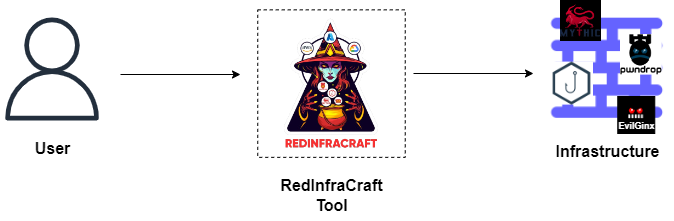
RedInfraCraft enables you to deploy any infrastructure in a single step, automating your tasks efficiently.
<br>
<di="center">
<picture>
<source media="(prefers-color-scheme: dark)" srcset="assets/Common_user1.png">
<source media="(prefers-color-scheme: light)" srcset="assets/Common_user.png">
<img align="center" alt="spawn an Infrastructure" src="assets/Common_user.png">
</picture>
</div>
A Infrastructures:
- Mythic C2
- Mythic C2 with CloudFront and Load Balancer (AWS)
- Mythic C2 with Frontdoor and Load Balancer (Azure)
- Mythic C2 with Application Load Balancer (GCP)
- Pwndrop
- E
- GoPhish
- Mythic C2 with CloudFront and Load Balancer, Pwndrop, E, GoPhish.
- Mythic C2 with Frontdoor and Load Balancer, Pwndrop, E, GoPhish.
Cloud Pro
1) AWS
2) Azure
3) GCP
Help Commands:
Commands to Spawn 🔧 and Destroy 🗑️ Infras:
Command Explanation:
--> redinfracraft.py action cloud_provider infra_type infra
For the step-by-step guide to spawn/destroy Infra go to infra_deployment_guide
| Infrastructure | Cloud Provider | Command | Description |
| ----- | - | -------------- | ------ |
| Mythic C2 | AWS | redinfracraft.py create/destroy aws c2 mythic | To Create/destroy Mythic C2 infrastructure. |
| Mythic C2 | Azure | redinfracraft.py create/destroy azure c2 mythic | To Create/destroy Mythic C2 infrastructure. |
| Mythic C2 | AWS | redinfracraft.py create/destroy aws c2 mythic_lb | To Create/destroy Mythic C2 with ELB & CloudFront infrastructure. |
| Mythic C2 | Azure | redinfracraft.py create/destroy azure c2 mythic_lb | To Create/destroy Mythic C2 with ELB & Frontdoor infrastructure. |
| Mythic C2 | GCP | redinfracraft.py create/destroy gcp c2 mythic_lb | To Create/destroy Mythic C2 with ALB infrastructure. |
| Payload | AWS | redinfracraft.py create/destroy aws payload pwndrop | To Create/destroy pwndrop payload infrastructure. |
| Payload | Azure | redinfracraft.py create/destroy azure payload pwndrop | To Create/destroy pwndrop payload infrastructure. |
| Phishing | AWS | redinfracraft.py create/destroy aws phishing gophish | To Create/destroy Gophish phishing infrastructure. |
| Phishing | Azure | redinfracraft.py create/destroy azure phishing gophish | To Create/destroy Gophish phishing infrastructure. |
| Phishing | AWS | redinfracraft.py create/destroy aws phishing e | To Create/destroy E phishing infrastructure. |
| Phishing | Azure | redinfracraft.py create/destroy azure phishing e | To Create/destroy E phishing infrastructure. |
| All-in-one | AWS | redinfracraft.py create/destroy aws full_infra | To Create/destroy all infrastructures in one go (Mythic C2 with CloudFront and Load Balancer, Payload, Phishing). |
| All-in-one | Azure | redinfracraft.py create/destroy azure full_infra | To Create/destroy all infrastructures in one go (Mythic C2 with Frontdoor and Load Balancer, Payload, Phishing). |
<br>
4. Cost & Specification O (Cloud Resources)
1. AWS
| Resources | Details |
| ------ | ------------ |
| EC2 Instance | t2.medium (2 vCPU, 4 GB RAM) - Ubuntu AMI: ami-080e1f13689e07408 |
| (Root Block Device) | 20 GB (gp2 EBS)|
| Security Groups | 1) "Terra_Ec2_sg: Allows SSH (22), HTTP (80) from ELB" 2) "terraElbSg: Allows HTTP (80)" |
| Key Pair | RSA 4096-bit key pair generated |
| Application Load Balancer (ALB) | Internet-facing, HTTP only, with target group |
| Target Group | HTTP on port 80, attached to EC2 instance |
| CloudFront | CDN distribution pointing to the ALB |
| VPC & Subnets | Using default VPC and multiple subnets |
| Data sources used | 1) Public IP fetch (ipify), 2) AWS VPC, 3) Subnets in selected AZs |
Total Estimated Cost: $4.20/day
* Actual CloudFront + data transfer may vary with usage and traffic
2. Azure
| Resources | Details |
| ------ | ------------ |
| VM | Ubuntu 18.04, size: Standard_B1ms, SSH only, User: azureuser |
| NIC | Connected to subnet & public IP: Dynamic IP, DNS label hardcoded |
| NSG | Rules for HTTP, HTTPS (from AzureFrontDoor), SSH (from any) |
| SSH Key | RSA 4096-bit key pair generated locally |
| Frontdoor | Origin, Origin Group, Front Door Endpoint, Front Door Route |
Total Estimated Cost: $3.74/day
* This assumes light/moderate usage, 1 VM, and no additional premium services (like WAF, Private Link, or DDoS Protectio, actual cost may vary
3. GCP
| Resources | Details |
| ------ | ------------ |
| Compute Instance | Machine: n2-standard-2, OS: Debian 11, Public IP: Ephemeral, Scratch Disk: NVMe, Instance Group |
| Firewall Rule | Allow: TCP 80 , Allow: TCP 443, Allow: TCP 80/443 Sources: GCP Health Check IP ranges |
| Load Balancer | Global IP Address, Health Check, Frontend Service, Backend Service, URL Map, HTTP Proxy |
Total Estimated Cost: $5.6/day
* actual cost may vary
<br>
Learning Content
If you want to learn more, please refer to this content:
<di="center">
<picture>
<source media="(prefers-color-scheme: dark)" srcset="assets/Certification1.png">
<source media="(prefers-color-scheme: light)" srcset="assets/Certifications.png">
<img align="center" alt="Certifications" src="assets/Certifications.png">
</picture>
</div>
<br>
Future Releases
Our tool now supports a multi-cloud en, seamlessly operating across AWS, Microsoft Azure, and Google Cloud Platform (GCP). This broad support ensures maximum flexibility, allowing users to integrate the tool into their preferred cloud infrastructure with ease.
But we’re just getting started.
In upcoming releases, we plan to introduce new cloud-nati and additional Command and Control (C2) mechanisms across all supported platforms. These enhancements will further strengthen the tool's capabilities for cloud security operations, offering deeper insights and more powerful features for both offensive and defensive use cases.
Stay tuned as we continue to innovate and expand our tool to meet the e needs of the cloud security community.
<br>
Your Feedback
We highly value your feedback, as it plays a crucial role in the continuous de of RedInfraCraft. Your suggestions and comments are in in further enhancing the tool. Please don't hesitate to share your thoughts either by creating an Issue or reaching out to us at with the subject RedInfraCraft.
项目信息
开发语言:HCL
Star 数:234
技术要点
该项目属于红蓝攻防方向的开源资源,代码结构清晰,适合安全研究人员学习参考。项目围绕RedInfraCraft automates the deployment of powerful red team infrastructures! It streamlines the setup of C2s, makes it easy to create advanced phishing & payload infras展开,提供了可运行的实现,对理解相关安全机制、工具原理与攻防技术具有较高的研究价值。
从技术实现角度看,此类项目的核心在于对底层原理的深入理解与工程化落地。开发者在研究过程中可以结合官方文档与社区讨论,梳理项目的初始化流程、核心模块职责与数据流转,逐步掌握其中的技术细节与设计思路。
使用与学习建议
1. 下载源码压缩包,解压到本地环境。
2. 根据项目类型准备对应的运行环境与依赖。
3. 按照 README 中的步骤完成配置与部署。
4. 在隔离的测试环境中运行验证,避免影响生产系统。
免责声明
本资源来源于开源社区,仅供安全研究、技术学习与合法授权范围内的攻防演练使用,请勿用于任何非法或侵害他人权益的用途。使用本项目产生的一切后果由使用者自行承担。
| 资源标题 | Red-Infra-Craft - RedInfraCraft automates the deployment of powerful |
| 所属分类 | 红蓝攻防 |
| 发布作者 | admin |
| 发布时间 | 2026-10-06 00:46:15 |
| 下载权限 | 免费下载 |
| 附件数量 | 2 个下载链接 |
| 浏览次数 | 174 |
| 讨论数量 | 0 |
| 主题状态 | 正常讨论中 |