 红蓝攻防
点击放大
RedCommander - Red Team C2 Infrastructure built in AWS using Ansi
项目说明
Red Commander
=========
Creates two Cobalt Strike C2 servers (DNS and HTTPS), with redirectors, and RedELK in Amazon AWS. Minimal setup required!
Companion Blog here
Important!
This build does NOT use free-tier eligible servers. Approximate costs can vary. During testing, we used six ec2 instances that cost around $70/month total.
<span style="color:red;background-color:black;"> Please read all of this Readme. </span>
I spent a ton of time ensuring that as many questions as I could think of were answered. If I missed something, please feel free to reach out. This tool may be maintained periodically, but it's mainly used as a stepping stone for further de.
Setup
-------------
* Read the Blog!
* Install Ansible
* Install requirements.txt (Python3 Only!)
* Download RedELK from here. Customize RedELK to your liking pre-deployment. We changed TimeZones here.
* Zip customized RedELK.zip. This archi contain a folder called "RedELK" in its root. put this ZIP file into files/.
Features
--------
* Build out multiple engagements with this platform! Tracking ID
* Custom Cobalt Strike Package Support
* Custom MalleableC2 Support per C2
* C2Concealer Support (Test 👏 Your 👏 Profiles!)
* Modified cs2modrewrite.py from Threat Express
* Joomla Support for Web Redirectors. (The web redirectors can ha own website!)
* Launch as many Web Redirectors as you want! Add as needed by rerunning the playbook with more domains added.
* Custom EDR E support via Web Redirectors (thanks to )
Customization Notes
---
Name the folders below labeled "web-redir1.org", "web-redir2.com" to whatever the domain name is for that web redirector. This will ensure that the correct Joomla install lands on the right EC2 server!
For Example:
If you created a decoy joomla site "definitely-legit-company.com" and wanted to use it as a web redirector, ensure it's in the 'domains' , and name a folder in the files/ directory 'definitely-legit-company.com' with dump.sql and joomla.zip in that folder that correspond to that site. Details on how to do that are below.
#### Details
All files have to be named EXACTLY as shown above in the folders shown. The exception is naming the folder for the web redirect domains.
* Add your own cobaltstrike.zip file if you like. Don't include your MalleableC2 profile in that ZIP, though.
* If you don't include a Keystore, one will be created for you using the LetsEncrypt certificate generated for the C2 domain.
* If you don't include a MalleableC2 profile, one will be generated for you. This happens at every run, so it's likely a good idea to copy the generated keystore/profile to the abo after first run, or just build your own.
* To dump the MySQL database of your Joomla site, use mysqldump
Example: mysqldump -u root -p -d cs_joomla >> dump.sql
Then, execute cd /var/www/html; zip -r joomla.zip * to get your Joomla install zipped properly. Don't worry, the play will add the correct configuration settings (by default, mysql password, user and session type modifiers)
* You can add a custom Cobalt Strike MalleableC2 and/or Keystore per C2 to files/custom/DNS and files/custom/HTTPS respectively.
* Add RedELK.zip to files/.
Requirements
------------
Ansible Control Node Requirements
* python3
* python3-boto3
* python3-botocore
* python3-requests
* Ansible (ob)
Requirements
* Amazon AWS API keys. You will need to be able to create EC2 Instances, VPCs, Subnets, IGW, Routing Tables, CloudFront Distributions (wasn't working properly in tests), and Add Keypairs.
* CloudFlare API Credentials
* Paid Cobalt Strike License (A Trial doesn't work here.)
* API Credentials (optional)
* Hybrid-Analysis API Credentials (optional)
* IBM-X-FORCE Red API Credentials (optional)
* Email Address for sending alert emails (We used Gmail)
The only REQUIRED pre-requisite that's not included in the file is to add your campaign domains to CloudFlare. The simple steps for that are:
* Buy a domain
* Assign Domain DNS servers to CloudFlare (for us it's marek.ns.cloudflare.com and nora.ns.cloudflare.com)
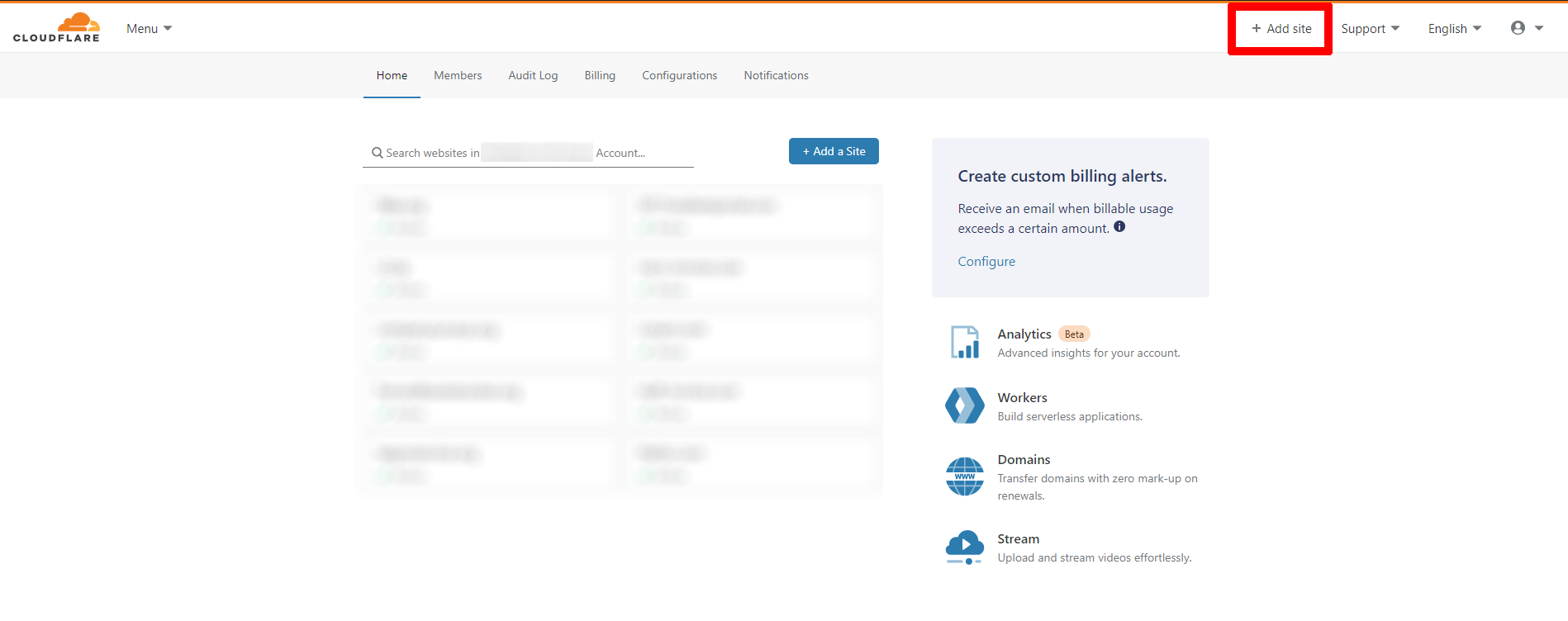
* Login to CloudFlare and click "Add Site"
!Logo
* Add your site name
* Select Free for the Plan
* Don't import any DNS records
* Repeat for all needed domains
Important! Please be kind to CloudFlare. Send an email to stating your AUTHORIZED intentions.
----------
All except the Vault key are covered in vars/main.yml. Please reference that file for descriptions of each . USE ANSIBLE VAULT FOR SENSITIVE DATA!
Example:
ansible-vault encrypt_string -- /path/to/password/file --name 'aws_secret_key'
Usage
----------------
We usually run this directly from the control node, though I'm in the process of importing this to AWX.
Important! Ensure that your are correct before running the playbook!
ansible-playbook playbook.yml --ask-
I created a janky output.yml play that will spit out IP/Hostname correlations in debug. It's not pretty, but I left it in case you don't ha to AWS EC2 web gui.
There's also a nuke playbook for destroying your infrastructure. It's run the same way:
ansible-playbook nuke.yml --ask-
Run that at your own risk.
FAQ
---
Check 👏 Your 👏 Profile
Ensure that all were correctly added. Check /var/log/redelk logs for errors in the RedELK server. Otherwise check the RedELK Wiki. Oh, and make sure you have a li. Otherwise you likely won't have any data! :)
Where? Try running it again with -v the Python Traceback will tell you whats wrong.
Author Information
------------------
Alex Williams, OSCP, GXPN
Twitter:
Github: offsecginger
Special Thanks
---
(In no particular order)
项目信息
开发语言:Python
Star 数:233
技术要点
该项目属于红蓝攻防方向的开源资源,代码结构清晰,适合安全研究人员学习参考。项目围绕Red Team C2 Infrastructure built in AWS using Ansible!展开,提供了可运行的实现,对理解相关安全机制、工具原理与攻防技术具有较高的研究价值。
从技术实现角度看,此类项目的核心在于对底层原理的深入理解与工程化落地。开发者在研究过程中可以结合官方文档与社区讨论,梳理项目的初始化流程、核心模块职责与数据流转,逐步掌握其中的技术细节与设计思路。
使用与学习建议
1. 下载源码压缩包,解压到本地环境。
2. 根据项目类型准备对应的运行环境与依赖。
3. 按照 README 中的步骤完成配置与部署。
4. 在隔离的测试环境中运行验证,避免影响生产系统。
免责声明
本资源来源于开源社区,仅供安全研究、技术学习与合法授权范围内的攻防演练使用,请勿用于任何非法或侵害他人权益的用途。使用本项目产生的一切后果由使用者自行承担。
| 资源标题 | RedCommander - Red Team C2 Infrastructure built in AWS using Ansi |
| 所属分类 | 红蓝攻防 |
| 发布作者 | admin |
| 发布时间 | 2026-10-06 00:46:17 |
| 下载权限 | 免费下载 |
| 附件数量 | 2 个下载链接 |
| 浏览次数 | 228 |
| 讨论数量 | 0 |
| 主题状态 | 正常讨论中 |