 红蓝攻防
点击放大
LazyDLLSideload - Generate DLL proxy/sideload projects. Automaticall
项目说明
LazyDLLSideload
A Rust-based tool for generating DLL proxy/sideload projects for red team engagements. Automatically parses PE export tables and generates ready-to-compile Rust projects with your payload embedded.
O
LazyDLLSideload automates the process of creating DLL proxying and sideloading implants.
dyncvoke = "0.1") for PEB-walked LoadLibrary / EAT lookup and Tartarus Gate NtCreateThreadEx on the hijacked export.Installations
Install as package
Use it anywhere anypath..
Clone the repository
Usage
Mode 1: Sideload
Sideload mode creates a DLL that replaces the original, executing your payload when a specific exported function is called. The original DLL is not used - this is a pure sideload attack.
How It Works
1. The tool parses the target DLL to get all exported functions
2. Generates stub functions for all exports (except the hijacked one)
3. Creates a lib.rs with a hijacked function that executes your payload
4. On build, you get a DLL with all the required exports
Example
This generates a project where:
lib is the hijacked export (triggers payload)POC:
!Sideloading VLC
---
Mode 2: Proxy Mode
Proxy mode creates a sophisticated DLL that:
1. Forwards all function calls to the original (renamed) DLL
2. Intercepts (hijacks) one specific function to execute your payload
3. Maintains full functionality of the original DLL
This is the classic proxying technique - the original DLL is renamed and your proxy DLL sits in its place, forwarding calls while intercepting specific functions.
Key Compoments
#### 1. The Dispatch Function
The dispatch function is the heart of the proxy. It:
dyncvoke to dynamically load the original DLLGetFunctionAddress#### 2. Export Forwarding
Non-hijacked exports are forwarded to the original DLL via the .def file:
This tells the Windows loader to automatically forward calls to Shaping.dll (the renamed original).
#### 3. Dynamic Function In (dyncvoke)
The tool uses dyncvoke:
NtCreateThreadEx for thread creation (set NATIVE = true)Two Path Modes
#### Relative Path Mode (Default)
> Note: For Relative path mode. you have to place the original dll where LazyDLLSideload.exe exists...
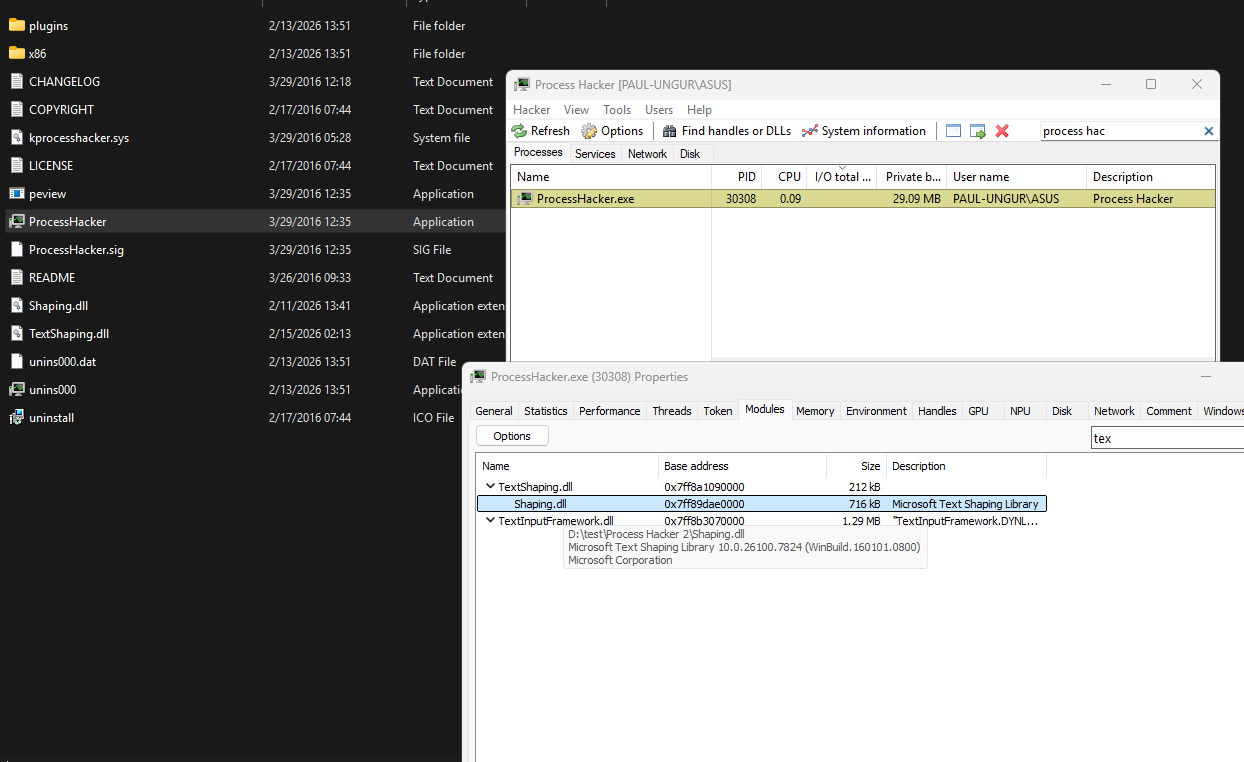
When you use a relative path like -p ./TextShaping.dll:
POC:
!Relative Path Mode
Generated .def forwarding:
#### Absolute Path Mode
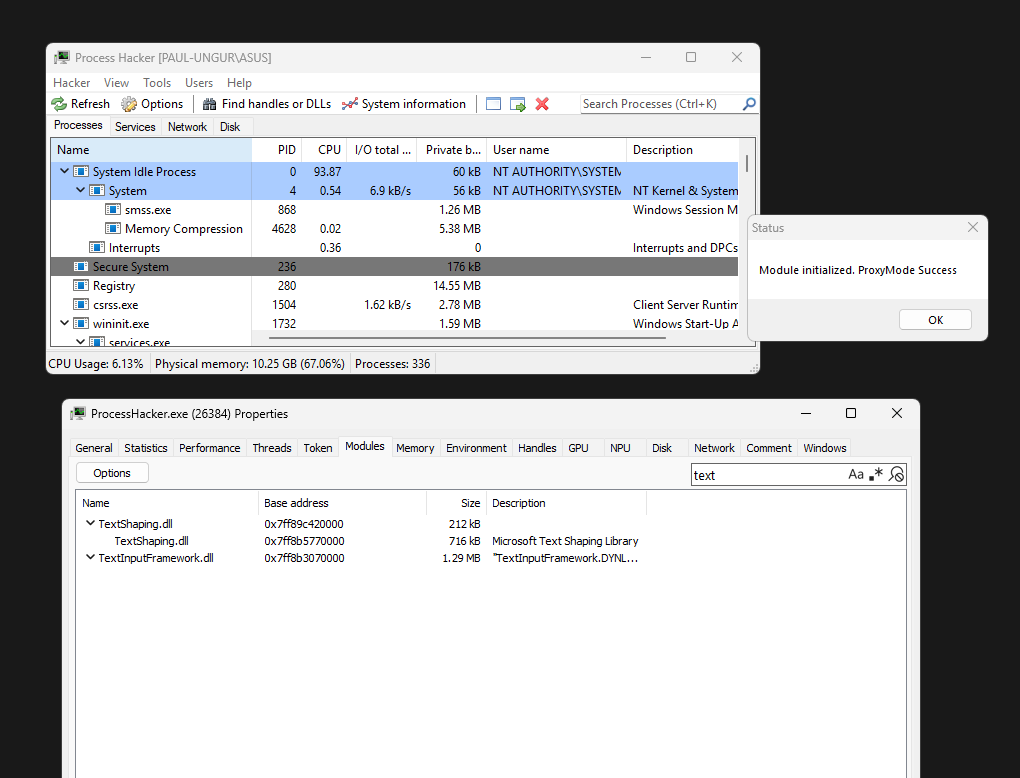
When you use an absolute path like -p C:\Windows\System32\TextShaping.dll:
Generated .def forwarding:
POC:
!Absolute Path Mode
---
Usage
Build the Tool
Sideload Mode
Proxy Mode
Options
| Option | Description |
|--------|-------------|
| -m, --mode | Mode: sideload or proxy |
| -p, --path | Path to target DLL |
| -e, --export | Export function name to hijack |
| -n, --name | Original DLL name after renaming (Relati path mode only) |
---
Project Structure
Sideload Mode
Proxy Mode
---
Payload Customization
The default payload displays a MessageBox. To customize, edit the generated lib.rs:
Nati Mode
In proxy mode, The syscalls more are enabled by default. you can change it using:
---
Example Workflow (Relative Path Mode)
1. Identify Target DLL
2. Generate Proxy
3. Build
4. Deploy
Requirements
rustup target add x86_64-pc-windows-msvcLICENSE
The project is under MIT LICENSE
项目信息
开发语言:Rust
Star 数:170
技术要点
该项目属于红蓝攻防方向的开源资源,代码结构清晰,适合安全研究人员学习参考。项目围绕Generate DLL proxy/sideload projects. Automatically parses PE export tables and generates ready-to-compile project for red team engagements.展开,提供了可运行的实现,对理解相关安全机制、工具原理与攻防技术具有较高的研究价值。
从技术实现角度看,此类项目的核心在于对底层原理的深入理解与工程化落地。开发者在研究过程中可以结合官方文档与社区讨论,梳理项目的初始化流程、核心模块职责与数据流转,逐步掌握其中的技术细节与设计思路。
使用与学习建议
1. 下载源码压缩包,解压到本地环境。
2. 根据项目类型准备对应的运行环境与依赖。
3. 按照 README 中的步骤完成配置与部署。
4. 在隔离的测试环境中运行验证,避免影响生产系统。
免责声明
本资源来源于开源社区,仅供安全研究、技术学习与合法授权范围内的攻防演练使用,请勿用于任何非法或侵害他人权益的用途。使用本项目产生的一切后果由使用者自行承担。
| 资源标题 | LazyDLLSideload - Generate DLL proxy/sideload projects. Automaticall |
| 所属分类 | 红蓝攻防 |
| 发布作者 | admin |
| 发布时间 | 2026-10-06 00:48:16 |
| 下载权限 | 免费下载 |
| 附件数量 | 2 个下载链接 |
| 浏览次数 | 204 |
| 讨论数量 | 0 |
| 主题状态 | 正常讨论中 |