 漏洞知识库
点击放大
Damn-Vulnerable-Drone - Damn Vulnerable Drone is an intentionally vulnerab
项目说明
Damn Drone
The Damn Drone is an intentionally drone hacking simulator based on the popular ArduPilot/MAVLink architecture, pro a realistic en for hands-on drone hacking.
<p align="center">
<img src=" alt="Damn Drone Logo"/>
</p>
Table of Contents
* About the Damn Drone
* What is the Damn Drone?
* Why was it built?
* How does it work?
* Features
* Installation
* System Requirements
* Getting Docker
* Wi-Fi Mode
* Non-Wi-Fi Mode
* Architecture
* Flight States
* Attack Scenarios
* Screenshots
* Mentions
* Community Support
* Feedback & Contributions
* Maintainers
* Credits
* Disclaimer
* License
About the Damn Drone
<p align="center">
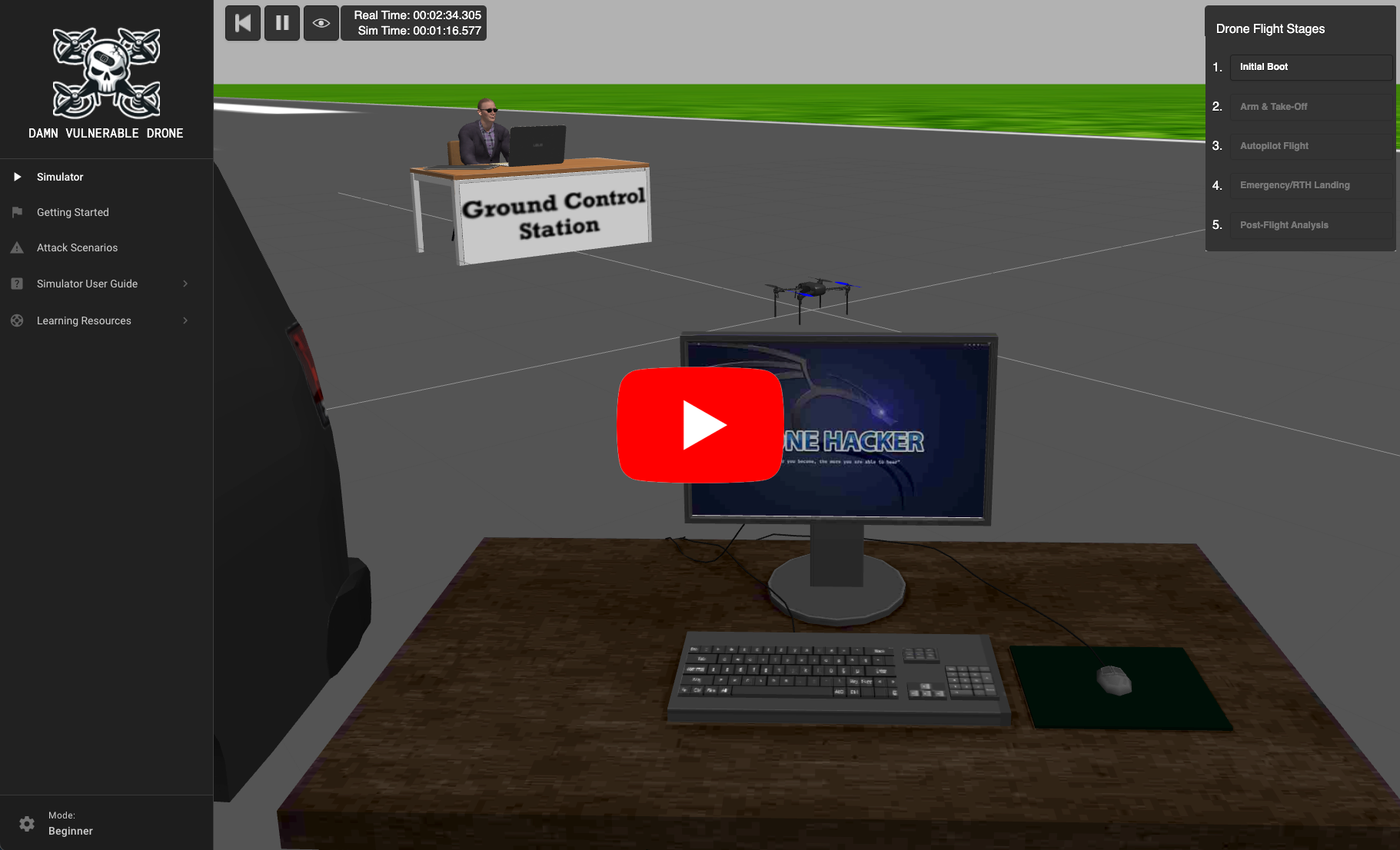
<a href=" src=" alt="Damn Drone Demo"/></a>
</p>
What is the Damn Drone?
The Damn Drone is a simulated en designed for offensi professionals to safely learn and practice drone hacking techniques. It simulates real-world ArduPilot & MAVLink drone architectures and , offering a hands-on experience in exploiting drone systems.
Why was it built?
The Damn Drone aims to enhance offensi skills within a controlled en, making it an in tool for intermediate-le professionals, pentesters, and hacking enthusiasts.
Similar to how pilots utilize flight simulators for training, we can use the Damn Drone simulator to gain in-depth knowledge of real-world drone systems, understand their , and learn effecti to exploit them.
The Damn Drone platform is open-source and a at no cost and was specifically designed to address the substantial expenses often linked with drone hardware, hacking tools, and maintenance. Its cost-free nature allows users to immerse themselves in drone hacking without financial concerns. This accessibility makes the Damn Drone a crucial resource for those in the fields of information security and penetration testing, promoting the de of offensi skills in a safe en.
How does it work?
The Damn Drone platform operates on the principle of Software-in-the-Loop (SITL), a simulation technique that allows users to run drone software as if it were executing on an actual drone, thereby replicating authentic drone behaviors and responses.
ArduPilot's SITL allows for the execution of the drone's firmware within a en, mimicking the behavior of a real drone without the need for physical hardware. This simulation is further enhanced with Gazebo, a dynamic 3D robotics simulator, which provides a realistic en and physics engine for the drone to interact with. Together, ArduPilot's SITL and Gazebo lay the foundation for a sophisticated and authentic drone simulation experience.
While the current Damn Drone setup doesn't mirror every drone architecture or configuration, the integrated tactics, techniques and scenarios are broadly applicable across drone systems, models and communication protocols.
Features
Installation
Please review the following instructions carefully to ensure a stable and well performing Damn Drone lab en.
> [!NOTE]
> Depending on your computer’s performance and internet speed, the full end-to-end installation process including container builds and image pulls, can take between *30-60 minutes*. Be patient and let each step complete before moving forward.
System Requirements
Damn Drone can be run in two modes depending on your a hardware:
Lite Mode (No GPU Required)
- Kali Linux (recommended, but Lite mode may run on most Linux distros)
- Works on bare metal or VM en without GPU passthrough
- RAM: 4–8 GB
- Processor Cores: 2
- Disk Storage: 100 GB
- Swap: 4 GB
- No GPU required
- Runs a 2D lightweight simulator using ArduPilot’s built-in flight dynamics model instead of Gazebo
- Docker
- Docker Compose
Lite Mode is recommended for users who cannot meet the GPU requirements of Full Mode or want a faster, more lightweight setup.
Lite Mode Interface
<p align="center">
<img src=" alt="Damn Drone Lite Mode"/>
</p>
---
Full Mode (3D En with Gazebo)
- Kali Linux (no other OS is supported)
- For best performance, use bare metal
- If you must use a GPU passthrough is enabled
- See this guide on Hyper-V GPU passthrough for setup help
- RAM: 8–16 GB
- Processor Cores: 2–4
- Disk Storage: 100 GB
- Swap: 10–12 GB
- At least 2 GB VRAM (4 GB+ recommended)
- OpenGL 3.0 (or higher)
- Dedicated GPU strongly recommended
- For VMs: Enable GPU passthrough and 3D acceleration
- Docker
- Docker Compose
Full 3D Mode Interface
<p align="center">
<img src=" alt="Damn Drone Full Mode"/>
</p>
---
Getting Docker (Key Dependency)
The following instructions are meant to be executed on the latest of Kali Linux, please also follow the official kali guide on how to install docker here
Clone the repository
git clone && cd Damn-
---
Pull or Build Docker Container Images
You can either pull prebuilt images from Docker Hub or build them locally.
Choose the appropriate docker-compose file depending on whether you want Full Mode or Lite Mode.
Pull Images
Full Mode (with Gazebo 3D simulator):
Lite Mode (no GPU, lightweight 2D simulator):
Build Images from Source
If you’d rather build the images yourself (slower than pulling):
Full Mode (with Gazebo 3D simulator):
Lite Mode (no GPU, lightweight 2D simulator):
Operating Damn Drone
Damn Drone includes three useful bash scripts which will help you manage the state of your simulator.
#### Starting Damn Drone
The start script is used to start Damn Drone simulator. This script will automatically create a dvd.log log file in the project directory, which you can use to view the simulator logs.
> [!TIP]
> If you have not already built or pulled Damn Drone images the start.sh script will automatically pull and build them for you.
#### Stop
The stop script is used to perform a full cleanup of the Damn Drone simulator and all of its interface artifacts. Stop logs are also appended to the dvd.log log file.
sudo ./stop.sh
#### Status
If you ever want to check the status of your simulator you can run the status script as shown below.
sudo ./status.sh
Wi-Fi Mode
"Wi-Fi Mode" (--wifi) allows for the most realistic drone hacking simulation. It deploys a simulated wireless network that you can interact with. This wifi network acts as the data-link connection between the Ground Station and Drone Companion Computer, allowing for interesting scenarios from your attacker machine. When you deploy the Damn Drone using Wi-Fi Mode you will ha to the "Drone_Wifi" SSID and 192.168.13.0/24 network. There are two wifi modes supported WEP and WPA2.
> [!WARNING]
> The 10.13.0.0/24 network is used to run the simulator infrastructure, should you attack this network, especially the simulator container on 10.13.0.5 this could cause your instance of Damn Drone to crash, warranting a potentially lengthy rebuild.
Non-Wi-Fi Mode
"Non-Wi-Fi Mode" (--no-wifi) essentially only runs the Damn Drone docker containers.
Unlike "Wi-Fi Mode" you are not limited to only running "Non-Wi-Fi Mode" within a Kali Linux VM. You'll be able to practice attacking the Damn Drone using just the stood up containers via docker compose up --build
> [!IMPORTANT]
> Not, "Non-Wi-Fi Mode" does not support wifi simulations and you will need to assume that you have an established initial access foothold on the drone data-link connection (via the 10.13.0.0/24 network)
Architecture
The Damn Drone simulation and core drone architectural components are integrated within Docker containers, pro a stable, isolated en for each component of the drone system. Docker facilitates easy setup, consistent performance across different systems, and simplifies the process of simulating complex drone architectures and scenarios.
Below is a high-le of the Damn Drone architecture:
<p align="center">
<img src=" alt="Damn Drone Architecture"/>
</p>
| Component | Description | Docker IP | Wireless IP |
|---------------------|--------------------------------------------------------------------------------------------------------------------------------------------------------------------------|-----------|----------------|
| Flight Controller | This is the brain of the drone, running the ArduPilot firmware to simulate a drone's flight controls. It interacts with the Gazebo simulator through a Gazebo driver, allowing it to process sensor data and respond as if it were flying in the real world. | 10.13.0.2 | - |
| Companion Computer | The Companion Computer (attached to the drone) handles higher-le tasks that are too complex for the flight controller. It manages wireless networking, telemetry logs, facilitates camera streaming for sur or reconnaissance, and interfaces with guidance systems for autonomous operations. | 10.13.0.3 | 192.168.13.1 |
| Ground Control Station | This component acts as the remote pilot's interface, pro mission planning capabilities, flight mapping, video streaming, and joystick control inputs. It communicates with the flight controller and companion computer over a simulated wireless MAVLink connection. | 10.13.0.4 | 192.168.13.14 |
| Simulator | Gazebo provides a richly detailed 3D world where the physics of drone flight are accurately modeled. This allows for realistic simulations of how the drone would react to control inputs and en factors. It’s here that the rotors spin, and the drone takes to the skies, all under the watchful control of the Simulator Management Web Console. Warning: Try not to target the simulator directly as this may break the Damn Drone | 10.13.0.5 | - |
Flight States
The Damn Drone has a range of flight states. Each flight state can be trigger by clicking on their buttons in the UI (). The ability to simulate these flight states allows users to test and exploit different aspects of the drones operations. By clicking these states, you are essentially triggering the GCS to issue commands to the drone.
<p align="center">
<img src=" alt="Damn Drone Flight States"/>
</p>
1. Initial Boot:
This simulates the drone's startup sequence, where all systems are initialized. Clicking this will simulate you "pressing" the power on button on the drone flight controller, allowing for the companion computer to establish a connection to it. This phase is critical for security/safety checks, calibration and ensuring communication protocols are setup before flight.
2. Arm & Takeoff
The phase where the drone transitions from a stationary state to airborne, testing the responsi of flight controls and the integrity of take-off protocols. Note: This may take some time to complete as the drone requires GPS & EKF3 to be ready)
3. Autopilot Flight
Represents the drone's ability to na autonomously based on predefined waypoints or dynamic commands, a vital state for exploring in na and control systems.
4. Emergency / Return-To-Land
Simulates the drone's emergency protocols, automatically returning to a home location upon triggering fail-safes or loss of control signals, which can be a target for exploitation in hacking scenarios.
5. Post-Flight Data Processing
This state in the handling of all data collected during the flight, including telemetry and logs, making it an important phase for understanding data exfiltration and integrity attacks.
Attack Scenarios
The full list of Damn Drone attack scenarios and detailed walkthroughs can be found in the project's wiki here:
| Reconnaissance | Protocol Tampering | Denial of Service | Injection | Exfiltration | Firmware Attacks |
|----------------------------------------------------|---------------------------------------------------|--------------------------------------------------|--------------------------------------------------------|---------------------------------------------------|-------------------------------------------------|
| Wifi Analysis & Cracking | Attitude Spoofing | Wifi Deauth Attack | Ground Control Station Spoofing | FTP Ea | Firmware Modding |
| Drone Discovery | Battery Spoofing | Geofencing Attack | Camera Gimbal Takeover | Parameter Extraction | Firmware Decompile |
| Companion Computer Detection | GPS Spoofing | GPS Offset Glitching | GPS Data Injection | Wifi Client Data Leak | |
| Ground Control Station Discovery | Critical Error Spoofing | Flight Termination | Return to Home Point O | Flight Log Extraction | |
| Packet Sniffing | Emergency Status Spoofing | Camera Feed ROS Topic Flooding | Companion Computer Web UI Login Brute Force | Camera Feed Ea | |
| Protocol Fingerprinting | Satellite Spoofing | Denial-of-Takeoff | Waypoint Injection | Mission Extraction | |
| Drone GPS & Telemetry Detection | VFR HUD Spoofing | Communication Link Flooding | Companion Computer Takeover | ROS 2 Topic Replay | |
| ROS 2 DDS Graph Enumeration | System Status Spoofing | | MAVLink Injection Attack | | |
| | | | Flight Mode Injection | | |
| | | | ROS 2 Rogue Publisher Injection | | |
Documentation & Walkthrough
Each of the attack scenarios ha documentation which outlines what the attack scenario is, as well as a Spoiler step-by-step walkthrough for users to follow in order to execute the attack. These walkthroughs are hidden behind a button, which when clicked, will reveal the instructions.
<p align="center">
<img src=" alt="Damn Drone Walkthrough"/>
</p>
Screenshots
<p align="center">
<img src=" alt="Damn Drone Demo"/>
</p>
<p>
<img src=" alt="Damn Drone Interface"/>
</p>
<p align="center">
<img src=" alt="Damn Drone"/>
</p>
<p align="center">
<img src=" alt="Ground Control Station"/>
</p>
<p align="center">
<img src=" alt="Drone Hacker Van"/>
</p>
<p align="center">
<img src=" alt="Drone Hacking Station"/>
</p>
<p align="center">
<img src=" alt="Damn Drone Desktop Background"/>
</p>
Mentions
Community Support
The Damn Drone platform thrives on the acti and collaboration of its user community. This community is a collective of like-minded indi ranging from cybersecurity enthusiasts to professional ethical hackers, all focused on sharing knowledge and ad skills in drone security. Whether you're encountering technical issues, seeking advice on tackling scenarios, or looking to discuss the latest trends in drone , the Damn Drone community is a resource.
The community Slack Channel is a for users to connect, share experiences, and provide mutual support. Users are encouraged to participate actively, ask questions, and offer help to others. Experienced members of the community often mentor newcomers, fostering a culture of continuous learning and impro. Remember, every question you ask and every answer you provide helps the entire community grow stronger.
Feedback & Contributions
The platform maintains a GitHub open source repository where users can submit their contributions. These contributions are re by the maintainers and, if aligned with the project's goals, are integrated into the platform. By contributing, you help ensure that the D a cutting-edge tool for learning and practicing drone hacking techniques in a safe and ethical manner.
If you ha a new attack scenario, discovered a way to improve the simulation, or created educational content that could benefit others, create a GitHub Pull Request. Contributions can take forms, from code patches and feature suggestions to writing documentation and creating tutorial .
Feedback is the cornerstone of growth for the Damn Drone platform. Users are encouraged to provide their insights by creating a GitHub Issue. Do your best to including any challenges faced and suggestions for enhancements. This feedback is in for the ongoing de and refinement of the platform.
Roadmap
Credits
Thanks to all the amazing community contributors for sending PRs and keeping this project updated. :heart:
If you have an idea or some kind of impro, you are welcome to contribute and participate in the project, feel free to send your PR.
<p align="center">
<a href="
<img src=" />
</a>
</p>
Disclaimer
The Damn Drone (D is provided solely for educational and research purposes. Users are expected to adhere to ethical hacking principles, respecting privacy and laws, and must not use skills or knowledge acquired from Damn Drone for malicious acti. The creators and maintainers of Damn Drone are not liable for any misuse of the platform. By using Damn Drone, you agree to use it responsibly and within legal boundaries. Damn Drone is highly insecure, and as such, should not be deployed on drone hardware or internet facing servers. It is intentionally flawed and , as such, it comes with no warranties.
License
It is distributed under the MIT License. See LICENSE for more information.
项目信息
开发语言:JavaScript
Star 数:840
技术要点
该项目属于漏洞知识库方向的开源资源,代码结构清晰,适合安全研究人员学习参考。项目围绕Damn Vulnerable Drone is an intentionally vulnerable drone hacking simulator based on the popular ArduPilot/MAVLink architecture, providing a realistic environment for hands-on drone hacking.展开,提供了可运行的实现,对理解相关安全机制、工具原理与攻防技术具有较高的研究价值。
从技术实现角度看,此类项目的核心在于对底层原理的深入理解与工程化落地。开发者在研究过程中可以结合官方文档与社区讨论,梳理项目的初始化流程、核心模块职责与数据流转,逐步掌握其中的技术细节与设计思路。
使用与学习建议
1. 下载源码压缩包,解压到本地环境。
2. 根据项目类型准备对应的运行环境与依赖。
3. 按照 README 中的步骤完成配置与部署。
4. 在隔离的测试环境中运行验证,避免影响生产系统。
免责声明
本资源来源于开源社区,仅供安全研究、技术学习与合法授权范围内的攻防演练使用,请勿用于任何非法或侵害他人权益的用途。使用本项目产生的一切后果由使用者自行承担。
| 资源标题 | Damn-Vulnerable-Drone - Damn Vulnerable Drone is an intentionally vulnerab |
| 所属分类 | 漏洞知识库 |
| 发布作者 | admin |
| 发布时间 | 2026-10-06 01:05:34 |
| 下载权限 | 免费下载 |
| 附件数量 | 2 个下载链接 |
| 浏览次数 | 506 |
| 讨论数量 | 0 |
| 主题状态 | 正常讨论中 |